Travel connectivity guide
Kranjska Gora eSIM for Mobile Internet
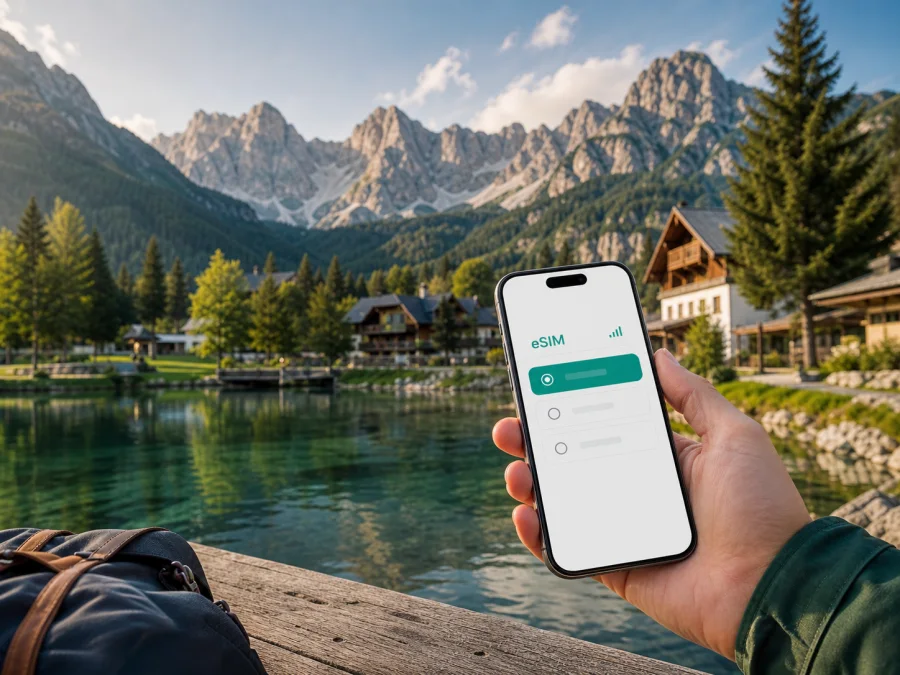
Kranjska Gora eSIM for Mobile Connection and Internet: a practical guide for your trip
Kranjska Gora is a compact Alpine resort in north-western Slovenia, surrounded by the Julian Alps and close to the borders with Austria and Italy. It is a place where a reliable mobile connection supports very different days: a transfer from the airport, a walk around the centre, a ski morning, a meeting in a hotel, a drive over a mountain pass, or a hike that begins beyond the main streets. An eSIM can make the digital part of that trip easier to organise before you arrive.
This guide focuses on mobile internet in Kranjska Gora: arrival, movement around the town, data planning and routes through the nearby valleys.
Why mobile internet matters in Kranjska Gora
Kranjska Gora is walkable in its central area, but routes often extend to Lake Jasna, Podkoren, Rateče, Planica or a trailhead. A simple day can involve a map, a booking message, a weather check and a change of direction.
Mobile data is useful for:
- checking the route from your accommodation to the centre or a trailhead;
- reading current transport information before leaving;
- communicating with a hotel, guide, driver or meeting organiser;
- using essential travel apps when you are away from Wi-Fi;
- sharing a location when a group has split up on a walk;
- keeping a backup route available when mountain roads or weather affect plans.
Mountain terrain and local network conditions can affect the experience. Download essential maps and reservation details in advance, then treat mobile data as a practical layer of support rather than a substitute for preparation.
Arriving in Kranjska Gora
Many visitors reach Kranjska Gora by road after travelling through Slovenia. A typical arrival plan may include an airport transfer, a bus or coach journey, a rental car, or a connection through the wider Upper Carniola region. The final approach follows a valley road, so it is helpful to have the accommodation address, check-in instructions and a saved map available before the last part of the journey.
From the airport or a larger Slovenian city
If you are flying, confirm the transfer arrangement while you still have a stable connection at the airport. Save the name of the accommodation exactly as it appears on the booking, along with a telephone number or messaging contact. If you are continuing by public transport, check the departure point carefully: a railway station, a regional bus stop and an airport terminal are not interchangeable locations.
Jesenice is an important rail access point for the area, while Kranjska Gora itself is primarily reached by road. Timetables and seasonal services can change, so use current journey information on the day and allow time for a change between train and bus. With an eSIM ready for Slovenia, you can check a delay, locate a stop and update your host without searching for a café or hotel Wi-Fi first.
By car
A car is convenient for the surrounding valleys, but mountain driving needs flexibility. Keep the route, parking details and accommodation address available before leaving the main road; seasonal access, weather and parking rules can change.
Getting around the resort
The centre of Kranjska Gora is straightforward to explore on foot. Shops, cafés, restaurants, accommodation and many everyday services are close enough to combine in one walk. The need for navigation grows when you head towards the surrounding sights or stay outside the core of the resort.
For each route, keep three things in mind: use a map for the walking or driving option, save the destination and return point offline, and allow extra time for weather, crowds or a change of transport. This matters especially on journeys to Lake Jasna, Podkoren, Rateče, Planica and mountain trailheads.
For short walks, a map is a convenience; for a longer outing, it is part of the safety plan. Paths branch, visibility changes and distances can be deceptive. Protect the phone from cold and rain, and tell someone your intended route.
Areas and places that shape your route
The central resort area
Start by identifying your accommodation, a food shop, the transport stop and a clear meeting point. For colleagues, use a full venue name rather than “near the centre”.
Lake Jasna and the Pišnica valley
Lake Jasna is a well-known local stop a short walk from the centre, on the route towards the Vršič Pass. The lakes, shore paths and mountain backdrop make it an easy half-day addition. Navigation is useful because walking routes, roads and parking areas serve different purposes. Agree on a meeting point before you set off.
Carry a light layer and water. If you continue towards Vršič, check the current road situation and allow for seasonal restrictions or traffic management.
Podkoren and Zelenci
The village of Podkoren lies along the route west of Kranjska Gora, and the Zelenci natural reserve is reached from that side of the valley. Zelenci is known for its green spring-fed lake and wetland landscape. The reserve is a destination for a slower visit: follow marked paths, stay on permitted routes and plan enough time to return before your next booking.
Staying in central Kranjska Gora still requires a plan for the outward journey, entry area and return. Save the return route before leaving, especially when travelling with children or returning near dusk.
Rateče and Planica
Rateče is near the north-western end of the destination, and the Planica valley branches off nearby. Planica is associated with major ski-jumping facilities and a broad mountain setting. In warmer months, the former railway route has been adapted as a cycling trail connecting the area with Kranjska Gora and towards Jesenice. Conditions, access and event arrangements can vary, so check the current local information before planning a tight schedule.
For a day around Rateče and Planica, download the route and confirm the return option. Leave space for a walk if a signal becomes weaker on a trail or in a valley.
Accommodation, work and connectivity
Central accommodation simplifies walks to meals and services; an outer village may suit a quieter stay but add a transfer. Check the full address, late-arrival instructions and nearest transport stop. Hotel Wi-Fi handles large downloads, while mobile data keeps maps and messages available outside.
A practical eSIM plan for Slovenia
Kaspersky eSIM Store is an app and website where you can choose, arrange and activate an eSIM with a suitable data plan for an international trip. It is not a mobile operator. Select a package whose allowance and validity fit your route, then install it on a compatible, unlocked device.
For a short stay based in Kranjska Gora, estimate usage rather than choosing by habit. Maps and messages require less data than video calls, photo uploads or hotspot use.
| Travel pattern | Likely data behaviour | Planning approach |
|---|---|---|
| Weekend in the resort | Maps, messages, bookings and occasional search | A small package may be enough if media is kept on Wi-Fi |
| Ski or hiking week | Frequent maps, forecasts, photos and coordination | Leave room for route updates and image uploads |
| Business stay | Video meetings, mail, documents and navigation | Estimate work traffic separately from sightseeing |
| Slovenia road trip | Repeated navigation and changing accommodation | Choose validity that covers the full itinerary |
The correct choice depends on the plan’s listed volume, validity, destination and conditions. A package intended for Slovenia can be relevant when Kranjska Gora is one stop on a wider itinerary. If your route crosses into Austria or Italy, read the destination details carefully instead of assuming that one country plan applies across every border.
When the dates and route are clear, you can choose a Slovenia eSIM plan for your trip and review its conditions before installation. Keep the purchase or activation details accessible, but do not activate a profile earlier than necessary if its validity starts on activation according to the plan terms.
How to prepare and install eSIM before departure
Installation is easiest when the phone has internet access, enough battery and a QR code or profile details available. Before buying, check whether your device supports eSIM and confirm that it is not locked to a mobile operator. Some models differ by region, so the model name alone may not be sufficient.
Use this sequence:
1. Check the device
Confirm eSIM support in the phone settings or with the manufacturer’s documentation. Make sure the device is unlocked and updated enough for the installation flow you will use.
2. Prepare the connection
Keep the existing SIM active until the new profile is ready, unless your travel plan requires another arrangement. Connect to trusted Wi-Fi or keep another internet option available for downloading the profile.
3. Open the mobile-network settings
Choose the option to add a mobile plan or eSIM. The wording varies between phones, so follow the labels shown on your device.
4. Scan the QR code or use the profile details
Use the QR code from your Kaspersky eSIM Store profile or purchase message. If the phone asks which line should provide mobile data, select the travel eSIM only after you are ready to use it.
5. Set the data line
Choose the eSIM for mobile data and decide whether the primary SIM should remain available for calls or messages. To avoid unexpected roaming charges, review data-roaming settings for the primary line.
6. Activate at the right time
If the plan terms start validity at activation or first connection, wait until the relevant part of the trip. Connection may take several minutes and depends on the device and local network. For more detailed steps, use the Android installation instructions or the iOS installation instructions.
After activation, test a map search and a simple message. If you need mobile data later rather than immediately, keep the profile installed and select it when you reach Slovenia, following the plan’s conditions.
Using data on sightseeing and mountain days
An Alpine itinerary benefits from simple digital housekeeping: save the route and next address at breakfast, send a meeting point before leaving, and keep an offline map for longer walks.
A Lake Jasna afternoon
Save the walking route, decide whether you will return the same way and set a meeting point. A prearranged plan is more dependable than a live pin.
A Planica and Rateče day
Check the transport or driving plan, save the return details and leave space for a walk. If weather or parking changes the schedule, coordinate by phone and keep the return realistic.
A Vršič or wider mountain excursion
Check access, weather and seasonal traffic arrangements, download essential information, share your route and carry enough power. A connection cannot replace suitable equipment or local caution.
Business trips and short stopovers
Kranjska Gora can be a meeting base as well as a leisure destination. Before a short work trip, save the venue, transport notes, calendar and a backup way to communicate.
For a short stopover, save the accommodation and meeting location, send an arrival update while connected, and download meeting documents before leaving Wi-Fi. For a longer stay, watch the balance during video calls or hotspot use; mobile data may support a brief task when room Wi-Fi is unavailable, subject to local conditions and the selected plan.
Common problems and calm fixes
If the eSIM does not appear, check that installation finished, the profile is enabled and the device is unlocked; a restart may help. If there is no data, select the eSIM for mobile data, enable data roaming for that profile when required, check destination and validity, and wait a few minutes after moving to a better position. For a QR-code problem, increase screen brightness and show the code on another screen. Do not delete a working profile while troubleshooting. When the battery is low, use offline maps, reduce background updates and connect a power bank.
FAQ
Is an eSIM useful for a trip based in Kranjska Gora?
Yes, it can be useful for maps, messages, bookings, transport checks and coordination outside accommodation Wi-Fi. The suitable package depends on your dates, route and data habits.
Does an eSIM include a regular phone number?
Not usually. These travel eSIM plans are intended for mobile data, and ordinary calls or SMS are not included unless the specific conditions say otherwise. You can use internet-based messengers for communication when appropriate.
Final checklist for Kranjska Gora
Before leaving for Slovenia, make sure you have:
- a compatible and unlocked phone;
- the eSIM profile or QR code available;
- the accommodation address and check-in details saved offline;
- a data package whose validity covers the planned route;
- the centre, Lake Jasna, Planica or other intended stops marked on a map;
- current transport and road information for the day;
- a power bank and a second navigation option for longer outings.
Kranjska Gora rewards flexible planning: keep the centre as your base, leave time for the valley roads and let conditions guide mountain days. With the right eSIM preparation, mobile internet becomes a quiet practical tool for finding the next stop, keeping a group together and adapting your itinerary.
When you are ready, select and prepare an eSIM plan for your trip to Slovenia, install it on your compatible device and check the settings before departure.


