Travel connectivity guide
Kuala Lumpur eSIM: Mobile Internet Guide
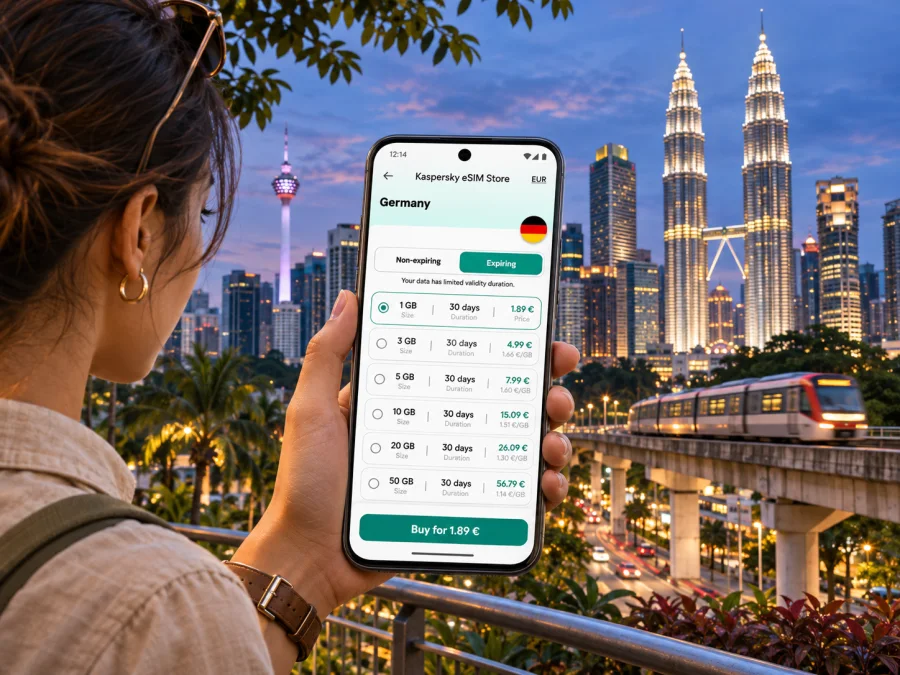
Kuala Lumpur eSIM: mobile connection and internet for your city trip
Kuala Lumpur is a city where a map can be as useful as a suitcase label. You may need it to find the right airport transfer, navigate a station interchange, book a ride, translate a menu or message your hotel after landing. An eSIM can give your compatible phone mobile data without swapping out your home SIM, provided the device and the chosen plan support the destination and your trip needs.
This guide focuses on using mobile internet around Kuala Lumpur: arriving through Kuala Lumpur International Airport (KLIA), reaching the city, getting around its different districts and planning nearby outings. It also explains what to check before choosing an eSIM, how to install it and what to do if the connection does not start as expected.
Kuala Lumpur and the wider Klang Valley
Kuala Lumpur is a Federal Territory and Malaysia’s capital. It is distinct from the neighboring state of Selangor, although visitors often move across the metropolitan area without noticing a clear urban edge. This matters when you plan a day trip: Batu Caves, for example, are in Selangor, north of the city, rather than within Kuala Lumpur’s federal territory.
For a city stay, your phone is likely to be used in several different settings: dense central districts, covered shopping complexes, rail stations, hotel towers, parks and road journeys. A short route on screen may involve a long station walk or a transfer. Keep maps and bookings available offline; reception depends on the plan, device, location and conditions.
At a glance
| Trip moment | Where mobile data helps | Practical preparation |
|---|---|---|
| Arrival at KLIA | Hotel details, pickup messages and onward directions | Save your accommodation address and arrival plan before boarding |
| Transfer to the center | Checking the route to KL Sentral or comparing ground transport | Confirm the airport terminal and the last service time |
| City sightseeing | Maps, opening details, ride bookings and translation | Download an offline map as a backup |
| Work trip | Meeting changes, email and video calls when suitable | Check the plan’s data allowance and your company’s call requirements |
| Day outside the center | Route changes and return connections | Confirm that the destination is covered by the selected plan |
Before you fly: plan the first connection
KLIA is outside the central city, roughly 50 kilometres from Kuala Lumpur. The airport has Terminal 1 and Terminal 2, so check your flight itinerary rather than relying on a generic “KLIA” pin. That small detail can save time when you are following signs, arranging a pickup or meeting someone.
The KLIA Ekspres train runs between the airport and KL Sentral. Its operator lists a journey time of 28 minutes between KL Sentral and Terminal 1, with a further three-minute ride between the two airport terminals. The service is scheduled at regular intervals, but timetables can change; check the operator’s current schedule for your travel date, particularly if your flight lands late or you have a tight connection. KLIA Transit also serves intermediate stations, so make sure you select the service and destination that match your route.
KL Sentral is a major interchange. From there, continue by urban rail, taxi or ride-hailing depending on your hotel, luggage and arrival time. Road traffic varies, and rail may require a transfer, so allow time for the entire trip.
A simple arrival routine:
- Check whether your flight arrives at Terminal 1 or Terminal 2.
- Confirm the current airport transfer schedule and the location of your onward station or pickup point.
- Save your hotel name, full address and booking confirmation for offline access.
- Make sure your eSIM is installed on a compatible, unlocked device and know which SIM is set to use mobile data.
- Once you have a connection, check the live route and allow for walking, transfers and traffic.
Getting around the city with a map in hand
Kuala Lumpur’s central areas are connected by several rail services, including LRT, MRT and the KL Monorail. These lines are useful for linking major districts, but the best route depends on your starting point, destination, interchange and walking tolerance. Current service hours and station arrangements can differ, so use an up-to-date route planner or station information for the day you travel.
Mobile data is useful for the parts of a journey that are easy to miss on a static map: choosing the correct station exit, checking whether a route has changed, locating a pickup bay or finding an accessible entrance. Still, plan for moments when you would rather not stare at a screen. Save a few key locations, take a screenshot of a complex transfer and note the nearest landmark to your hotel.
| Area or landmark | What visitors commonly use it for | Data-aware tip |
|---|---|---|
| KLCC | Petronas Twin Towers, the park, shopping and nearby hotels | Set the exact entrance or meeting point; large complexes can have several access points |
| Bukit Bintang | Shopping, dining and evening plans | Save the restaurant address; a venue name alone may bring up several results |
| KL Sentral | Airport rail and city connections | Check your next line and station exit before leaving the interchange |
| Chinatown and Petaling Street | Markets, food and heritage streets | Keep a map pin ready for your return route, especially after dark |
| Merdeka Square and the historic center | Civic landmarks and walking routes | Download or save nearby points before starting a longer walk |
| Bangsar | Dining, accommodation and visits with friends | Compare the final walking leg with a ride option if it is hot or raining |
Use a rail journey when it suits the route and operating hours. A taxi or ride-hailing trip may be more practical with luggage, late-night arrivals, a group or a hotel away from a station. For a road pickup, confirm the precise entrance or pickup zone with the driver; “outside the station” may be too vague at a large interchange.
Heat and rain can make a short walk uncomfortable. Check the route, carry water and keep an indoor alternative in mind. Save directions in advance in case you do not want to rely on public Wi-Fi.
Choosing an eSIM plan for a Kuala Lumpur itinerary
Start with your route, not with a headline data amount. A short city break built around maps and messages has different needs from a week of remote work, frequent video calls or hotspot use. Think about how long you will be away, whether your hotel and workplace provide Wi-Fi, and how often you will use mobile data while moving around.
Use this checklist to compare the plan details shown at purchase:
- Destination: Confirm that Malaysia is included. A city name in a search or article does not itself define network coverage.
- Validity: Check when the validity period begins and how long the plan remains usable.
- Data allowance: Estimate your use for maps, messaging, browsing, uploads and any calls over the internet.
- Network access: Review the offer’s stated local network or network conditions where provided. Signal can vary by building, neighborhood and route.
- Tethering: If you plan to connect a laptop or another device, check whether hotspot use is supported and whether it fits the allowance.
- Voice and SMS: Travel eSIM plans for data may not include a regular phone number, voice calls or SMS. Keep your home SIM available for those services if your carrier and settings allow it, and use internet calling only where appropriate.
- Activation and expiry: Read the instructions carefully. Installing an eSIM and starting the plan’s validity may be separate events.
- Device eligibility: Confirm eSIM support for the exact device variant and make sure the phone is not carrier-locked.
If you are visiting Kuala Lumpur and taking a side trip, check that the selected plan includes every destination. Batu Caves are in Selangor, outside the Federal Territory, and can be reached by KTM Komuter from KL Sentral. Conditions may differ outside the center.
How much data might you need?
There is no universal allowance for every traveler. Navigation and text messages generally use less data than uploading large files, streaming video or making long video calls. To estimate your trip:
- Review your recent phone data usage for a typical day at home.
- Remove usage that will be on trusted Wi-Fi, such as downloads you can complete before departure.
- Add extra room for unfamiliar routes, photo backups, work tasks or hotspot use.
- Compare that estimate with the plan’s displayed allowance and validity.
- Check whether the offer lets you top up or extend service, and under what conditions.
Do not choose a plan based only on the word “unlimited” or on a per-day assumption. Read the details for any fair-use rules, speed conditions or restrictions that apply. If the terms are unclear, resolve that before buying rather than counting on an assumption during the trip.
If you prefer to arrange the data plan before departure, browse the available eSIM options for Malaysia and compare the destination, validity period and data allowance shown for each option. Kaspersky eSIM Store is a website and app that helps you choose, purchase and activate an eSIM plan for mobile internet on an international trip. The plan’s exact terms and the local network it uses are determined by the selected offer; check those details before purchase.
Device compatibility and regional variants
Not every phone that looks like a familiar model supports eSIM in every market. Support can vary by model number, hardware version, country or carrier variant, and some devices may be locked to a mobile operator. Check the exact model identifier in your phone settings or manufacturer documentation, then check whether your device is compatible with eSIM before selecting a plan.
Also consider how you will keep your usual number reachable. Many phones can store more than one SIM profile, but the number of active lines and the available settings depend on the device. You may be able to leave your home SIM enabled for calls or verification messages and select the travel eSIM for mobile data. Check your home carrier’s roaming charges and the phone’s dual-SIM instructions before changing settings.
Install and activate before you need directions
If you have time and a stable internet connection, installing the eSIM before departure can make the first few minutes after landing simpler. Follow the plan-specific instructions, and do not delete the eSIM profile if something appears wrong; some profiles cannot be installed again after removal.
A typical setup looks like this, although wording varies by phone and plan:
- Confirm that your phone is connected to Wi-Fi and has enough battery.
- Open the eSIM installation instructions supplied with your plan or use the provided QR code if required.
- Add the eSIM in your phone’s mobile or cellular settings and follow the on-screen prompts.
- Label the line clearly, for example “Malaysia travel”, so you can distinguish it from your home SIM.
- Keep your home line’s call and message settings as needed, and select the travel eSIM for mobile data when the plan is ready to use.
- On arrival, follow the plan instructions to enable the line and any required data-roaming setting for that eSIM. Do not assume roaming should be enabled on every line.
- Open a web page or map to confirm that data works before relying on it for a transfer.
For more detailed steps, use the Android eSIM installation guide or the iPhone eSIM installation guide. Menu labels and supported steps differ across operating-system versions. Keep the QR code or manual activation details available on another screen if you cannot scan it from the phone that will use the eSIM.
If you would rather install the eSIM after landing, plan for a Wi-Fi connection and enough time to complete setup before leaving the airport. The ability to install or activate a profile can depend on the offer’s rules, so read those instructions in advance. Save your first destination and transport details offline in case airport Wi-Fi is busy or unavailable.
Common city scenarios
Landing late or reaching a meeting
After a late arrival, check whether the airport train still fits your schedule before leaving the terminal. If it does, use your map to find the correct station and plan the final leg from KL Sentral; otherwise compare airport transport options and confirm the designated pickup point. For a meeting near KLCC, save the building, entrance and contact details. Large complexes have multiple lobbies, and a saved address is more useful than a shortened venue name.
Exploring central Kuala Lumpur
Merdeka Square, the Sultan Abdul Samad Building, Central Market and Chinatown can make a walking day, depending on your pace and current opening arrangements. Pin each stop, keep the hotel address offline and check the route again if rain or heat changes your plans. Around Bukit Bintang, agree on an exact meeting point and confirm a ride pickup location in the app rather than assuming the nearest curb is correct.
Taking a trip to Batu Caves
Batu Caves are in neighboring Selangor. Check current rail times from KL Sentral, allow for the station approach and stairs, and review return options before setting off. Leave a margin if you have plans back in Kuala Lumpur; do not build a tight connection around an estimated journey time.
If mobile data does not work
A new eSIM may not connect until you complete all the steps in its instructions. Work through the basics in order:
- Check that the eSIM profile appears in your phone’s SIM settings and is switched on.
- Confirm that the travel eSIM, rather than the home SIM, is selected for mobile data.
- Check the plan’s activation requirements, destination and validity dates.
- Follow the provider’s instructions about data roaming for the travel line, if required.
- Turn airplane mode on briefly and off again, or restart the phone if the instructions recommend it.
- Move to a different location and retry; indoor reception can differ from street-level reception.
- If there is still no service, contact the support channel listed with the plan. Do not delete the eSIM profile unless support or the installation instructions tell you to do so.
Also check that mobile data is not restricted by a device setting, low-data mode or a depleted allowance. If maps are the urgent issue, use saved directions, station signs, an airport information desk or a trusted Wi-Fi connection while you troubleshoot.
A compact checklist for departure day
- [ ] Confirm your flight terminal and arrival time.
- [ ] Save the accommodation address, booking details and first transfer plan offline.
- [ ] Check the exact phone model variant, eSIM support and carrier-unlock status.
- [ ] Compare Malaysia plan destination, validity, data and activation terms.
- [ ] Install the profile as directed, or plan where you will have Wi-Fi to install it.
- [ ] Know which line handles mobile data and which line handles calls or SMS.
- [ ] Check the current airport rail schedule and the last onward connection.
- [ ] Carry a charging cable or power bank and keep the eSIM instructions accessible.
Frequently asked questions
Is Kuala Lumpur the same as Selangor?
No. Kuala Lumpur is a Federal Territory and Selangor is a neighboring state in the larger metropolitan area. Batu Caves are in Selangor.
Does a Malaysia eSIM guarantee signal throughout the city?
No. Reception depends on the plan’s network arrangements, location, buildings, device and current conditions. Keep offline directions available for important journeys.
Can I keep my home SIM active alongside a travel eSIM?
Some devices support dual-SIM use, but configurations differ. Check your phone instructions and home carrier charges before leaving your usual line on.
Does a travel eSIM include a Malaysian phone number?
A data-focused plan may not include a regular number, voice calls or SMS. Check the offer details; internet calling and messaging apps use data.
Should I install it before flying, and will it work on my phone?
Install over reliable Wi-Fi if the plan’s instructions allow it, and check whether validity starts at installation or later. Regional variants and carrier locks can affect eSIM support, so verify your exact model first.
What if I visit other parts of Malaysia?
Check that the plan includes every destination on your itinerary. Do not assume that a city plan covers every state or that conditions remain the same along the route.
Stay connected to the plan, not just the map
A smooth Kuala Lumpur visit begins with a few modest preparations: know which terminal you are using, save your first address, understand the transfer to the city and keep directions available offline. Once there, mobile data can make it easier to adjust routes across KLCC, Bukit Bintang, KL Sentral and the historic center, while leaving room for the occasional indoor dead zone, traffic delay or change of plan.
Before buying, check that your exact device variant supports eSIM, confirm the Malaysia destination and compare the validity, allowance and activation rules. When you are ready, choose an eSIM option for your Malaysia trip through Kaspersky eSIM Store, then follow the plan’s installation instructions and the settings recommended for your phone.


