Travel connectivity guide
Kuching eSIM: Mobile Internet for Your Trip
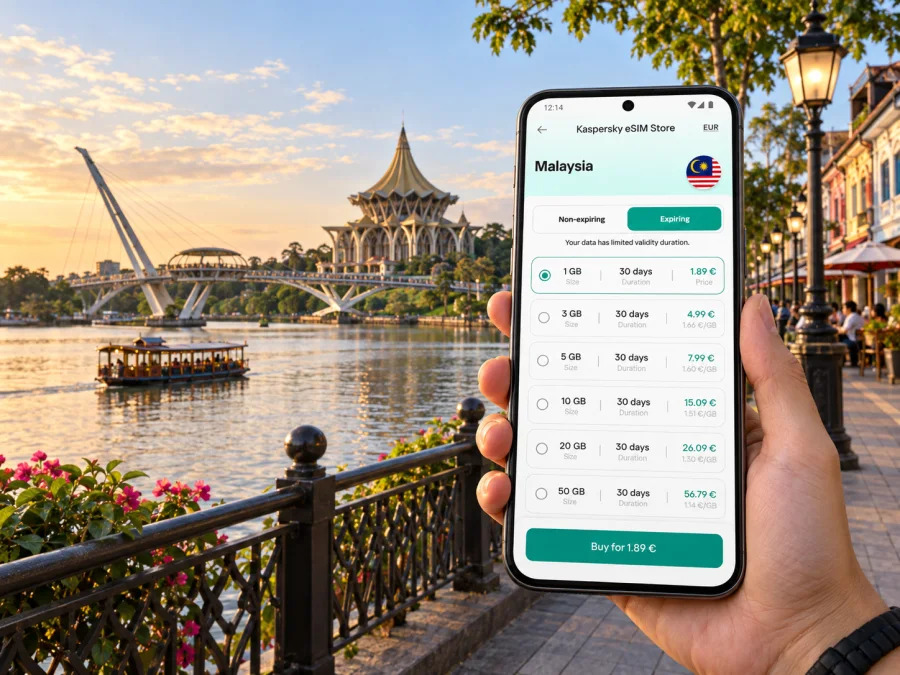
Kuching eSIM: Mobile Connection and Internet for Your Visit
Kuching is a practical base for exploring Sarawak, but arriving in a new city still means solving several small tasks at once: finding your accommodation, arranging a ride, checking a meeting location, and getting oriented around the Sarawak River. An eSIM can give you mobile internet for maps, messages, bookings, and online services without swapping the physical SIM in your phone.
The useful question is not simply whether you will need data. It is when you will need it, how you expect to move around Kuching, and whether your chosen plan matches the full route. A short stay around the city centre has different needs from a work trip with video calls or a longer itinerary that includes places outside the urban area.
When mobile internet helps in Kuching
Kuching is the capital of Sarawak on Borneo. The Sarawak River, waterfront, and historic streets help orient a first visit, while mobile data supports practical tasks between stops: confirming an address, messaging a host, translating a short note, or checking current venue information.
An eSIM may be useful:
- On arrival: open accommodation details and coordinate a ride from Kuching International Airport.
- Between districts: check directions from the riverfront to Padungan, a restaurant, or a business appointment.
- When plans change: update a pickup, send a new arrival time, or find another place to eat.
- For work: reach email, calendars, authentication apps, and messages while travelling between meetings.
- For an excursion: confirm a meeting point and return arrangements before leaving the centre.
Mobile data does not replace a confirmed booking or local advice. It helps you access the information you have saved and make small decisions as the day unfolds.
Start with the shape of your trip
A rough itinerary is enough to compare eSIM options. Note how long you will stay, whether your days are mostly in central Kuching, and if you will travel beyond the city. Then estimate your own phone habits: checking maps and sending messages uses less data than frequent video calls, streaming, or uploading large photo libraries.
| Trip pattern | Main data use | What to check |
|---|---|---|
| Short city break | Maps, messages, ride requests | Validity includes arrival and departure days |
| Sightseeing | Navigation, venue details, photo sharing | Save large uploads for Wi-Fi when convenient |
| Business visit | Email, calendars, calls over apps | Check hotspot rules if using a laptop |
| City plus excursions | Maps and booking coordination | Coverage includes each stop on the route |
Treat these as planning prompts rather than fixed data amounts. Your normal app settings and habits are the best guide.
The first hours: airport, ride, and check-in
Kuching International Airport is the usual air arrival point for visitors flying into the city. Before departure, save your accommodation name, full address, booking reference, and host instructions somewhere available offline. This helps if your phone is still switching profiles or you have not connected after landing.
At the airport, compare current transport choices and confirm the pickup point. Service availability, traffic, and arrangements can change, so check what is operating on the day rather than assuming a particular service or fare. If someone is meeting you, share the agreed location and keep their contact details accessible.
After check-in, save the route back to your accommodation and any details you may need again. A simple arrival sequence is:
- Keep your booking and address available offline.
- Select the mobile profile intended for data.
- Confirm the pickup location and destination.
- Message your accommodation with an arrival update if needed.
- Save the return route before going out.
This preparation is especially useful for a late arrival, when you may prefer to follow a clear pickup plan instead of searching through email with luggage in hand.
Getting oriented around the riverfront
The Kuching Waterfront follows the south bank of the Sarawak River. It is a useful reference point: central walks, older commercial streets, cafés, and cultural stops are in or around this part of town. Check which side of the river a destination is on before setting off; a short map distance does not always mean a direct crossing.
Main Bazaar and Carpenter Street are near the waterfront in the historic centre. The Borneo Cultures Museum is another prominent central destination. Check current venue information before making a visit the fixed point of your day.
For a relaxed self-guided walk, choose a starting point, add two or three nearby places, and check walking directions before leaving. Save a return route and meeting point, or take a screenshot if your map app supports it. Then let the phone handle orientation while you pay attention to the river and streets around you. Sharing a saved pin is also clearer than describing a corner from memory.
Neighbourhoods and where you are staying
A stay near the central waterfront can make it easier to walk between riverside sights and older streets. Accommodation farther from the centre may suit a different schedule, but often means planning rides or checking local transport more frequently. Business travellers may prioritise the meeting location or hotel facilities.
When comparing a property, consider whether it is on the same side of the river as your main destinations, whether the map pin matches the entrance, and how you will manage luggage on arrival. For Padungan or another district, save the exact venue pin and address; a precise destination is more dependable than a broad neighbourhood name when arranging a ride.
Mobile data is most useful between stops: confirming a route, checking a message, or coordinating a pickup. Wi-Fi may be available in a hotel or café, but access and quality are property-specific. Keep essential details reachable without it.
Choosing an eSIM plan for Kuching
Kuching is in Malaysia, so a city visit calls for a destination plan whose stated coverage includes Malaysia. If your itinerary continues elsewhere in Sarawak or beyond, check the full list of covered destinations rather than assuming that every stop is included.
Kaspersky eSIM Store is an app and website where you can choose, arrange, and activate an eSIM with a suitable data plan for an overseas trip. Compare the allowance, validity period, price, activation conditions, and any restrictions together. The best fit depends on your schedule and habits; the largest allowance is not automatically the right one.
Before choosing, ask:
- How many days should the plan cover, including arrival and departure?
- Will you mainly use maps and messages, or also stream and make video calls?
- Do you expect to use a laptop hotspot, and does the plan allow it?
- Does the stated coverage include excursions or connecting destinations?
- When does validity begin, and what does the plan say about activation?
- Does it include only data, or does it explicitly include calls, SMS, or a number?
You can review eSIM options for Malaysia once you know your trip length and likely use. Read the selected plan details before setup; travel data plans do not necessarily include ordinary calls or SMS.
Install before departure, activate with care
Installing before travel can simplify arrival if the plan's conditions allow it. Some profiles need an internet connection to download, while the time service begins depends on the plan. Read the instructions and avoid deleting an installed profile just because it is not yet selected for mobile data.
Check that your phone supports eSIM and is not restricted by a carrier lock. Check whether your device supports eSIM before choosing a plan. Menu names vary by model and operating-system version.
A careful setup sequence:
- Connect to reliable Wi-Fi and open the plan instructions.
- Add the profile with the supplied QR code or manual details.
- Label it clearly, such as “Malaysia travel data.”
- Keep your regular SIM for its usual number if your phone supports dual SIM.
- Select the eSIM for mobile data at the time indicated by the instructions.
- Enable data roaming for that eSIM only if required; check your regular SIM settings too.
- Test a map or message once active and retain the confirmation.
Follow the Android eSIM installation instructions or iOS eSIM installation instructions for device steps. The plan's own instructions govern activation timing and network settings.
Use data thoughtfully while moving around
Navigation can use data through map tiles, traffic information, rerouting, and new searches. Look up the next stop before leaving, save addresses, and use offline-map features where available. For larger downloads and photo backups, hotel or café Wi-Fi may be convenient; keep mobile data for directions and time-sensitive messages.
For work, sync your calendar and download meeting documents ahead of time. If you expect to use a hotspot, test it before a call and check the plan's conditions. Video calls can consume data quickly and may vary with indoor reception or congestion.
After your first full day, review mobile-data usage on your phone. If it is higher than expected, check background activity and pause nonessential uploads. Your own usage is a more useful guide than a generic daily estimate.
Short stays, layovers, and business trips
With only a day or two in Kuching, preparation saves time. Keep the hotel pin, arrival contact, and timed booking ready; for a stopover, plan the return journey as well as the trip into town. Check current transport arrangements and leave a margin rather than relying on an unverified schedule.
Business travellers moving between venues can add each address to a calendar, share arrival times, and keep important documents available offline. Mobile data helps with changes, but a written address and confirmed meeting details are useful if the battery runs low or a connection drops.
| Situation | Prepare | Keep accessible |
|---|---|---|
| Late arrival | Confirm pickup and check-in | Address, booking reference, host message |
| Several meetings | Check locations and travel gaps | Calendar, contact, venue pins |
| Central walk | Group nearby stops | Map, meeting point, return route |
| Day trip | Confirm pickup and return details | Booking and local contact |
Day trips and a wider Sarawak route
Some visitors use Kuching as a base for nature, coastal, or cultural trips in the surrounding region. A city plan and an excursion plan are not always identical: confirm that each destination is included and save tickets, directions, and operator contacts before leaving.
Do not assume reception will be continuous on every road, trail, or remote site. Keep meeting and return instructions offline, follow the local operator's guidance, and confirm transport separately. If the route continues to another city or across a border, check that the plan covers that destination too.
A practical checklist before you leave
- [ ] Confirm eSIM support and that the phone is not carrier-locked.
- [ ] Review Malaysia coverage, allowance, validity, and activation conditions.
- [ ] Save accommodation and airport pickup details offline.
- [ ] Pin the first day's destinations and the route back.
- [ ] Decide whether you will use a hotspot, video calls, or large uploads.
- [ ] Check which SIM line handles mobile data.
- [ ] Carry a charging cable or power bank for long navigation days.
- [ ] Confirm coverage and transport for excursions beyond Kuching.
For a realistic data estimate, review recent usage on your phone and consider how your travel days differ from home.
Common questions about eSIM in Kuching
Will an eSIM help as soon as I land?
It can if the profile is installed and the plan allows connection. Check activation instructions before departure and keep your address offline in case setup takes longer.
Can I keep my usual number?
Many dual-SIM phones can retain a physical SIM for its usual number while using an eSIM for data. Confirm your device and carrier settings before travel.
Does a travel eSIM include calls and SMS?
Do not assume so. Check the plan details; travel data plans may not include a local number, ordinary calls, or text messages.
Will it work throughout Sarawak?
That depends on plan coverage and local conditions. Check each destination and expect reception to vary outside the city.
Should I install before leaving home?
It can be convenient, but follow the plan's activation instructions and keep setup details until the profile is ready.
What if I use more data than planned?
Check your phone's usage breakdown, pause nonessential background activity, and use Wi-Fi for large downloads when available.
Make Kuching easier to navigate
A prepared phone can make your first day in Kuching more manageable: the airport address is ready, the route to your accommodation is clear, and the map can guide you between the riverfront, historic centre, Padungan, and other stops. Saved details provide a fallback for excursions or work appointments.
Choose a plan based on your stay, expected data use, and every destination on your route. Check your device and activation conditions, install the profile carefully, and keep essential addresses offline. When you are ready, choose an eSIM plan for your trip to Malaysia and prepare for Kuching before you travel.


