Travel connectivity guide
Kuldiga eSIM: Mobile Connection and Internet Guide
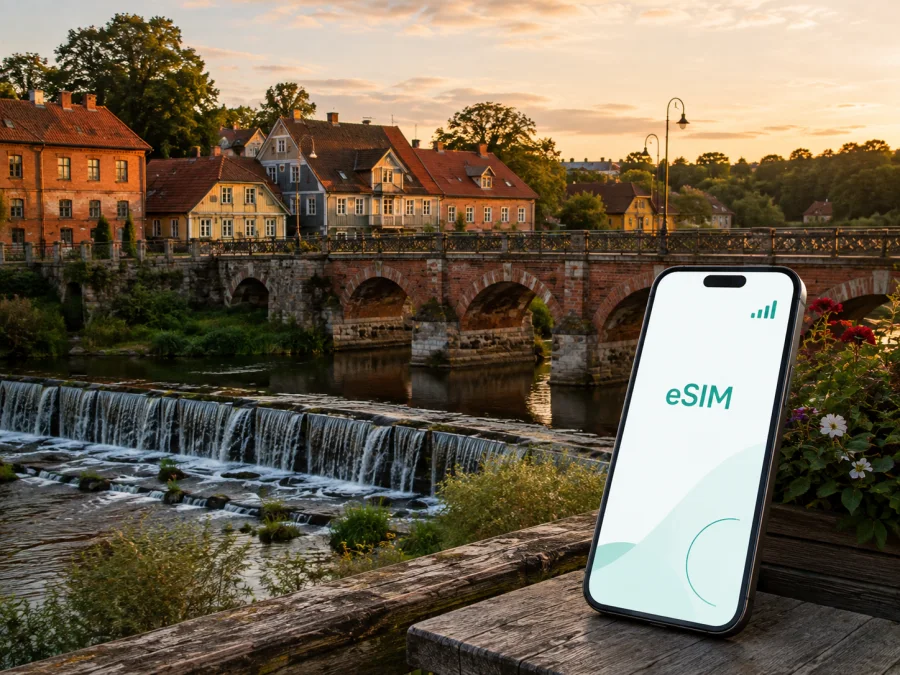
Kuldiga eSIM for Mobile Connection and Internet: A Practical Travel Guide
Kuldiga is a compact historic town in western Latvia where a short walk can take you from a cobbled street to the Venta River, a traditional wooden house, or the broad flow of Ventas Rumba. The town is easy to explore at a relaxed pace, but mobile internet still matters. A map can guide you to a guesthouse, a message can clarify check-in, and a quick search can help when you change your route or continue to another place in Kurzeme.
For a trip to Kuldiga, an eSIM can be a convenient way to prepare mobile data without replacing your physical SIM card. It is a digital SIM profile installed on a compatible phone. Kaspersky eSIM Store is an app and website that helps you choose, arrange, and activate an eSIM with a suitable plan for mobile internet during an overseas trip. The right choice depends on your stay: a two-day visit, a road trip, a workday, or a short stop before continuing through Latvia.
Why mobile internet helps in Kuldiga
Kuldiga’s main sights are close enough for walking, yet the practical moments around a walk are where a connection is useful:
- finding the correct entrance to a hotel, guesthouse, or apartment;
- checking a route from your arrival point through the historic centre;
- following directions to the Venta riverside and Ventas Rumba;
- messaging a host when your arrival time changes;
- checking a current bus departure or onward road route;
- using translation, banking, weather, and booking apps;
- sharing a location with a companion;
- handling email or work documents between meetings.
Hotel and café Wi‑Fi may cover some of these tasks, but it is not available while you are walking or travelling. An eSIM gives you a separate mobile-data option while leaving your regular SIM in the phone, if your device and home plan support dual-line use.
An eSIM plan in this context is normally for mobile internet, not a new everyday phone number. Ordinary calls and SMS are not included unless the conditions of the selected plan specifically say so. For many conversations, internet messengers are a practical alternative. The eSIM is also not a replacement for every function of a local operator; read the plan conditions to understand exactly what is included.
Kuldiga’s layout and the routes visitors actually use
Kuldiga developed where the Venta meets the smaller Alekšupīte. Its origins go back to the 13th century. The old town preserves a historic street pattern, traditional wooden architecture, and later masonry buildings, and it was inscribed on the UNESCO World Heritage List in 2023.
These landmarks are useful both for sightseeing and for planning data use:
- The historic centre. Narrow streets and older buildings make a precise address more useful than a broad destination name when you are looking for a particular entrance.
- The Venta and Ventas Rumba. The river landscape is central to the town. A route on either bank can be simple, but mobile navigation helps when you need to return to accommodation or adjust the walk.
- The historic brick bridge. The bridge over the Venta is a memorable crossing and a practical orientation point between the old town and the opposite bank.
- Alekšupīte. The smaller stream runs through the historic centre, adding crossings and turns to an otherwise compact walking area.
- The wider surroundings. Trips outside town require more attention to the destination and validity of a plan, especially when a route includes several places or countries.
How to choose a plan for your stay
Choose by activity rather than by the city name alone. Maps, messages, bookings, and light searches are different from video calls, frequent photo uploads, or laptop tethering.
| Kuldiga travel pattern | Main data tasks | Check before choosing |
|---|---|---|
| Short city break | Maps, messages, bookings, weather | Validity and a suitable data allowance |
| Weekend with a day trip | Navigation beyond the centre, photos, route searches | Destination coverage and validity for the whole route |
| Business visit | Email, work apps, documents, online meetings | Allowance, hotspot rules, and a backup plan |
| Longer stay | Regular navigation, media, updates, communication | Top-up conditions and expiry rules |
| Short stopover | Arrival directions, messages, onward travel | When activation starts and how long the plan lasts |
The table describes usage patterns, not a promise about any particular tariff. Compare the current data allowance, validity period, destination, activation conditions, and price shown for the plan. More data is not automatically better for a short walking trip, while a small allowance may be unsuitable for streaming or tethering.
When you are ready to review the current options, choose a mobile internet plan for a trip to Latvia. Use the live plan information rather than an old screenshot or a remembered price.
Keep data available for the moments that matter
You do not need to count every megabyte, but background activity can use data without helping your day. Automatic photo backup, app updates, and high-resolution video are easy to postpone until trusted Wi‑Fi.
Before leaving your accommodation in Kuldiga:
- save the accommodation name, address, and check-in instructions;
- keep tickets, booking references, and essential contacts accessible offline;
- review which apps may use mobile data in the background;
- download large files or updates over suitable Wi‑Fi;
- keep a reserve for the return route or an unplanned change;
- charge the phone before a long riverside walk or onward journey.
Arrival in Kuldiga
Kuldiga is generally reached by road, so the final part of a journey may begin in Riga or another Latvian town rather than at an airport in Kuldiga itself. Bus departures, road conditions, and check-in arrangements can change; verify current details close to departure and keep your destination address ready to copy into a map.
If you arrive by bus, check the route to your accommodation before walking away from the stop. If you arrive by car, set the route while parked and do not handle the phone while driving. In either case, a prepared data line can help you read a host’s message or send a short arrival update without searching for public Wi‑Fi.
At the first stop, use this sequence:
- Confirm that the eSIM is installed and that your home line remains available for calls or messages you still need.
- Select the eSIM as the mobile-data line if you intend to use it.
- Turn off automatic data switching if you want to control which line is charged for data.
- Test a small map search with Wi‑Fi temporarily disabled.
- Check which line shows data usage before you begin the walk.
If the plan instructions say that data roaming must be enabled for the eSIM, follow that instruction. Settings differ between devices, so avoid changing unrelated options without a reason.
Hotels, guesthouses, and cafés
Historic buildings do not always have an entrance that is obvious from the main road. Save the accommodation address, check-in instructions, host contact, and booking reference before travelling. In a café or shared workspace, Wi‑Fi can be convenient, but it should not be your only way to reach a host or open a map. For work, follow your organisation’s rules for shared networks and sensitive files.
Business trips and short stopovers
If Kuldiga is a meeting location or one stop on a wider itinerary, decide in advance how much data your workday needs. Email and messaging may be light, while online meetings, cloud documents, and tethering can use substantially more.
Before departure, answer four questions:
- Do you need video meetings or only email and messaging?
- Is tethering a laptop allowed under the plan conditions?
- Which calls must remain on your regular phone number?
- Where can you use suitable Wi‑Fi for large files or backups?
For a short stopover, a modest plan may be enough for a route, a message, and an onward ticket if background usage is controlled. The important detail is activation timing: understand when validity begins before installing or switching on the profile.
For a road trip through Kurzeme, check the plan against every destination. A plan selected for Latvia should not automatically be assumed to cover a cross-border route. Download what you need before driving, set routes while parked, and keep a small reserve for changes.
Check compatibility before payment
Not every phone supports eSIM, and a supported model may still be restricted by an operator lock or regional configuration. Check the exact model, not just the family name. Make sure the phone has enough battery, can connect to Wi‑Fi during installation if required, and lets you manage the home SIM and travel eSIM separately.
Before selecting a plan, check whether your device supports eSIM. Then confirm:
- the device is not locked to one operator;
- you know where the mobile-data and roaming controls are;
- you can access the QR code or other installation details;
- the validity and activation rules fit your dates;
- your home line will not be selected for data by accident.
Compatibility is a device question. Coverage, data, validity, price, and top-up rules are plan questions; both sets of conditions matter.
Install and activate the eSIM
Install when you have a stable internet connection, enough battery, and time to read the prompts. Some plans begin validity at installation, while others use different activation conditions. Keep the QR code or activation information until setup is complete.
The usual flow is:
- Open Kaspersky eSIM Store and arrange the selected plan.
- In the phone’s mobile-network settings, choose the option to add an eSIM or mobile plan.
- Scan the QR code or enter the requested details.
- Label the line, for example “Travel data”, so it is not confused with your home SIM.
- Select the line for mobile data and review data-switching settings.
- Activate it at the time required by the plan conditions.
- Test a lightweight map search, then check that the correct line records data usage.
For device-specific guidance, use the Android installation instructions or the iOS installation instructions. Menu names may differ, but the essential choices are the same: add the profile, choose the data line, and confirm the relevant network settings.
Do not assume an activated profile can be moved to another phone. It may not be transferable when the plan or profile conditions do not allow it. If a temporary connection problem appears, review the settings and plan instructions before deleting a working profile.
If the connection does not work
Use the simplest checks first:
- Make sure the eSIM line is turned on.
- Confirm that it is selected for mobile data.
- Check whether data roaming is required for this plan.
- Turn off Wi‑Fi briefly and test a small map search.
- Check the plan’s activation status, data balance, and validity.
- Move outside a thick-walled building or underground space and test again.
- Restart the phone only after noting the current settings.
- If the issue remains, contact support with the device model, plan details, and checks already completed.
A simple Kuldiga preparation checklist
- [ ] Confirm eSIM support and the absence of an operator lock.
- [ ] Read the plan’s destination, data, validity, activation, and top-up conditions.
- [ ] Arrange the eSIM through the Kaspersky eSIM Store app or website.
- [ ] Install it on a charged phone with a stable connection at the appropriate time.
- [ ] Label the travel line and choose which line handles data.
- [ ] Keep automatic data switching under control.
- [ ] Save your Kuldiga accommodation details and arrival instructions.
- [ ] Keep tickets and essential contacts available offline.
- [ ] Check whether the eSIM requires data roaming.
- [ ] Keep the installation information until activation is confirmed.
Frequently asked questions
Is an eSIM useful for a two-day visit to Kuldiga?
It can be useful for arrival directions, maps, messages, bookings, and weather without removing the physical SIM. Match the plan’s validity to your dates and check when validity begins.
Will it give me a Latvian phone number?
Not normally. The travel eSIM is intended for mobile internet. A phone number, ordinary calls, and SMS are not included unless the individual plan conditions say otherwise.
Can I keep my home SIM active?
Many compatible phones can manage both lines, but the exact options depend on the device and home operator. Select the travel eSIM for data deliberately and check which line is active before calling.
Can I use the eSIM on another phone?
Check the device and plan conditions first. An activated profile may not be transferable to another device.
What if I use all the data?
Review the available balance and top-up options in the app or account where those features are offered. If no suitable top-up is available, use trusted Wi‑Fi for non-urgent tasks.
Prepare for Kuldiga with a clear data plan
Kuldiga’s old town, riverside paths, Ventas Rumba, and historic bridge are rewarding to explore without rushing. A prepared eSIM helps with the less picturesque but important parts of the day: finding a door, checking a route, contacting a host, handling a work task, and continuing to the next stop in Latvia. The result depends on a compatible device, clear activation timing, and knowing which line uses mobile data.
When your dates and usage are clear, prepare an eSIM plan for your trip to Kuldiga in Latvia. Review the current allowance and validity, then install the profile at the appropriate time.


