Travel connectivity guide
Kumanovo eSIM: Mobile Internet for Your City Trip
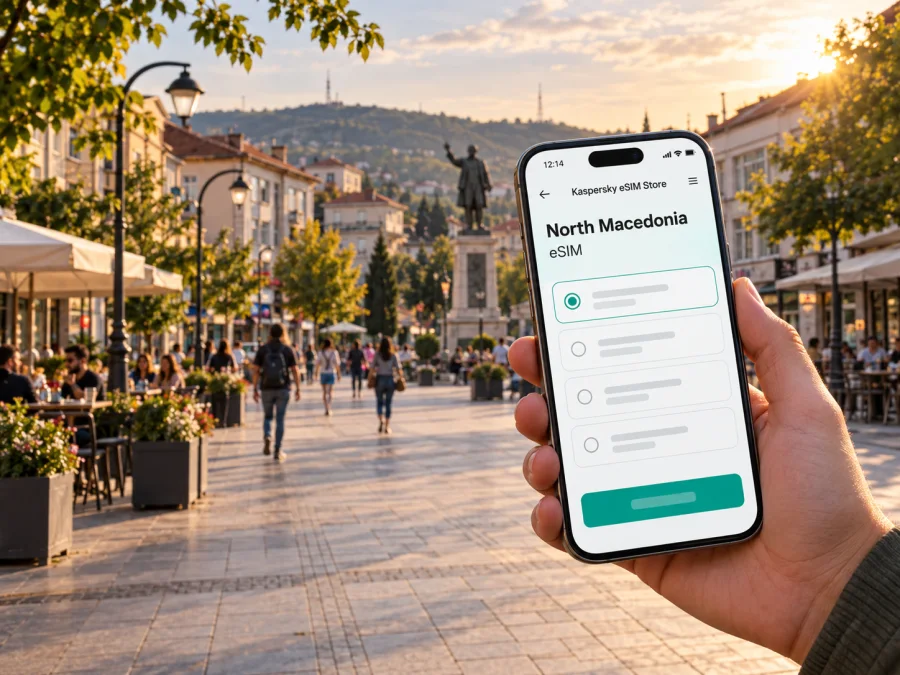
Kumanovo eSIM: mobile connection and internet for your city stay
Kumanovo is a practical base in northern North Macedonia: you may arrive for work, pass through on a longer road journey, stay with family, or use the city as a starting point for nearby excursions. In each case, mobile internet helps with the small decisions that shape the day: finding your accommodation, checking a meeting address, coordinating a pickup, translating a sign, or sharing a change of plan.
An eSIM can be prepared before departure and used for mobile data on a compatible, unlocked device. It does not replace every function of a regular mobile line: unless a specific plan says otherwise, do not assume it includes a local phone number, standard calls, or SMS. Keep your usual SIM available for calls and messages if you need it, and use data for maps, messaging apps, bookings, and other online tasks.
This guide focuses on staying connected while moving through Kumanovo: what to prepare before arrival, how to plan data around your itinerary, and how to avoid relying on a single connection option. It also covers brief stops, business visits, and day trips that begin in the city.
Before you arrive: make the first hour easier
Your route may involve Skopje International Airport, an intercity bus or train, a taxi, or a private car. Confirm current departure and transfer details close to your travel date rather than relying on an old timetable. If you are arriving through Skopje International Airport, treat the transfer to Kumanovo as a separate leg and confirm where you will meet your driver or board onward transport.
Before departure, save your accommodation address, booking and check-in details, arrival station or pickup point, and a map of central Kumanovo. Keep the address in text as well as in a map pin; at a busy curb, two people can be near the same pin but on different sides of a building or road. Offline copies help if your battery is low or a connection is delayed.
When you arrive, pause somewhere safe to orient yourself. For a taxi, show the destination address and confirm it before setting off. For bus or train travel, keep the station name and next address ready before stepping off.
Getting around Kumanovo without losing your bearings
Plan the day as short legs: accommodation to the centre, then to the station, workplace, restaurant, or appointment. The centre is a useful reference point for first-time visitors, but save each destination by exact name and address; broad searches can return several pins or a result away from the entrance.
Use a map to compare walking, driving, or public transport, then check the final approach. Local conditions, pedestrian access, temporary works, and opening hours may not be reflected immediately. If a route involves a local bus, verify the stop and current timetable separately rather than assuming a map app has the latest information.
- Search by the destination’s full name and street address.
- Check the route mode and the final few hundred metres.
- Save the destination and accommodation for quick access.
- Keep a return route in mind, especially after an evening visit.
Walking can be straightforward for a short central trip if the weather, luggage, and pavement conditions suit you. A local ride may be more convenient with bags, a late arrival, or a destination outside the centre. For municipal transport, confirm route, stop, timetable, and fare arrangements on the day because details can change.
| Situation | Check | Backup |
|---|---|---|
| Walking to a hotel | Entrance and pedestrian route | Saved address and offline map |
| Taking a taxi | Destination spelling and pickup point | Host or hotel contact |
| Using a local bus | Direction, timetable, ticket rules | Screenshot of current route details |
| Meeting someone | Entrance and nearby landmark | Share the address and map pin |
Mobile data supports these checks but cannot guarantee a particular signal inside every building or street. If access is weak, use a saved address and reconnect before changing your route.
Choose a data plan around the shape of your stay
A city-centred visit has different data needs from a multi-stop trip across North Macedonia. Estimate navigation, messages, ride coordination, and searches separately from video calls, cloud backups, streaming, or laptop tethering. For a short stay, consider daily use and a modest buffer; for a longer trip, compare validity as carefully as the data allowance.
You can compare eSIM options for a trip to North Macedonia in Kaspersky eSIM Store, the app and website that help you choose, arrange, and activate an eSIM plan for mobile internet while travelling abroad. Review the destination, data amount, validity, activation conditions, and usage notes. The right option depends on your route and habits, not just the length of your stay.
- Maps and searches: route checks, opening hours, and address lookups.
- Messaging: text, voice notes, and occasional photo sharing.
- Work: email and documents; plan calls and large files separately.
- Media and tethering: account for streaming or laptop use, which can consume more data.
Use suitable Wi‑Fi when available, but keep key maps and details offline so the itinerary does not depend on finding a network.
Kumanovo as a work stop or overnight pause
Business travel makes small delays expensive. Save meeting addresses, entry instructions, and a host’s contact details before leaving the hotel. A map pin may mark a building rather than the visitor entrance, so ask for a nearby landmark if the destination is unclear. Download important documents on reliable Wi‑Fi and keep a charging option with you during a long day.
If you expect to work from your accommodation, check its Wi‑Fi and workspace arrangements. Mobile data can help between locations, but plan a backup for important calls and avoid moving large files unless your data allowance supports it. Before accepting a late change of venue, confirm how you will return.
Match preparation to the length of your visit
A brief stop calls for a clear first route and return plan; an overnight stay also needs check-in details; a longer visit benefits from saved recurring destinations and a realistic data estimate.
| Visit | Prioritise | Keep in reserve |
|---|---|---|
| Brief stop | Arrival point, one destination, return route | Offline map and booking details |
| One night | Check-in contact and transfer plan | Charger and address in text form |
| Several days | Work or family contacts, daily destinations | Saved routes and account access |
| Regional trip | Departure point, timetable, plan destination | Extra time for connections |
For a short stop, include time to return, collect luggage, and find the correct departure point; do not rely on a map estimate alone. If you arrive late, keep the check-in procedure offline and share your estimated arrival time with your host.
Outings from Kumanovo: plan the connection, not just the destination
For an excursion outside the city, check how you will reach the departure point and whether the return service fits your day. Confirm current timetable and ticket information with the transport service; do not assume that a route operates frequently because it appears in a map app.
Kokino, an archaeological site in the wider Kumanovo region, is outside the urban centre and should be planned as a separate excursion. Confirm access, transport, and site conditions for your dates, then save route details and arrange how to cover the final leg. Trips toward Skopje or another city also depend on the service and date, so leave a buffer if you have a meeting or onward flight.
Before leaving Kumanovo, check the departure and return times, exact station or pickup point, ticket requirements, last-mile transport, and whether the plan covers the full route. If your itinerary crosses a border, review the listed destinations rather than assuming a North Macedonia plan works across it.
Prepare and activate your eSIM with care
An eSIM is a digital SIM profile installed on a supported device. Confirm that your phone supports eSIM and is not carrier-locked; check device compatibility before purchase. Follow the instructions for your model and operating system.
- On reliable Wi‑Fi, choose a plan for the countries on your route and review validity and activation conditions.
- Use the guide for Android or iOS to install the profile.
- Check when validity begins; installation and activation are not always the same step.
- Label the line clearly, keep your usual SIM for calls or SMS if needed, and select the eSIM for data as instructed.
- On arrival, confirm the intended line is active and test a simple page or map.
Do not delete a profile as a troubleshooting shortcut unless its instructions say it can be reinstalled. If data does not connect, check that the profile and data line are enabled and review any required settings. Change one setting at a time and test again.
Before departure: check device compatibility and carrier unlock status; review destination, data, validity, and activation rules; save installation instructions and arrival details; confirm which line handles data; charge your phone and prepare a charging backup.
Keep navigation useful and data under control
Download an offline map area if your map app supports it, especially for outings beyond the centre. Turn off automatic backups or app updates over mobile data if you want to reserve data for directions and messages. If a connection seems slow, check that the intended data line is active, move to a safe open spot, and test a lightweight page. A single app may be having a problem even when the connection works.
Use public Wi‑Fi as a convenience, not a requirement. Follow your employer’s security rules for work, use a screen lock, and keep important addresses and contacts somewhere accessible without searching through a long message history. These simple preparations are useful if data access or battery power is interrupted.
Frequently asked questions
Will an eSIM help me navigate Kumanovo?
It can provide mobile data for maps and online searches when the plan is active, the device is compatible, and local network service is available. Save important addresses and an offline map as a backup.
Does an eSIM plan necessarily include calls and text messages?
No. Unless the terms of a specific plan say otherwise, treat it as a mobile-data option. Keep another way to make ordinary calls or send SMS if your trip requires those services.
Should I install the eSIM before travelling?
You can prepare it before departure, but check the plan’s instructions for when validity begins. Installing and activation are not always the same step, and the timing rules can differ by plan.
Can I use the same plan for a trip outside Kumanovo?
The city itself does not determine coverage. Check the plan’s listed destination and any regional conditions against every country on your route, particularly if you expect to cross a border.
Is public transport information always current in a map app?
Not necessarily. Use the map to orient yourself, then confirm route, timetable, stop, and fare information through current local or transport-service notices before travelling.
What should I do if the data connection is unavailable?
Check that the eSIM is enabled and selected for mobile data, then review the plan’s settings instructions. Use a saved address or offline map while you troubleshoot, and contact your accommodation or transport provider if the issue affects an immediate connection.
A calmer way to start your stay
For a smooth first day in Kumanovo, combine a few simple habits: save your first address, confirm how you will reach it, keep the route available offline, and choose a data plan that reflects your actual itinerary. Use live maps for updates, but verify transport details close to travel and keep a backup for the moments when a screen cannot help.
When you are ready to prepare mobile data for your visit, use Kaspersky eSIM Store to review the destination and plan conditions, then choose an eSIM option for North Macedonia that fits your stay. Install and activate it according to the instructions, keep your usual line configured for any calls or texts you need, and start exploring Kumanovo with your key addresses and first route already at hand.


