Travel connectivity guide
Kumasi eSIM: Mobile Internet in Ghana
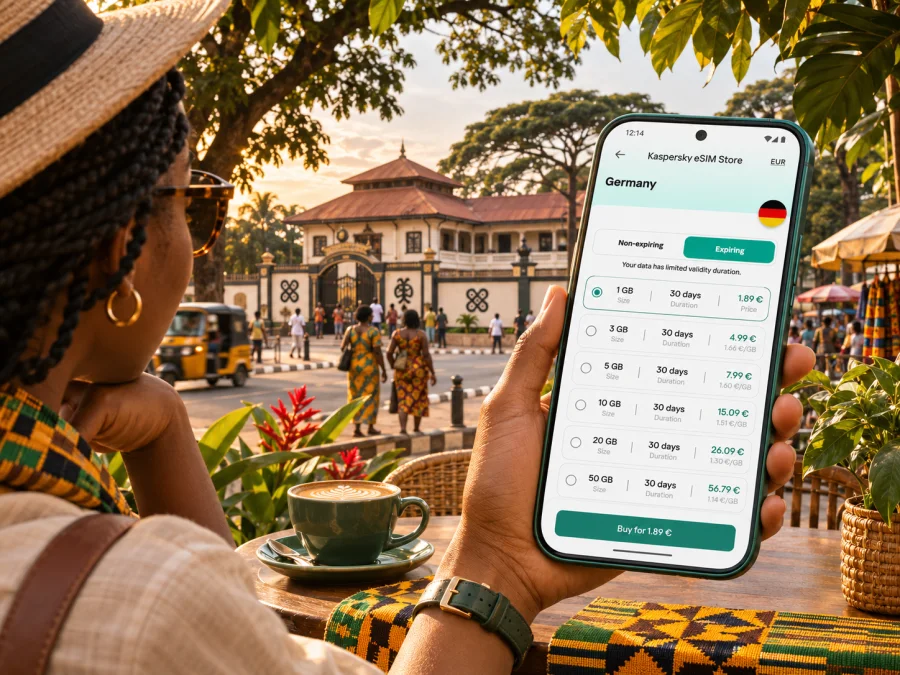
Kumasi eSIM for a reliable mobile connection and internet on your trip
Kumasi is a city best explored at a human pace, but getting around can involve busy roads, changing plans and trips beyond the centre. A working mobile data connection helps you check directions, contact a driver, confirm a hotel booking, translate a phrase or tell someone you have arrived. An eSIM can make that part of your visit easier to prepare: it is a digital SIM profile installed on a compatible device, so you do not need to remove your home SIM just to add a travel data plan.
This guide focuses on practical connectivity in Kumasi, from arrival at Prempeh I International Airport to days around Kejetia, Manhyia and the wider Ashanti Region. It also explains what to check before choosing a plan, how to install an eSIM, and what to do if mobile data does not connect as expected.
What to know before you arrive
Kumasi is the capital of Ghana’s Ashanti Region and a major city in the country’s interior. The city combines busy commercial districts with cultural sites and neighbourhoods spread across a broad urban area. Your phone may be useful for more than turn-by-turn navigation: you might need it to coordinate a pickup, check a meeting location, message a host, look up opening information or find the right road out of town.
The city’s main passenger airport is Prempeh I International Airport. Ghana Airports Company Limited lists Africa World Airlines and Passion Air as the domestic carriers serving it. The airport’s “International” name reflects its designation and regional role; do not assume that your itinerary includes a direct international flight. Check your own ticket and connection details. A connection through Kotoka International Airport in Accra may be part of the journey, and flight schedules can change.
Plan your first hours with a little redundancy. Save your accommodation address and a map area for offline use, keep the airport-to-hotel destination in a note, and arrange the pickup details before leaving an area with Wi-Fi. Mobile data is useful when available, but a saved address and a confirmed driver remain helpful if a signal is delayed or your phone battery is low.
Where mobile data is useful around Kumasi
Kumasi’s geography makes a route plan more useful than a list of attractions. Distances on a map do not always describe how long a trip will take: traffic, roadworks, market activity and the time of day can all affect a journey. Use live directions as one input, then confirm pickup points and travel time with your hotel, host or driver.
| Part of the visit | How a data connection can help | Practical preparation |
|---|---|---|
| Arrival and hotel transfer | Share your arrival details, confirm a meeting point and contact your accommodation if plans shift | Save the property name, address and phone number before the flight |
| Kejetia and central market area | Recheck a meeting location or navigate out of a busy, unfamiliar block | Choose a clear landmark as a rendezvous point; do not rely only on a dropped map pin |
| Manhyia and nearby heritage visits | Check directions between sites and look up current visitor information | Verify opening arrangements locally, especially around ceremonies or public events |
| Business meetings | Share a revised arrival time, open documents stored online and message colleagues | Download essential files and calendar details before leaving Wi-Fi |
| Trips beyond the city | Follow the route, check a return pickup and keep in contact with your driver | Confirm that your plan’s country coverage and validity fit the full itinerary |
For the central market area, expect a dense setting where street names or pins may not be enough to identify the exact entrance or pickup point. A practical message such as “the north entrance beside the agreed landmark” is easier to act on than “I am near the market.” Ask your driver or local contact to share a location that they recognise, and keep the chat open long enough to confirm that you have both reached the same place.
For a visit to Manhyia Palace Museum, the Kumasi Fort and Military Museum, or other heritage locations, use navigation to plan the approach but confirm access and opening details with the venue or a local guide. Cultural events and ceremonies can affect the pace of a day. A flexible itinerary lets you adjust without repeatedly crossing town because a map estimate seemed precise.
Getting online at the airport and in your accommodation
Prempeh I International Airport is close enough to Kumasi to be a practical arrival point for the city, but your flight may connect through Accra. On a connection, keep the destination eSIM installed and ready while following the airline’s instructions for the transfer. Do not assume that airport Wi-Fi or a particular mobile signal will be available at every point in the journey. GACL offers passenger information for Kotoka International Airport, including airport Wi-Fi details for its terminals; follow the current on-screen instructions if you use that service.
After a domestic flight, save your accommodation name, pickup contact and booking reference before landing. Enable the travel line for data only if its plan is ready to use in Ghana, and check which SIM your phone has selected for mobile data.
At a hotel or guesthouse, connect to Wi-Fi when convenient to download maps, confirm the next day’s plan and update messaging apps. Use mobile data for movement around town and for moments when Wi-Fi is unavailable. This mixed approach can reduce unnecessary data use and gives you a backup if one connection is unreliable.
Choosing an eSIM plan for a Kumasi itinerary
Kumasi is not a separate mobile-network market from the rest of Ghana. Travel eSIM plans are generally selected for a country or region, and the exact network access, validity, data amount and activation conditions depend on the plan. A city guide cannot promise signal strength for a specific street, building or route. Check the plan details before you pay and compare them with the actual places you expect to visit.
Think about how you will use your phone rather than picking a data allowance by habit. A traveller who mainly checks messages and navigation has a different pattern from someone who joins video calls, uploads large photo files or uses their phone as a hotspot. Background backups, automatic video playback and app updates can consume data without being obvious.
A simple estimate can help:
- Light use: messaging, occasional map checks, email and short searches. Turn off automatic media downloads and app updates over mobile data.
- Regular use: frequent navigation, browsing, social posts and calls through internet apps. Leave room for days when plans change or you need to look up transport.
- Heavy use: video meetings, frequent uploads, streaming or tethering another device. Check whether the plan permits hotspot use and choose an allowance with a comfortable margin.
Before checkout, verify these points on the plan page:
- Destination: Ghana is explicitly included. A regional plan should list Ghana among its covered destinations.
- Data amount: estimate navigation, messaging, browsing and any work needs; account for backup and hotspot use if relevant.
- Validity: check when the validity period begins. Some plans start at installation, while others start on first network connection or activation.
- Network and service scope: confirm whether the plan is data-only, which local network access is described and whether calls or SMS are included. Do not assume a travel data eSIM gives you a Ghanaian phone number.
- Device and setup: confirm that your exact phone supports eSIM and is not carrier-locked. Device capabilities can vary by model and by regional variant. Check whether your device is compatible.
- Route: if you will travel from Kumasi to another country, confirm that the plan covers every destination on the itinerary or compare a regional option.
Kaspersky eSIM Store is an app and website where you can select, purchase and activate an eSIM with a data plan for an international trip. To review the currently listed Ghana options and their conditions, browse eSIM plans for Ghana. Treat the plan page as the source for current allowances and terms; availability and details can change.
Local operator eSIMs and travel eSIMs are different choices
Ghana has local mobile operators, and an operator may offer an eSIM to its own customers. For example, MTN Ghana describes eSIM onboarding through its myMTN app and says the offer is available to its prepaid and postpaid subscribers. This confirms an operator-specific service; it does not mean that every visitor can register for it, that the onboarding process is identical for tourists, or that a local operator plan is interchangeable with an international travel eSIM.
If you want a local Ghanaian number, check the operator’s current registration requirements, eligibility, payment methods and support process directly before relying on that option. Ask whether the process accepts your documents and whether it can be completed in the time available. A travel eSIM may suit a visitor who needs data and wants to prepare before arrival, but its plan may not include a local number, regular calls or SMS. Read the specific terms instead of inferring service from the word “eSIM.”
Do not choose a plan based solely on a provider name or a country label. Confirm the supported local network stated in the offer, coverage expectations for your route and what assistance is available if the profile fails to connect. Network conditions can differ between an open road, a crowded market, a hotel room and a building interior.
Set up your eSIM before travel
Complete the setup while you have reliable Wi-Fi and enough time to follow the prompts. On some phones, installing a profile and activating its data service are separate steps. Keep the installation email or QR code accessible, and do not delete a profile just because you do not see a signal before reaching its destination.
- Check the phone. Confirm that the exact device variant supports eSIM, is carrier-unlocked and can add another mobile plan. If the device is a work phone, check any company restrictions first.
- Choose a plan. Confirm Ghana coverage, data allowance, validity, network details and the start condition.
- Install the profile. Use the QR code or in-app installation method supplied with your order. Follow the device prompts and label the line clearly, for example “Ghana data.”
- Keep your primary line clear. Choose which SIM should handle calls and texts. Set the travel eSIM as mobile data only when you intend to use it.
- Wait to activate if appropriate. If the plan starts on first network connection, you can install it before the trip and enable it after arrival. Follow the plan’s own instructions because activation rules differ.
- Check data roaming. Some travel eSIMs require data roaming to be enabled for that eSIM. Confirm the plan instructions, then enable it only on the relevant line.
- Test after arrival. Turn off airplane mode, allow the phone to register, and check that mobile data is assigned to the travel eSIM. A connection may take a short while; avoid repeatedly reinstalling the profile.
For platform-specific steps, use the Android eSIM installation guide or the iOS eSIM installation guide. Menu names vary across operating-system versions and manufacturers, so follow the instructions shown on your device.
Keep your data use manageable
Navigation is usually more efficient when you prepare in advance. Download an offline map for central Kumasi and the areas you expect to visit, then use mobile data for live traffic, updated directions or a location shared by a driver. Offline maps do not replace current route information, but they can help when mobile service is unavailable or you want to conserve data.
A few settings can prevent surprise usage:
- Disable automatic app-store updates over mobile data.
- Set photo and cloud backups to Wi-Fi only until you choose otherwise.
- Reduce automatic video playback in social apps.
- Download music, tickets, work files and hotel details before going out.
- Check the plan’s usage display in the app or phone settings during the trip.
- Keep a small reserve for a changed pickup, a delayed connection or an unexpected route.
If you plan to use your phone as a hotspot for a laptop, confirm tethering is permitted and that your allowance can support it. A short email session uses far less data than a long video meeting with screen sharing. When possible, use the accommodation’s Wi-Fi for large downloads and updates.
If mobile data does not connect
Troubleshoot in order, changing one setting at a time:
- Check that airplane mode is off and the eSIM line is enabled.
- Confirm that mobile data is assigned to the travel eSIM rather than your home SIM.
- Check the plan’s activation conditions and whether the validity period has started.
- If the instructions require it, enable data roaming for the travel eSIM.
- Restart the phone or briefly toggle airplane mode, then allow it time to register again.
- Check whether the plan lists a supported network and whether manual network selection is recommended by the provider.
- If service still does not work, connect to trusted Wi-Fi and contact the plan provider’s support with your order details and device model. Do not delete the eSIM profile unless support instructs you to do so.
If only one app is failing, check its mobile-data permission. Avoid changing APN settings unless the plan instructions or support team gives you a specific value.
Common questions
Does a Kumasi eSIM work throughout the city?
An eSIM profile does not guarantee uninterrupted service in every street or building. Actual connectivity depends on the plan, local network access, device, terrain, building materials and network conditions. Check the listed network information and plan details, and keep offline essentials available.
Can I keep my usual SIM active?
Many dual-SIM phones allow an eSIM and a physical SIM to be stored or used together, but the exact options depend on the device. You can usually choose one line for mobile data and another for calls, subject to device settings and your home operator’s roaming charges. Confirm the configuration before travel.
Does a travel eSIM include calls and text messages?
Not necessarily. Many travel plans are data-only. Check the selected plan’s terms for voice service, SMS and a local phone number. Internet calling and messaging apps can work over mobile data, but they do not create a standard local number.
Should I install the eSIM before landing?
If the plan supports advance installation, doing it on reliable Wi-Fi before departure can reduce setup time after arrival. Check when its validity begins and follow its activation instructions. Some plans begin only after connecting to a supported network; others may use a different start rule.
Is the airport the only place I should test the connection?
No. You can confirm that the phone has selected the intended data line after landing, then check service again at your accommodation and during your first trip across town. A successful connection in one place does not guarantee the same performance indoors or elsewhere.
Can I use the same plan for a trip beyond Ghana?
Only if the plan explicitly includes the other country or countries. A Ghana-only plan may not cover a cross-border continuation. Compare the plan’s listed destinations with your full itinerary before purchase.
Before you set out
A short checklist can make the first day in Kumasi simpler:
- Save your accommodation address, pickup details and important booking references offline.
- Confirm that your phone is compatible with eSIM and is not locked to a carrier.
- Review the Ghana plan’s data amount, validity, activation rule and listed network access.
- Decide which line will handle calls and which one will handle mobile data.
- Install the eSIM on Wi-Fi and follow its activation instructions.
- Download a map of the places you plan to visit and keep a battery backup available.
- Recheck current flight and pickup arrangements rather than relying on an old itinerary.
Kumasi is easier to navigate when you combine live information with local confirmation. A travel eSIM can give your compatible phone a planned route to mobile data, while an offline map, saved addresses and a clear pickup point give you useful alternatives when conditions change.
Prepare your mobile internet for Kumasi
Use Kaspersky eSIM Store to review the current Ghana options, compare the data and validity that fit your itinerary, and activate the eSIM on a compatible device. Choose an eSIM plan for your trip to Ghana after checking its coverage details, activation timing and service scope. Install it on Wi-Fi, keep your important travel details saved offline, and you will be ready to use mobile data for navigation, messages and changing plans around Kumasi.


