
Travel connectivity guide
Kunduz eSIM: internet for your city trip
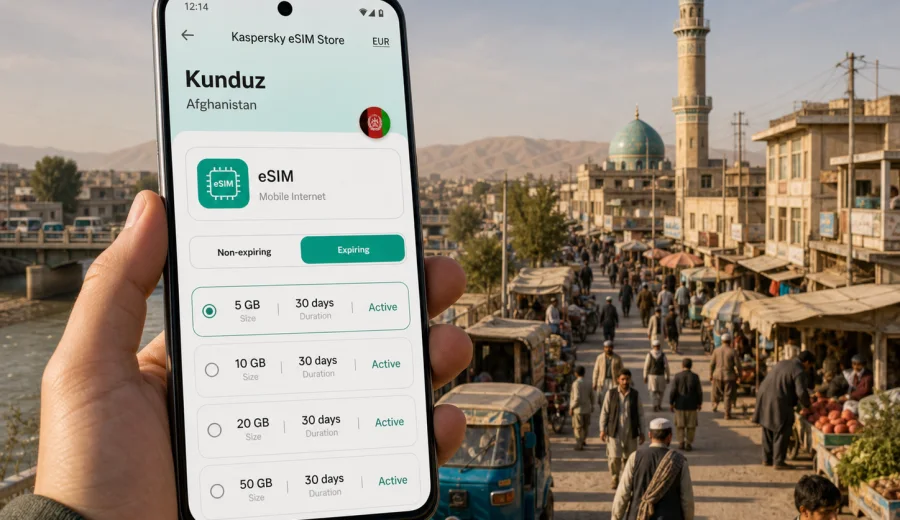
Kunduz eSIM: mobile connection and internet for your trip
Kunduz is a practical destination: people come for work, family visits, regional routes, trade, aid projects, and journeys across northern Afghanistan. In a city where plans often depend on local transport, hotel coordination, maps, calls in messengers, and quick updates from hosts, mobile internet is not a small detail. It is part of how you move through the day.
An eSIM can make that preparation simpler. Instead of looking for a physical SIM card after arrival, you can prepare a digital SIM profile on a compatible phone, choose a prepaid data plan for Afghanistan, and use mobile data for everyday travel tasks when the local network is available. This guide focuses on Kunduz city scenarios: arrival, movement around town, hotel check-in, short work trips, route planning, and travel onward to other parts of the country.
Why mobile internet matters in Kunduz
Kunduz is a regional city, so many visitors do not stay in one fixed place for the whole trip. A day can include a hotel, a meeting, a market area, a government or office visit, and a road transfer. A working data connection helps you keep those pieces together.
Typical moments when mobile internet is useful in Kunduz:
- confirming a driver or local pickup point;
- sending your live location to a host or colleague;
- checking a map before leaving the hotel;
- messaging your accommodation about arrival time;
- using translation, notes, and document apps during meetings;
- checking flight, road, or schedule changes when plans shift;
- sharing updates with family or your team.
Public Wi-Fi can be limited, slow, or inconvenient outside hotels and offices. A physical SIM card may also take time to find and set up, especially if you arrive with a tight schedule. With eSIM, your phone can already have a travel data profile installed before you need it.
Kunduz arrival scenarios where eSIM helps
Many trips to Kunduz are arranged through a local contact, organization, employer, hotel, or family member. Even when someone meets you on arrival, you may still need mobile data for the first hour: confirming the exact pickup point, identifying the correct vehicle, sharing a delay, or checking a route.
If you are entering the city by road, mobile internet is useful before you reach your final address. You may need to update your host from a checkpoint, a fuel stop, a bus station, or a roadside meeting point. If you are arriving through a local airport arrangement, mobile data can help you contact your pickup, open saved documents, or check messages after landing.
The first practical goal is simple: avoid being dependent on a single Wi-Fi spot at the exact moment when you need directions and communication most.
Local movement: maps, drivers, hotels, and districts
Kunduz travel is often organized around known local landmarks rather than formal street addresses. That makes messaging, map pins, voice notes, and screenshots especially useful. If your hotel, office, or meeting location is described by a nearby road, market, mosque, bridge, or compound, mobile data helps you compare the written instruction with the actual route.
For movement inside the city, eSIM data can support:
- map checks before departure;
- messenger calls with a driver or host;
- saved route screenshots for low-signal moments;
- hotel and meeting confirmations;
- cloud access to tickets, IDs, booking details, and work files;
- translation tools when you need to clarify a location.
Do not rely on mobile internet as the only part of your travel plan. Save key addresses, contact numbers, hotel names, and meeting details offline. If you are travelling for work, ask your local contact which pickup points and routes are appropriate for the day. The eSIM is there to support practical communication, not to replace local planning.
How to estimate data for a Kunduz trip
The right data volume depends on how you use your phone. A short visit focused on messaging and maps needs much less data than a work trip with video calls, cloud documents, and hotspot use.
| Trip style in Kunduz | Common mobile data use | Practical data approach |
|---|---|---|
| Short stopover or one-day visit | Maps, messaging, hotel or driver updates | Choose a smaller data package and keep heavy downloads on Wi-Fi |
| Several days in the city | Navigation, messenger calls, email, bookings | Pick a plan with enough data for daily movement and work basics |
| Business or project visit | Email, documents, app updates, cloud files | Allow extra data and avoid large syncs unless necessary |
| Family visit | Messaging, photo sharing, calls in apps | Choose based on how often you send media and make internet calls |
| Route through northern Afghanistan | Maps, updates from different cities, hotel coordination | Consider the full Afghanistan route, not only Kunduz |
Video is the largest variable. Streaming, long video calls, and automatic cloud backups can use a data package quickly. Before you leave for Kunduz, download maps, documents, language packs, boarding details, and any work files you may need. Turn off automatic photo and video backup on mobile data if you want the plan to last longer.
Choosing an eSIM plan for Kunduz
For a city trip, the plan should match the country first. Kunduz is in Afghanistan, so use a data plan that covers Afghanistan rather than looking for a separate city-only option. Then compare the data amount, validity period, and any conditions shown before checkout.
Ask yourself these questions before choosing:
- How many days will I be in Kunduz?
- Will I also travel to Kabul, Mazar-i-Sharif, Taloqan, Baghlan, or another city?
- Do I need mobile data mainly for maps and messaging, or also for work?
- Will I use the phone as a hotspot for a laptop?
- Can I rely on hotel or office Wi-Fi for large downloads?
- Do I need the plan active immediately on arrival, or can I set it up after reaching the hotel?
Kaspersky eSIM Store is an app and website where you can choose, arrange, and activate an eSIM with a suitable data plan for mobile internet during an international trip. For this city route, you can choose an eSIM data plan for Afghanistan and check the available data volumes and validity periods before you travel to Kunduz.
Practical checklist before you leave
Prepare your phone while you still have stable internet at home, in the office, or at the airport. This reduces pressure after arrival and gives you time to solve compatibility or payment questions calmly.
Before travelling to Kunduz:
- Check that your phone supports eSIM.
- Make sure the device is not locked to one carrier.
- Install the eSIM profile while you still have a reliable connection.
- Save the QR code or installation details where you can access them.
- Download offline maps for Kunduz and your wider route.
- Save hotel, driver, office, and emergency contact details offline.
- Turn off automatic mobile-data backups if your data package is limited.
- Keep your primary SIM available if you need calls or SMS from your home number.
eSIM data plans usually focus on mobile internet. They may not include a local phone number, voice calls, or SMS unless the specific plan states otherwise. For most city travel tasks in Kunduz, internet-based messengers are enough, but check the plan details if you need a particular communication method.
Device compatibility and settings
Not every phone or tablet can use eSIM. Even some models with eSIM hardware may be restricted by region, carrier lock, or device configuration. Before you choose a plan, check your device and confirm that it supports eSIM installation.
Also check these settings:
- Mobile data can be assigned to the travel eSIM.
- Data roaming can be enabled for the eSIM if the plan instructions require it.
- Your primary SIM remains available for calls or SMS if needed.
- Low Data Mode or data saving mode is set according to your trip needs.
- Automatic app updates are disabled on mobile data.
If you are travelling with two phones, install the eSIM on the device you will actually carry during the day. An activated eSIM profile may not be transferable to another device, depending on the plan and profile conditions.
How to install and activate eSIM
Installation is easiest before departure, because you can use a stable connection and avoid rushing at arrival. After you choose a plan, follow the instructions on screen or use the QR code from your confirmation details. If you need device-specific steps, use the Android installation guide or the iOS installation guide.
A simple setup flow looks like this:
1. Open the eSIM installation instructions on a stable internet connection.
2. Add the eSIM profile to your compatible device.
3. Name the profile clearly, for example "Afghanistan travel".
4. Keep your main SIM active if you still need calls or SMS.
5. When you are ready to use the plan, select the eSIM for mobile data.
6. Enable data roaming for the eSIM if the plan instructions require it.
7. Test a small page or message before relying on it for navigation.
Activation behavior can depend on the selected plan, device, and local network. Read the plan conditions before you start using the eSIM, especially if the validity period begins at installation or first connection.
Kunduz use cases: what to prepare for each day
Different days in Kunduz create different data needs. A meeting day is not the same as a market visit, and a road-transfer day needs more preparation than a day spent mostly in one office.
Hotel and check-in day. Keep booking details, the hotel name, and a local phone number saved offline. Use mobile data for arrival updates, map checks, and messenger communication with reception or a host.
Meeting day. Download agenda files before you leave. Keep cloud documents available offline if possible. Use mobile data for short email updates, messaging, and route checks between locations.
Family or private visit. Save contact numbers and landmarks in advance. Mobile data helps with messenger calls, location sharing, and photo updates, but limit automatic uploads if the data package is small.
Road transfer day. Save route information, destination contacts, and pickup details offline. Use mobile data for updates when signal is available, but do not assume you will have continuous coverage on every road section.
Stopover day. If you are only in Kunduz briefly, prioritize maps, messaging, and essential documents. A smaller package can work if you avoid video and large downloads.
A city-focused data plan is really a route plan
Even if your search starts with "Kunduz eSIM", the practical question is your whole route. Kunduz can be part of a northern Afghanistan itinerary, a work assignment, a return to family, or a connection between cities. Your data plan should cover the country and match the time you will be away from reliable Wi-Fi.
Think of your trip in three parts:
- Before Kunduz: airport, road transfer, first messages, and check-in.
- In Kunduz: daily maps, transport, meetings, hotel coordination, and communication.
- After Kunduz: onward travel, route changes, family updates, and document access.
If you expect to travel beyond Kunduz, choose validity and data volume for the full route. If your itinerary is uncertain, leave some data for the final days instead of using it all in the first part of the trip.
Data-saving tips for Kunduz travel
Small settings can make a large difference. Before you start moving around Kunduz, open your phone settings and reduce unnecessary background traffic.
Useful adjustments:
- Download offline maps and translation packs.
- Disable automatic video playback in social apps.
- Turn off cloud photo backup on mobile data.
- Restrict background app refresh for nonessential apps.
- Use lower quality for messenger calls if the connection is weak.
- Download large documents on hotel or office Wi-Fi.
- Close navigation when you no longer need turn-by-turn directions.
- Keep a small data reserve for the departure day.
If you use hotspot mode for a laptop, watch the data counter closely. Laptops can quickly download updates, sync cloud folders, or load large webpages. For a work trip, it may be better to reserve hotspot use for specific tasks and then turn it off.
eSIM, roaming, local SIM, and Wi-Fi in Kunduz
There is no single best option for every traveler. The practical choice depends on your phone, schedule, and comfort with local setup.
| Option | When it can help | What to check |
|---|---|---|
| eSIM | You want data prepared before or soon after arrival | Device compatibility, country coverage, data volume, validity |
| Home roaming | You need your existing number active with familiar billing | Daily roaming price, included data, speed limits, extra fees |
| Local physical SIM | You will stay longer and can handle local setup | Purchase process, registration rules, store location, time needed |
| Public or hotel Wi-Fi | You mostly work from one fixed place | Availability, reliability, security, and whether it works when you are outside |
For many visitors, the strongest setup is a combination: keep the home SIM for essential calls or SMS, use an eSIM profile for mobile data, and use trusted Wi-Fi for large downloads when available.
Common mistakes to avoid
Avoid these errors before and during your Kunduz trip:
- Buying a data plan before checking eSIM support on the phone.
- Installing the eSIM on a spare device instead of the phone you carry.
- Forgetting that some plans may require data roaming to be enabled.
- Assuming a data-only eSIM includes a local phone number.
- Leaving automatic cloud backup active on mobile data.
- Using video streaming early in the trip and running out of data.
- Relying only on live maps without saving offline route details.
- Waiting until the arrival area to read installation instructions for the first time.
The easiest prevention is preparation: check compatibility, read the plan details, install while you have reliable internet, and save key trip information offline.
FAQ about eSIM for Kunduz
Can I use eSIM only for Kunduz?
You usually choose a country or regional data plan, not a city-only plan. For Kunduz, choose a plan that covers Afghanistan and use it during your stay in the city.
Do I need eSIM if my hotel has Wi-Fi?
Hotel Wi-Fi can help with heavy downloads and work files, but it does not help when you are moving between locations, meeting a driver, or checking a map outside the hotel.
Will eSIM replace my regular SIM card?
No. You can often keep your regular SIM active for calls or SMS and use the eSIM for mobile data, depending on your device settings.
Can I make calls with a travel eSIM?
Many travel eSIM plans are data-only. If voice calls or SMS matter, check the plan conditions. Messenger calls can work over mobile data when the app and connection are available.
Should I activate before I arrive in Afghanistan?
Install before travel if possible, but read the plan conditions first. Some plans start counting validity at installation, while others start at first connection to a supported network.
What if my connection is weak in part of the city or on the road?
Mobile coverage and speed depend on local network conditions. Save important details offline and use mobile data as a travel support tool rather than the only source of information.
Final preparation for mobile internet in Kunduz
Kunduz is easier to manage when your phone is ready before you need it. A prepared eSIM can help with arrival messages, hotel coordination, maps, route changes, and daily communication during a city-focused trip or a wider Afghanistan itinerary.
Before you travel, check your device, choose a data volume that matches your schedule, install the eSIM profile on the phone you will carry, and save essential addresses offline. Then use Kaspersky eSIM Store to prepare an eSIM data plan for your trip to Kunduz and review the plan details before departure.