Travel connectivity guide
Kuopio eSIM: Mobile Internet for Your Trip
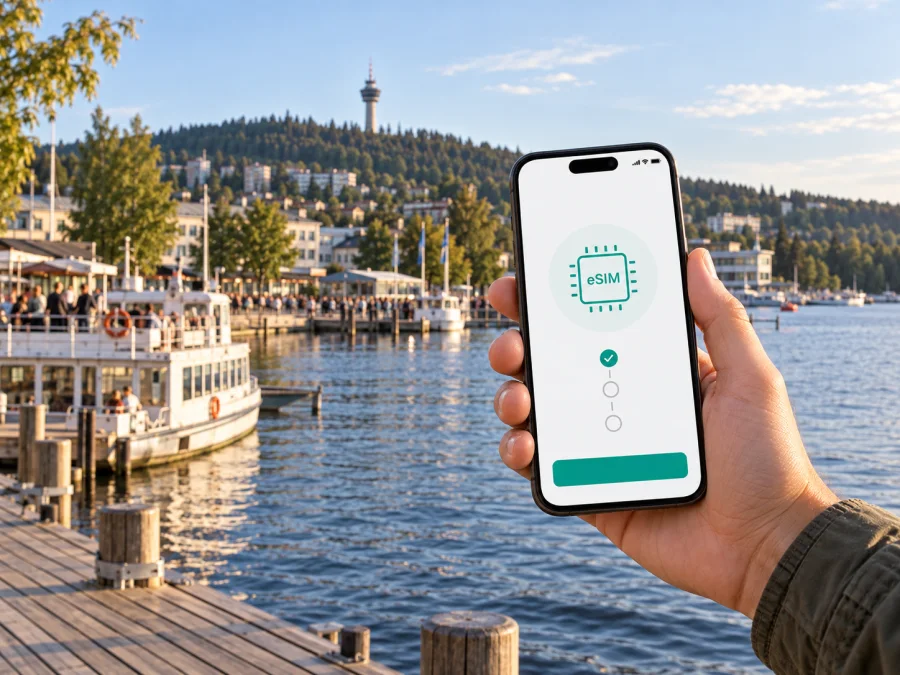
Kuopio eSIM: Mobile Connection and Internet for Your Trip
Kuopio is a practical base for exploring Finland’s Lakeland: the compact centre, the market square, the passenger harbour and the wooded slopes of Puijo are close enough to combine in a short visit, while the wider region invites day trips. Mobile internet helps connect these separate parts of a day: check a route after leaving the station, confirm a hotel address, message a host about arrival, or look up the next bus when the weather changes.
An eSIM can make that planning easier without replacing the physical SIM in your phone. You choose a travel data plan for Finland, install the digital SIM on a compatible device, and use it for mobile data according to the plan’s conditions. For a city break, the useful question is less “How much data can I buy?” and more “What will I need to do online, and for how many days?”
Start with the shape of your Kuopio trip
The right setup depends on your itinerary. A weekend spent around the centre has different demands from a work visit with video calls, a family trip that includes shared navigation, or a longer stay with excursions beyond the city. Before choosing a plan, sketch the moments when you are likely to need a connection:
- arriving at Kuopio Airport and arranging the last part of the journey;
- finding your accommodation from the railway or bus station;
- checking local bus routes and departure times;
- using maps between the market square, the harbour and your hotel;
- messaging a travel companion or accommodation host;
- looking up opening hours, booking details or a restaurant menu;
- taking a day trip and checking the return journey.
This simple list helps estimate data use more realistically than choosing a plan based only on the number of days. A map search or a text message uses little data; frequent photo uploads, cloud backups, video calls and streaming can use much more. Download offline maps and entertainment over Wi-Fi when convenient, then keep mobile data for tasks that benefit from current information.
A city of short distances and distinct starting points
Kuopio’s centre is organized around the market square, known locally as tori. The railway and bus station area is within walking distance of the centre, and the passenger harbour sits by the lakefront. That makes a map especially useful on arrival: the best route depends on which side of the centre your hotel is on, whether you have luggage, and the season or weather.
Puijo is the city’s recognizable wooded hill and tower landmark. It lies a few kilometres from the market area, so it is a separate outing rather than simply another street in the central grid. Public transport can help connect the centre with Puijo, but routes and timetables vary by date and season. Check the current journey planner before setting out, particularly if you are aiming for a specific opening time or returning late.
The lakeside changes the feel of a visit. Around the harbour and the waterfront, a stroll may take longer than the distance on a map suggests: you may stop for a view, a boat departure, a café or a walk along the shore. On a busy day, save the address of your next stop and keep your phone charged before leaving the hotel. A route can be easy to follow and still take longer when you pause along the way.
A simple connectivity plan for each stage
| Moment | What mobile internet can help with | Useful preparation |
|---|---|---|
| Before departure | Comparing plan duration and data allowance | Check device support and the plan terms |
| Arrival | Finding the airport transfer, taxi pickup or meeting point | Save accommodation details for offline access |
| Getting around | Comparing walking and bus routes | Check the route for the day and time you travel |
| At the harbour | Finding a departure point or checking a reservation | Keep tickets and booking messages available offline |
| Work visit | Joining calls and opening shared documents | Use hotel or office Wi-Fi for large downloads |
| Day trip | Checking connections and return options | Keep a battery reserve and a fallback route |
The table is a planning aid, not a promise that every service or route is available at all times. Transport timetables, seasonal services and business hours can change. Use current information for the date of your visit, and allow extra time when a connection matters.
Choose an eSIM plan around your route
For a short city break, estimate how many days you will use mobile data and which activities will happen away from Wi-Fi. If you mainly need maps, messages, online tickets and occasional searches, your needs may be modest. If your work depends on video meetings, or you upload many images while travelling, leave more room in your estimate. You can also reduce usage by disabling automatic photo backup over mobile data and downloading large files in advance.
Kaspersky eSIM Store is an app and website where you can choose, purchase and activate an eSIM with a suitable plan for mobile internet on an international trip. Before confirming a plan, compare its destination, data allowance, validity period and other listed conditions. These details matter more than a headline allowance alone: check when validity begins, whether the plan covers your complete itinerary, and what happens when the included data has been used.
For a trip centred on Kuopio, the relevant destination is Finland. You can review eSIM options for a trip to Finland and compare the displayed conditions with the way you expect to use your phone. If your itinerary continues elsewhere, check that every destination is included before you rely on the same plan for the whole route.
Estimate data without overbuying
Navigation and messages are usually lighter tasks than video calls, streaming or repeated photo uploads. Estimate how often you will be away from Wi-Fi, which tasks must work while moving, and what you can download in advance. Offline maps and saved confirmations reduce unnecessary searches. If travelling as a group, decide whether each person needs a plan; hotspot sharing uses battery and may depend on plan conditions.
Keep the physical SIM and data roles clear
An eSIM for travel is generally used for mobile data. It does not automatically provide a local phone number, ordinary voice calls or SMS unless the specific plan says so. You may keep your usual SIM active for calls or messages while selecting the travel eSIM for data, depending on your phone and carrier settings. Check roaming charges with your home provider before travelling, and choose which line handles mobile data in the phone settings.
Messaging and calling apps can work over an internet connection, but their availability depends on the app, your account and the quality of the connection. For important arrangements, retain essential details in a form you can access offline as well: the hotel address, a reservation reference, and any instructions for meeting a driver or host.
Arrival in Kuopio: airport, station and first navigation
Kuopio Airport is about 14 kilometres from the centre. Travellers can continue by local bus or taxi; the practical option depends on arrival time, luggage, party size and the timetable for that date. Check the journey that matches your flight rather than relying on a general schedule. If you need a direct transfer or arrive late, confirm pickup details in advance.
From the railway or bus station, many visitors walk into the centre. Open your saved hotel address and compare walking with public transport if you have bags or the weather is poor. A lakefront destination, roadworks or a hotel entrance on another side of the block can affect the best route, so use a precise address rather than only a property name.
Before leaving the terminal or station, confirm that the travel eSIM is selected for data, save your accommodation details, and check how you will board or pay for your transfer. Keep essential information accessible offline; avoid discovering that a check-in message requires a connection while standing outside.
Moving around: centre, harbour and Puijo
Kuopio’s central area is convenient to explore on foot. The market square, or tori, is a useful reference point for shops and services; from there, orient yourself toward the station, harbour or accommodation. A map helps with an exact hotel entrance or venue, but you do not need to keep it open every minute. Check the route, note the next turn and keep the phone away while walking where possible.
For longer distances, check the city’s current public transport routes and departure times. Services and schedules can vary by weekday, weekend and season. Puijo, the wooded hill and tower landmark, is a few kilometres from the market area, so treat it as a separate outing. Confirm the route, stop and return journey before you go, especially if you have a timed visit or plan to return later in the day.
The passenger harbour works well as part of a walk through the centre, though the lakeside often invites a slower pace. If you are meeting someone or taking a boat, navigate to the particular pier or meeting point in the booking details; a general harbour pin may not identify the exact boarding place.
| Situation | Practical approach |
|---|---|
| Central walk | Check the walking route and remember a nearby landmark |
| Visit to Puijo | Confirm the current bus route, stop and return time |
| Harbour meeting | Save the precise pier or venue address |
| Low battery or weak signal | Keep an offline map and saved address as a backup |
Mobile data can provide current directions, but do not make it your only navigation resource. A screenshot or offline map helps if the battery runs low or a connection is temporarily unavailable. In winter, darkness and slippery paths may affect walking choices; choose a safe route over the shortest one.
Where you stay
The centre suits visitors who want to walk to the market, restaurants and station. Near the harbour keeps the lakefront close; accommodation farther out may be quieter but makes a transport check more useful. Compare the actual walking route, nearest bus stop, airport arrival options and late check-in instructions rather than judging by a map pin alone. A hotel across a main road or beyond the waterfront may take longer to reach than its straight-line distance suggests.
Work trips, stopovers and day excursions
For a business visit, save meeting addresses and contact details before leaving the hotel. Use Wi-Fi for large work files where practical, and estimate data needs if you expect to join video calls. For a short stopover, choose one central walk, leave time for the return journey, and keep airport transfer details and onward departure time together.
Kuopio can also be a starting point for trips beyond the centre, including the Tahko area. Check transport modes, departure points and return options for your dates; regional journeys may need more planning than a city bus ride. Save tickets and addresses offline, and confirm plan coverage if you travel beyond Finland.
Prepare and install your eSIM
Before purchase, check that your exact phone supports eSIM and is not carrier-locked. Support can vary by model and market, so check whether your device is compatible. Review destination, data allowance, validity and activation details.
- Choose Finland and compare plan conditions with your trip length and expected use.
- Purchase and follow the device-specific installation steps, preferably over Wi-Fi.
- Label the line clearly, then select which SIM handles mobile data.
- Follow activation instructions; enable data roaming for the travel eSIM only if required.
- On arrival, confirm the selected data line before using maps.
Use the Android eSIM installation instructions or iOS eSIM installation instructions. Menu names vary by device. If data does not work, check that the eSIM is enabled, selected for data and valid; confirm whether roaming is required, then toggle airplane mode or restart. Keep the purchase confirmation accessible and verify when validity begins before choosing when to activate.
A compact pre-trip checklist
- [ ] Check eSIM support and any carrier lock on your phone.
- [ ] Compare Finland coverage, data allowance, validity and activation conditions.
- [ ] Install the eSIM over Wi-Fi and label the line clearly.
- [ ] Save your accommodation address and arrival details offline.
- [ ] Check airport transfers and bus timetables for your travel date.
- [ ] Review home SIM roaming settings and download maps you may need.
Questions travellers often ask
Is an eSIM useful for a short Kuopio visit?
It can help with maps, messages, bookings and transport checks. Match validity to your dates and estimate data from the activities you expect.
Will it include a Finnish phone number?
Do not assume so. Travel eSIM plans are commonly designed for data; calls, SMS or a local number should be expected only if the selected plan explicitly includes them.
Can I keep my usual SIM?
Many dual-SIM phones allow a physical SIM and eSIM together, but settings vary. Select the intended data line and check your home provider’s roaming charges.
Should I install it before flying?
Pre-installation can simplify arrival if you have Wi-Fi. Check when validity starts and follow the plan’s activation instructions.
Stay connected to the parts of Kuopio you came to see
A little preparation gives you more time for the trip itself: know how you will leave the airport, save the hotel address, check the route to the harbour or Puijo, and choose a data allowance that matches your plans. Keep booking details offline and use current transport information for the day you travel. That combination makes a phone useful without making every part of the visit depend on it.
When you are ready, use Kaspersky eSIM Store to compare the plan conditions for your dates, choose an option for Finland and follow the installation instructions. Choose an eSIM plan for your Kuopio trip and prepare your mobile data before the first walk through the city.


