Travel connectivity guide
Kyivstar eSIM in Ukraine: setup and travel guide
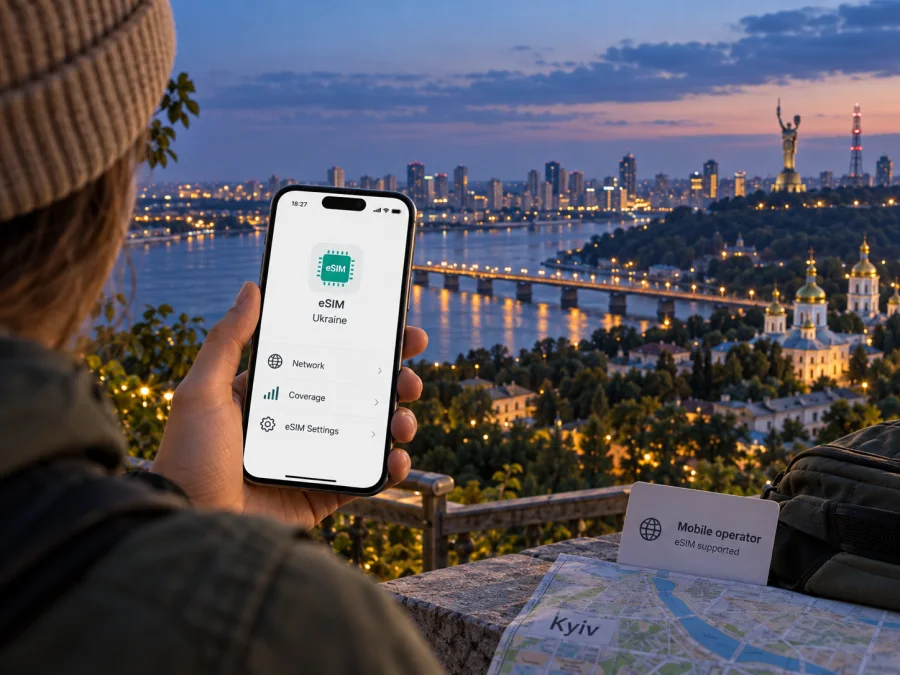
Kyivstar eSIM in Ukraine: availability, activation and travel considerations
Kyivstar offers eSIM for customers using its Ukrainian mobile service. The digital SIM can be ordered for a new number or used to replace a physical Kyivstar SIM, subject to device compatibility and the operator’s current terms. Kyivstar also has a separate travel eSIM offer for use abroad; that is distinct from a Kyivstar domestic line and should not be confused with service in Ukraine.
This guide explains how the operator’s eSIM works in its home market, what a visitor should check before relying on it, and how to prepare a compatible phone. Procedures and eligibility can change, so confirm the latest details directly with Kyivstar before purchase or transfer. Kyivstar is a trademark of its respective owner; Kaspersky eSIM Store is not affiliated with, sponsored by, or an official partner of Kyivstar.
Kyivstar’s role in Ukraine
Kyivstar is a Ukrainian mobile and electronic communications operator. Its official company profile describes mobile connectivity alongside fixed internet and digital services. Company subscriber and infrastructure figures are dated snapshots, not a guarantee of signal at a particular address. For an eSIM user, the key distinction is between Kyivstar’s own Ukrainian service and roaming on another provider’s network.
A Kyivstar eSIM stores an electronic subscriber profile on a compatible device instead of a removable plastic SIM. It can provide the functions of a local mobile account where the selected service and device allow them. eSIM does not create coverage: the phone still needs access to a compatible network and an active, correctly configured account.
The product is intended for Kyivstar’s Ukrainian service. A visitor with a Kyivstar line issued in another country should check roaming terms with that issuing operator. Likewise, an eSIM designed for travel may attach to a partner network and follow separate terms; it should not be mistaken for a domestic Ukrainian subscription.
Is Kyivstar eSIM available?
Yes. Kyivstar’s official eSIM page, checked on 16 October 2026, describes online ordering of a new eSIM and transfer of an existing Kyivstar number from a physical SIM to eSIM. The page also provides instructions for moving an eSIM between devices through the My Kyivstar app. Kyivstar’s online shop presents eSIM for both prepaid and contract customer journeys, but the steps, identity requirements, and eligibility can differ by customer type and offer.
The official guidance emphasizes device support and certification for the Ukrainian market. A phone that supports eSIM in a different country or carrier configuration may still fall outside Kyivstar’s stated support conditions. Some regional variants lack an eSIM component or have a different SIM configuration, and a carrier-locked device may prevent activation. Check the exact model number and regional variant with the manufacturer and Kyivstar rather than relying only on a product family name.
The operator’s page says the My Kyivstar app can show the eSIM option when the handset is compatible. It also describes checking the phone settings for an “Add eSIM” option, and checking for an EID on supported devices. These are useful preliminary checks, but they do not replace confirmation of the exact model’s support or account eligibility. If an option is absent, ask Kyivstar before buying or deleting a profile.
New line, SIM replacement, or transfer
Kyivstar describes several routes for different needs:
- A new local number: use the current official shop or another Kyivstar sales channel and follow the sign-up and identification steps shown for the selected service type. Prepaid and contract processes may differ.
- Replacing a physical Kyivstar SIM: an existing customer can start in My Kyivstar’s eSIM section and follow the prompts. Kyivstar says an SMS confirms activation; if it does not arrive, its guidance advises restarting the phone and manually selecting the Kyivstar network.
- Moving an existing eSIM: use the guided My Kyivstar transfer flow and indicate whether you are initiating it from the old or new phone. Keep account access and any required confirmation method until the new profile works.
- Business account: Kyivstar describes a separate business process that may require the authorized representative and an electronic signature. Follow business account guidance rather than assuming the consumer app flow applies.
These routes are not interchangeable: a new number differs from a SIM replacement, and a profile transfer differs from a new subscription. Check the order confirmation carefully, especially if you need to preserve your number.
What to prepare before activation
Installations generally require an eSIM-compatible, unlocked phone, internet access during setup, and access to My Kyivstar or the activation method issued with the order. A QR code may need to be displayed on a second screen. Keep account access available and do not delete a profile as a troubleshooting shortcut unless Kyivstar explains how to restore it.
Before converting your primary number, plan for a short interruption: the old profile may stop working while the new one activates. Keep another way to receive essential messages until the new eSIM is confirmed. If several SIMs are installed, label them and check which is selected for calls, messages, and data.
Device compatibility: check the exact variant
Compatibility depends on the exact handset, not just its marketing name. Country variants, model suffixes, hardware revisions, and carrier editions can differ. Before travelling, confirm that the exact model supports eSIM, is unlocked, can add a Kyivstar profile, has room for another profile, and is accepted by Kyivstar for Ukrainian service. The operator says it guarantees eSIM operation only on devices certified in Ukraine.
On many iPhones, eSIM controls appear under Settings → Cellular or Mobile Data. On Android, the path varies; look under Network & Internet, Connections, or SIM Manager. Kyivstar’s own help page describes checking for an “Add eSIM” setting or EID, but these are preliminary checks rather than a guarantee of service.
Kyivstar warns that some iPhone models with two physical SIM slots and locked or unofficially unlocked phones may not work. Do not infer compatibility from a similar phone sold in another market. If uncertain, give Kyivstar the full model identifier before purchase.
Installing an eSIM on a compatible phone
Use the method shown in the Kyivstar order or My Kyivstar flow. Exact screens can vary by phone and software release. For the operator’s QR-based activation, keep the code available on a separate screen or printed page, and stay connected to Wi-Fi until the mobile line is ready.
General setup sequence
- Check the device and account. Confirm the exact phone variant supports eSIM and that it is unlocked. Make sure you can sign in to the relevant Kyivstar account.
- Connect to Wi-Fi. Keep the phone online while the profile is downloaded and activated. Do not rely on the new mobile line for the setup connection.
- Open the official activation flow. For a number transfer or replacement, use the eSIM section in My Kyivstar. For a new subscription, follow the official shop’s instructions and any identity checks shown for that order.
- Add the profile. Scan the operator’s QR code when provided, or use the on-screen installation method supported by the phone. Review the displayed operator and line details before confirming.
- Choose line settings. If keeping another SIM active, select which line handles mobile data and which line handles calls or messages. Avoid turning off a line needed for account verification until the new profile is confirmed.
- Wait for registration. Allow the phone to complete the installation. Kyivstar’s consumer eSIM guidance advises restarting the phone and manually selecting Kyivstar if the activation SMS does not arrive.
- Test the service. Check the line status, make a test call or use a data connection as appropriate for the account, and confirm that the intended SIM is selected. If registration fails, use Kyivstar support rather than repeatedly deleting and reinstalling the profile.
For a step-by-step installation guide, follow the iPhone eSIM installation instructions or Android eSIM installation instructions. To review supported devices before purchase, check device compatibility. These general installation pointers do not replace the operator’s activation steps for a Kyivstar number.
Kyivstar eSIM and connectivity in Ukraine
An eSIM profile does not determine the radio technology. Kyivstar’s official business explainer says 4G/LTE works with eSIM as with a physical USIM, subject to the handset, network availability, and account. Actual service depends on location, indoor conditions, device bands, network load, and temporary conditions. A general coverage map or infrastructure statement cannot guarantee reception in every building, road, or locality.
Check Kyivstar’s current coverage information for your itinerary and confirm that your handset supports the operator’s bands. Buildings, basements, and local conditions can affect reception in Kyiv as elsewhere. Save maps and essential details offline in case of gaps. Network indicators such as 4G or LTE show a connection type, not a guaranteed speed; we do not infer quality from marketing descriptions or compare networks without directly comparable measurements.
Ukraine’s geographical and administrative status is distinct from mobile coverage boundaries. A roaming arrangement or device region setting is not a statement about sovereignty or a guarantee of service in every territory. Check current coverage and service notices for the exact destination and route; availability may change.
Local Kyivstar eSIM versus a travel eSIM
A domestic Kyivstar eSIM belongs to Kyivstar’s Ukrainian mobile service and may provide a local account and number, depending on the selected service. A travel eSIM is a separate product that may use a partner network and may offer data without the same local number, voice, or SMS functions. Check those details before relying on a travel profile for calls or authentication.
Kyivstar announced a separate travel eSIM for roaming abroad in 2026, describing it as a data service distinct from the domestic subscription. The announcement does not change the distinction between travel connectivity and a local Ukrainian account. Its destination list and terms can change, so consult Kyivstar’s current information if relevant.
For mobile data while visiting, explore eSIM options for Ukraine. Kaspersky eSIM Store is an app and website that helps users choose, purchase, and activate an eSIM plan for internet abroad; it is not an operator, network owner, or mobile internet provider. Check destination coverage, compatibility, activation timing, and included services before purchase. A travel eSIM may complement a home SIM if the phone and plan support the intended setup.
Choose according to whether you need a local number, ordinary calls and SMS, or a separate data line. Products labelled eSIM do not necessarily provide the same service.
Before you rely on a Kyivstar eSIM while travelling
- Confirm the exact model suffix, regional variant, eSIM support, and unlock status.
- Confirm Kyivstar supports the device and your account is eligible for the activation route.
- Complete identity and account-access steps while you have reliable internet and access to your usual number.
- Keep the QR code or operator app accessible, and protect the code as an account credential.
- Decide which line will provide data and whether to keep your home line active for calls or verification messages.
- Check roaming terms for your existing line before crossing a border; local Kyivstar service and a travel eSIM have different conditions.
- Save travel essentials offline and keep operator support details available.
If replacing a physical SIM in Ukraine, use the official process and keep the old SIM available until the transfer is confirmed. If ordering from abroad, verify that online onboarding and identity checks can be completed from your location. Public pages describe online routes, but access and eligibility can depend on account type and current rules.
Common questions
Can a visitor buy Kyivstar eSIM?
Kyivstar describes online ordering and online identification for some contract routes. Documents, verification, and eligibility depend on the service type and current conditions. Confirm requirements directly before assuming a visitor can complete sign-up.
Can I convert my existing Kyivstar SIM without changing my number?
Kyivstar describes conversion through My Kyivstar. Follow the steps for the signed-in number and check the confirmation. For multiple numbers, the operator says eSIM actions other than a new connection apply to the number used to sign in.
Does eSIM work on every compatible phone?
No. Kyivstar says it guarantees service only on devices certified in Ukraine and warns about some dual-physical-SIM iPhones and locked phones. Check the exact regional variant.
Is eSIM different from 4G?
Yes. eSIM stores the subscriber profile; 4G/LTE is a radio technology. Kyivstar says 4G works with eSIM as with physical USIM when device, account, and coverage support it.
Can I use a travel eSIM as a local Kyivstar number?
Do not assume so. Kyivstar describes its travel eSIM as separate roaming data; numbering, calls, SMS, and destinations may differ. Check its current terms.
What if activation gets stuck?
Stay on Wi-Fi and follow Kyivstar’s troubleshooting guidance. It advises restarting the phone and manually selecting Kyivstar if the activation SMS does not arrive. Contact support about missing profiles or compatibility errors, and do not delete the profile until you know how to restore it.
Does an eSIM guarantee coverage throughout Ukraine?
No. It changes how a subscription is stored, not radio availability. Check coverage along your route and allow for local or temporary limitations.
A practical way to choose
Start with what you need. If you need a Ukrainian mobile account and local number, review Kyivstar’s current domestic eSIM options and eligibility. If you want a separate data connection for a visit, compare travel eSIM details and confirm destination support, device compatibility, and activation timing. Keep the operator market, phone’s regional variant, and service coverage area distinct.
For travel data, you can view Ukraine eSIM options in Kaspersky eSIM Store. The app and website help you select and activate an eSIM plan for mobile internet abroad; connectivity is provided through telecommunications partners. Check details for your itinerary and device before departure.
Sources checked
Public information checked on 16 October 2026: Kyivstar’s official eSIM page and help guidance, online shop, company profile, business explainer on 4G/LTE and eSIM, and announcement about its separate travel eSIM; plus Kaspersky eSIM Store’s public Ukraine page. Pages may change; confirm current terms with the service before relying on them.


