Travel connectivity guide
Kyoto eSIM: Mobile Internet for Japan Travel
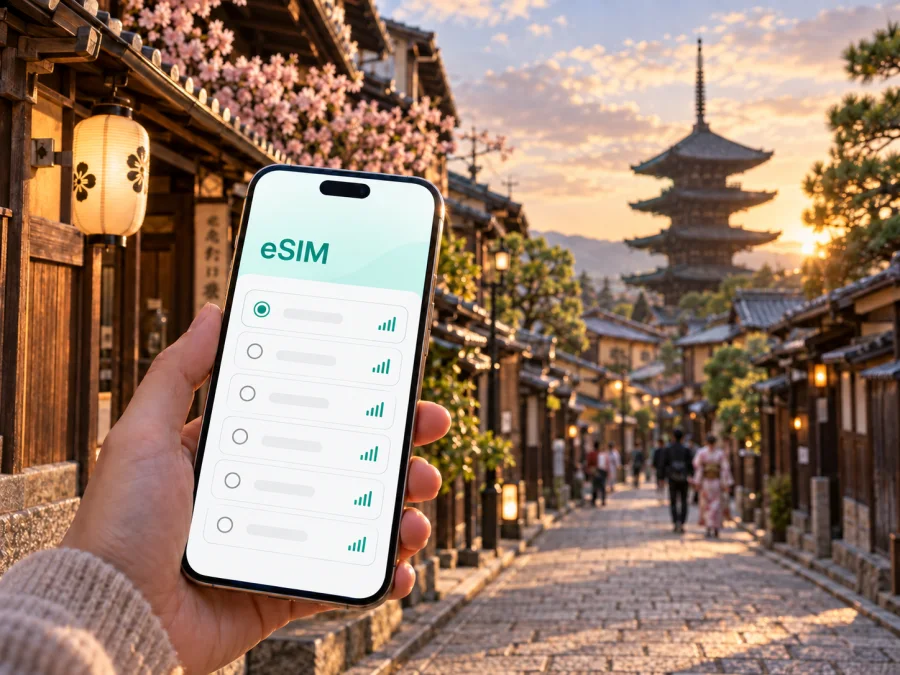
Kyoto eSIM: mobile connection and internet for your Japan trip
Kyoto rewards a flexible travel rhythm: a morning walk through Higashiyama, a train across the city, an afternoon appointment near Kyoto Station, and an evening meal on the Kamogawa riverfront can all belong to the same day. Reliable mobile internet makes those changes easier to manage. It helps you check directions, confirm a hotel, translate a sign, contact a host, and adjust a route when a street or attraction is busier than expected.
An eSIM, or digital SIM, can provide mobile data in Japan without replacing the physical SIM card already in your phone. That is useful when you want to keep your usual number available for messages or account verification while using a separate data profile for the trip. Kaspersky eSIM Store is an app and website that helps you choose, arrange, and activate an eSIM with a suitable plan for mobile internet during an overseas journey. The conditions depend on the selected plan, so check its country coverage, data allowance, validity period, and activation rules before you travel.
Why mobile internet matters in Kyoto
Kyoto is easy to explore when you can make small decisions as you go. The practical challenge is not only reaching the city; it is keeping several kinds of information available while you move between railway stations, bus stops, temple districts, hotel areas, and less familiar residential streets.
Mobile data can help you:
- follow a walking route from Kyoto Station to a hotel or meeting point;
- compare train, subway, and bus options when your original route is inconvenient;
- check opening information or reservation details before crossing the city;
- message a host, guide, colleague, or travel companion;
- use translation and currency tools without searching for public Wi‑Fi;
- order a car or locate a pickup point when luggage makes a long walk impractical;
- share a live location when meeting someone near a large station or busy district.
Kyoto’s attractions are spread across several districts. A route that looks short on a map may involve a walk, a bus connection, and a rail transfer, so access to data is useful when plans change.
Choose a plan around your Kyoto itinerary
The right eSIM plan depends more on how you use your phone than on the city name alone. A traveler who downloads maps and uses messaging lightly has a different pattern from someone who works from a hotel, uploads photographs, or shares video during the day. Start with your itinerary, then estimate your regular data habits.
| Kyoto travel pattern | Typical data tasks | What to consider |
|---|---|---|
| Short city break | Maps, messages, reservations, translation | A smaller allowance may be suitable if you use Wi‑Fi for large downloads |
| Cultural itinerary | Repeated navigation, attraction information, photo uploads | Allow more room for changing routes and media |
| Business trip | Email, calendars, meetings, document access | Check the allowance and validity against working days |
| Multi-city Japan route | Maps and transport information across several stops | Confirm that the plan covers the full route |
Before you select an option, answer four questions:
- How many days will the eSIM need to remain available?
- Will you mainly use maps and messaging, or also calls through internet apps, uploads, and work tools?
- Will your route include Osaka, Nara, Tokyo, Hiroshima, or another stop outside Kyoto?
Do not choose a plan solely because it has a large data figure. Check the validity period, the destination covered, the conditions for activation, and how additional data or balance management works. A clearly defined plan is easier to match to a Kyoto weekend, a longer cultural stay, or a multi-city itinerary.
Where an eSIM helps around Kyoto
Arrival through the Kansai region
Kyoto does not have a major international airport in the city itself. Many overseas visitors arrive through Kansai International Airport and continue toward Kyoto by rail or bus; some domestic itineraries use Osaka Itami Airport. The first tasks are practical: finding a platform, checking a transfer, updating the hotel, and locating the right station exit.
If your eSIM is already installed, you can complete those tasks while your luggage is still with you. If you activate it after landing, keep the QR code or installation details accessible offline. Do not remove your everyday SIM until you have confirmed which line handles calls, messages, and data.
Kyoto Station and the central hotel area
Kyoto Station is a transport hub and a common base for visitors and business travelers. Mobile internet helps with hotel entrances, meeting points, and the choice between walking, subway, rail, and bus when your accommodation is in Shimogyo, near Shijo, or farther north.
Keep the hotel address in both Japanese and English if possible, and save the booking confirmation and check-in instructions before departure. A map pin can be more useful than a translated street description when several entrances are nearby.
Higashiyama and Gion
The lanes around Higashiyama and Gion suit walking, but routes between places may be less direct than they appear. Use navigation for the next section of the journey so you can identify a bus stop, avoid a detour, or meet a companion at a clear landmark.
Use data for the next section of the route rather than stopping in a narrow lane to search. For meetings, agree on a station, bridge, or larger public landmark.
Arashiyama and the western side of the city
Arashiyama is often a half-day or full-day excursion from central Kyoto. Check the route before leaving and keep enough data for the return journey, since walking time and the chosen transport option may change your schedule.
When you are moving between a station, a river area, and several walking routes, keep the map application set to use the eSIM for mobile data if that is your intended line. If you use a separate home SIM, confirm that its data roaming is disabled unless you deliberately want to use your home operator’s roaming service.
Prepare your eSIM before leaving for Japan
A few checks before the flight can prevent avoidable work in Kyoto. You do not need to change your normal number or erase your phone setup. The goal is to add a separate data option and understand which line will be used when you arrive.
Use this preparation checklist:
- Confirm that your smartphone supports eSIM and is not locked to an operator. Check your device compatibility before choosing a plan; models can differ by generation and sales region.
- Confirm that the plan covers Japan and remains valid for the length of your itinerary.
- Read when the validity period begins and whether installation and activation are separate steps.
- Keep the installation details or QR code available on another screen or in an offline copy if your setup requires scanning.
- Update your phone and charge it before installation.
- Decide whether your everyday SIM will remain active for calls and messages.
- Note how to contact support through the app or account if you need help with installation or activation.
Kaspersky eSIM Store helps you choose a destination and review the available plan conditions through the app or website. It is a planning tool for the eSIM workflow: you select an option, complete the purchase, install the profile on a compatible device, and manage the plan and balance in the relevant account or app. The underlying mobile service and network conditions depend on the selected plan and its local operator arrangements.
When the plan, timing, and device checks are clear, you can choose an eSIM plan for a trip to Japan and prepare it before departure. The link is for the country that includes Kyoto; there is no need to search for a separate city profile when your route is within Japan.
Install and activate eSIM for a Kyoto trip
Install the profile when you have a stable internet connection and enough battery. Some travelers install it before the flight and leave the profile turned off until arrival; others complete the process after reaching Japan. Follow the conditions shown for your selected plan, because the moment installation, activation, or data use begins can differ.
A simple installation sequence
- Check compatibility. Make sure the phone supports eSIM and is not operator-locked.
- Open the mobile network settings. Choose the option for adding an eSIM or mobile plan.
- Scan the QR code or follow the in-app installation flow. Use the profile information supplied after your selected plan is arranged.
- Label the new line clearly, such as “Japan data”, so it is easy to identify beside your everyday SIM.
- Keep your regular line available for calls and messages if you need it, but select the Japan eSIM as the mobile-data line when you arrive. Turn on data roaming for the eSIM only if the plan instructions require it, and leave roaming disabled on your everyday line if you want to avoid unintended charges.
- Test a small task, such as opening a map, after landing. If the connection does not appear immediately, wait a few minutes and recheck the selected data line and the plan instructions.
For device-specific guidance, use the Android installation instructions or the iOS installation instructions. The menus vary by operating system and model, so use the instructions for the phone you are carrying rather than copying settings from another device.
Keep control of mobile data in Kyoto
Before leaving the airport or station, confirm that “Japan data” is the active line. Use Wi‑Fi for large downloads when practical and watch usage after uploads or hotspot use. An eSIM plan does not automatically provide a telephone number; voice calls and SMS are not included unless the selected plan says otherwise.
Practical Kyoto scenarios
A two-day first visit
For a short stay, prioritise arrival, hotel check-in, transport between districts, reservations, translation, and the return route to the station or airport connection. Save booking details beforehand and choose validity that covers the arrival and departure window.
A week of sightseeing or a business trip
Longer days can include Kyoto Station, an eastern district, central Kyoto, and an unplanned day trip. Maps, messaging, attraction information, and media use add up. For work, include email, calendars, two-factor authentication, documents, and meetings; if you use a hotspot, confirm that the plan permits it.
A stopover or multi-city Japan route
A late arrival benefits from preparation: install the eSIM in advance if allowed, save the hotel address offline, and keep settings simple. If Kyoto is one stop in a Japan route, check the destination scope and match validity to the full segment in which you will use data.
What an eSIM can and cannot do
An eSIM can simplify access to mobile data in Kyoto without handling a physical travel SIM. It can help you find a platform, contact a hotel, coordinate a group, or adapt a route while keeping your everyday SIM in the phone when dual-SIM use is supported.
Service quality can vary by location and building. Coverage, speed, activation, and network access depend on the selected plan and local conditions, so keep important reservations and addresses offline as well.
Before relying on the eSIM, remember:
- the phone must support eSIM and be free of an operator lock;
- the plan must cover Japan and match the length of your trip;
- mobile data must be assigned to the correct line;
- data roaming may need to be enabled for the eSIM, according to the plan instructions;
- an ordinary phone number, calls, and SMS are not included unless stated in the plan conditions;
- an activated eSIM may not be transferable to another phone if the profile or plan rules do not allow it;
- refunds and unused-data treatment depend on the purchase and usage conditions.
Frequently asked questions
Do I need a separate eSIM for Kyoto?
Not necessarily. Kyoto is in Japan, so start by checking a Japan plan that matches your itinerary. If you will continue to another city, confirm that the same plan applies to the complete route and that its validity covers the dates you need.
Should I install the eSIM before the flight?
Installing before departure can reduce tasks at the airport if the selected plan allows that timing. Some plans distinguish between installation and activation, so read when the validity period or data use begins.
Will the eSIM give me a Japanese telephone number?
No, not by default. An eSIM for mobile data does not include an ordinary telephone number, voice calls, or SMS unless those features are explicitly included in the selected plan. Internet messaging and calling apps can work over the data connection.
What if the connection does not start in Kyoto?
Check the active mobile-data line, confirm that the eSIM profile is enabled, and review whether data roaming is required. Allow a few minutes for registration, then consult the plan instructions or contact support through the relevant app or account.
A calmer connected trip through Kyoto
The best eSIM setup matches the way you will move through Kyoto. Check the phone, choose a Japan plan by duration and data habits, install the profile, and decide which line handles mobile data before arrival. Use it for the first transfer, a changed reservation, an unfamiliar bus stop, or the return route after Arashiyama.
Kaspersky eSIM Store helps you review destination options, arrange a suitable eSIM plan, and activate it on a compatible device. When ready, choose a Japan eSIM plan and review the conditions before installation.


