
Travel connectivity guide
La Fortuna eSIM for Mobile Internet
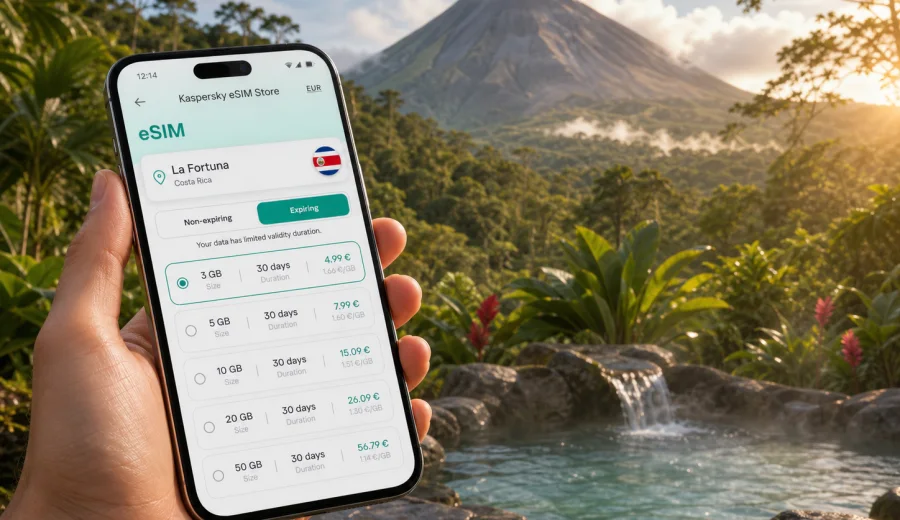
La Fortuna eSIM: mobile connection and internet for a trip to Costa Rica
La Fortuna is one of the easiest places in Costa Rica to love and one of the places where mobile internet quickly becomes practical rather than optional. The town sits near Arenal Volcano, with hotels spread along rural roads, hot springs outside the compact center, forest trails, hanging bridges, restaurants, tour offices, and transfer routes that often start before sunrise. If you arrive with an eSIM already prepared, you can open maps, confirm a shuttle, message your hotel, and check tour details without looking for a local SIM card or waiting for hotel Wi-Fi.
This guide focuses on using eSIM for La Fortuna itself: arrival, local movement, hotels, day tours, business travel, short stays, and onward routes through Costa Rica. It is not a general country guide. The main question is simple: how do you keep mobile data ready in and around La Fortuna when your plans depend on navigation, bookings, ride coordination, and online communication?
Why mobile internet matters in La Fortuna
La Fortuna is compact in the center, but many of the reasons people visit are outside the walkable area. A hotel may be on the road toward Arenal Volcano, a hot spring resort may be several kilometers from town, and a waterfall visit or hanging bridges tour can require transport coordination. Mobile data helps you handle the small gaps between these places.
Common moments when internet access is useful:
- finding your driver at the airport or shuttle pickup point;
- sharing your hotel location with a transfer company;
- checking whether a tour starts from the office, your hotel, or a separate meeting point;
- using maps when roads are narrow, dark, or poorly marked;
- messaging a guide if rain changes a schedule;
- confirming restaurant, hot spring, or spa reservations;
- checking cloud cover before a volcano viewpoint stop;
- using translation, banking, and travel apps without waiting for Wi-Fi.
Arrival scenarios: airport, shuttle, rental car, and first check-in
Most international visitors reach La Fortuna after landing in San Jose or Liberia, then continue by shuttle, rental car, or private transfer. The first hours are when an eSIM can make the biggest difference, because you may not yet know local landmarks, road conditions, or the exact hotel entrance.
| Arrival scenario | Why eSIM helps | Practical tip |
|---|---|---|
| Shared shuttle | Driver messages, pickup updates, route changes | Keep the booking confirmation available offline too |
| Private transfer | Direct contact with the driver or hotel | Share your live location only when needed |
| Rental car | Maps, fuel stops, road checks, hotel navigation | Download offline maps before leaving the airport |
| Late arrival | Restaurant hours, gate codes, reception messages | Save hotel phone and messaging details in advance |
| Multi-city route | La Fortuna plus Monteverde, San Jose, or beaches | Choose a data amount for the full Costa Rica route |
If you activate mobile data after landing, you can move from the airport to La Fortuna without depending entirely on public Wi-Fi. Keep key addresses and confirmations saved offline too, but use mobile data for the live details that change during arrival.
La Fortuna is local, but your data plan should fit the whole route
For a city article, the correct eSIM direction is the country that the city belongs to. La Fortuna is in Costa Rica, so you should look at a Costa Rica eSIM option rather than trying to find a separate city-only product. That is especially important because most La Fortuna trips include movement: airport to town, town to volcano area, day tours, and often another destination after checkout.
Think about the route, not just the hotel nights. A three-night La Fortuna stay can still include a long transfer from San Jose, navigation to hot springs, online tickets, messaging with guides, and an onward trip to Monteverde or the coast. If you use video calls, cloud photo backup, or laptop tethering, your traffic needs will be higher than a traveler who mostly uses maps and messengers.
How much mobile data to plan for La Fortuna
There is no single correct amount, because traffic depends on habits and hotel Wi-Fi quality. Use these estimates as planning logic, not as a guarantee.
| Travel style | Typical mobile data use | What to consider |
|---|---|---|
| Light traveler | Low | Maps, messengers, transport updates, email |
| Active tourist | Medium | Maps, booking apps, photo sharing, restaurant search |
| Remote worker | Medium to high | Video calls, hotspot use, document sync |
| Family trip | Medium to high | Several devices, navigation, entertainment, shared plans |
| Multi-city traveler | Higher | La Fortuna plus transfers and other Costa Rica stops |
For many visitors, the biggest hidden data use is media. Uploading videos from a waterfall hike or leaving cloud backup on mobile data can consume traffic faster than maps and messages. If your plan has a limited data amount, use Wi-Fi for large uploads and keep app updates disabled until you are on a trusted connection.
Where eSIM is useful around town
The center of La Fortuna is simple to navigate, but the wider area is more spread out. Mobile internet is useful in different ways depending on where you are.
- In the town center: restaurant searches, taxi coordination, banking apps, translation, and tour office messages.
- On the road toward Arenal Volcano: maps, hotel entrance checks, ride updates, and weather changes.
- Near hot springs: booking confirmations, transport pickup times, and messaging your group.
- At trailheads and viewpoints: maps, saved tickets, and basic communication when Wi-Fi is not available.
- During transfers: live navigation, route changes, and contact with the next hotel.
Coverage quality can vary by local network, device, terrain, weather, and exact location. Save offline maps and booking PDFs before you leave your hotel, even if you have an eSIM ready.
Choosing an eSIM plan for La Fortuna
When choosing a plan, focus on the country, duration, and data amount. Kaspersky eSIM Store is an app and website where you can quickly choose, arrange, and activate an eSIM with a suitable mobile data plan for an international trip. It helps you prepare mobile internet for Costa Rica without visiting a physical SIM counter after arrival.
Before you choose, decide:
1. How many days you will be in Costa Rica, including arrival and departure days.
2. Whether La Fortuna is your only stop or part of a wider route.
3. Whether you need mobile data only on your phone or also for hotspot use.
4. Whether you will rely on hotel Wi-Fi for large uploads and calls.
5. Whether your device supports eSIM and is not locked by your current carrier.
If your trip includes La Fortuna, San Jose, Monteverde, Manuel Antonio, Tamarindo, or the Caribbean coast, choose based on the full route. The same Costa Rica direction is usually the relevant one for a city article about La Fortuna. After you have estimated your trip length and data habits, you can prepare an eSIM plan for your La Fortuna trip before you travel.
Practical checklist before you leave
Use this checklist a day or two before your flight:
- Check that your phone supports eSIM.
- Check that your phone is not carrier-locked.
- Update your operating system while you are still on stable Wi-Fi.
- Save your hotel address, tour confirmations, and transfer details offline.
- Download offline maps for San Jose or Liberia, La Fortuna, and your onward route.
- Choose a plan with enough data for your full Costa Rica itinerary.
- Install the eSIM while you have reliable internet, if the plan instructions allow it.
- Keep your primary SIM active if you need calls or SMS from your home number.
- Turn off mobile data for apps that are likely to use too much traffic.
This preparation helps avoid a common arrival problem: needing internet in order to get internet. You may still need Wi-Fi to install or adjust settings, so do the setup before you are standing at a roadside pickup point.
Device compatibility and setup
Not every phone supports eSIM, and some compatible phones can still be locked by a mobile operator. Before buying a plan, use the compatibility information for your device and check your phone settings. You can also check your device before you continue.
The basic setup flow is usually:
1. Choose the country or region for the trip.
2. Select a plan by data amount and validity period.
3. Arrange the plan in the app or on the website.
4. Install the eSIM profile on your compatible device.
5. Set the eSIM as the mobile data line when you are ready to use it.
6. Turn on data roaming for the eSIM if the instructions for your plan require it.
7. Monitor data use during the trip.
For installation details, follow the official step-by-step guides for your device type: Android installation guide and iOS installation guide. Installation and activation can take a few minutes and depend on your device, settings, and the local network. Do not remove the eSIM profile unless the instructions or support team tell you to do so.
Calls, SMS, messengers, and two-SIM use
Many travel eSIM plans are designed for mobile data. They may not include a local phone number, standard voice calls, or SMS unless that is clearly stated in the selected plan. For most La Fortuna travel tasks, data is enough: messaging apps, email, maps, ride coordination, restaurant bookings, and video calls all work through internet access.
If you need your home number for bank confirmations or urgent calls, keep your physical SIM or primary eSIM active according to your phone settings. You can usually set one line for calls and SMS and another for mobile data, but the exact menu depends on the device.
Local movement in La Fortuna
La Fortuna transport can be a mix of walking, taxis, shuttles, tours, hotel pickups, and rental cars. The center is manageable on foot, but many stays are outside town. Mobile internet helps most when you are between those fixed points.
For taxis and transfers, keep the destination pinned and confirm the pickup point in writing. For rental cars, use mobile maps but do not rely on them blindly: rural roads can be narrow, and night driving may be slower than expected. For tours, check whether pickup is at your hotel, a town office, or a roadside meeting point.
Hotels, cabins, and remote stays
La Fortuna has many lodging styles: downtown guesthouses, boutique hotels, cabins, hot spring resorts, family lodges, and properties along the volcano road. Wi-Fi quality can vary by property, building, room location, weather, and occupancy.
An eSIM gives you a backup for practical tasks:
- checking in if the hotel sent instructions by message;
- opening a map when the entrance is not obvious;
- contacting reception from a separate cabin or parking area;
- confirming a late tour pickup;
- using a banking or airline app when hotel Wi-Fi is busy;
- keeping data available if you change hotels during the trip.
Business trips, short stays, and stopovers
La Fortuna is mostly a leisure destination, but some visitors work remotely, join a company retreat, or have only one or two nights between longer Costa Rica stops. In these cases, mobile data is useful for schedule changes, urgent email, hotspot backup, and quick coordination with hotels or drivers.
For business use, keep meeting documents offline, turn off automatic cloud sync before calls, and test hotspot performance before relying on it for a laptop. For a short stay, install the eSIM while you are still on reliable Wi-Fi, save the hotel and tour office addresses, download offline maps, and keep reservation numbers in one note you can open without internet.
Common mistakes to avoid
Avoid these errors when preparing mobile internet for La Fortuna:
- Buying a plan without checking eSIM compatibility.
- Forgetting that many travel eSIM plans are data-only.
- Installing the eSIM only after leaving reliable Wi-Fi.
- Using mobile data for automatic video backup.
- Depending on live maps without saving an offline route.
- Removing the eSIM profile too early.
- Choosing data for La Fortuna only, then using it across the whole country.
FAQ: eSIM and internet in La Fortuna
Do I need a separate eSIM for La Fortuna?
Usually no. La Fortuna is in Costa Rica, so a Costa Rica plan is the relevant direction for this city trip. Choose based on your full itinerary and plan conditions.
Will eSIM include calls and SMS?
Many travel eSIM plans focus on mobile data and may not include a regular phone number, calls, or SMS. Check the conditions before purchase.
Is hotel Wi-Fi enough in La Fortuna?
It may be enough inside your accommodation, but mobile data is useful during transfers, tours, restaurant searches, hotel changes, and road navigation.
What if I travel from La Fortuna to another Costa Rica destination?
Plan data for the whole route, not only the town. Transfers and onward travel often use more mobile data than expected because of maps, messages, and booking apps.
Choose mobile internet for your La Fortuna trip
La Fortuna is a place where plans often move between town streets, volcano viewpoints, hot springs, forest trails, and long transfers. Having an eSIM ready helps you keep maps, messages, bookings, and travel apps available when Wi-Fi is not nearby. Before buying, check device compatibility, read the plan conditions, and choose a data amount that fits your full Costa Rica route.
When you are ready, use Kaspersky eSIM Store to choose an eSIM plan for Costa Rica and prepare mobile internet for your La Fortuna trip.