
Travel connectivity guide
La Libertad eSIM for Mobile Internet
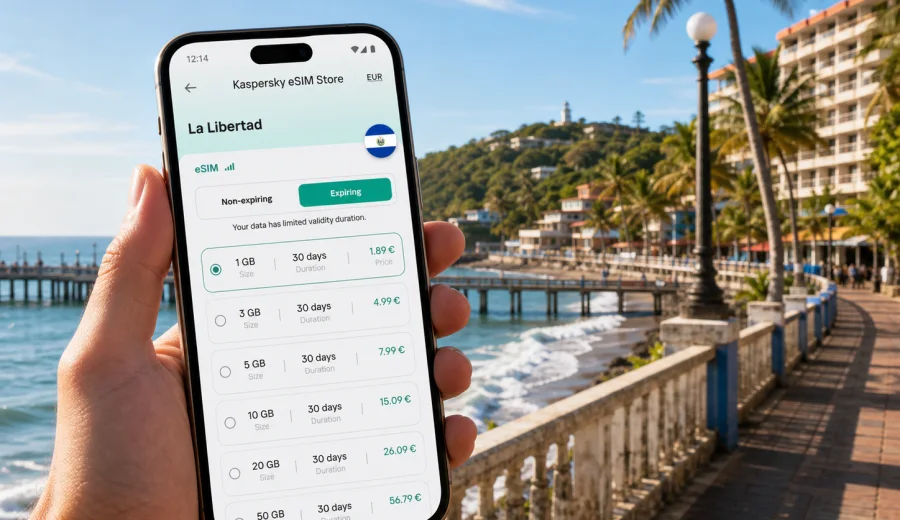
La Libertad eSIM: mobile connection and internet for a coastal trip
La Libertad is easy to underestimate. On the map it looks like a short coastal stop near San Salvador. In practice, it often becomes the base for surf lessons, seafood lunches at the pier, evening walks on the Malecon, day trips to El Tunco and El Sunzal, and a first look at the Pacific side of El Salvador. Mobile internet helps you find your hotel, message a driver, check surf conditions, translate a menu, and keep your group together.
An eSIM is useful in La Libertad because the trip usually starts before you reach the waterfront. Many travelers land at El Salvador International Airport, continue by shuttle, taxi, private transfer, or rented car, and may not want to spend the first hour looking for a physical SIM card. With a compatible phone, an eSIM lets you prepare a data plan before departure or set it up after arrival, then use mobile internet for the practical parts of the trip.
Why mobile internet matters in La Libertad
La Libertad is not a single sightseeing district where everything happens in one square. The travel area spreads across the port, the Malecon, nearby beaches, surf spots, hotels, restaurants, and coastal roads. You may stay in central La Libertad, go west toward El Tunco or El Sunzal, book a surf lesson near Punta Roca, or travel back inland for meetings in San Salvador. Offline maps help, but they do not replace live navigation, ride coordination, messaging, or reservation checks.
Mobile internet is especially helpful in these city scenarios:
- Finding your accommodation after dark, when street names and entrances may be harder to recognize.
- Coordinating pickup points with drivers, surf schools, tour hosts, or hotel staff.
- Checking tide, swell, and weather updates before heading to the beach.
- Using translation tools in restaurants, markets, and transport conversations.
- Sharing a live location with friends when the group splits between the pier, beach, and hotel.
- Managing work messages if La Libertad is part of a business trip with a coastal overnight stay.
Public Wi-Fi can help in hotels, cafes, and restaurants, but it is not a dependable plan for movement. You need a connection precisely when you are between those places: at the airport, in a car, on a beach road, outside a hotel gate, or trying to confirm a meeting point.
Quick facts for connectivity planning
| Travel situation in La Libertad | Why data helps | Practical eSIM tip |
|---|---|---|
| Arrival from the airport | Routes, driver messages, hotel directions | Install the eSIM before travel and activate according to the plan instructions |
| Beach and surf days | Weather, tide checks, photo backup, messaging | Choose enough data for maps, messages, and occasional uploads |
| El Tunco or El Sunzal evenings | Ride coordination and group chats | Keep your primary SIM active for calls if needed, and use eSIM for data |
| Day trip to San Salvador | Navigation between coast and capital | Download offline maps, then use mobile data for live updates |
Before you buy: check device compatibility
An eSIM works only on devices that support eSIM technology and are not restricted by a carrier lock. Before choosing a plan, check your device and confirm that it can install an eSIM profile.
Check these points before departure:
- Your phone's operating system supports eSIM installation.
- You can access the email or app where installation details will appear.
- Your device has stable Wi-Fi during installation.
- You understand which SIM line will handle mobile data after arrival.
- You know whether your usual number needs to remain active for calls or two-factor authentication.
For most travelers, the cleanest setup is simple: keep your regular SIM for your normal number, set the eSIM as the mobile data line, and turn off unnecessary background data.
How much data do you need in La Libertad?
Your data needs depend less on the city and more on your habits. Maps and messaging use little data. Surf videos, video calls, photo backup, and streaming use much more.
Use this guide as a starting point:
| Trip style | Typical data use | What to watch |
|---|---|---|
| Short stopover, one night | Low | Maps, messaging, ride coordination |
| Weekend surf trip | Low to medium | Weather apps, photo sharing, group chats |
| One week on the coast | Medium | Navigation, restaurant searches, social media, backups |
| Remote work plus beach time | Medium to high | Video calls, file sync, hotspot use |
| Heavy content creation | High | Video uploads can consume data quickly |
To keep usage predictable, download maps, documents, and hotel confirmations before leaving home. Turn off automatic photo and video backup on mobile data. If you need to send large files, wait for trusted hotel Wi-Fi.
Arrival: using eSIM from the airport to La Libertad
The most common arrival route is through El Salvador International Airport, then onward by road to La Libertad. Depending on the exact hotel, traffic, and route, the drive is often around 35 to 60 minutes. That first transfer is one of the best arguments for setting up mobile data early: you may need to confirm the license plate, share your location, check the route, or tell the hotel you are delayed.
Before boarding, prepare a small arrival checklist:
- Save your hotel address in English and Spanish if available.
- Download an offline map of the airport, La Libertad, and the coastal road.
- Install your eSIM while you still have a reliable connection.
- Keep your phone charged, with a power bank in your carry-on.
Once you arrive, enable the eSIM line for mobile data according to your phone settings and the plan instructions. If the plan starts only after activation, avoid using data before you are ready for the validity period to begin.
Moving around the city and coast
La Libertad travel is often a mix of walking, short rides, beach transfers, and occasional longer drives. The Malecon and pier area can be walkable once you are there, but many hotels, surf schools, and beach restaurants sit along the coast rather than in one compact downtown grid.
Use mobile data for:
- Live maps when moving between the port, beaches, and accommodation.
- Messaging a driver when the entrance is on a side road or beach access path.
- Checking whether a restaurant, surf school, or tour operator has updated hours.
- Translating short directions when a landmark name is unfamiliar.
If you rent a car, keep navigation running but download offline maps too. Wrong turns near hotel entrances or beach access points can waste time, especially after sunset.
Choosing a plan for La Libertad
For a La Libertad city trip, choose an eSIM plan by destination, data volume, and validity period. The destination should match El Salvador, because a city article uses the country plan for the place the city belongs to.
By the time your route, hotel, and expected data use are clear, you can choose an eSIM plan for your trip to El Salvador through Kaspersky eSIM Store. The site and app help you select, arrange, and activate an eSIM with a suitable mobile data plan for travel. Conditions depend on the plan you choose.
When comparing options, pay attention to:
- Data volume: enough for navigation, messaging, bookings, and realistic media use.
- Validity period: long enough for arrival day, beach days, and departure.
- Destination coverage: El Salvador for La Libertad, or a broader region for a wider itinerary.
- Activation rules: when the plan starts and what action triggers use.
- Device setup: which line is used for mobile data and whether data roaming must be enabled for the eSIM.
Avoid choosing only by the largest number. A short trip may need a smaller plan with the right validity period. A working trip may need more data even if you stay only a few days.
Beach areas and practical data scenarios
La Libertad is closely tied to the beach, but each nearby area creates a different connectivity need. Central La Libertad is useful for the pier, seafood, local movement, and access to services. El Tunco is popular for surf culture and guesthouses. El Sunzal and Punta Roca are known for surf-oriented stays and lessons.
Here is how mobile internet supports each area:
| Area | Common traveler task | Data use to plan for |
|---|---|---|
| Malecon and pier | Walking, seafood, photos, meeting drivers | Messaging, maps, translation |
| Central La Libertad | Local errands, markets, hotel access | Navigation, opening hours |
| El Tunco | Surf lessons, restaurants, evening plans | Group chats, ride apps where available, social sharing |
| El Sunzal | Beach stays, surf sessions, quieter hotels | Weather checks, route planning, hotel messages |
| Punta Roca | Surf-focused visits | Tide and swell apps, pickup coordination |
For beach days, protect your phone from heat, water, and sand. Carry a dry pouch, keep important addresses saved offline, and limit background updates when you are away from a charger.
A simple setup process
Installation steps vary by device and plan, so follow the instructions shown after purchase. A practical flow looks like this:
1. Confirm that your phone supports eSIM and is not carrier locked.
2. Choose El Salvador as the destination for a La Libertad trip.
3. Pick a data amount and validity period that match your stay.
4. Install the eSIM while you have reliable Wi-Fi.
5. Label the new line clearly, for example "Travel data".
6. On arrival, set the eSIM as the mobile data line.
7. Keep your regular SIM available if you need your usual number for calls or messages.
For device-specific setup, use the instructions for Android or the instructions for iOS. Read them before travel if this is your first eSIM.
Managing data during a La Libertad trip
Good data management keeps your plan useful until departure day. The goal is not to avoid using the internet; the goal is to spend data on the parts of the trip where it matters.
Practical settings to review:
- Disable mobile data for automatic cloud photo backup.
- Download maps for San Salvador, La Libertad, and the beach areas you plan to visit.
- Save boarding passes, hotel confirmations, and travel documents offline.
- Turn off automatic app updates on mobile data.
- Use lower video quality if you stream over mobile data.
- Check data usage after the first day and adjust habits early.
For a surf or beach trip, photos and videos are the biggest variable. A few messages and map searches use little data. Uploading long videos from the beach can use a large share of a small plan.
Business stays, stopovers, and day trips
La Libertad is often paired with San Salvador because the coast is close enough for a short break before or after meetings. If your main schedule is in the capital, the eSIM still matters for the coastal part: drivers, hotel check-in, route changes, and restaurant reservations may happen outside the controlled environment of a conference room or office.
A one-day visit can be simple: leave San Salvador, walk the waterfront, eat seafood, visit El Tunco or El Sunzal, and return. Install the eSIM before the day begins, test the data line, and save your accommodation address, return route, driver details, emergency contacts, and offline maps.
Common mistakes to avoid
The most common eSIM mistakes are easy to prevent:
- Buying a plan before checking that the phone supports eSIM.
- Installing the eSIM but leaving mobile data assigned to the wrong line.
- Starting plan validity too early without reading activation rules.
- Using mobile data for automatic video backup.
- Assuming the eSIM includes a local phone number, voice calls, or SMS when the plan may be data-only.
- Waiting until arrival to read setup instructions for the first time.
Also avoid depending only on cafe or hotel Wi-Fi. It may be enough for a quiet evening, but it will not help when you are navigating between the airport, the coast, a surf school, and a hotel entrance.
FAQ: eSIM and mobile internet in La Libertad
Is an eSIM useful for La Libertad if my hotel has Wi-Fi?
Yes. Hotel Wi-Fi helps mainly on the property. An eSIM is most useful while moving around La Libertad, arriving from the airport, visiting beach areas, coordinating rides, and checking maps away from the hotel.
Should I choose a city plan or a country plan?
For a La Libertad trip, choose a plan for El Salvador. Mobile data plans are organized by country or region rather than by individual city.
When should I install the eSIM?
Install it before travel if you can do so with a reliable internet connection. Then activate or start using it according to the plan instructions.
Can I use my normal SIM and an eSIM together?
Many compatible phones allow a physical SIM and an eSIM, or multiple eSIM profiles, but device behavior varies. In a typical travel setup, your usual SIM can remain available for your regular number while the eSIM handles mobile data.
Final preparation before you go
Before traveling to La Libertad, make your phone part of the packing list. Check compatibility, choose the right destination, read the activation rules, download offline maps, and decide which apps can use mobile data. This keeps your connection focused on navigation, transport, hotel communication, beach plans, and staying reachable.
If La Libertad is your main destination or a coastal stop within a wider El Salvador itinerary, you can prepare an eSIM plan for El Salvador with Kaspersky eSIM Store before you travel. Choose the data volume and validity period that match your route, install the eSIM on a compatible device, and keep mobile internet ready for the city, the beaches, and the road back.