Travel connectivity guide
La Paloma eSIM: Mobile Internet for Travel
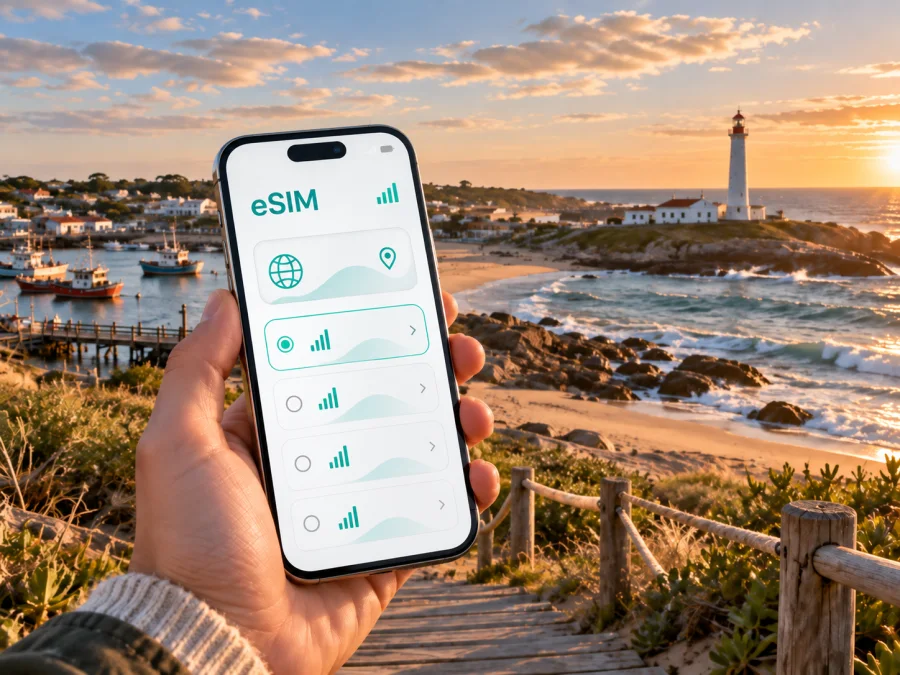
La Paloma eSIM: mobile connection and internet for your trip
La Paloma is a compact Atlantic resort in Uruguay’s Rocha Department, known for beaches with different moods, the Cabo Santa María lighthouse, a fishing and ocean port, and a relaxed coastal rhythm. That combination makes it an easy place to explore at your own pace, but a dependable mobile connection still matters: you may need directions from your arrival point, a message to your accommodation, a ride, a booking confirmation, a weather update, or a map while moving between beaches.
An eSIM, or digital SIM, can help you use mobile internet in Uruguay without looking for a physical SIM card after arrival. Kaspersky eSIM Store is an app and website where you can choose, arrange, and activate an eSIM with a suitable plan for mobile internet during an international trip. For La Paloma, the relevant destination is Uruguay. The practical question is not whether you need a plan labelled with the city, but whether the chosen Uruguay plan has the data allowance, validity period, and conditions that match your itinerary.
Why mobile internet is useful in La Paloma
La Paloma is walkable in many everyday situations, yet the useful places are spread across a peninsula and its surrounding coastal roads. The town centre brings together restaurants, supermarkets, pharmacies, real-estate offices, tourist information, a bank, and the Centro Cultural. Accommodation may be near the centre, by the lighthouse, closer to the port, or along a quieter beach. A phone with mobile internet lets you check the route before leaving your room and adjust it when the day changes.
The first hours are often the most practical reason to prepare an eSIM. After a long journey, you may need to confirm check-in details, contact a host or driver, navigate from a regional transfer point, check local opening hours, or share your location with a travel companion.
The same connection is useful once you settle in. Beach days may involve moving between Bahía Chica, Bahía Grande, El Cabito, Los Botes, La Balconada, La Aguada, and La Serena, each with a different shoreline and atmosphere. A map helps you understand the route, while messaging and weather services help you coordinate when wind, rain, or a change of plans affects the day.
La Paloma scenarios where an eSIM can help
Arrival and the first evening
Save your accommodation details in advance, but keep mobile internet available for the journey itself. Once you are close to La Paloma, use the address, map, and messages to coordinate the final part of the trip. If you arrive outside the busiest summer period, it is especially useful to confirm check-in arrangements before you leave the main transport route rather than assuming that a reception desk will be open at any hour.
Moving between beaches
The coastline is not one interchangeable beach. Bahía Chica is associated with calmer water, while beaches such as La Serena, Los Botes, La Balconada, and La Aguada offer a different mix of waves, sand, rocks, and access points. If your accommodation is inland from the shore, navigation can help you choose a route and return before dark. Downloading key details for offline use is sensible, but mobile data is still valuable for live messages and last-minute changes.
Remote work or a short business visit
La Paloma is primarily a coastal destination, but a traveller may still need to answer messages, join a call, open a document, or share a location with a colleague. Treat an eSIM as a way to prepare mobile data, not as a promise of a particular speed in every building or at every beach. Check the place where you plan to work, keep large downloads for trusted Wi-Fi, and use the eSIM for essential communication away from your accommodation.
Choosing a plan for a La Paloma trip
Start with the itinerary rather than an idea of “enough.” A visitor who uses maps occasionally and sends messages will have a different pattern from someone who works online, uploads photos, or uses video calls. The plan page should be read for its destination, data allowance, validity period, price, and activation conditions.
| Travel pattern in La Paloma | Typical mobile-data tasks | What to consider |
|---|---|---|
| Weekend by the coast | Messages, maps, reservations, occasional searches | A shorter validity period may suit the trip; avoid paying for more data than you expect to use. |
| Week-long beach stay | Navigation between beaches, weather checks, photos, messaging | Match the validity period to the whole stay, including arrival and departure days. |
| Work or road itinerary | Email, documents, calls, maps, route changes | Estimate work traffic separately and confirm the plan’s destination and tethering terms. |
Three checks make the decision clearer:
- Destination. Select Uruguay for a stay in La Paloma. If you will continue to another country, examine that leg separately.
- Duration. Count the day you intend to install or activate the profile and the day you leave. The start of validity and the start of data use depend on the conditions of the selected plan.
- Data habits. Navigation, text messages, browsing, email, and audio generally create a different demand from video calls, cloud backups, or streaming. Turn off automatic photo backup and app updates over mobile data if you want to conserve the allowance.
The amount of data is only one part of the choice. Read whether the plan is prepaid, when the validity period begins, whether top-ups are available, and what happens when the allowance is used. Conditions can vary, so do not infer a plan’s exact behaviour from another destination or from a previous trip.
Once you know the dates and usage pattern, you can choose an eSIM plan for a trip to Uruguay and compare the available conditions before payment. The link is for the country because La Paloma is in Uruguay; the destination choice should reflect the country rather than an invented city-specific plan.
Prepare your phone before leaving
Preparation is easier while you still have your usual internet connection and enough time to read the plan details. Before buying, check whether your device supports eSIM and confirm that it is not restricted by a mobile operator. Device support can differ by model, software version, and sales region, so the phone’s settings and the manufacturer’s information are more reliable than a general assumption based only on the model name.
Use this pre-departure checklist:
- confirm that the phone supports eSIM and is not operator-locked;
- update the operating system if an update is available and convenient;
- make sure you can access the account or profile where the eSIM will appear;
- keep the QR code or installation details available in a secure place;
- note the plan’s validity period and the conditions for activation;
- decide which line will handle calls and SMS, if you keep your regular SIM active;
- decide which line will be used for mobile data after you arrive;
- keep enough battery for installation and the first navigation task;
- save the accommodation address and important booking details offline as a backup.
Keeping your regular SIM active may help you receive messages on your usual number, but it can also create roaming charges according to your home operator’s conditions. Review those settings before travel. An eSIM plan for mobile internet does not automatically replace your ordinary phone number, voice service, or SMS. Unless the selected plan says otherwise, calls and messages through the cellular number remain separate; internet-based messengers can be used for communication over data.
How to install and activate an eSIM
Install the profile when you have stable internet and are not rushing through a transfer. You can install before departure or after arriving, depending on the plan’s conditions:
- Check the requirements. Confirm device compatibility, operator-unlocked status, access to the installation details, and an internet connection for the download.
- Open mobile-network settings. Look for the option to add a mobile plan or eSIM. The wording differs between Android and iOS versions.
- Scan or enter the details. Use the QR code or the information provided in your profile. Do not delete the profile while troubleshooting unless the applicable instructions tell you to do so.
- Label the line clearly. A label such as “Uruguay travel” helps you select the correct data line later.
- Choose the data line. Set the travel eSIM as the line for mobile data when you are ready to use it.
- Check data roaming for the eSIM if required. Some devices or plans may need this setting enabled for the travel profile to connect. Follow the plan’s instructions and monitor your regular line so it does not use unwanted roaming data.
- Test one simple task. Open a map, send a message, or load a small page. Connection may take a few minutes and depends on the device and local network conditions.
For platform-specific details, use the Android installation instructions or the iOS installation instructions. Keep both the installation information and the plan conditions accessible until the profile has been added successfully.
If the eSIM does not connect, check the travel line, mobile-data selection, airplane mode, and data-roaming setting if required. Restart the network connection and allow a few minutes for registration before contacting support.
Moving around La Paloma and beyond
Open a route before leaving, save your accommodation address, and use a precise pin when arranging a transfer or meeting. Seasonal transport times can change, so check the current departure point and ticket conditions close to the day of travel rather than relying on an old screenshot. Keep the phone charged and protect it from sand, salt, sun, and wind; an offline note with the return address is a useful backup.
La Paloma also works as a base for coastal and nature-focused outings. Laguna de Rocha, La Pedrera, and Punta Rubia are examples of places that may appear in a Rocha itinerary. A seasonal tourist bus has been used to connect some of these destinations, but stops and operating times can change. Confirm the current details locally, save the return route, and keep some battery and data for the journey back. If you cross into another country, review the plan separately because a Uruguay destination should not be assumed to cover it.
For a day trip, save the return point, check the departure time and payment method, keep key details offline, tell a companion or host where you are going, and reserve data for the return journey. Mobile internet supports coordination, while offline preparation covers weak signal or low battery.
An eSIM is convenient but does not replace every communication service. Unless the selected plan says otherwise, it does not provide an ordinary phone number, voice calls, or SMS. Do not assume that it is unlimited, transferable to another device, or refundable after activation; check the conditions for validity, top-ups, transfer, and refunds before installation.
Questions travellers ask about La Paloma eSIM
Do I need a city-specific eSIM for La Paloma?
Usually, the relevant destination is Uruguay rather than a separate city product. Choose a plan whose stated destination includes Uruguay, then compare its validity, data allowance, and conditions with your La Paloma itinerary.
Can I use an eSIM for calls to my accommodation?
Not as an ordinary cellular number unless the chosen plan explicitly includes voice service. A travel eSIM is generally intended for mobile internet. You can use internet-based messaging or calling apps when both parties and the connection support them.
Will the eSIM work on every phone?
No. The device must support eSIM and may need to be unlocked by its operator. Regional versions of the same model can differ. Check your device compatibility before payment and confirm that the phone can add a new mobile plan.
What should I do if data stops working near the coast?
Check the selected data line, signal indicator, airplane mode, and eSIM roaming setting if required. Restart the network connection and wait briefly. If the problem continues, review the plan status and contact support; keep key addresses and return instructions offline.
Final checklist before leaving for La Paloma
- [ ] Uruguay is the selected destination for the city portion of the trip.
- [ ] The validity period covers arrival, the stay, and the departure day as needed.
- [ ] The data allowance matches maps, messaging, work, and media habits.
- [ ] The phone supports eSIM and is not operator-locked.
- [ ] The QR code or profile details are accessible.
- [ ] The travel eSIM is labelled clearly and selected for mobile data.
- [ ] You understand whether data roaming must be enabled for the eSIM.
- [ ] Accommodation details and a return route are available offline.
- [ ] You know how to reach support if installation or activation needs help.
Stay connected in La Paloma with a prepared eSIM
The best setup fits your La Paloma plans: navigating from the centre to the lighthouse, coordinating a beach day, checking a transfer, handling work messages, or continuing along the Rocha coast. Check the device, read plan conditions, install carefully, and keep an offline fallback.
When you are ready, choose an eSIM plan for Uruguay and prepare mobile internet for your trip to La Paloma. Kaspersky eSIM Store helps you choose, arrange, and activate the eSIM plan; the actual conditions depend on the selected destination and plan.


