Travel connectivity guide
Labadee eSIM: Mobile Internet for Cruise Stops
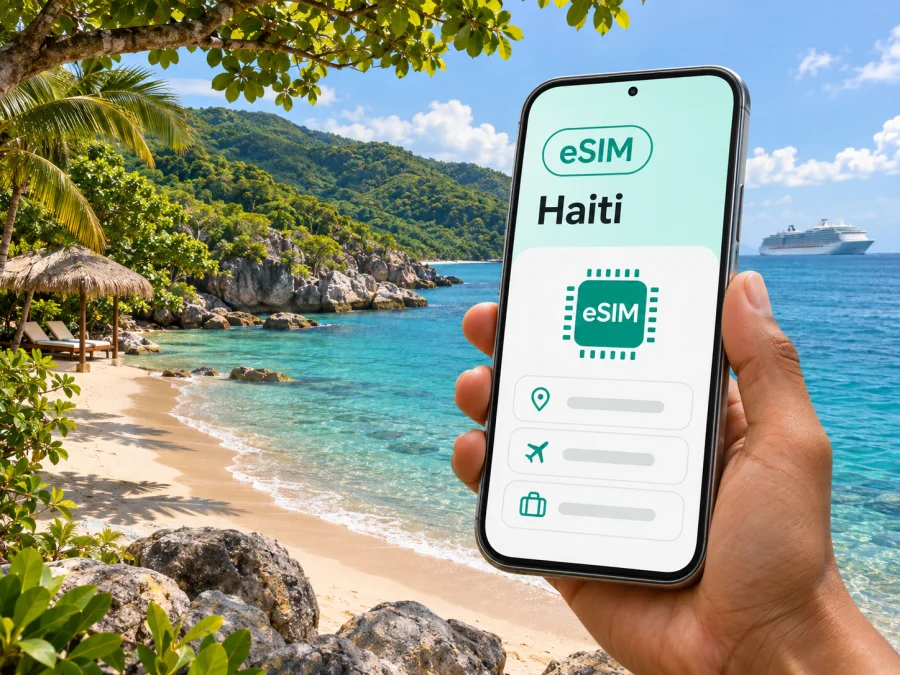
Labadee eSIM: Mobile Connection and Internet for a Haiti Cruise Stop
Labadee is a coastal cruise destination on Haiti’s northern coast, not a conventional city with an airport, hotel district, and public transport network. Royal Caribbean describes it as a private destination reserved for its cruise guests. That difference matters when planning mobile internet: most visitors arrive by ship, spend a scheduled port call ashore, and return onboard rather than travelling independently between neighbourhoods.
There is also a current itinerary limitation to check before making plans. Royal Caribbean’s travel update, dated January 29, 2026, says visits to Labadee are suspended for the remainder of 2026. The company may update itineraries, so check your own cruise booking and the latest operator notice before departure. Separately, the U.S. Department of State’s Haiti advisory is Level 4, “Do not travel,” dated July 10, 2026. Travel advice depends on your nationality and circumstances; review your government’s current guidance as well. This guide is about preparing mobile data for a confirmed cruise itinerary, not a recommendation to travel to Haiti.
If your ship is scheduled to call at Labadee, an eSIM may be one part of your connectivity plan. It can provide mobile data only when the selected plan, partner network, device, and local conditions all support it. It does not replace the ship’s internet service, guarantee reception at every beach, or give you an ordinary phone number. Check those details before relying on it for directions, messages, or urgent contact.
What Labadee is—and what it is not
Labadee is a managed cruise destination with beaches, activity areas, and controlled guest access. It is not the same as Cap-Haïtien, the nearest major city in northern Haiti, and it should not be planned like a town where you can freely arrive at a public airport, hire a taxi, and choose a hotel. Royal Caribbean describes Labadee as a destination for its guests, reached by cruise ship. Access and the day’s schedule depend on the itinerary and the cruise operator.
That geography affects a phone’s job. During a port call, you may want to message family, check a reservation, photograph a map or activity meeting point, or coordinate a return to the ship. You are less likely to need a city-wide transit app or directions between multiple hotels. Download anything essential before leaving the vessel, and keep the ship’s departure time and meeting instructions available offline.
The view of a green peninsula and sheltered Caribbean water can make Labadee feel like a self-contained resort. For mobile data, however, it remains part of Haiti’s network environment. A plan that works elsewhere in Haiti does not, by itself, prove that a phone will connect in Labadee. Signal can depend on the serving network, local infrastructure, handset bands, terrain, congestion, and the plan’s roaming arrangements. The cruise operator’s private access arrangements do not create a separate public mobile network.
Check the itinerary and your connectivity before sailing
Use this short preparation list before you travel:
- Confirm the port call. Check your cruise account and the latest itinerary notice. A port listed on an older booking document may later be replaced.
- Check official travel guidance. Read the latest advice issued for your passport country, and follow the cruise line’s instructions. Conditions in Haiti can change quickly.
- Ask what works ashore. Check with your cruise line and chosen mobile-data provider whether the plan is intended to work in Haiti and whether Labadee is within the supported area. A country label is not a guarantee of reception at a specific cove.
- Separate ship and shore service. Confirm whether your ship’s Wi-Fi package covers your needs. A land eSIM and the vessel’s internet or cellular service are different connections.
- Save essentials offline. Keep the day’s schedule, ship contact details, meeting point, and any necessary travel documents accessible without data.
- Plan for a signal gap. Agree on a meeting location and time with your party. Do not make an eSIM the only way to coordinate an urgent return to the ship.
For some travellers, a Haiti travel eSIM is useful mainly before or after the port call—for example, during a connection in another Haitian location, or on a wider itinerary that includes other destinations. If the itinerary is only a short Labadee stop, compare the plan’s validity and supported area with the actual time you expect to use data. A longer validity period does not improve coverage, and a large data allowance does not make a plan suitable if its network partner cannot be confirmed for the stop.
When mobile data can help at Labadee
The best use cases are simple and practical. A connection can help you check a message before leaving the ship, confirm an activity meeting point, share a brief update with someone at home, or look up a saved travel detail while ashore. If you are travelling with children or a group, agree on a rendezvous point first; mobile service is a backup, not a substitute for a clear plan.
| Situation | Useful preparation | What not to assume |
|---|---|---|
| Before going ashore | Save the port-day schedule and ship instructions | That a ship connection follows you onto land |
| Meeting an excursion group | Screenshot the operator’s meeting location and time | That maps will load quickly when you need them |
| Sending a message | Set up messaging apps before departure | That a data eSIM includes voice calls or SMS |
| Taking photos | Check cloud backup and automatic uploads | That large uploads will finish on a short stop |
| Returning to the ship | Keep the departure time and route instructions offline | That mobile data will always be available at the beach |
Choosing a travel eSIM for a Labadee itinerary
Kaspersky eSIM Store is an app and website that helps travellers choose, arrange, and activate an eSIM with a suitable data plan for an international trip. The eSIM products and related services on the store are provided by its technology partner, as stated on the site. The store is not a mobile operator, and a plan’s actual service depends on its stated destination and network arrangements.
Start with the destination field. If the itinerary includes only Labadee, look for a plan that explicitly covers Haiti; do not substitute a Caribbean regional plan unless Haiti is included in its current coverage terms. If your cruise also calls at other countries, check whether a regional plan includes each of them. A plan name or regional label alone is not enough—read the destination list and the plan’s terms.
Then match the plan to your usage. For a short shore visit, messaging, map checks, and a few web pages may use little data, while video calls, social-video uploads, app updates, and cloud photo backups can consume much more. Your needs will vary, so use your phone’s data-use history as a guide rather than relying on a generic daily estimate. If you have a multi-day itinerary, account for every country and the time you may spend online in port or between ports.
Before paying, confirm:
- Destination coverage: Haiti is named in the current plan details, and the provider’s notes do not rule out your intended use.
- Validity: The plan will remain active during the dates you need it. Check when validity starts; installation and activation may be separate events.
- Data amount: The allowance fits your likely use, especially if you plan to tether or upload photos.
- Network and roaming terms: Read any network selection, roaming, or manual configuration instructions provided with the plan.
- Device support: Your phone supports eSIM and is not carrier-locked. Regional versions of the same phone can differ.
- Voice and messages: Unless the plan explicitly says otherwise, treat it as data-only. Keep your usual number active if you need calls or SMS, and check your home operator’s roaming charges.
- Shipboard costs: Find out how your cruise line and home carrier handle internet and cellular service at sea. A Haiti plan is not a substitute for a maritime package.
Haiti’s local operator option is a separate choice
A local operator eSIM and an international travel-data eSIM are not interchangeable products. Digicel Haiti’s current published mobile-service terms describe eSIM activation through an authorized Digicel retail store, using a QR code. That is a local operator’s process; it does not establish that a visitor can complete setup remotely before sailing, or that a local profile will provide service at Labadee. Ask the operator about visitor eligibility, identity requirements, current activation steps, and coverage for the exact place you intend to use it.
For a short cruise call, an in-person local activation may not fit the itinerary. A travel plan may be easier to prepare in advance when one is available for the destination, but you still need to verify coverage and terms. If neither option clearly confirms service at Labadee, plan to use ship connectivity where available and keep key information offline. Do not buy based only on an assumption that every Caribbean plan includes every island or coastal stop.
If you want to check whether a travel-data option is currently listed for Haiti, browse available destinations and plan details in Kaspersky eSIM Store. This is the store homepage, where you can use the destination selector; it is not a confirmation of a Haiti-specific tariff or Labadee coverage. Review the listed destination, supported network, data allowance, validity, activation rules, and any restrictions before checkout.
How to prepare and install an eSIM
Complete installation while you have a reliable internet connection, preferably before boarding. You may need an internet connection to download the eSIM profile, and installation can take several minutes. Follow the instructions tied to the plan you chose; the exact menu names vary by phone and operating-system version.
- Check compatibility. Confirm that your exact handset variant supports eSIM and is unlocked for use with other providers. If you are unsure, check whether your device is compatible before purchasing.
- Choose the plan. Confirm Haiti or the required regional destinations, validity dates, data amount, and activation conditions.
- Install the profile. Use the in-app flow or the supplied QR code and follow the on-screen steps. Keep the QR code available until setup is complete, but do not share it publicly.
- Label the line. Give the travel eSIM a clear label such as “Haiti data” so you can distinguish it from your home line.
- Keep your home line settings intentional. Choose which line handles calls and SMS, and which line handles mobile data. Check your home carrier’s roaming settings so you do not trigger unexpected charges.
- Activate at the right time. Some plans start when installed, while others start on first network connection or at a selected time. Follow the plan’s own activation rule; do not assume installation automatically means the validity clock has started or stopped.
- Test before the port day. When practical, confirm that the eSIM profile appears in settings and that you know how to select it for mobile data. A successful installation does not guarantee reception in Labadee.
For device-specific steps, see the Android eSIM installation instructions or the iOS eSIM installation instructions. Use the platform that matches your phone, and keep your cruise documents and the eSIM confirmation accessible offline.
Phone settings for a ship-to-shore day
Before leaving the ship, check the selected line for mobile data. If the travel plan’s instructions require data roaming for that eSIM, enable it only for the travel profile and only after confirming the plan’s terms. Some phones show separate roaming controls for each line. Keep the home SIM’s data roaming setting off unless you have deliberately chosen a roaming package from your usual provider.
At sea, a phone can sometimes connect to a vessel’s cellular service, which may use satellite backhaul and be billed separately by your home carrier. Do not assume a shore-focused Haiti eSIM covers that service. If you have not checked maritime rates, switch off cellular data while the ship is underway and use the cruise line’s Wi-Fi option if you have one. Restore the intended settings when the ship is docked and you are ready to go ashore.
When the eSIM does not connect, avoid repeated profile deletion or reinstallation. First check that the plan is active, Haiti is included, the travel line is selected for mobile data, and airplane mode is off. Follow the provider’s network-selection instructions and allow time for registration. If the phone still has no service, use the cruise line’s onboard connection or an offline plan. Removing an eSIM can make it difficult or impossible to reinstall, depending on the profile terms.
Use less data during a short visit
A short port call rewards preparation more than constant refreshing. Before the ship reaches Labadee:
- Download the map area you expect to need, if your map app supports offline maps.
- Save excursion confirmations, meeting points, and the ship’s schedule as screenshots or offline files.
- Pause automatic app updates, photo backup, and large downloads on the travel line.
- Use text messages instead of video when a quick check-in is enough.
- Load pages while connected to the ship’s Wi-Fi rather than assuming they will open promptly ashore.
- Check your remaining data in the store profile or phone settings when you have a connection.
- Keep battery power for essential communication; reduce screen brightness and close navigation when you no longer need it.
These steps are useful whether you choose a travel eSIM, a local operator option, or the cruise line’s internet service. They also help if the signal is weak or intermittent: offline schedules and maps remain available even when a web page will not load.
Common questions about eSIM and Labadee
Is Labadee a city in Haiti?
No. Labadee is a private cruise destination on Haiti’s northern coast, reserved for Royal Caribbean cruise guests. It does not function like a regular city with public airport arrivals, independent hotel districts, and unrestricted local transport. Plan around your confirmed ship itinerary and the cruise line’s instructions.
Are cruise ships currently visiting Labadee?
Royal Caribbean’s travel update dated January 29, 2026 says all visits are suspended through December 2026. Itineraries can change, so check your reservation and the latest notice directly before departure. Do not treat a previously published sailing schedule as current confirmation.
Will a Haiti eSIM work at every beach in Labadee?
That cannot be guaranteed from the country name alone. Reception depends on the plan’s network partner, local infrastructure, your device, terrain, and conditions at the time. Confirm the supported area with the provider, and keep an offline backup.
Can I use a travel eSIM for calls and SMS?
Usually a travel data eSIM is intended for mobile internet and does not include an ordinary phone number, voice calls, or SMS unless the plan explicitly lists them. Messaging and internet calls can work through apps when data service is available. Your regular number remains governed by your home operator’s service and roaming terms.
Should I leave data roaming on while the ship is at sea?
Not unless you have checked the applicable plan. A vessel’s cellular service can be separate from a Haiti eSIM and may be billed by your home carrier at maritime rates. Turn off cellular data at sea if you are unsure, and use the ship’s internet service only under its own terms.
Can I buy an eSIM after reaching Labadee?
Do not rely on being able to do so. Labadee is a controlled cruise destination, and access to ordinary retail services is not the same as in a city. Install any chosen travel profile beforehand while you have reliable internet, and confirm activation timing in the plan details.
What if my phone supports eSIM only in some regional versions?
Check the exact model number and the country or region where the phone was sold. Names that look identical in a shop listing can refer to different hardware variants. Verify eSIM support in the phone settings or manufacturer documentation, and check that the device is not locked to a carrier before purchase.
Prepare your eSIM for the trip
If your itinerary includes Haiti or other supported destinations, use Kaspersky eSIM Store to review available destination listings and the current terms for each plan. The app and website help you choose, arrange, and activate a travel eSIM; availability and service depend on the plan details and network arrangements. Browse currently available destinations in Kaspersky eSIM Store, then confirm Haiti is explicitly included before you proceed. Install the profile in advance, keep your ship’s schedule offline, and follow the activation instructions for your selected plan.


