Travel connectivity guide
Laborie eSIM: Mobile Internet for Saint Lucia
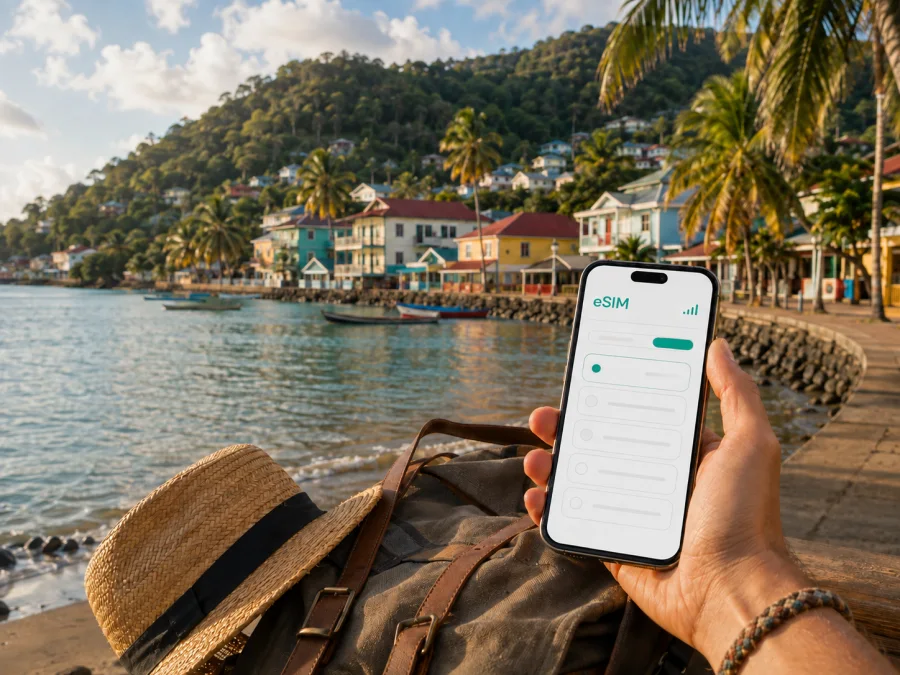
Laborie eSIM: mobile connection and internet for your Saint Lucia trip
Laborie is a useful base for travellers who want a slower, more local side of Saint Lucia. The village is on the southern coast, close to Laborie Beach and within reach of the south-island gateway around Vieux Fort. A quiet stay still involves practical digital tasks: meeting a transfer, messaging a host, checking a map, confirming a booking, or telling colleagues that you have arrived.
An eSIM, or digital SIM, lets you prepare mobile data for a foreign trip without removing your everyday physical SIM card. Kaspersky eSIM Store is an app and website that helps you choose, arrange, and activate an eSIM with a suitable tariff for mobile internet while travelling abroad. For Laborie, the useful question is how much data your complete Saint Lucia itinerary needs and when the tariff should become active.
When an eSIM can help in Laborie
The connection helps with small travel tasks. You may use it to:
- send your host an estimated arrival time;
- share a location pin with a driver or travel companion;
- check a route after leaving the airport;
- open maps while looking for accommodation, the waterfront, or a nearby service;
- confirm a reservation or transport arrangement;
- keep in touch during a coastal walk or island excursion;
- handle email, messages, and work tools away from hotel Wi-Fi.
Laborie is not a large city with a dense grid of clearly marked streets. Your accommodation may be in the village, near the coast, or on a hillside, so save its address and a recognizable landmark before leaving home.
The first hours after arrival
Many visitors arriving by air use Hewanorra International Airport in the south of Saint Lucia before continuing by road towards Laborie. After a flight, you may have luggage, limited battery, and several messages to answer. Prepare these details in advance:
- Save the accommodation name, address, and contact in an offline note.
- Keep the booking confirmation available without an internet connection.
- Ask your host or driver which landmark is easiest to recognize.
- Save the broad route or area in your preferred map application if possible.
- Decide which line will provide mobile data after arrival.
This preparation is useful whether you arrange a taxi, a pre-booked transfer, or another option. Availability, timing, and prices can vary, so confirm details with your accommodation or provider.
Choosing a tariff for a Laborie itinerary
Choose for the whole route, with Laborie as your main base, rather than estimating only the time spent at the beach. Write the journey in one line: arrival at Hewanorra, transfer to Laborie, days in the village, possible excursions, and departure. If the trip remains in Saint Lucia, a tariff for that country is the natural starting point. Consider a regional option only when its conditions cover every additional country on your route.
Check the destination, allowance, validity, and activation rules in the current tariff details. Conditions can change, so use the information shown when selecting the option.
Match data to your habits
| Laborie travel pattern | Likely activities | What to consider |
|---|---|---|
| Light use | Messages, occasional maps, searches, booking checks | A modest allowance covering every travel day |
| Regular sightseeing | Maps, photo sharing, transport coordination, frequent searches | Extra traffic for days away from accommodation |
| Work trip | Email, documents, meetings, and possible tethering | A larger allowance and a separate backup work arrangement |
| Family or group trip | Shared updates, maps, reservations, and media | A realistic combined estimate and hotspot conditions |
Video calls, photo backups, social feeds, and automatic app updates can use much more data than short messages. If you plan to use a phone as a hotspot, check that the device and tariff support that scenario. Restrict background data and automatic updates until you know how quickly the allowance is being used.
Match validity to the real journey
Count the arrival and departure days as well as nights in Laborie. A late arrival, an early flight, or an overnight stop elsewhere in Saint Lucia can change the period you need. Activation may depend on the particular offer and the first network connection, so read the tariff conditions before installing or turning on the profile.
Installing before departure can be convenient because you have a dependable internet connection. If your device allows it, leave the travel eSIM turned off until the intended start. Installing after arrival may also work, but you will need Wi-Fi or another connection to download the profile. Choose the workflow that fits the rules and your comfort level.
After planning the route and usage, you can choose an eSIM tariff for a trip to Laborie. Review the current Saint Lucia options, data allowance, validity, and activation notes before confirming your choice.
Accommodation and everyday routines
The most useful connection often solves a small local problem. Accommodation in Laborie may be near the village, close to the beach, or outside the compact centre. Ask your host how to describe it to a driver, then save the name, contact, pin, landmark, check-in details, and key instructions offline.
In a small guesthouse or self-catering property, mobile data can help when there is no front desk. Do not assume Wi-Fi or signal quality will be identical in every room or outdoor area; ask what is included.
Laborie Beach is a natural focus for a day in the village. Your phone may be useful for a weather check, a changed meeting time, or a map when you leave the waterfront. Protect it from sand, salt, heat, and moisture, and keep it secure while swimming. Save directions and reservations first; use data for tasks that genuinely need a live connection.
Getting around from Laborie
For an airport transfer or longer journey, arrange the main transport ahead of time when possible. A driver may need your arrival time, accommodation, or a landmark. Keep those details in one thread and save them locally. If you hire a car, follow the rental company’s instructions and assess road conditions before setting out.
Taxis, local buses, hired vehicles, and pre-arranged transfers suit different situations. The choice depends on luggage, weather, time, group size, and destination. Confirm current arrangements with your accommodation or provider; mobile internet makes that conversation easier but does not replace local confirmation.
Use this movement routine:
- Check the broad route before leaving.
- Confirm the destination and a recognizable landmark.
- Share your expected arrival with the person meeting you.
- Keep enough battery for the return journey.
- Save the address before leaving reliable Wi-Fi.
When walking, use maps for orientation but do not assume every path is a formal mapped trail. Follow local guidance, respect private property, and shorten the route if weather or daylight changes. Check a broad route before leaving and save the return address offline.
Reduce data use on a day out
Turn off automatic downloads and unnecessary background data, save directions where practical, and wait for suitable Wi-Fi for large media. Charge the phone, carry a power bank, and check that the travel eSIM is selected for mobile data.
Laborie for business and remote work
A work trip may use Laborie as a calm base while meetings take place elsewhere on the island. Your phone may handle a calendar, two-factor sign-in, email, maps, messages, and a video call. A larger allowance may be sensible, but the eSIM is only one part of a work setup.
Prepare a backup for each important task: keep the accommodation address offline, download essential documents before leaving Wi-Fi, arrange a quiet place for meetings, and carry a charged phone or power bank. If you intend to share data with a laptop, verify hotspot support and test account access, camera, microphone, and meeting software before departure.
How to install and activate an eSIM
Before starting, confirm that your exact phone model supports eSIM and is not locked to an operator. Check compatibility and have an internet connection for downloading the profile. Depending on the offer, you may receive a QR code or an in-app installation flow. Keep the purchase information available and follow the device-specific instructions.
For detailed steps, use the Android installation instructions or the iOS installation instructions. Menu names can differ between models and software versions.
A clear setup sequence
- Check compatibility. Confirm that the exact phone and regional version support eSIM. Check your device before purchase if you are unsure.
- Connect to the internet. Use dependable Wi-Fi or another active data line while downloading the profile.
- Open mobile-network settings. Choose the option for adding an eSIM or mobile plan.
- Scan or import the profile. Use the supplied QR code or the installation method in your account.
- Label the line. A label such as “Saint Lucia travel” helps you select the right line later.
- Choose the data line. Set the travel eSIM for mobile data when you are ready to use it.
- Review roaming. Some tariffs may require data roaming for the travel eSIM; follow the tariff and device instructions.
- Allow time to connect. Registration can take a few minutes and depends on the phone and local network conditions.
After activation, send a short message or open a map and check which line is using data. If you install before flying, keep the eSIM disabled until the tariff conditions indicate that it should be used, if your device supports that approach.
What to check before purchase
- [ ] The tariff covers Saint Lucia and the dates of the full itinerary.
- [ ] The data allowance fits maps, messages, media, and work tools.
- [ ] You understand when validity begins and what activation means.
- [ ] Your phone supports eSIM and is unlocked; check compatibility.
- [ ] You know which line will provide data after arrival.
- [ ] You have checked whether data roaming must be enabled for the travel eSIM.
- [ ] Accommodation and transfer details are saved offline.
- [ ] You know how to contact support if setup raises a question.
The current tariff details should guide the final choice. Cost depends on the destination, data allowance, and validity period; avoid assuming that one option suits every trip. A clear allowance can make spending easier to plan, while sensible data-saving settings help the tariff last through your excursions.
Practical Laborie scenarios
A short coastal stay
Prepare the eSIM and accommodation details before departure. Use data for airport coordination, check-in messages, maps, and updates to family. Save return information offline and limit background synchronization.
A week with Laborie as your base
Estimate usage for the whole week, including days away from the village. Use mobile data for route changes, transport, reservations, and communication; use suitable accommodation Wi-Fi for larger downloads. Check usage in the app or profile before the final days.
Frequently asked questions
Is an eSIM useful in a small place like Laborie?
Yes. Its value comes from the tasks you need to complete, not the size of the destination. Airport coordination, accommodation messages, maps, transport, bookings, and communication during excursions can all require mobile data.
Do I need a Saint Lucia tariff for Laborie?
The relevant destination is normally the country covered by the itinerary. Check that the tariff details specify Saint Lucia and cover the complete validity period. If the route includes another country, check whether a regional option covers every part of it.
Does the eSIM include a normal phone number?
Not unless the particular tariff says so. These tariffs are intended for mobile internet during an international trip and do not automatically replace a normal line, ordinary calls, or SMS. Messaging and calling apps can work over the internet, subject to their own requirements.
What should I do if data does not start?
Wait a few minutes, check that the travel eSIM is selected for data, review the relevant roaming setting, and follow the device instructions. If the issue remains, recheck compatibility and contact support with the tariff and device details. Do not delete the profile unless instructed.
Prepare for a connected stay in Laborie
The sequence is short: confirm the route, check the phone, select a Saint Lucia tariff that matches the journey, install the eSIM with the correct instructions, and save essential information offline. In Laborie, mobile data then supports finding accommodation, coordinating a transfer, checking a map, sending an update, or arranging the next part of the day.
Kaspersky eSIM Store helps you choose, arrange, and activate an eSIM tariff for mobile internet during an international journey. It is an app and website for preparing that setup, not a replacement for a local mobile operator or a guarantee of a particular signal in every place. Review the current conditions and activation steps so your choice fits your plans.
Choose your travel option
Check your device, review the current Saint Lucia options, and select the allowance and validity that suit your route. Then choose an eSIM tariff for your Saint Lucia trip and complete installation before departure or after arrival when you have a reliable connection.


