Travel connectivity guide
Labuan Bajo eSIM: Mobile Internet for Travel
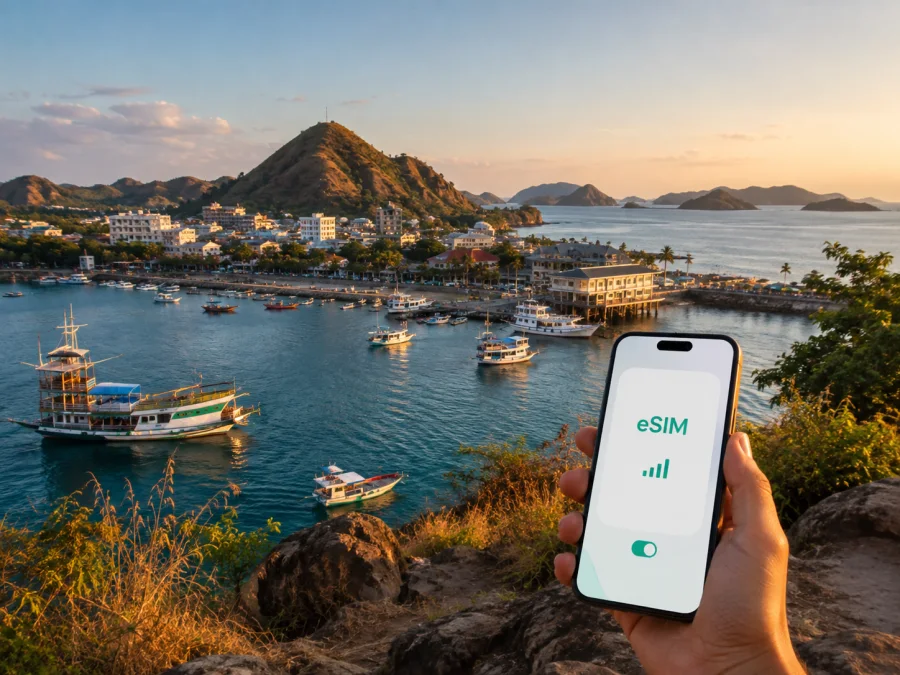
Labuan Bajo eSIM: Mobile Connection and Internet for Your Trip
Labuan Bajo is a compact coastal town on Flores and a common starting point for boat trips toward Komodo National Park. A trip here can combine an airport arrival, a hotel transfer, a walk along the waterfront, an early departure from the harbor and time on islands where your plans depend on maps, messages and booking details. A reliable way to prepare mobile internet can make those transitions easier.
An eSIM is a digital SIM profile that can be installed on an eSIM-ready phone without removing your physical SIM card. For a journey to Labuan Bajo, it can help you prepare mobile data before departure or choose a suitable tariff after you arrive. The practical question is not simply whether you need “internet in Indonesia”, but how much data your itinerary needs, when the tariff should start and whether your phone is ready for eSIM.
Kaspersky eSIM Store is an app and website that helps you choose, arrange and activate an eSIM with a suitable tariff for mobile internet during an international trip. The tariff’s conditions, available network and coverage depend on the selected offer and local operator. The guide below connects that preparation to real Labuan Bajo situations: Komodo Airport, the town center, the waterfront, hotels, business travel and boat-based day trips.
When an eSIM can help in Labuan Bajo
The first hour after landing
Komodo Airport, also known by the code LBJ, is the main air arrival point for Labuan Bajo. After landing, you may need to confirm a transfer, send your hotel details, open a map, contact a boat operator or check a change in your itinerary. Having mobile data ready can be more convenient than waiting to find a suitable Wi-Fi connection at the airport or at your accommodation.
If your eSIM is installed before departure, keep your primary SIM available for important calls and messages, then choose the travel eSIM for mobile data when appropriate. If you plan to install it after landing, make sure you have an internet connection for the setup process and enough time to complete activation before leaving the airport area.
Moving between the airport, hotels and the waterfront
Labuan Bajo is walkable in some central areas, but a hotel, guesthouse or resort may be uphill, outside the busiest streets or closer to a beach than to the harbor. Navigation is useful for checking the route, confirming a pickup point and estimating whether walking is realistic with luggage. Mobile data also helps when a driver needs a pin rather than a street description.
Planning a boat day
Many itineraries that begin in Labuan Bajo continue by boat toward islands such as Komodo, Rinca or Padar. Once you leave the town, you should not assume that every stretch of the route will have the same signal quality. Download essential booking details, save hotel and transfer information, and keep a local copy of any meeting instructions before departure.
Mobile data remains useful for the parts of the day that depend on current information: meeting a group at the harbor, messaging a guide, sharing a location before boarding or confirming the return plan. At the same time, offline preparation is sensible because a boat route can move beyond dependable mobile coverage.
Match the tariff to your Labuan Bajo itinerary
The right tariff depends on the trip rather than on the city name alone. A two-night stop in town, a week with several boat excursions and a longer Flores itinerary have different data patterns. Before choosing, write down where you will use data, how long you will be away and which tasks you can prepare offline.
| Travel situation | Typical online tasks | What to consider |
|---|---|---|
| Airport arrival and hotel transfer | Maps, messages, pickup details, booking access | Have data ready for the first transfer and keep key addresses offline. |
| Short stay in central Labuan Bajo | Navigation, restaurant searches, ride requests, messages | A modest package may be enough if you use hotel Wi-Fi for larger downloads. |
| Boat trips and island excursions | Meeting updates, location sharing, weather checks, photos | Allow for several days and do not rely on continuous signal at sea. |
| Remote work or a business visit | Email, calls in messengers, documents, hotspot use | Estimate work traffic separately from sightseeing data. Check whether tethering is allowed. |
| Longer Flores route | Frequent navigation, accommodation research, uploads | Choose validity for the full route, not only the nights in Labuan Bajo. |
Check the direction and validity
For a city trip, the relevant landing page is the country page for Indonesia because Labuan Bajo is in Indonesia. Compare the destination or regional scope of the tariff with your actual route. If you fly into Labuan Bajo and later continue to another country, a tariff limited to Indonesia may not cover the next part of the journey.
Validity deserves the same attention. Some tariffs begin when the eSIM connects to a supported network; others may follow different activation conditions. Read the current terms shown for the selected offer and note when the validity period starts. Installing a profile before departure and activating it for data are separate decisions on many devices, but the exact behavior depends on the tariff and phone.
Estimate data by behavior
Maps, text messages and short searches usually consume less data than video calls, photo backups, video streaming or repeated hotspot use. Think in categories instead of guessing from the number of days alone:
- light use: maps, messages, translation and occasional searches;
- regular travel use: navigation, social posts, booking checks and photos;
- intensive use: remote work, video meetings, cloud uploads and hotspot sessions.
If your hotel offers Wi-Fi, you can reserve the eSIM data for transfers, outdoor routes and urgent communication. If you will spend long days on boats or in areas where Wi-Fi is unavailable, plan for a larger buffer. The visible package size and validity are more useful decision points than a vague promise of unlimited convenience.
For a practical starting point, choose an eSIM tariff for a trip to Labuan Bajo after checking your dates, route and expected use. Kaspersky eSIM Store lets you review the available direction and tariff conditions before you complete the setup. The selected tariff is supplied under its own terms, so confirm data volume, validity, activation rules and any restrictions before payment.
How to install an eSIM before departure or after arrival
Installation is easiest when you treat it as a small preparation task rather than something to solve while carrying luggage. First make sure your phone supports eSIM and is not locked to another operator. Some models vary by region, so compare the exact device version, not only the family name. You can check your device compatibility before selecting a tariff.
If you need a device-specific walkthrough, use the Android setup instructions or the iOS setup instructions. The labels in your settings may differ slightly by manufacturer and operating-system version, but the overall sequence is usually similar.
Before you leave home
- Check that the phone supports eSIM and is not operator-locked.
- Connect the phone to stable Wi-Fi or another working internet connection.
- Choose a tariff for Indonesia that matches the length and route of your trip.
- Keep the confirmation, QR code or activation details available in your profile.
- Add the eSIM in the phone’s mobile-network settings.
- Label the profile clearly, for example “Indonesia travel”, so you can recognize it later.
- Leave your primary SIM enabled only for the services you still need, and review which line is selected for mobile data.
After landing in Labuan Bajo
If you waited until arrival, connect to available Wi-Fi or use your primary line long enough to download the eSIM profile. Open mobile-network settings, add the profile, and select it for mobile data. On some devices, data roaming must be enabled for the travel eSIM; follow the instructions associated with the selected tariff and your phone model.
Give the connection a little time. Activation may take several minutes and depends on the device and local network. If data does not work, check the selected data line, restart the phone if the instructions recommend it, and confirm that the tariff is active and valid. Avoid deleting the eSIM profile while troubleshooting unless support or the tariff instructions specifically tell you to do so.
Keep your phone settings clear
Use one profile for mobile data at a time unless you understand how your phone handles dual-SIM data switching. Turn off automatic data switching if it could move traffic to your primary line. Keep the primary SIM available for incoming messages only if that matches your roaming preferences, and check your operator’s own conditions separately.
The eSIM in this travel scenario is intended for mobile internet. It does not automatically include a regular local phone number, voice calls or SMS unless the chosen tariff says otherwise. For calls and messages, you can use internet-based messengers when your data connection is available.
Practical planning for Labuan Bajo
Labuan Bajo travel often involves several handoffs: airport to accommodation, accommodation to the waterfront, waterfront to boat, and boat back to a meeting point or hotel. Save destinations and contact details before each leg, keep the phone charged, and send important messages while the connection is stable. For an early boat departure, prepare the night before instead of trying to install a profile and find a pickup point at the same time.
Labuan Bajo departure checklist
- Check eSIM support and operator unlocking on the exact phone model.
- Choose the Indonesia tariff by data needs, validity and route.
- Save hotel, transfer and boat contacts offline.
- Label the eSIM and confirm the mobile-data line.
- Download confirmations and maps before leaving the town.
- Before a boat excursion, check the meeting point, return plan and phone battery.
Common questions about eSIM in Labuan Bajo
Is an eSIM useful for a short stop in Labuan Bajo?
Yes, it can be useful even for a short stop if you need data immediately for airport transfers, maps, messages, hotel coordination or a boat departure. Choose validity and data volume for the actual stop rather than assuming that a longer tariff is necessary.
Should I install the eSIM before flying to Indonesia?
Installing before departure can be convenient because you have stable internet and time to check settings. You can also install after arrival if the tariff conditions and your access to Wi-Fi allow it. In both cases, check when the tariff becomes active and which line your phone uses for mobile data.
Will the eSIM work during a trip to Komodo National Park?
Do not assume continuous mobile data on every boat route or island. Coverage depends on the local network, terrain, distance from shore and the selected tariff. Prepare offline maps and confirmations, then use mobile data where a connection is available for coordination and updates.
Can I keep my normal SIM in the phone?
Often, a dual-SIM phone that supports eSIM can keep the physical SIM and an eSIM profile together, but the exact options depend on the model and region. Select the intended line for mobile data and review automatic switching so that you understand which profile may generate data usage.
Can I make ordinary calls with this eSIM?
Not unless voice service is explicitly included in the conditions of the chosen tariff. Travel eSIMs in this context are intended for mobile internet rather than a separate local phone number. Internet messengers can be used for calls and messages when data is available.
What if my phone does not connect after installation?
Check that the eSIM is enabled, selected for mobile data and covered by the tariff’s validity. Review the instructions for data roaming, wait a few minutes and restart the device if appropriate. Also confirm that the phone is not operator-locked and that you have not accidentally selected the wrong SIM for data. If the issue remains, contact support with the device model and the steps already completed.
Prepare your mobile internet for Labuan Bajo
Labuan Bajo rewards a flexible plan: keep arrival details available, expect a mix of town and boat connectivity, and choose the tariff by route, validity and actual data behavior. Check the phone first, install the eSIM when you have a stable connection, and use offline copies for the parts of the journey that leave the town.
When you are ready, choose an eSIM tariff for Indonesia and prepare your Labuan Bajo trip. Kaspersky eSIM Store helps you review the direction and tariff conditions, then arrange and activate the eSIM for mobile internet on an eSIM-ready device. Before completing the selection, confirm the data volume, validity, activation timing and any limits that matter for your itinerary.


