Travel connectivity guide
Lahti eSIM: Mobile Internet and Connection in Finland
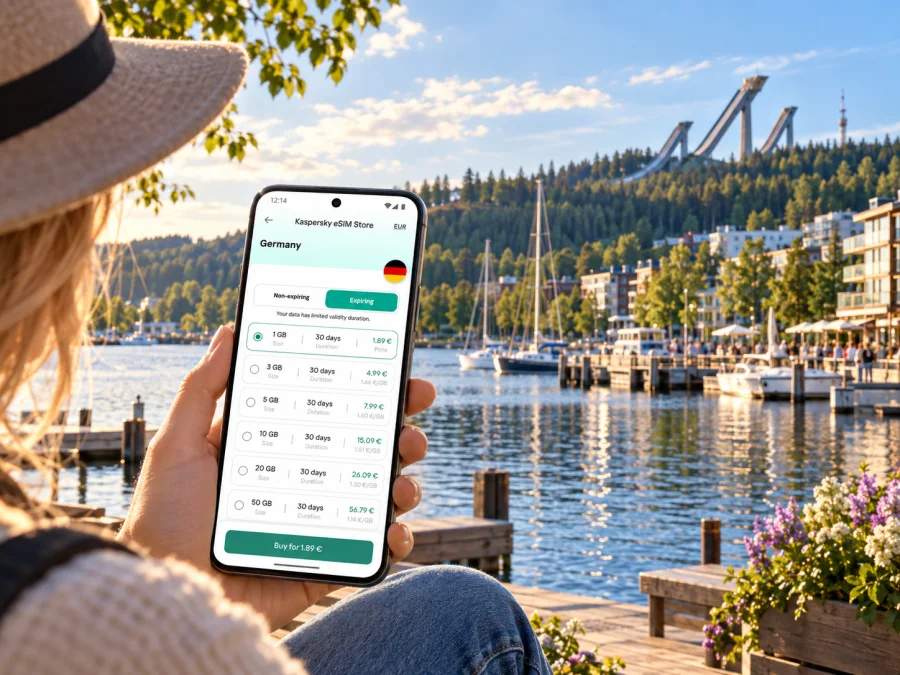
Lahti eSIM: mobile connection and internet for a city trip
Lahti is a compact Finnish city where a short walk can take you from the railway station and the central shopping streets to the shore of Lake Vesijärvi or the Salpausselkä sports area. A reliable mobile data connection is useful for checking a train platform, finding a bus stop, opening a hotel booking, or sharing a change of plans with your travel companions. An eSIM can provide a digital way to use mobile data during a trip, without replacing the physical SIM already in your phone.
Lahti is in Finland, in the Päijät-Häme region. It is a city destination, not a separate country or a distinct mobile-network market. A plan selected for Finland is the relevant starting point; if your route also crosses borders, check that the selected plan explicitly includes each country. Availability, supported networks, activation rules, and data limits depend on the specific plan shown when you choose it.
This guide focuses on practical connection decisions for a Lahti visit: arriving through Helsinki, getting from the station to your accommodation, moving between the centre and the lakefront, and planning onward travel. It does not assume that every phone supports eSIM or that a plan will have identical service in every building, rural area, or transport corridor.
When mobile data is useful in Lahti
The first need often comes before the sightseeing begins. If you arrive in Finland through Helsinki Airport, you may need to check a rail or bus connection, confirm where to meet a driver, or message your accommodation about a late arrival. A data connection helps you consult live journey information and booking details while keeping your usual number available for calls or messages, if your phone and home plan allow dual-SIM use.
Lahti’s railway station is at Mannerheiminkatu 15, close to the centre. From there, maps can help you choose between walking, a local bus, or a taxi based on your luggage, weather, and destination. The station area and the market-square centre are easy to identify on a map, but an address is still useful: accommodation names can be similar, and a pin may point to an entrance on a different street from the one you expect.
Connectivity is also practical around the city’s defining destinations:
- The centre and market square: use a map to locate shops, cafés, the hotel entrance, and the square’s event areas. If you arrange to meet someone, agree on a clear landmark rather than relying only on a live location.
- Lake Vesijärvi harbour and Sibelius Hall: check walking directions and event details before leaving the centre. The waterfront is a separate leg of the day, so save the venue name and return route in advance.
- Salpausselkä Sports Centre: event visits and outdoor routes may involve a longer walk and a change in elevation. Download an offline map as a backup, then use mobile data for current route or timetable checks.
- Museums and indoor venues: keep booking confirmations accessible offline. A connection is helpful for last-minute opening-hour updates, but a saved ticket should not depend on a signal at the door.
Where a connection helps
| Trip moment | Mobile-data use | Keep offline as well |
|---|---|---|
| Airport arrival | Check the onward route and message accommodation | Booking and address |
| Lahti station | Find a bus stop, taxi, or walking route | Ticket and hotel pin |
| City day | Navigate between the centre, lake, and venues | Saved map area |
| Departure | Check a platform or timetable update | Ticket and itinerary |
Arriving in Lahti and planning the first transfer
Many international visitors reach Lahti via Helsinki Airport or Helsinki city. The airport is in Vantaa, not in Lahti. Finavia describes the airport railway station as directly beneath the terminal, with connections to the wider Finnish rail network through transfer points including Tikkurila and Pasila. Lahti itself has rail services, including connections toward Helsinki. The exact route and departure time depend on the date and current timetable, so confirm both legs before committing to a tight connection.
A useful arrival sequence is:
- Check the whole route, not only the first train. Search from Helsinki Airport to Lahti for your travel date. If the planner shows a transfer, note its station, platform area, and available transfer time.
- Keep the essentials accessible. Save your train ticket, accommodation address, and confirmation number in a place that opens without a connection. Take a screenshot of the route if you expect to be offline during part of the journey.
- Allow a margin. Immigration, baggage, delays, and finding the correct platform can take longer than expected. Avoid relying on a connection that leaves no time to recover from a late arrival.
- Use Lahti station as your navigation anchor. Once there, check the final walk or bus journey from the station to your accommodation. If you have bulky luggage or arrive late, a taxi may be more practical than walking.
- Recheck changes before departure. Timetables and track assignments can change. Use the rail operator’s live journey information rather than an old screenshot for the final check.
Travel times and fares can vary by service and date. The rail operator’s route search is the right place to confirm current details; this article does not quote a fixed journey duration. If your flight arrives late, review the last onward departure and your accommodation’s check-in arrangements before travelling.
Choose a Finland plan that fits your route
Before comparing data amounts, write down where you will use the connection and for how long. A weekend centred on Lahti has a different requirement from a longer Finland itinerary that includes Helsinki, Tampere, or a remote lakeside stay. The destination selection should match the actual places on your route. A Finland plan is not automatically a Europe-wide plan, and a regional plan should be chosen only after checking its country list and conditions.
For a quick starting point, review the current eSIM options for a trip to Finland. This is the country-level destination page, not a separate Lahti tariff. Check the live plan details for data allowance, validity, supported network information, activation timing, and any use restrictions before selecting an option. Prices and plan availability can change, so rely on the details presented at the time of purchase rather than a value quoted in an old article or screenshot.
A practical way to estimate your data requirement is to consider what you will actually do:
- Light use: maps, messaging, transport searches, and occasional browsing. Preload maps and avoid automatic media backups over mobile data.
- Regular travel use: frequent navigation, photo sharing, web searches, and checking reservations. Choose an allowance that leaves room for a longer-than-planned day or a route change.
- High use: video calls, frequent uploads, or using the phone as a hotspot. Check the selected plan’s exact terms and your device’s tethering support. Hotspot use can consume data quickly.
These are usage patterns, not guaranteed data quantities. Apps behave differently, and background sync can use data without an obvious action. Before departure, review data-heavy settings such as cloud photo backup, app updates, and video autoplay. When Wi-Fi is available and trusted, use it for large downloads; retain mobile data for navigation and essential communication while out.
Finland, Lahti, and network details
Lahti is a city in Finland, not a separate country-level mobile market. Confirm that Finland appears in the selected plan’s destination list; if you cross a border, check that country too. The Finland destination page checked for this guide lists DNA and Telia for the local plans displayed. Compare the provider details shown for the specific bundle, since options may differ. A destination label or provider name does not guarantee identical reception in every building or along every route.
Kaspersky eSIM Store is an app and website for choosing, purchasing, and activating a travel eSIM plan. Check whether the specific plan is data-only if you need ordinary calls or SMS. Internet-based messaging and calls may work through your existing accounts when you have data access.
Set up the eSIM before you travel
Set up while you have stable internet and time to review the instructions. First check whether your device supports eSIM, then confirm the exact model and regional variant in the phone settings or with its maker. Support can differ between variants, and a carrier lock may prevent adding another profile.
- Confirm eSIM support and that the phone is unlocked.
- Select a plan that includes Finland and fits your dates, route, and expected data use.
- Install over Wi-Fi, keeping any QR code or activation details available.
- Label your lines clearly, for example “Home” and “Travel data.”
- Select the travel eSIM for mobile data when you intend to use it.
- Follow the plan’s instructions about data roaming; avoid accidentally using roaming data on your home line.
Use the Android eSIM installation instructions or the iPhone and iOS eSIM installation instructions. Menu names vary by device and software version. Installation and the start of a plan’s validity may be separate, so check its activation rule before setup.
Moving around Lahti with maps and local transport
Local and regional buses are operated by Lahden seudun liikenne (LSL). Check its journey planner for the stop, route, and date you need; service and ticket rules can change. Mobile data helps you find a stop, compare a bus with walking, and review an update, but it does not replace buying or validating a ticket as instructed by the operator.
Depending on your accommodation, mobility, and the weather, you may explore the centre on foot. Use Lahti station, the market square, and your hotel as map anchors. The harbour and Sibelius Hall are by Lake Vesijärvi; Salpausselkä Sports Centre is another distinct destination. Check walking time and conditions before setting off, especially in winter or when carrying luggage.
- Search by the venue’s exact name or street address, not just “Lahti centre.”
- Check the final walk from a bus stop to the entrance.
- Save your hotel and station pins for offline access.
- Agree on a specific meeting point, and keep a paper or offline address in case your battery runs low.
Plan for the kind of Lahti visit you have
Weekend visitor: save the hotel, train details, and a few key places before leaving. Use data for navigation and messages, and download maps in advance.
Conference attendee: keep calendar changes and venue directions accessible; download presentation files before leaving your hotel. Confirm whether work calls use data or cellular voice.
Sports or outdoor visit: save the route and return options before an event. Agree on a precise meeting point, and carry a power bank if you will navigate and take photos for hours.
Family or group: give each traveller access to essential bookings and tickets. A hotspot shares one plan allowance across devices, so check that tethering is supported and permitted.
What can affect eSIM use
eSIM use depends on the exact phone variant, carrier-unlock status, plan destination and validity, local network conditions, and correct settings. Reception can vary indoors, in crowded places, and along a route. A plan’s country label is not a promise of identical service everywhere.
Before departure, confirm that the device supports eSIM, Finland is included, the data and validity suit your dates, you understand activation and roaming requirements, and you have offline copies of tickets and addresses. If data does not work, verify that the plan is active, the travel eSIM is selected for data, and any required roaming setting applies to that profile. Restart if appropriate and follow the plan’s troubleshooting guidance. Do not delete the profile unless support advises it; some activation codes can be used only once.
Frequently asked questions
Is Lahti a separate eSIM destination from Finland?
Lahti is a city in Finland, in the Päijät-Häme region. A country plan that includes Finland is the relevant destination choice for a Lahti visit. There is no reason to infer a separate Lahti-specific tariff from the city name. Always verify the plan’s destination list and terms.
Will the eSIM give me a Finnish phone number?
Do not assume that it will. A travel eSIM may be data-only, and the plan description should say what is included. If ordinary calls or SMS are important, check the plan details and decide how you will use your home number or internet-based calling.
Does every phone sold under the same model name support eSIM?
No. Support can vary by model number, region, and carrier restrictions. Check the exact variant and unlock status before purchase; a similarly named phone is not enough to establish compatibility.
What if I travel beyond Lahti?
Check every country on your route. A plan for Finland may be appropriate for travel within the country, while trips across an international border require a plan that explicitly includes the other destination. Regional coverage should be confirmed from the plan’s current country list, not inferred from proximity.
Prepare your connection before departure
Prepare for Lahti by confirming your route from Helsinki, saving station and accommodation details, and checking your phone’s exact eSIM variant. Keep essential information available offline.
Kaspersky eSIM Store is an app and website where you can choose, purchase, and activate a travel eSIM with a suitable data plan. Review the current conditions for Finland and select an option that fits your stay. Explore eSIM options for Finland and complete the setup while you have time to check each step.


