Travel connectivity guide
Lalitpur eSIM: Mobile Internet for Your Nepal Trip
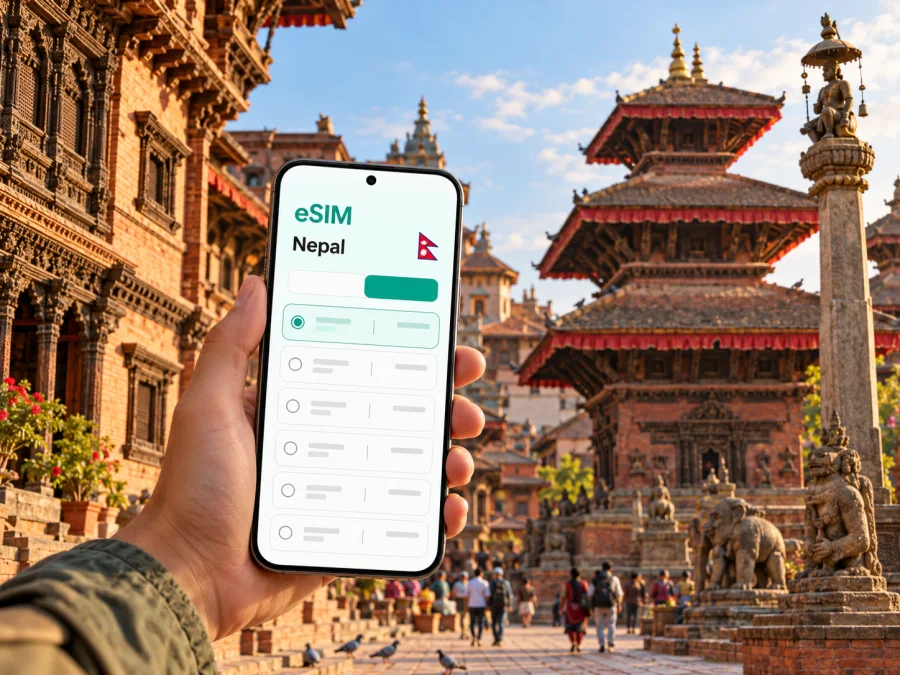
Lalitpur eSIM: mobile connection and internet for a city visit
Lalitpur is often called Patan, and the two names point to the same historic city in Nepal’s Kathmandu Valley. The old center is known for its brick lanes, courtyards, temples and workshops; the wider metropolitan area also includes busy roads, residential neighborhoods, markets and everyday services. For a visitor, mobile internet is useful in both settings: to find a hotel entrance in a small lane, check a route across the valley, translate a message or coordinate a pickup after a day of walking.
An eSIM can make data access easier to plan because it is installed digitally rather than inserted as a plastic card. The details still matter: device support, plan coverage, activation rules and the network partner determine whether a particular option suits your trip. This guide focuses on how to prepare for Lalitpur and use mobile data around the city without assuming that every eSIM or phone works the same way.
First, place Lalitpur on your map
Lalitpur Metropolitan City is in Bagmati Province, Nepal. Its historic core is widely known as Patan. Nepal Tourism Board describes Patan as about 5 km southeast of Kathmandu and highlights its artisan traditions, narrow streets, brick houses and religious monuments. The distance is a useful orientation, not a promise about journey time: road traffic, the pickup point and the time of day can change how long a transfer takes.
Patan Durbar Square is a practical point of reference for the old city. From there, visitors often explore nearby courtyards and lanes on foot, including routes toward the Golden Temple, Mahabouddha and Kumbheshwar. Lalitpur is not just this heritage quarter: Pulchowk, Jawalakhel, Lagankhel and other parts of the metropolitan area have different street patterns and daily rhythms. Save the exact address of your accommodation, because “Lalitpur” alone may not tell a driver or map app which entrance you need.
Tribhuvan International Airport (KTM) is in Kathmandu, not in the old center of Lalitpur. Most international arrivals heading to Patan continue by road. Before leaving the airport, confirm the destination name and shareable map pin with your hotel or driver. A route line can be helpful, but local directions may still be needed for a narrow street, one-way road or entrance inside a courtyard.
When mobile data helps most in Lalitpur
A connection helps when the trip involves several short moves: finding a hotel entrance, confirming check-in, requesting a ride or changing plans. It can also help with translations, bookings and messages to a travel companion.
| Part of the visit | What a connection can help you do | Useful preparation |
|---|---|---|
| Airport arrival | Confirm the pickup point and send a message if plans change | Save the hotel name and address offline as well |
| Patan Durbar Square | Navigate between the square, museum area and side lanes | Pin the starting point before setting out |
| Artisan and market streets | Locate a workshop or meeting point | Keep the name written down; GPS may be less precise among close-set buildings |
| Pulchowk or Jawalakhel | Find a restaurant, office or accommodation across a wider area | Check the route before getting into a vehicle |
| Evening return | Share your location or arrange a pickup | Agree on a visible meeting point if a lane is hard to describe |
| Day trip from the valley | Review tickets, route notes or a reservation | Check that the same plan covers every destination on your route |
Mobile data is a helpful layer, not a replacement for basic preparation. Download a map of the Kathmandu Valley, keep your accommodation details available offline and save key phone numbers before your first outing. If a building blocks GPS or a street is too narrow for a vehicle, a precise pin may lead to the nearest accessible road rather than the door. Use a recognizable landmark and ask the host to confirm the last turn.
Getting online after landing
You have several possible ways to connect in Nepal: international travel eSIMs, local SIM or eSIM options, and roaming through your home operator. Their availability, identity checks, payment methods, coverage and data terms differ. A local provider’s registration process can be different from a travel eSIM’s online purchase flow, so compare the actual steps instead of assuming that all eSIMs are issued in the same way.
Nepal has local operators, including Ncell and Nepal Telecom. Their official information describes eSIM options, including tourist-oriented offers from Ncell and online prepaid eSIM services from Nepal Telecom. Product terms and eligibility can change; check the provider’s current requirements if you want a local number or local service. An international data eSIM may be more convenient for a short visit when you mainly need internet, but it may not include a Nepali phone number, ordinary voice calls or SMS. Confirm the specific plan before relying on it for calls, account verification or local services.
A home SIM with international roaming may be the simplest option if your operator has service arrangements and you prefer to keep your usual number active. Check roaming prices and data limits in advance. You can also use Wi-Fi at accommodation or cafés, but availability and quality vary, and public Wi-Fi should not be your only plan for navigation or arrival coordination.
Before choosing, answer these questions:
- Do you need mobile data only, or also a local phone number and conventional calls or SMS?
- Will you stay in Lalitpur alone, travel elsewhere in Nepal, or cross a border during the same trip?
- How many days will you need data, and how much map use, messaging, browsing or video do you expect?
- Can you install an eSIM before departure, and will you have a second device or Wi-Fi available during setup?
- Does the plan state when its validity begins: at purchase, installation, first connection or another event?
Choose a plan for the way you travel
The best fit depends on your habits, not simply on the length of the trip. A visitor staying in Patan and using maps, messages and occasional browsing may need a different allowance from someone who works on video calls, uploads large files or streams throughout the day. Estimate your normal use and leave room for unexpected route changes. If the plan offers a top-up, check its terms before you rely on it as a backup.
| Travel pattern | What to prioritize | What to check before purchase |
|---|---|---|
| One or two days in Patan | Simple setup and enough data for maps and coordination | Start date, validity and whether the plan can be installed in advance |
| Several days across the Kathmandu Valley | Coverage destination and a practical data allowance | Whether the plan includes the other places on your itinerary |
| Work trip with frequent calls | Reliable access to your work apps and a backup connection | Whether the plan is data-only; test voice or video apps before an important meeting |
| Nepal itinerary beyond Lalitpur | Route-wide destination coverage | Do not assume a city plan or a neighboring-country plan covers all stops |
| Keeping your home number reachable | Dual-SIM settings and roaming arrangement | Which line handles calls, SMS and mobile data, and what your home operator charges |
A useful rule is to separate “data connection” from “phone service.” A data-only eSIM can support internet-based messaging and calls through apps, subject to the app, account and connection. It may not provide a local number for ordinary calls or SMS. Keep your usual SIM active for messages only if you understand its roaming settings and charges, and select the travel eSIM explicitly for mobile data when appropriate.
If a travel eSIM seems suitable, you can review options for mobile internet in Nepal. Compare the destination, validity period, data allowance, supported network information and activation conditions shown for each available plan. A country page is a starting point for plan selection; it does not confirm service in every building or guarantee a specific speed in Lalitpur.
Check device support before you buy
eSIM support depends on the exact phone or tablet version, its regional variant, the country where it was sold and whether it is carrier-locked. A model name by itself may not be enough to confirm compatibility. Check the manufacturer’s specifications and settings on your own device, then confirm that it can add an eSIM and use the necessary network bands and data settings. If the phone is locked to an operator, ask that operator whether another eSIM can be installed.
You can check whether your device supports eSIM before selecting a plan. The check is especially important when a device was purchased in a different market, is an older generation, or has a dual-SIM configuration that you have not used before. If support is uncertain, do not buy on the assumption that a visually similar model has the same capabilities. Keep roaming on your home SIM disabled if you do not want it to incur charges, and use the phone’s line controls deliberately.
A second practical check is power and access. Bring the device you will use to install the profile, make sure you can unlock it, and keep the confirmation details accessible. If the eSIM is delivered by QR code, you may need another screen to display that code while adding the plan. Some providers also offer manual activation details or in-app installation, but the available method depends on the provider and device.
Install and activate with a little margin
If you plan to install before departure, read the plan’s activation instructions first. Some profiles can be installed ahead of time but begin their validity only after connecting to a supported network; others may have different start rules. Avoid deleting an installed eSIM to troubleshoot unless the provider’s instructions say it is safe: a profile may not be reusable after removal.
A typical setup sequence looks like this:
- Confirm that your device is unlocked and supports eSIM.
- Check the plan’s destination, data allowance, validity and activation trigger.
- Connect to stable Wi-Fi and follow the provider’s installation steps.
- Label the new line clearly, such as “Nepal data,” so you can distinguish it from your home SIM.
- Before travel, decide which line will handle mobile data, calls and SMS. Keep data roaming off for any line where you do not want roaming charges.
- After arrival, enable the travel line and follow the plan’s network or data-roaming instructions if required.
- Open a web page or map and confirm that data works before depending on it for a transfer.
For step-by-step help, use the Android eSIM installation instructions or iOS eSIM installation instructions. Menu wording can differ across operating-system versions and phone manufacturers. Follow the steps shown on your own device and compare them with the eSIM provider’s activation guidance.
If the eSIM does not connect immediately, check the basics in order: the eSIM line is turned on, mobile data is assigned to the intended line, the phone has restarted if required, and the plan is active for Nepal. Review any APN or roaming directions supplied with the plan. If service still fails, use Wi-Fi to contact the provider or your home operator and avoid deleting the profile until support confirms the next step.
Navigate the city with a data plan and a backup
Patan’s historic center is best explored on foot. Patan Durbar Square makes a useful starting point for nearby courtyards, the Golden Temple, Mahabouddha and other heritage stops. In narrow lanes, GPS can drift between close-set buildings; use signs and visible landmarks as well as the map. Ask before entering a courtyard that is not clearly open to visitors.
For longer trips across the Kathmandu Valley, compare the map route with the pickup point. A vehicle may not reach a narrow lane, and a pin can land on the opposite side of a busy road. Send a nearby landmark, confirm the meeting point and keep your phone charged. Check that any ride app, account and payment method work before you need them.
Maps and messaging generally use less data than video, though app settings vary. Disable automatic video, large photo backups and app updates over mobile data if you want usage to stay predictable. Download map areas over Wi-Fi and save a screenshot of an important route. Offline maps do not update live, but can help if the signal drops.
Arrival checklist
- Save your lodging’s full address, phone number and map pin.
- Ask whether a driver can reach the door or should meet you on a main road.
- Install and label the eSIM over Wi-Fi if advance setup is allowed.
- Keep booking and activation details available offline.
- Bring a charger or power bank and tell a companion how to reach you.
- Keep a backup payment method for transport if an app is unavailable.
Scenarios: what to do in common situations
Late arrival to a Patan hotel: Save the address and agree on a pickup point before the flight. After landing, enable the correct data line only after checking the eSIM’s activation rules. If it does not connect, use the agreed meeting point and available airport Wi-Fi while troubleshooting.
A day around Patan Durbar Square: Pin the square and accommodation, then keep the return route offline. When a map arrow is unclear in a courtyard or lane, orient yourself using a visible landmark instead of following GPS blindly.
A work call from Lalitpur: Test accommodation Wi-Fi and mobile data before the meeting. A data plan does not guarantee a particular video quality. Download files in advance, pause backups and keep another connection option in mind for an important call.
Continuing elsewhere in Nepal: Check the stated destination and validity against the full itinerary. Do not infer service quality in remote or mountainous areas from a city visit. Save tickets and directions over Wi-Fi, and ask local providers about their own conditions if continuous service is essential.
If the connection is slow or unavailable
Check in order: the eSIM line is enabled, mobile data is assigned to it, the plan is active for Nepal, and any roaming or APN instructions are followed. Restart only if the provider recommends it. Do not delete the eSIM profile until support confirms it can be restored.
If the phone shows a network but apps do not load, test a simple page and try another location. Indoor walls, local network conditions and phone settings can affect service. Check any network-selection instructions supplied with the plan. If the issue continues, use Wi-Fi to contact the provider and save a screenshot of the status message. Keep your lodging address and meeting point available offline for urgent coordination.
Frequently asked questions
Is Lalitpur the same place as Patan?
Patan is the historic city commonly known as Lalitpur. Lalitpur also refers to the wider metropolitan city, so use a full address or map pin for transport.
Is Tribhuvan International Airport in Lalitpur?
No. The Civil Aviation Authority of Nepal lists it in Kathmandu. Visitors heading to Lalitpur continue by road; journey time depends on route and traffic.
Can I use an eSIM in Lalitpur?
Only if the particular plan includes Nepal, your exact device variant supports eSIM and the phone is not locked against installation. Confirm destination and activation terms before purchase; local availability can vary.
Will a travel eSIM give me a Nepali number?
Not necessarily. Many travel plans are data-only and do not include ordinary calls or SMS. Check the plan if you need to call local numbers or receive verification messages.
Should I install the eSIM before travelling?
Install in advance only if the plan permits it. Check when validity begins, keep activation details accessible and follow any instruction to wait until arrival.
What if my phone does not support eSIM?
Consider roaming through your home operator or ask a local provider about current physical SIM options and identification requirements. Regional variants of the same model can differ.
How much data do I need for a short stay?
It depends on your app use. Maps and text messages tend to use less data than streaming or large uploads. Estimate from your habits, check the plan allowance and use Wi-Fi for large downloads where practical.
A simple plan for staying connected
For a Lalitpur visit, the essentials are straightforward: identify whether you are staying in Patan’s historic center or another neighborhood, save a precise destination pin, choose a connection option that explicitly covers Nepal, and check your device and activation rules before departure. Keep offline copies of the information that would be difficult to recover without data. During the trip, use your phone for maps and coordination while allowing for inaccurate pins, variable traffic and changing network conditions.
Kaspersky eSIM Store is an app and website where you can choose, purchase and activate an eSIM with a suitable plan for mobile internet on an international trip. Review the plan conditions for your itinerary, then install it on a compatible unlocked device using the instructions for your operating system. To prepare for the journey, choose an eSIM plan for Nepal and check its destination, validity, data allowance and activation details before you travel.


