Travel connectivity guide
Lamu eSIM: Mobile Internet for Your Trip
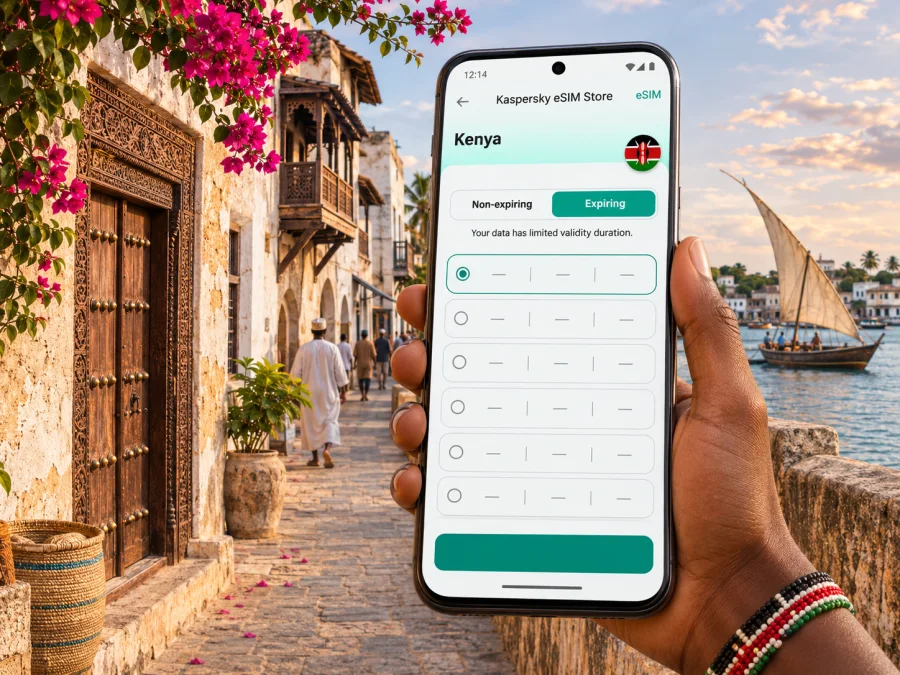
Lamu eSIM: mobile connection and internet for your trip
Lamu is a small island town with a very different rhythm from a mainland city. You arrive by air or water, move through narrow lanes on foot, and may rely on a boat for the next leg of the journey. A working mobile connection helps with arrival messages, maps, accommodation details and coordinating transfers, but the island setting makes it sensible to prepare for moments when you are offline.
An eSIM can give you mobile data in Kenya without replacing your usual physical SIM. Kaspersky eSIM Store is an app and website where you can choose, purchase and activate an eSIM with a suitable data plan for an international trip. Before choosing one for Lamu, check that the plan covers Kenya, that your phone supports eSIM, and that you understand when its validity begins.
Where Lamu is, and what “the city” means here
Lamu Town stands on Lamu Island, part of the Lamu Archipelago on Kenya’s northern coast. It is not a mainland city with a road network extending from one district to another. The historic centre is a lived-in Swahili settlement, recognised by UNESCO as a World Heritage site. Its dense lanes, coral-stone buildings, carved doors, courtyards and seafront verandas are part of everyday life as well as the reason many visitors come.
The layout affects how you use your phone. In the old town, a map pin may be more useful than a street address, and it can be difficult to identify a particular doorway from a vehicle. Save your accommodation’s name and contact details, agree on a meeting point, and download any map or booking information you may need before leaving a reliable connection.
Lamu is also a destination where a short distance on a map can involve a boat crossing. Manda Island, the mainland landing at Mokowe and the settlements elsewhere in the archipelago are separate parts of a trip. A Kenya data plan is a country-level option; it does not guarantee the same signal in every town, on every island, or while travelling over water.
Arriving: plan the last connection as well as the flight
Many visitors reach the archipelago by flying to Manda, then continue by boat to Lamu Town. Routes and schedules can change, and the airport transfer depends on the arrangements in place for your arrival. Confirm the latest flight and boat details with your airline, accommodation or transfer provider before departure. If you arrive by road, the last stretch also involves the mainland and a water crossing, so do not assume that a map route ends at your hotel door.
Mobile data is useful for checking a booking message, contacting a host, or sharing an arrival update. It is not a substitute for confirming the transfer. Keep the name and phone number of your accommodation somewhere accessible offline, and ask whether someone will meet you at the airport jetty or another agreed point. If you land late or your connection is delayed, a pre-agreed fallback is more reliable than trying to arrange every detail at the last minute.
A simple arrival checklist
- Save your accommodation’s name, address or map pin, and contact number.
- Confirm who is arranging the boat transfer and where you should meet.
- Keep your booking confirmation available offline.
- Check whether your eSIM is installed and whether the plan should be activated before travel or on arrival.
- Carry a charged phone and, if you have one, a power bank.
- Keep your normal SIM available for calls or messages if you need it; set the eSIM as the mobile-data line only when appropriate.
If a flight, boat or meeting point changes, use mobile data to contact the relevant person, then save the updated details. Keep in mind that coverage may vary between the airport area, the boat crossing and the town. Downloading information in advance gives you a second way to find it.
Getting around Lamu Town
The old town’s streets are narrow and winding, and motor vehicles do not circulate through the historic lanes as they would in a conventional city. Walking is central to getting around. Donkeys and handcarts are part of local transport and daily work; boats connect the waterfront with nearby islands and landing points. Ask your host about the best arrival point for your lodging and how luggage is usually carried for the final stretch.
A phone helps with orientation, but it cannot make every lane obvious. Use your accommodation’s own directions as well as a map pin. At a junction, pause somewhere that does not block residents or carts, check the map, and continue. If the lane network is confusing, ask a local person for directions using the lodging name or a nearby landmark rather than staring at a screen while walking.
| Part of the visit | What your phone can help with | What to prepare offline |
|---|---|---|
| Manda arrival and boat transfer | Messages, meeting updates, booking details | Transfer name, meeting place and accommodation contact |
| Old Town lanes | Saved pins, walking directions, translation or notes | Lodging directions and a screenshot of the route |
| Waterfront and boat trips | Coordinating a departure or return time | Boat operator’s agreed details and a return plan |
| Shela or another island stop | Checking the route and contacting your host | Where to meet the boat and when to return |
| Work or video calls | Email, messaging and cloud documents when data permits | Key files stored locally and a backup contact method |
The table is a planning aid, not a promise of network performance. Buildings, distance from a populated area, weather, local infrastructure and the network selected by a particular eSIM plan can all affect service. If a map fails to load, retrace to a familiar landmark or use the directions you saved before setting out.
Choosing where to stay and what to save
A room in Lamu Town places you within the historic settlement and close to its waterfront, shops and everyday services. Shela is a separate village on Lamu Island, known for its beach and dunes, and reaching it involves a journey from town. Other accommodation may be on Manda or another island, where a boat transfer is part of ordinary movement rather than an occasional excursion.
The right mobile-data setup depends on your itinerary. If you expect to spend most of your time in one lodging with Wi-Fi, you may need mobile data mainly for arrival, navigation and messages away from the property. If your plans include repeated boat trips, remote work or day-long excursions, consider a larger data allowance and save essential material locally. Do not assume your hotel Wi-Fi will be available at every hour or in every room; ask the property what it provides.
Before you set off, save:
- The location pin and name of each place where you will stay.
- Contact details for your host, transfer provider and any booked activity.
- Your flight and boat information, including any changes sent to you.
- Offline maps for Lamu Island and the mainland approach, if your map app supports them.
- A note with a meeting point described in words, not only coordinates.
Kaspersky eSIM Store can help you choose an eSIM data plan for a trip to Kenya. Check the plan’s destination, data allowance, validity period and activation terms in the current offer before paying. A Kenya plan is not a Lamu-specific coverage guarantee, and the available plans or terms can change.
How much data should you plan for?
There is no single allowance that suits every Lamu visit. A traveller using maps, text messages and occasional email consumes data differently from someone streaming video, uploading large files or joining long video calls. The clearest estimate starts with your own habits and the length of the trip, then accounts for how often you expect to be away from Wi-Fi.
| Typical use | Data-planning approach |
|---|---|
| Messages, arrival coordination and light browsing | Estimate the number of travel days and check messages and maps when needed |
| Frequent navigation and photo sharing | Allow extra for repeated map use and uploads; use offline maps where practical |
| Remote work | Review the size of files and expected call time; arrange a backup connection with your host |
| Video, music or cloud backups | These uses can consume data quickly; download media or pause backups on mobile data |
Treat these as usage categories, not exact consumption figures. Apps behave differently, and background syncing can use data when you are not actively looking at the screen. Before travel, review mobile-data settings, turn off automatic app updates over mobile data if you prefer, and choose whether cloud photo backups should wait for Wi-Fi.
A practical routine is to check the plan’s remaining allowance after a full day of your usual travel activities. If the balance is falling faster than expected, use Wi-Fi for large downloads, switch off background syncing, and save routes offline. If the plan supports a top-up, confirm its conditions in the app or account rather than assuming a refill is available.
What to check before choosing an eSIM
First, confirm that your exact phone model and regional variant support eSIM. The same model name can have different capabilities in different markets, and an operator lock can prevent a profile from working. Check whether your device is compatible before purchase, and confirm that the device is unlocked if you are unsure.
Next, read the plan conditions carefully. Check that Kenya is included, whether the plan is data-only, how much data it includes, how long it remains valid, and what action starts the validity period. Do not infer voice calls, SMS, tethering or coverage from the word “eSIM”; these depend on the individual offer and device. The eSIM plans available through Kaspersky eSIM Store are for mobile data unless the specific terms say otherwise.
Before you leave home, make sure you can access the account, installation instructions and any QR code or activation details. If you plan to install at the destination, save those details offline first; installing a profile can require an internet connection. Avoid deleting an eSIM profile while troubleshooting unless the instructions or support team tell you to do so, because a profile may not be reusable after removal.
Install and activate before you need directions
Start with a compatible, unlocked device, internet access for the installation step, and the QR code or profile details supplied for your purchase. Follow the instructions for your phone’s operating system: Android eSIM installation instructions or iPhone eSIM installation instructions.
1. Check the device
Confirm that the exact device variant supports eSIM and is not locked to a different carrier. Keep the compatibility result for reference if you are comparing models.
2. Open the installation details
Use the QR code or activation information provided with the selected plan. Keep another screen or a printed copy available if your phone cannot scan a code displayed on itself.
3. Add the eSIM profile
Open your phone’s cellular or SIM settings and follow the on-screen steps to add the profile. Menu names differ between Android manufacturers and iOS versions.
4. Label the travel line
Give the new line a clear label, such as “Kenya data,” so you can distinguish it from your regular SIM when choosing which line uses mobile data.
5. Set mobile data deliberately
Choose the eSIM for mobile data when you want to use the travel plan. Keep your usual line configured for calls or messages if needed, and check its roaming settings to avoid unexpected charges from your home provider.
6. Activate at the right time
Follow the plan’s stated activation instructions. Some plans begin validity when installed; others begin under a different condition. If you want to use the data later, leave the profile installed and follow the plan’s instructions for switching it on or selecting it as the data line after arrival.
7. Allow time to connect
After activation, connection may take a few minutes. If the phone does not connect, check that the eSIM is enabled, mobile data is assigned to it, and any data-roaming setting required by the plan is on. Restarting the phone may help; consult the plan instructions before changing network-selection settings.
Staying connected across the archipelago
Lamu Town is only one part of an island chain. A boat ride to Shela, Manda or another destination changes your physical location, and mobile signal can change with it. Do not treat national coverage figures or a signal in town as proof of service at a beach, on a boat or on a less populated island. Kenya’s Communications Authority provides coverage mapping for ICT services, but a general map cannot guarantee the experience of a particular device or travel eSIM at a precise spot.
For a day trip, tell your host or boat operator your expected return time and agree how to handle a delay. Save the departure point and contact details before leaving town. If you are travelling with other people, choose a meeting point and a time in case one phone loses data or battery. On a boat, keep the device secure and avoid relying on a live map as your only navigation reference.
If you need to work, plan around the connection available at your accommodation. Ask about Wi-Fi, power and a quiet place before scheduling a call. Download documents in advance, keep a local copy of essential files, and send colleagues a backup contact method. A mobile data eSIM can complement this arrangement, but it cannot promise the speed or stability needed for a particular video meeting.
Practical situations
You land and cannot find your transfer
Use the saved accommodation contact and confirm the agreed meeting point. If mobile data is unavailable, connect to a trusted Wi-Fi network where available or ask airport or transfer staff for help. Keep the confirmation offline so you are not dependent on opening an email.
You are walking through the Old Town
Follow a saved route to a known landmark, then check the next turn while standing aside. The streets are closely spaced, and GPS can be less useful among dense buildings. If the route appears to send you through a wall or private courtyard, stop and ask for directions instead of forcing the map route.
Mobile data, local calls and Wi-Fi
An eSIM plan in Kaspersky eSIM Store is intended for mobile internet during an international trip. Unless the specific offer says otherwise, do not expect it to include a Kenyan phone number, standard voice calls or SMS. You can continue to use your usual number for calls and texts if your home SIM and provider allow it, but check roaming costs and which line is selected for data.
Messaging and voice apps can work over mobile data or Wi-Fi, subject to the app, the connection and local conditions. They do not create a mobile number for the eSIM. Keep your regular line active if you need one-time verification messages, while taking care to avoid data roaming on that line if it could incur charges.
Public Wi-Fi can be useful for a large download, but it may be unavailable or slow. Use a trusted network when possible, avoid entering sensitive details on a shared device, and keep your essential travel information accessible offline. A balanced setup is often easiest: eSIM data for movement and coordination, accommodation Wi-Fi for heavier tasks, and offline copies for the moments in between.
Frequently asked questions
Is Lamu a city on mainland Kenya?
No. Lamu Town is on Lamu Island in the Lamu Archipelago, off Kenya’s northern coast. Include the boat or other transfer in your arrival plan.
Is there mobile coverage everywhere in Lamu?
No single plan can guarantee service at every point. Signal may vary between town, Manda, boat crossings, beaches and other islands. Check current plan details and keep essential information offline.
Can I use an eSIM in Lamu?
Yes, if your exact device variant supports eSIM, is unlocked and the selected plan covers Kenya. Performance depends on the plan and local network conditions, so check both before purchase.
Does an eSIM provide a Kenyan number?
Usually not. Plans are for mobile data unless the offer explicitly includes calls or SMS. Keep your usual SIM for your number if needed and review its roaming charges.
Should I install the eSIM before travelling?
Preparing it with reliable internet is practical, but follow the plan’s activation terms. If validity begins on installation, wait until the recommended time; save the QR code and instructions offline if installing later.
Prepare for Lamu at your own pace
Before departure, check your device, read the plan’s destination and validity terms, install the profile when appropriate, and save your arrival details offline. In Lamu, use mobile data for the tasks that benefit from it—transfer coordination, messaging and navigation—while keeping a backup for boat crossings and narrow historic lanes.
When you are ready, use Kaspersky eSIM Store to review current eSIM options for Kenya and choose a plan that fits your trip. Confirm the current data allowance, validity and activation instructions before completing your purchase, then install the eSIM using the guide for your device.


