
Travel connectivity guide
Lankaran eSIM: mobile internet guide
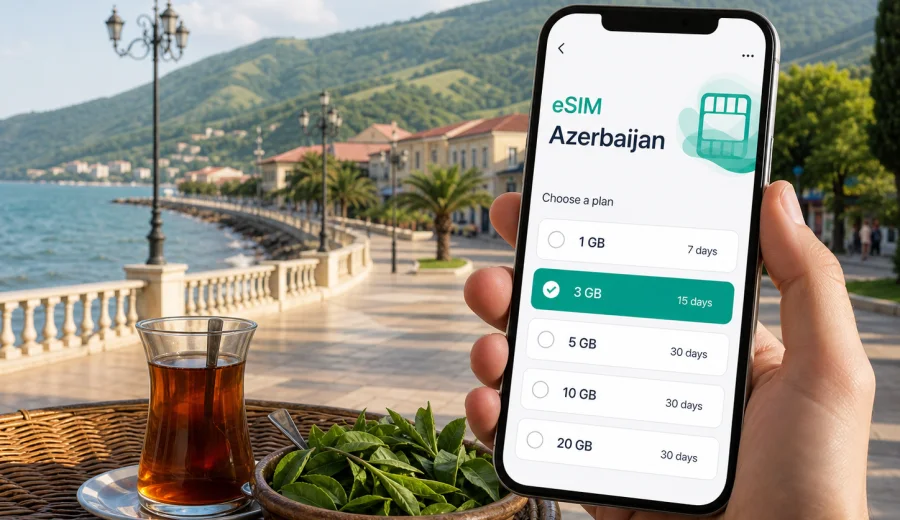
Lankaran eSIM: mobile connection and internet for a trip to Azerbaijan's Caspian south
Lankaran is a city where a trip can change rhythm several times in one day. You may arrive at the airport, check in near the center, walk to the Caspian coast, plan a tea plantation visit, and then decide to go toward the Talysh Mountains or Hirkan National Park. For each of these small decisions, mobile internet matters: maps, taxi apps, hotel messages, translation, card checks, route screenshots, weather, and calls through messengers all depend on being online at the right moment.
An eSIM is useful in Lankaran because it lets you prepare mobile internet before you start looking for a local SIM card. Instead of spending the first hour of the trip comparing counters, checking opening times, or asking where to buy a SIM, you can install a digital SIM profile on a compatible phone and activate a suitable data plan for Azerbaijan when you need it. Kaspersky eSIM Store is an app and website where you can choose, arrange, and activate an eSIM with a suitable tariff for mobile internet during an international trip.
This guide is focused on Lankaran, not Azerbaijan in general. It covers arrival, movement around the city, coastal walks, hotels, business trips, short stopovers, and routes from Lankaran to nearby natural areas. It also explains what to check before buying an eSIM, how to estimate data needs, and where an eSIM fits into a practical travel plan.
Why mobile internet matters in Lankaran
Lankaran is compact compared with Baku, but it is not a city where every travel task happens within one hotel district. Visitors often move between the airport, the central streets, the waterfront, markets, restaurants, tea-related stops, mountain roads, and day-trip destinations. Some routes are easy to explain face to face; others are easier when you can show a map pin, share your live location, or translate a message.
Reliable mobile data is especially useful in these Lankaran situations:
- confirming a pickup after arrival at Lankaran International Airport;
- finding a hotel or apartment entrance on smaller streets;
- checking whether a restaurant, museum, shop, or tea house is open;
- using navigation for coastal walks and city-center routes;
- messaging a driver before a trip to Hirkan National Park, Lerik, or nearby villages;
- checking weather before going toward the mountains;
- keeping work chats and travel documents available during a business trip;
- using messengers for calls, because many travel eSIM tariffs focus on data rather than a local voice number.
Public Wi-Fi can help in a hotel or cafe, but it is not a complete travel plan. You may need a map before reaching the lobby, a translation app while speaking with a driver, or a confirmation code while standing outside a building. An eSIM can reduce your dependence on public Wi-Fi and make the first day in Lankaran easier to manage.
Lankaran travel scenarios where eSIM helps
| Scenario in Lankaran | Why internet helps | Practical data use |
|---|---|---|
| Airport arrival | Contact a driver, open map directions, check hotel address | Low to medium |
| City-center stay | Navigation, restaurant search, translation, messaging | Medium |
| Business trip | Email, documents, calendar, ride coordination | Medium to high |
| Caspian waterfront walk | Maps, photos backup, messenger calls | Low to medium |
| Tea plantation or mountain route | Driver messages, offline map updates, weather | Medium |
| Longer Azerbaijan route from Lankaran | Navigation, bookings, translation, work access | High |
The main benefit is not only speed. It is control. Before the trip, you can choose a tariff by country, data volume, and validity period. During the trip, you can keep the physical SIM slot free for your home number if your phone supports that setup, and use the eSIM for mobile data.
Arrival in Lankaran: what to set up before leaving the airport
If you fly into Lankaran, do not wait until you are in a taxi to organize everything. Airport arrivals are exactly where a prepared eSIM can save time, because the first decisions happen quickly: which exit, which driver, which hotel, which route, and whether the booking details are correct.
Before you leave the terminal, check these items:
1. Mobile data is assigned to the eSIM line in your phone settings.
2. Data roaming is enabled for the eSIM if the selected tariff instructions require it.
3. Your hotel address is saved in maps and in a note.
4. Your driver or hotel contact is reachable through a messenger.
5. Offline map areas are downloaded in case you move through weaker signal zones later.
Do not delete your eSIM after installation unless the instructions clearly say it can be reinstalled. In many cases, an activated eSIM profile is intended to stay on the device where it was installed. If you change phones during the trip, you may not be able to move it in the same way as a physical SIM card.
Moving around the city
Lankaran is usually approached as a practical, low-pressure city: short taxi rides, walks near the center, markets, the coast, local restaurants, and excursions outside the urban area. Mobile internet supports the small details that make this rhythm smoother.
For a first day, a typical connected route might look like this:
- open the hotel address from your booking app;
- save the hotel location in maps;
- walk around the center with a downloaded map as backup;
- use translation for menus or short questions;
- message a driver about a morning trip outside the city;
- check weather and daylight before planning a mountain or forest route.
If you are staying near the waterfront, mobile internet is helpful for walking routes and ride coordination rather than heavy browsing. If you are staying farther from the center, it becomes more important for taxis, map pins, and finding the correct building entrance.
Choosing data volume for Lankaran
The right eSIM data volume depends on how you travel. A light user who mainly sends messages and checks maps needs much less data than a remote worker who uses video calls, cloud files, and hotspot sharing. Lankaran also encourages day trips, so consider your full route, not just the hotel district.
Use this estimate as a starting point:
| Trip style | Typical length | Suggested data thinking |
|---|---|---|
| Short city stop | 1-2 days | Choose enough for maps, messaging, taxi coordination, and booking checks |
| Weekend in Lankaran | 2-4 days | Add margin for photos, restaurant searches, translation, and route planning |
| Business visit | 2-5 days | Plan for email, document access, messenger calls, and backup hotspot use |
| Lankaran plus nature trips | 3-7 days | Add extra data for navigation, weather, shared location, and longer transfers |
| Wider Azerbaijan route | 1-2 weeks | Choose a larger data allowance or a validity period that matches the full itinerary |
Avoid planning with the smallest possible allowance if you will depend on the phone for navigation or work. A few map checks and messenger calls are light; video, cloud backup, social media uploads, and hotspot use can consume data quickly.
When to choose and activate your eSIM
You can prepare most of the eSIM process before the trip. The practical sequence is simple: check device compatibility, choose the destination, review tariff conditions, install the eSIM, and activate it according to the instructions for your plan and device. Some travelers prefer to install the eSIM before departure and activate mobile data after arrival. Others complete the setup at the hotel using Wi-Fi. The safest approach is to read the tariff instructions before you travel so you know when validity begins and whether activation requires arrival in the destination country.
Before buying, check your device and make sure it supports eSIM. Also check that the phone is not locked to a single carrier. Compatibility is not only about the phone model name; regional versions and carrier restrictions can matter.
For Azerbaijan, you can use Kaspersky eSIM Store to prepare an eSIM tariff for your trip to Lankaran and review available options for the country before you arrive. Choose a data volume and validity period that match the full itinerary, especially if Lankaran is the start of a route through southern Azerbaijan or onward to Baku.
Installing eSIM on your phone
Installation is usually a guided process, but you should do it while you have a stable internet connection. After purchase, the eSIM details may appear in your profile or app, and you may also receive a QR code or on-screen installation steps. Follow the instructions for your device rather than guessing from another model.
Useful setup links:
Keep these installation points in mind:
1. Use Wi-Fi for installation if possible.
2. Give the eSIM line a clear label such as "Azerbaijan data" or "Travel data".
3. Keep your home SIM available for calls and bank messages if your device supports dual SIM use.
4. Set mobile data to the eSIM line after arrival or when the tariff instructions say to activate it.
5. Turn off data roaming on your home SIM if you want to avoid accidental roaming charges.
6. Do not remove the eSIM profile unless you are sure you no longer need it.
An eSIM for travel commonly focuses on mobile data. It may not include a local phone number, voice calls, or SMS unless the specific tariff conditions say otherwise. For calls in Lankaran, many travelers use internet-based messengers once mobile data is active.
Practical Lankaran routes and data needs
Airport to hotel
This is the most important moment for prepared mobile internet. You may need to confirm the pickup point, share a map pin, check a booking reference, or call through a messenger. If you arrive in the evening, having data already ready can make the transfer calmer.
City center and markets
In central Lankaran, data needs are usually moderate. You will use maps, translation, restaurant searches, and messaging. If you are comparing several stops, save places in advance so you can navigate without repeatedly searching.
Caspian coast
The waterfront is a good example of light but useful data use. You may not need heavy browsing, but you may want maps, weather, photo sharing, and transport back to the hotel. If you take many photos and use cloud backup, switch backup to Wi-Fi only unless you have chosen a larger data allowance.
Hirkan National Park and Talysh Mountains
For nature trips, mobile data is useful before and during the transfer, but coverage can vary in mountainous or forested areas. Download offline maps before leaving the city, save your accommodation and driver contact, and keep enough battery for navigation. Do not rely on mobile signal as the only safety tool in remote areas.
Lankaran to Baku
If Lankaran is part of a wider Azerbaijan route, plan data for the transfer as well. Long road travel uses mobile internet in small but continuous ways: maps, route checks, music, messaging, and booking updates. If you work from the road, add extra data and check whether hotspot use is allowed under the selected tariff conditions.
For business travelers in Lankaran
Business trips to Lankaran are often short and schedule-driven. You may need a reliable connection from arrival through meetings, hotel check-in, and the return journey. The biggest risk is not heavy data use; it is losing time because a confirmation, calendar update, or map route is unavailable at the wrong moment.
Prepare this before departure:
- install communication apps and sign in before traveling;
- save meeting addresses and hotel details offline;
- keep a PDF copy of booking confirmations;
- choose an eSIM data allowance with a margin for messenger calls;
- confirm whether your device can use the eSIM for data while your home SIM stays active for calls or SMS;
- check company rules before using hotspot mode for a laptop.
For sensitive work, avoid treating public Wi-Fi as the default. A travel eSIM can help you use mobile data for routine work access, but you should still follow your organization's security policies and use approved tools.
Hotel Wi-Fi and eSIM: use both intelligently
The best setup in Lankaran is often not "Wi-Fi or eSIM" but both. Hotel Wi-Fi is useful for large downloads, system updates, cloud backup, and streaming. eSIM data is better for movement: maps, taxis, messaging, translation, and confirmations when you are outside the hotel.
| Use hotel Wi-Fi for | Use eSIM mobile data for |
|---|---|
| App updates | Airport and taxi coordination |
| Large photo uploads | Walking navigation |
| Video calls from the room | Translation in shops and restaurants |
| Laptop work in the hotel | Day trips and road transfers |
| Streaming | Urgent booking checks |
This combination helps control data use. You can reserve eSIM data for moments when being mobile matters and move heavy tasks to Wi-Fi when you are settled.
Common mistakes to avoid
The most common eSIM problems are usually preparation problems. They are easier to prevent than to fix while standing outside a hotel or sitting in a car.
Avoid these mistakes:
- buying before checking device compatibility;
- installing the eSIM on the wrong phone;
- deleting the eSIM profile after activation;
- leaving mobile data assigned to the home SIM;
- assuming the eSIM includes voice calls or SMS;
- forgetting to download maps before a nature trip;
- choosing a data allowance that does not match video calls or hotspot use;
- waiting until a weak-signal area to read installation instructions.
If something does not work, check the basics first: selected data line, roaming setting for the eSIM if required, remaining data balance, APN instructions if provided, and whether the phone has local signal. If the issue continues, contact support with screenshots of the device settings and the tariff details.
Quick checklist before your Lankaran trip
- Your phone supports eSIM and is not carrier-locked.
- You have reviewed the Azerbaijan tariff options and validity period.
- The eSIM is installed while you still have stable Wi-Fi.
- You know when the tariff becomes active.
- Your hotel address, meeting places, and day-trip pins are saved.
- Offline maps are downloaded for Lankaran and nearby routes.
- Cloud photo backup is limited to Wi-Fi if your data allowance is modest.
- Your home SIM roaming settings are adjusted to avoid accidental data use.
- Installation instructions are saved for Android or iOS.
FAQ: eSIM and internet in Lankaran
Is eSIM useful for Lankaran if my hotel has Wi-Fi?
Yes. Hotel Wi-Fi helps inside the property, but it does not cover airport arrival, taxis, city walks, restaurant searches, translation, or trips outside Lankaran. eSIM mobile data is most useful when you are moving.
Can I use eSIM for calls in Lankaran?
Many travel eSIM tariffs are data-focused and may not include a local phone number, voice calls, or SMS. If the tariff does not include calls, use messengers over mobile internet for voice or video calls.
Should I activate eSIM before flying to Azerbaijan?
Read the tariff conditions first. Some eSIMs can be installed before departure, while activation and validity may depend on arrival or first network connection in the destination. Install while you have stable internet, then follow the instructions for activation timing.
How much data do I need for a weekend in Lankaran?
For maps, messaging, translation, and booking checks, moderate data is usually enough. Add more if you plan video calls, hotspot use, social media uploads, cloud backup, or a longer route from Lankaran to other parts of Azerbaijan.
Can I keep my normal SIM active?
On many compatible phones, you can keep your home SIM active and use the eSIM for mobile data. Check your device's dual SIM settings and be careful which line is assigned to data roaming.
Choose mobile internet before you arrive in Lankaran
Lankaran rewards practical preparation. You do not need to overplan every meal or walk, but you should know how your phone will get online when you land, leave the hotel, meet a driver, or head toward the coast and mountains. An eSIM can make that part of the trip simpler: choose a suitable tariff, install it on a compatible device, and use mobile data when Wi-Fi is not available.
Before departure, open Kaspersky eSIM Store, review the Azerbaijan options, check the data volume and validity period, and choose an eSIM tariff for your trip to Lankaran. This gives you a clearer mobile internet plan for arrival, local movement, business tasks, and day trips from the city.