
Travel connectivity guide
eSIM for Laos: mobile internet guide
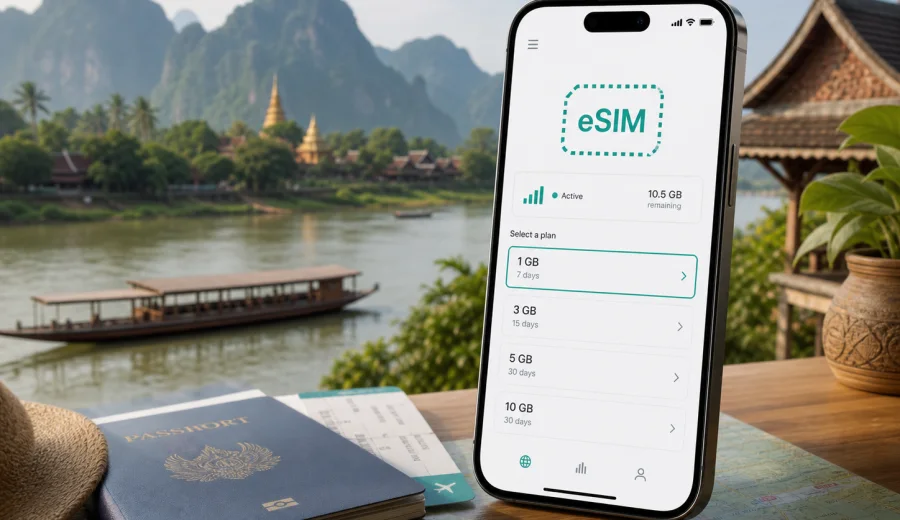
eSIM for Laos: mobile connection and internet for a smoother trip
Laos rewards travellers who move slowly: a morning market in Luang Prabang, a boat on the Mekong, a bus ride through mountain roads, a cafe stop in Vientiane, or a few days around the waterfalls and caves near Pakse and Vang Vieng. The country is calm and scenic, but travel logistics can still be practical and time sensitive. You may need maps, hotel messages, transport apps, online tickets, translation, banking alerts, or a quick call through a messenger. That is why mobile connection and internet planning should be part of your Laos checklist, not something you solve only after landing.
An eSIM can make this preparation easier. Instead of looking for a physical SIM card at the airport or in a shop, you install a digital SIM profile on a compatible phone and use mobile data through a selected travel tariff. For Laos, this is especially useful if your itinerary includes several stops, if you arrive late, or if you prefer to keep your main SIM card in the phone for calls, banking, or identity checks.
This guide explains how to use eSIM for mobile internet in Laos, what to check before buying a tariff, how much data you may need, and how to prepare your phone before departure. The goal is not to promise perfect coverage in every valley or village. The goal is to help you travel with a clear, realistic setup for staying online.
Why mobile internet matters in Laos
Laos is not a destination where every travel task can be handled offline. Many routes are scenic and relaxed, yet information can change during the day. A guesthouse may send directions through a messenger. A driver may confirm pickup time. A boat, minivan, or domestic flight may need a last-minute check. In towns, mobile data helps with maps, translations, payments, reviews, and weather. Outside towns, it gives you a practical backup when Wi-Fi is unavailable or weak.
Typical online tasks during a Laos trip include:
- finding your hotel after arrival in Vientiane, Luang Prabang, Pakse, Savannakhet, or Vang Vieng;
- checking transport times for buses, trains, boats, and domestic connections;
- using translation for menus, signs, and short conversations;
- sharing your location with a driver or travel companion;
- receiving bank, airline, and booking notifications;
- using messaging apps for calls instead of relying on regular voice service;
- downloading maps before moving to rural areas;
- checking weather before river trips, caves, hikes, or waterfall visits.
Public Wi-Fi can help in hotels, cafes, and some transport hubs, but it is not a complete travel connection strategy. It may be slow, password protected, unstable, or unavailable exactly when you need directions. A travel eSIM gives you a dedicated mobile data option on your own device, provided the phone supports eSIM and the selected tariff is suitable for Laos.
What eSIM changes compared with a physical SIM
An eSIM is a digital SIM profile. You do not insert a plastic card. You add the profile to your phone, choose it for mobile data, and use the tariff according to its conditions. For travel, the key advantage is preparation: you can set up the profile before the trip and avoid spending your first hour in Laos comparing local counters or changing small amounts of cash for a SIM purchase.
The difference is easiest to see in common travel situations:
| Situation | Physical SIM card | eSIM for travel |
|---|---|---|
| Arrival after a long flight | You may need to find a shop or counter | You can prepare the profile before arrival |
| Keeping your main number | You may need to remove your usual SIM if the phone has one slot | Many phones can keep a physical SIM and use eSIM for data |
| Short stop in Laos | A local SIM may feel like too much setup | A prepaid eSIM tariff can match a short stay |
| Moving between hotels and towns | You depend less on Wi-Fi checks at each stop | Mobile data is available when coverage and tariff conditions allow |
| Language barrier | Buying in person can require extra explanation | Tariff selection and setup happen through a familiar interface |
An eSIM is mainly about mobile data. It usually does not include a local phone number, regular voice calls, or SMS unless the chosen tariff says so. For most travellers, that is enough: maps, messengers, email, banking apps, booking tools, and translation services all work through data. If you need regular calls or SMS, check the tariff conditions before purchase and keep your main SIM active if needed.
How much data you may need in Laos
Your data need depends on trip length, work habits, navigation style, and media use. Laos encourages outdoor travel, but even a light user can consume data quickly with maps, photos, and messaging. Streaming video, cloud backup, video calls, and social media uploads can multiply usage.
Use this estimate as a planning guide:
| Travel style | Typical use | Suggested approach |
|---|---|---|
| Light | Messaging, maps, email, occasional browsing | Choose a modest data package and use hotel Wi-Fi for large downloads |
| Balanced | Daily navigation, social posts, booking apps, translation | Choose a medium package with enough days for the whole route |
| Heavy | Video calls, remote work, photo backup, frequent uploads | Choose more data and control background app activity |
| Group travel | One person manages maps and bookings for others | Allow extra data, especially if sharing hotspot is permitted |
For a short city stay, a smaller data package may be enough if you use Wi-Fi for updates and media. For a 7 to 14 day route through several places, a medium package is usually more comfortable. If you work during the trip, upload photos often, or use video calls, choose a larger allowance or a tariff that can be topped up if available.
Before travelling, check three details in the selected tariff: data volume, validity period, and destination coverage. A tariff with enough gigabytes but too short a validity period may not cover your full trip. A tariff with a long validity period but too little data may require careful use from the first day.
Preparing your phone before departure
The best time to prepare eSIM is before you are standing in an arrival hall with luggage and limited Wi-Fi. Start with compatibility, because not every phone supports eSIM and some devices may be carrier locked.
Before choosing a tariff, check your device and confirm that it supports eSIM. Also check that the device is not locked to a carrier, has the latest practical software update, and has enough battery for installation. If you use dual SIM, decide which SIM should handle mobile data, calls, and messaging after arrival.
Your pre-trip checklist:
- confirm that your phone or tablet supports eSIM;
- make sure the device is not locked to one mobile operator;
- update the operating system if you have postponed updates for too long;
- keep your main SIM active if you need bank SMS or regular calls;
- download offline maps for Vientiane, Luang Prabang, Vang Vieng, Pakse, and planned rural routes;
- save hotel addresses and transport confirmations offline;
- turn off automatic cloud backup over mobile data if your package is limited;
- read the tariff conditions before payment, including data, validity, and activation rules.
Kaspersky eSIM Store is an app and website where you can quickly choose, arrange, and activate an eSIM with a suitable mobile internet tariff for an international trip. For Laos, you can compare available options and prepare an eSIM tariff for your trip to Laos before you travel, then use the selected profile according to its conditions.
Installing and activating eSIM
The exact setup flow can vary by phone model and operating system, but the general process is straightforward. You choose a tariff, add the eSIM profile to your compatible device, then select it for mobile data. Some tariffs should be installed before departure but activated only when you reach the destination; others may start validity from installation or first network connection. Always follow the conditions shown for the selected tariff.
For detailed setup steps, use the Android installation guide or the iOS installation guide. Keep a stable internet connection during installation, do not delete the eSIM profile after activation unless you are sure you no longer need it, and remember that moving an activated eSIM to another device may not be supported.
A simple setup flow looks like this:
1. Choose Laos as your destination and review available tariff conditions.
2. Check data volume, validity period, and any usage notes.
3. Confirm that your device supports eSIM and is unlocked.
4. Install the eSIM profile while you have reliable Wi-Fi.
5. On arrival, select the eSIM for mobile data.
6. Enable data roaming for the eSIM if the instructions or device settings require it.
7. Test maps, messenger, and browser before leaving the airport or station.
If mobile data does not start immediately, check the basics first: correct SIM for mobile data, data roaming setting for the eSIM, airplane mode toggle, APN instructions if provided, and remaining data balance. Avoid deleting the profile as a first troubleshooting step, because reinstallation may not always be available.
Data-saving tips for Laos
Mobile data is most valuable when it is available for travel tasks, not when it disappears into background updates. Before you start the trip, adjust your phone so the eSIM package lasts longer.
Useful settings:
- disable automatic app updates over mobile data;
- pause cloud photo and video backup until Wi-Fi is available;
- download maps and translation packs in advance;
- reduce video streaming quality or keep streaming for Wi-Fi;
- turn off auto-play video in social apps;
- use offline playlists instead of streaming music on long transfers;
- monitor data usage daily in your phone settings or app profile;
- keep hotspot use limited if your tariff allows sharing.
For Laos specifically, offline preparation is worth the small effort. Download maps for mountain roads and rural areas before you leave town. Save the names of hotels and stops in both English and local spelling if available. If you plan to rent a scooter, join a tour, or meet a driver outside a main street, screenshots can help when signal is weak.
Choosing the right tariff for your itinerary
Do not choose a travel data package only by the number of gigabytes. Match it to your route, pace, and habits. A three-day city break in Vientiane needs a different setup from a two-week route through Luang Prabang, Vang Vieng, Pakse, and riverside villages.
Ask yourself:
- How many days will I be in Laos?
- Will I work, upload large files, or use video calls?
- Will I rely on mobile maps while moving between towns?
- Will I use hotel Wi-Fi most evenings?
- Will I share data with another device?
- Do I need the same setup for nearby countries before or after Laos?
For a short stay, prioritize enough validity and simple activation. For a longer trip, prioritize data allowance and the ability to manage usage. For remote work, leave a margin: a video meeting can use more data than a full day of maps and messages. For group travel, it may be better for each traveller to have their own connection rather than depending on one phone as a hotspot, especially when people split up in markets, temples, stations, or hotel areas.
FAQ about eSIM and mobile internet in Laos
Can I install eSIM before travelling to Laos?
In many cases, yes. You can install the profile before departure if the tariff instructions allow it, then activate or start using it according to the conditions. Read the activation details carefully, because validity may depend on installation or first network connection.
Will eSIM give me a Laos phone number?
Usually, travel eSIM tariffs are focused on mobile data. Regular voice calls and SMS are not included unless the tariff explicitly says so. You can use internet-based calling and messaging apps over mobile data.
Can I keep my usual SIM active?
On many dual SIM phones, yes. You can often keep your main SIM for calls or SMS and use eSIM for mobile data. Check your phone settings before departure so you know which line handles each function.
Is eSIM useful if my hotel has Wi-Fi?
Yes, because Wi-Fi helps mainly when you are inside the hotel or cafe. Mobile data helps when you are walking, taking transport, meeting a driver, using maps, or checking booking messages away from Wi-Fi.
Should I download offline maps anyway?
Yes. Offline maps are a practical backup for rural areas, mountain roads, river routes, and places where signal is weaker. They also reduce data usage.
Can I use hotspot with eSIM in Laos?
It depends on the tariff and device settings. Check the terms before relying on hotspot for a laptop or another traveller.
What should I do if mobile data does not work after arrival?
Check that the eSIM is selected for mobile data, data roaming is enabled for the eSIM if required, airplane mode is off, and the phone has restarted or reconnected to the network. Then review any APN or setup instructions linked to the tariff.
A practical Laos connectivity plan
For most travellers, the simplest plan is:
1. Before departure, check eSIM compatibility and choose a tariff that matches your Laos dates.
2. Install the eSIM profile on reliable Wi-Fi.
3. Download offline maps and save important booking details.
4. On arrival, switch mobile data to the eSIM and test basic apps.
5. Use mobile data for maps, messages, translation, and booking tasks.
6. Use Wi-Fi for system updates, large uploads, and long streaming.
7. Monitor data balance during the trip.
This setup gives you control without overcomplicating the journey. You are not dependent on finding a shop immediately after landing, and you are not forced to use public Wi-Fi for every important task.
Prepare your eSIM for Laos
Laos is easier to enjoy when your mobile internet is already planned. With a compatible device, a suitable data package, and a few offline backups, you can move between cities, rivers, temples, stations, cafes, and rural routes with fewer connection surprises.
Use Kaspersky eSIM Store to choose, arrange, and activate an eSIM with a mobile internet tariff that fits your trip. Before you go, review the conditions, check your device, install the profile on stable Wi-Fi, and choose an eSIM tariff for travelling in Laos so your first online task after arrival is not finding a SIM counter, but getting where you need to go.