
Travel connectivity guide
Lautoka eSIM: Mobile Internet for Fiji Travel
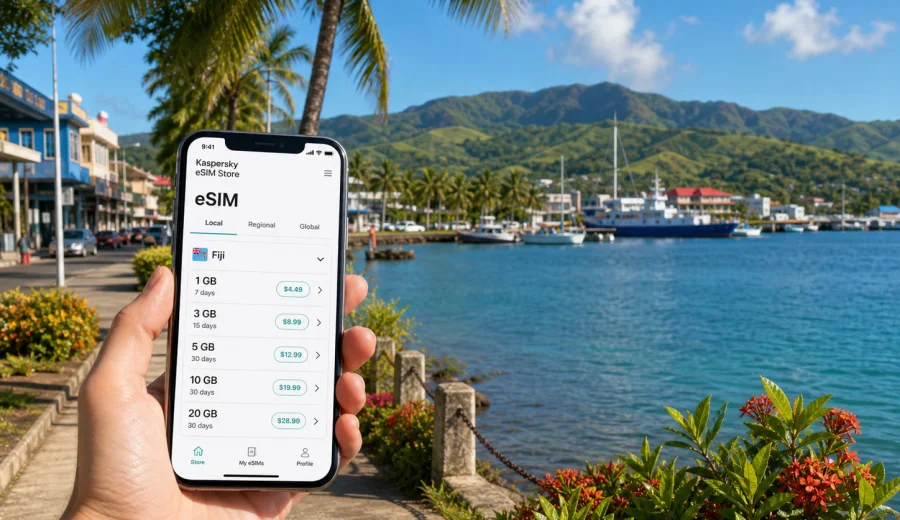
Lautoka eSIM: mobile connection and internet for your trip to Fiji's Sugar City
Lautoka is a practical city for travelers in western Fiji: close to Nadi International Airport, connected to coastal roads, shaped by its port and sugar industry, and useful for hotels, family visits, cruise calls, marina plans, and onward trips around Viti Levu. If you arrive tired after a long flight or have only a short stop, mobile internet helps with maps, hotel messages, pickup points, booking updates, and calls through messaging apps.
An eSIM can simplify that first connection. With a compatible device, you can prepare a digital SIM profile before the trip and use a mobile data plan in Fiji without looking for a physical SIM card immediately after arrival. Kaspersky eSIM Store is an app and website where you can choose, arrange, and activate an eSIM with a suitable data plan for an international trip.
This guide is focused on Lautoka, not a general Fiji overview. It covers airport arrival, city movement, waterfront and port scenarios, hotels, business trips, stopovers, and day trips from the city.
Why mobile internet matters in Lautoka
Lautoka is easier to manage when your phone is online from the first transfer. You may land at Nadi, ride north to Lautoka, check in near the city center, visit the market, continue to Vuda Point, or meet a driver at the wharf. Each step is simpler when you are not relying only on public Wi-Fi.
Mobile data helps you:
- open maps during the airport transfer;
- message a hotel or host if baggage claim takes longer than expected;
- confirm a taxi, shuttle, cruise pickup, or marina meeting point;
- check weather, ferry, or tour updates before leaving the hotel;
- use translation, currency, banking, and booking apps;
- share your live location with family or colleagues;
- keep email and authenticator apps working during a business visit.
Hotel and cafe Wi-Fi is useful for large downloads, but it is not always available when you need it. An eSIM gives you a travel data layer for movement between the airport, roads, hotel, waterfront, and nearby districts.
Lautoka travel scenarios where eSIM is useful
| Scenario | Why data helps | Practical preparation |
|---|---|---|
| Arrival through Nadi airport | Driver messages, hotel updates, route tracking | Install the eSIM before departure and save the hotel address offline |
| City center stay | Maps, restaurant searches, card alerts, local messaging | Keep mobile data for movement and use Wi-Fi for heavy downloads |
| Waterfront or wharf visit | Cruise timing, pickup points, weather checks | Save travel documents offline and keep enough data for updates |
| Vuda Point or Saweni | Longer rides and fewer convenient Wi-Fi stops | Pin your destination and share it with the driver |
| Business trip | Email, online calls, documents, authentication | Choose enough data for work apps and check hotspot rules |
| Short stopover | Fast decisions during limited time in the city | Prepare the eSIM before arrival so you do not spend the visit finding connectivity |
| Day trip from Lautoka | Navigation outside the city center | Download offline maps and keep mobile data as the live layer |
The main benefit is continuity: you do not have to solve connectivity while also handling luggage, transport, currency, and check-in.
Arrival: Nadi airport to Lautoka
Most international visitors reach Lautoka through Nadi International Airport. The transfer is usually straightforward, but it is still when mobile internet is most valuable. You may need to find a driver, answer your accommodation, check the route north, or tell someone that you have landed.
Before leaving for Fiji, prepare these basics:
- save your hotel address, booking reference, and contact number;
- download offline maps for Lautoka, Nadi, and western Viti Levu;
- install the eSIM profile while you have stable Wi-Fi;
- check whether the plan starts on installation or only after connection to a supported network;
- keep your primary SIM active if you need your usual number for calls or SMS;
- charge the phone before landing, especially if you will use maps during transfer.
An eSIM is usually about mobile data. It normally does not replace your regular phone number for voice calls and SMS unless the selected plan clearly includes those services. For many Lautoka trips, that is enough: maps, messaging apps, email, booking apps, and online calls all use data.
Moving around Lautoka
Lautoka is compact, but a visitor may still move between the city center, Lautoka Market, the waterfront, Lautoka Wharf, coastal hotels, Vuda Point, Saweni, Natabua, and routes toward Nadi or Denarau. Mobile data helps because directions are often needed in small moments rather than during one planned journey.
Common uses during local movement:
- checking walking directions in the city center;
- sharing a pickup pin with a taxi driver;
- confirming a hotel shuttle;
- checking restaurant opening times before leaving;
- using banking alerts after a card payment;
- reading a tour message while away from Wi-Fi;
- calling through a messaging app if a plan changes.
If a driver or host describes a place locally, an online map lets you compare the description with a pinned location. This is useful around waterfront access points, marina roads, and accommodation outside the central grid.
How much data do you need?
The right data amount depends on trip length, hotel Wi-Fi quality, work needs, and hotspot use. Navigation and messaging are usually light. Photo uploads, cloud backups, video calls, and streaming can use data quickly.
| Trip type | Typical use | Data planning tip |
|---|---|---|
| One-day cruise call | Maps, messages, photos, return-time checks | A smaller plan can work if you avoid video uploads |
| Two or three nights | Navigation, bookings, social apps, restaurant searches | Choose enough data for daily movement plus a margin |
| Week in western Fiji | Lautoka, Nadi, Denarau, Vuda, beach trips | Consider more data and longer validity |
| Business visit | Email, calls, documents, authenticator apps | Leave room for work tasks and possible hotspot use |
| Family trip | Several people, photos, maps, children online | Use Wi-Fi for heavy media and reserve mobile data for movement |
Do not choose only by the lowest price. A plan that is too small may run out when you need directions, a confirmation message, or a work login.
Choosing an eSIM plan for Lautoka
For a city trip, choose the destination first. Lautoka is in Fiji, so a Fiji plan is the relevant country option. If your wider itinerary includes other countries, compare whether a regional or global option is better. For a Fiji-only visit, a country plan is usually the simplest match.
Before payment:
- coverage: the plan should include Fiji;
- validity: it should cover arrival, stay, day trips, and departure;
- data allowance: it should fit maps, messages, bookings, and work;
- activation rules: know when the validity period starts;
- hotspot conditions: check this if you plan to connect a laptop or another phone;
- top-up options: know what to do if your data use grows;
- device support: confirm eSIM compatibility and carrier unlock status.
Choose the data plan before you start relying on hotel Wi-Fi or airport connectivity. You can choose an eSIM plan for your Fiji trip through Kaspersky eSIM Store and install it on a compatible device before traveling to Lautoka.
Check your device before buying
Many recent iPhone, Samsung Galaxy, Google Pixel, and other modern devices support eSIM, but support varies by model, region, and carrier policy. A carrier-purchased phone may also be locked, which can prevent a travel eSIM from working as expected.
Use this checklist:
- confirm that your exact device model supports eSIM;
- check that the device is not locked to one carrier;
- update the operating system before departure if an update is already pending;
- make sure you will have Wi-Fi during installation;
- decide which SIM line should handle mobile data;
- keep your primary SIM available if you need your usual number.
If you are unsure, check your device before choosing a plan.
Installing eSIM before or after arrival
The easiest approach is to install the eSIM before you fly, while you still have reliable Wi-Fi. You can then activate or start using it according to the conditions of the selected plan.
A typical setup flow:
1. Choose Fiji as the destination for the Lautoka trip.
2. Select a plan by data amount and validity period.
3. Complete the purchase in the app or on the website.
4. Install the eSIM profile using the instructions for your phone.
5. Keep your primary SIM available if you need your regular number.
6. On arrival, select the eSIM for mobile data when appropriate.
7. Turn on data roaming for the eSIM if the plan or device instructions require it.
For device-specific setup, follow the Android installation guide or the iOS installation guide. Screens can vary by model and operating system version, so follow the steps shown on your phone and keep the installation details available until setup is complete.
Local tips for hotels, port visits, and city days
Different parts of a Lautoka stay create different connection needs. In the city center and market area, use mobile data for walking directions, taxi messages, restaurant searches, and payment alerts. Around the waterfront and wharf, keep data ready for meeting points, cruise timing, and weather. Near Vuda Point, Saweni, Natabua, and beachfront accommodation, pin your destination in advance.
For hotels, use Wi-Fi for heavy downloads, cloud backups, and streaming when you trust the network. Keep eSIM data for movement, maps, messaging, and urgent changes. Cruise visitors should install the eSIM before arrival if possible, save the port return point, and avoid spending limited city time looking for connectivity.
Business trips to Lautoka
Business travelers need more than casual browsing. Email, shared documents, receipts, banking notifications, authenticator apps, and meeting links can depend on mobile data. If you are visiting offices, port-related businesses, industrial areas, or meetings outside the hotel, choose enough data for the working day.
Before departure, check whether your employer allows travel eSIM use, whether work apps require SMS authentication on your primary number, and whether hotspot mode is allowed by the selected plan. Keep key documents offline and use trusted Wi-Fi for large file sync when possible.
Trips from Lautoka
Lautoka often belongs to a wider western Fiji itinerary. You may return to Nadi airport, continue to Denarau for island transfers, visit Vuda Point Marina, go to Saweni Beach, or join a guided trip inland. A live connection helps when pickup times change.
Before a day trip:
- save the destination and return point in maps;
- download offline maps for the route;
- keep tour, hotel, and driver contacts in one place;
- carry a charger or power bank;
- check your remaining data before a long day out;
- pause automatic photo backups until you are on Wi-Fi.
An eSIM works well as a flexible travel data layer for these movements. It does not replace offline preparation, but it reduces dependence on finding Wi-Fi at the exact moment a plan changes.
Common mistakes to avoid
Avoid buying a plan without checking that Fiji is included. Do not assume every modern phone supports eSIM or that a carrier-purchased phone is unlocked. Do not delete an activated eSIM profile unless you have checked whether it can be reinstalled. After arrival, make sure mobile data is assigned to the eSIM line and enable data roaming for that line if the instructions require it.
Quick checklist for Lautoka mobile internet
- Destination selected: Fiji.
- City focus confirmed: Lautoka, with possible movement through Nadi, Vuda, Denarau, Saweni, or western Viti Levu.
- Device checked: eSIM support and carrier unlock status reviewed.
- Plan reviewed: data amount, validity, activation rules, and hotspot conditions understood.
- Installation prepared: eSIM installed using reliable Wi-Fi.
- Offline backup ready: maps, hotel address, booking confirmations, and key contacts saved.
- Arrival settings checked: mobile data line, eSIM roaming setting, and primary SIM role reviewed.
FAQ
Is an eSIM useful if my Lautoka hotel has Wi-Fi?
Yes. Hotel Wi-Fi can cover evenings and large downloads, while an eSIM helps with transfers, walking routes, taxis, waterfront visits, and messages away from the hotel.
Can I use eSIM for calls and SMS in Lautoka?
Most travel eSIM plans focus on mobile data. Calls and SMS are not included unless the selected plan clearly says so. You can use messaging apps over data and keep your primary SIM active for your usual number.
Should I install the eSIM before flying to Fiji?
In most cases, yes. Installing before departure gives you time to complete setup on stable Wi-Fi. Check the plan conditions so you understand when validity begins.
Prepare mobile internet before your Lautoka trip
A smooth Lautoka arrival starts before you reach the airport or port. Check your device, choose a plan that covers Fiji, install the eSIM with reliable Wi-Fi, and keep offline copies of the details you cannot afford to lose. Then use mobile data for the moments where it matters most: transfers, maps, hotel messages, work access, cruise timing, and trips around western Viti Levu.
Kaspersky eSIM Store helps you choose, arrange, and activate an eSIM with a suitable data plan for your international trip. Before traveling, prepare an eSIM plan for Fiji so your Lautoka arrival is easier to manage from the first transfer.