Travel connectivity guide
Le Diamant eSIM: Mobile Internet in Martinique
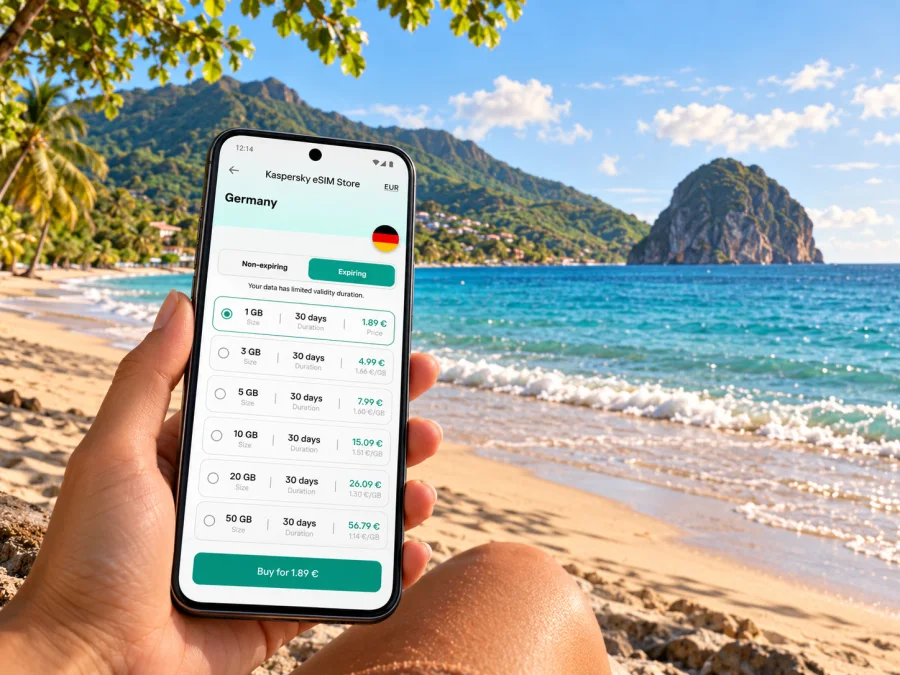
Le Diamant eSIM: mobile connection and internet for Martinique’s southwest coast
Le Diamant is a coastal commune in southwest Martinique, known for its long beach, the offshore Rocher du Diamant and views of Morne Larcher. It is a place where a phone is useful for more than finding a hotel: you may check the road from the airport, coordinate a taxi, look up a bus departure, save a walking route, or message someone after a day by the sea. An eSIM can make mobile data easier to prepare for the trip, provided your device and chosen plan support the destination and your route.
This guide covers arrival, local travel, coverage checks and eSIM setup for Le Diamant, a small coastal commune rather than a dense urban centre.
First, locate Le Diamant on your itinerary
Le Diamant is on Martinique’s southwest coast. The commune extends along the Grande Anse du Diamant towards Les Anses-d’Arlet, with the village and coastal road forming the practical base for many visitors. The Rocher du Diamant stands offshore, while Morne Larcher rises behind the coast. Accommodation listings may use a locality name as well as the commune, so save the full address.
Martinique is a French territory in the Caribbean and an outermost region of the European Union. This geographic and administrative status matters when choosing a travel plan: a destination listing or mobile plan’s supported area should explicitly cover Martinique. Do not assume that a plan labelled only “France” or “Europe” includes every overseas territory; read the coverage list and the plan conditions before purchase. The mobile networks, local coverage, and commercial plan rules are specific to this island market.
Martinique Aimé Césaire International Airport (FDF) is in Le Lamentin, not in Le Diamant. From the airport, you will cross the island’s central area and continue south-west to the coast. Travel time depends on traffic and route, so allow a buffer. If a driver is meeting you, share the full accommodation address and agree on the meeting point before leaving the terminal.
Where mobile internet helps in Le Diamant
The village is a useful base for beach time and short excursions, but nearby places are spread along a coastal road and the island’s terrain can make a seemingly short trip less direct than a map suggests. Mobile data is especially useful for checking the next turn, confirming a pickup, seeing whether a saved place is on the beach side or inland, and contacting your host if arrival is delayed.
| Situation | What to prepare on your phone | Why it helps |
|---|---|---|
| Arrival at FDF | Save your accommodation address and driver details | You can show the destination even if you are tired or the connection is not ready |
| Finding a rental or guesthouse | Keep the booking confirmation and pin offline | Road names and property entrances can be easy to miss after dark |
| Going to Grande Anse du Diamant | Save the beach access point, not only the beach name | A precise pin makes it easier to identify the intended access area |
| Visiting Anse Caffard and Cap 110 | Download the route and keep the place names available | The memorial is a specific stop along the coast, not a generic beach pin |
| Walking near the coast | Carry a charged phone and use a route suited to the conditions | Heat, sun and changing weather can make a return route important |
| Day trip to another commune | Check return transport before setting out | Service frequency and operating times can vary by line and day |
The 4-kilometre Grande Anse du Diamant is a prominent local feature, and the official Martinique tourism profile describes surf conditions and potentially dangerous currents at parts of the beach. Treat mobile connectivity as a navigation and communication aid, not as a substitute for checking local safety information or following posted warnings. If you plan to swim, check the conditions when you arrive and choose an area appropriate to your experience.
Cap 110, at Anse Caffard, is a memorial site with a specific historical meaning. Give yourself time to visit respectfully and read the interpretation on site. A connected phone can help with directions and practical coordination, but avoid letting navigation or photography distract from the place and its context.
Choosing a data plan for this destination
Start with the itinerary, not a headline data allowance. A visitor staying in Le Diamant and taking occasional day trips may use data differently from someone who navigates all day, uploads video, joins calls, or works remotely. Estimate the tasks you expect to do, then compare the plan’s destination coverage, allowance, validity period, activation conditions and price as displayed at the time you choose it.
Before selecting a plan, answer these questions:
- Does the coverage list name Martinique specifically?
- How many days will you need data, including arrival and departure days?
- Will you mostly use maps and messaging, or also video, hotspot and work calls?
- Does validity begin on installation, first connection, or another stated event?
- Is tethering permitted if you expect to connect a laptop or another device?
- Does the plan include voice calls or SMS, or is it intended for mobile data only?
- What happens when the allowance is used, and can you add data under the plan terms?
Check your device and prepare before departure
An eSIM is a digital SIM profile. It does not work on every phone, tablet or regional variant, and an eSIM-capable device may still be locked to its original carrier. Before you pay, check the exact model number and the manufacturer’s support information for the market where the device was sold. If your device has multiple regional variants, verify the precise one you own; a product family name alone may not establish eSIM support.
Check whether your device supports eSIM and confirm that it is carrier-unlocked. If you cannot confirm either point, contact the device maker or your current carrier before purchase. Do not rely on a generic compatibility list if it does not identify your exact variant.
Kaspersky eSIM Store is an app and website where you can choose, arrange and activate an eSIM with a suitable plan for mobile internet during an overseas trip. It is not a mobile network operator. Plan coverage and conditions are set out for the individual offer, so check the destination and details shown for Martinique before completing your selection. You can review eSIM options for Martinique and compare the current terms with your itinerary.
A little preparation reduces the chance of having to troubleshoot at the airport:
- Update your phone while connected to a trusted Wi-Fi network.
- Make sure you can sign in to the email address or account used for the eSIM order.
- Keep access to the QR code or installation details available on a second screen or in a safe place.
- Save the accommodation address, airport pickup details and essential reservations offline.
- Check that you know which line is your home SIM and which will be used for mobile data.
- Review the plan’s activation instructions, including whether data roaming must be enabled for the eSIM.
- Keep your home line settings in mind if you need to receive calls or messages on that number.
Installing and activating an eSIM
The exact menu labels differ between iOS and Android versions. Follow the instructions supplied with the plan and do not delete an eSIM profile simply because it has not connected immediately; some profiles cannot be installed again after removal. If installation requires scanning a QR code, use a reliable internet connection and keep the code accessible until the phone confirms that the profile has been added.
A careful sequence is:
- Confirm the device is ready. Verify eSIM support, carrier-unlock status, battery charge and internet access for installation.
- Install the profile. Use the plan’s QR code or the activation method provided in your order. Follow the on-screen prompts and label the line clearly, for example “Martinique data”.
- Choose your data line. In mobile settings, select the travel eSIM for mobile data when you intend to use it. Keep your home SIM enabled only if you need its calls or messages and understand its roaming settings.
- Check activation timing. Some plans start their validity at installation; others start at first connection or under different stated conditions. Read the plan details so you do not activate too early.
- At the destination, allow the connection to register. Select the travel line for data and follow the plan’s instructions about network selection and data roaming. Connection can take a few minutes and may require a restart or a brief wait.
- Confirm the result. Open a simple page or messaging app, check that mobile data is using the intended line, and verify the allowance or status in the relevant account view.
For device-specific setup steps, use the Android eSIM installation guide or the iPhone and iPad installation guide. Keep Wi-Fi available during setup where possible. If the line shows no service, check the selected data line, plan start conditions, roaming setting and coverage terms before changing other settings.
Getting from the airport to the coast
The airport’s official information lists taxis at Door D in the arrivals area. If you plan to use a taxi, confirm the destination and fare arrangements with the driver before departure. An airport connection or eSIM can help you retrieve a booking, call your host, or share your arrival status, but arrange a fallback in case your phone is out of battery or has not connected yet.
For a rental car, download the route and keep the rental address, confirmation and pickup instructions accessible offline. The trip from Le Lamentin to Le Diamant involves road travel across the island; congestion or weather can affect timing. Use navigation to support the drive, not to interact with the phone while driving. If another passenger is available, let them manage route changes and messages.
Public transport is another possibility, but check the current network information before relying on it for an airport transfer. SudLib publishes routes that include Le Diamant and neighbouring communes, such as services connecting Rivière-Salée, Les Trois-Îlets, Les Anses-d’Arlet and Le Diamant. The official timetable page also notes that operating schedules can be adapted. Routes and departure times can change, and a bus convenient for a local outing may not match an arriving flight. Check the day’s timetable, stop location and return option shortly before travel.
A useful transport checklist:
- Confirm whether the departure is from the airport, a transfer point or a town stop.
- Check the latest timetable for the exact day, including Sundays and public holidays.
- Note the name of the stop closest to your accommodation and the walking route from it.
- Check the last practical return service before starting an excursion.
- Keep enough battery for maps and messages; carry a charger in the car or bag.
- Have the accommodation’s full address available in French as well as a map pin.
Moving around the commune
Le Diamant is better approached as a coastal settlement with dispersed points of interest than as a compact city centre where every stop is a short walk away. The long beach, village services, accommodation areas and Anse Caffard are distinct places. When you plan the day, group nearby stops and look at elevation, road crossings, shade and the return route. A map pin that looks close can still mean a walk along a road without the kind of pavement or shade you expect.
For a beach day, save the access point, where you plan to meet, and the location of your vehicle or lodging. If you are travelling with others, agree on a meeting point in advance in case the group separates. Take water and sun protection, and do not assume that a live map will be available continuously along every stretch of coast.
For a hike toward Morne Larcher, research the route and current conditions before setting out. A phone can support navigation and emergency communication, but battery, heat, rain and terrain all affect its usefulness. Carry water, tell someone your plan, and turn back if conditions or your energy change. Download route information ahead of time rather than relying on a signal at the trailhead.
For a longer coastal day, such as continuing toward Les Anses-d’Arlet or Sainte-Luce, plan the journey as a sequence: transport to the first stop, time on site, onward movement and return. Check whether your selected mobile plan covers all destinations on the route. If it is limited to a specific area, a map may still display cached details, but live directions and updated transport information can require data.
Coverage: what to expect and how to check
No article can guarantee a signal at a particular hotel room, beach entrance, road bend or hillside. Mobile reception depends on the local network used by the plan, the device, terrain, buildings, weather and network conditions. Coastal views do not necessarily mean stronger reception, and a coverage map is an estimate rather than a promise of indoor service.
Martinique has its own mobile-network market within the French overseas territories. The French regulator Arcep publishes maps and measurement information for mobile coverage, including overseas departments. If coverage is important for your stay, consult current local network information and check which local network or roaming partner the selected plan uses, where that information is provided. A plan can be valid for Martinique while performance still varies by location.
Use a simple verification routine before departure:
- Check the plan’s destination list for Martinique, not only metropolitan France or a broad region name.
- Review any disclosed local network or roaming partner details.
- Search the accommodation area and planned stops on a current coverage map where available.
- Ask your accommodation whether guests commonly have reliable mobile reception indoors, especially if you need to work.
- Save offline maps and essential contacts so a temporary loss of data does not derail the day.
If the eSIM does not connect
A lack of data does not always mean the profile is faulty. Start with the basics and change one setting at a time:
- Confirm the eSIM line is turned on and selected for mobile data.
- Check that the plan is active and that its validity period has started.
- Review the destination coverage and any data-roaming instruction for that plan.
- Turn airplane mode on briefly and off again, then wait for registration.
- Restart the device if the plan instructions allow it.
- If automatic network selection fails, use manual selection only when the plan’s instructions identify the correct network.
- Connect to trusted Wi-Fi and contact the service support channel with your order details and a description of what the phone displays.
Do not remove the eSIM profile as an early troubleshooting step. A profile may be single-install, and deleting it can make recovery harder. Keep a screenshot or note of error messages, but avoid sharing account credentials or payment details in public messages.
Common questions
Is Le Diamant a city in Martinique?
Le Diamant is a commune on Martinique’s southwest coast. Visitors often refer to it as a town or destination, but “commune” is the useful administrative description when checking addresses and local services.
Is Martinique part of France or a separate country?
Martinique is a French territory in the Caribbean and an EU outermost region. For mobile service, the practical question is whether the exact eSIM plan covers Martinique; do not infer coverage from a France or Europe label alone.
Will an eSIM work everywhere in Le Diamant?
No provider can promise reception at every point. Check the plan’s supported local network, current coverage information and your accommodation’s situation, and keep offline navigation as a backup.
Can I use the eSIM for phone calls?
Usually, a travel data eSIM is for internet access and does not add a conventional phone number. Check the individual plan terms. You may be able to use internet calling and messaging apps when a data connection is available.
Should I install the eSIM before I fly?
You can often install it ahead of time if the instructions permit, but first check when validity begins. Some plans start counting at installation or activation, so follow the stated conditions and keep the QR code or installation details accessible.
Do I need a local SIM as well?
Not necessarily. A travel eSIM may suit mobile data if your phone supports it and the plan covers Martinique. A local SIM or another connection may be preferable if you need a local number, a specific service, or coverage terms that better match your plans. Compare the conditions before deciding.
Prepare your connection for Le Diamant
A smooth visit to Le Diamant starts with a few clear checks: confirm Martinique is included in the destination terms, make sure your exact device supports eSIM, plan for the airport-to-coast journey, and save key details offline. Kaspersky eSIM Store helps you choose, arrange and activate an eSIM with a suitable mobile-data plan for an overseas trip. Review the current conditions and choose an eSIM option for your Martinique itinerary before travelling, then follow the plan’s setup instructions when you are ready to connect.


