Travel connectivity guide
eSIM in Le François: Mobile Internet for Travel
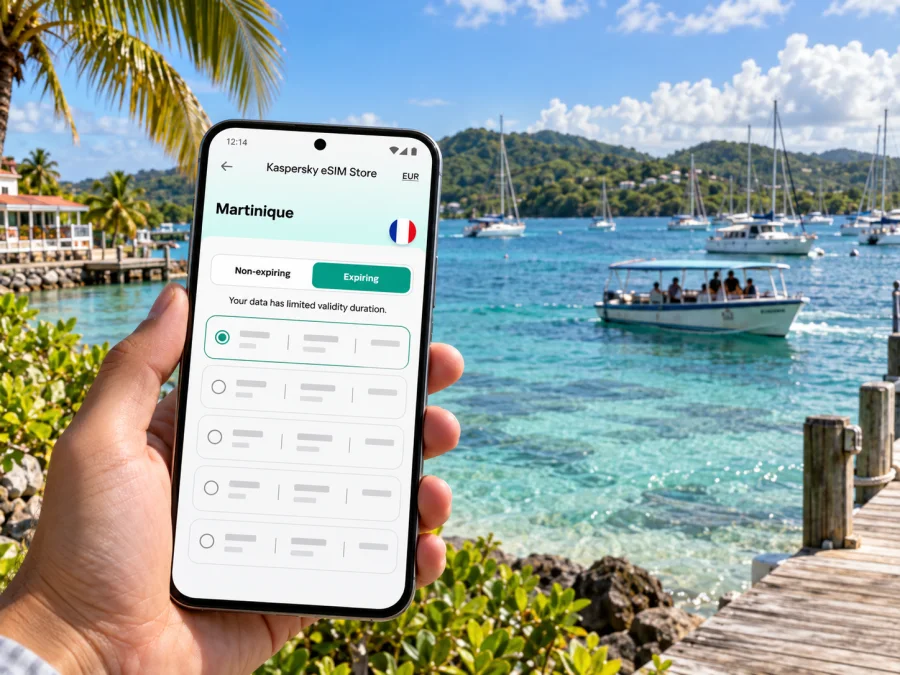
eSIM in Le François: mobile connection and internet for your trip
Le François is a coastal commune on Martinique’s Atlantic side, known for its small islets, shallow white-sand areas offshore and the historic Habitation Clément. A visit may combine a flight arrival, a drive across the island, time in the town, and a boat trip from the marina. Mobile data is useful at each transition: checking the route, confirming a booking, contacting your host and finding your way back after an excursion.
An eSIM can provide mobile internet without inserting another physical SIM card. Kaspersky eSIM Store is an app and website where you can choose, arrange and activate an eSIM with a suitable data plan for an international trip. Before choosing a plan for Le François, make sure its destination is Martinique, then check the included data, validity period and activation conditions.
First, identify the destination correctly
Le François is not a separate country or a district of mainland France. It is a commune in Martinique, a French territory in the Caribbean and an EU outermost region. This matters when you select a destination in an eSIM service: use the location explicitly listed in the plan’s terms. Do not assume a plan labelled “France” includes Martinique, or that a plan for a neighbouring island also applies here.
The wording on your home mobile plan can be just as important. Martinique’s relationship to France and the EU does not tell you whether your own carrier includes it in a particular roaming zone. Check the named destinations and roaming charges in your home plan, or ask the carrier directly. That small check helps avoid relying on a geographical assumption when you need maps or messages after landing.
| Your trip detail | What to confirm |
|---|---|
| Destination | The plan explicitly covers Martinique, not only metropolitan France or another Caribbean island. |
| Route | Whether the plan remains valid if you later travel to another territory or country. |
| Data | How much traffic is included and whether speed or hotspot use has conditions. |
| Validity | The number of days and the event that starts the validity period. |
| Device | eSIM support, carrier-unlocked status and the exact model variant. |
From the airport to Le François
International flights arrive at Martinique Aimé Césaire International Airport (FDF), located in Le Lamentin. Le François is farther east, so the onward journey is a cross-island road transfer rather than a walk from the terminal. If someone is collecting you, share your flight details and agree on a meeting point before takeoff. If you have booked a car or driver, save the reservation and address offline as well as in your email.
Keep the exact lodging address and access instructions in an offline note. Some stays are outside the central Bourg or down smaller roads; a map pin alone may not make the final turn obvious, especially after dark.
A simple arrival routine:
- Before departure, download an offline map of Martinique and save the airport, accommodation and first stop.
- Keep the host’s phone number and check-in instructions in a note, not only in a booking app.
- At the airport, connect to Wi-Fi if needed to complete an eSIM installation that you have postponed.
- Set the travel eSIM as the mobile-data line when you are ready to use it; keep your home line configured for calls or messages only if that suits your plan.
- Confirm the destination in your navigation app before the car starts moving, then use voice directions rather than looking at the screen while driving.
An eSIM is useful for directions and messages without searching for a physical SIM counter. It does not necessarily replace a local number: data-only plans may not include voice calls or SMS. Check how a host or excursion operator can reach you and agree on an alternative contact method.
Getting around the town and coast
Le François has a compact town centre, a wider rural commune and a coastline that opens onto islets and shallow offshore waters. Your day may move between the Bourg, a place to stay, Habitation Clément, the marina and a departure point for a sea excursion. Those stops are spread out enough that it is useful to plan each transfer, rather than assume every attraction is next door to the centre.
For driving, compare the route before setting off and note where you expect to park. If you have a driver, confirm the pickup location in words as well as by pin. “At the marina” can mean different entrances, so include the operator’s name or precise meeting point.
Public transport availability and schedules can change. Verify the current service, operating day and return option with the transport provider before relying on a bus. For a day combining a heritage visit and boat departure, ask your accommodation or excursion operator what transfer plan is realistic. Save a route screenshot and booking details; a charged power bank is useful when navigation and photos use the phone for hours.
The Bourg, the marina and the day’s plan
Start in the Bourg when you need everyday services, a meal or a quick orientation to the town. The familiar rhythm of a central street is different from a stay on the coast or among the hills: there may be more nearby services in town, while a quieter rental can mean longer drives and more reliance on accurate directions. Check the property’s exact address before booking transport, and ask whether the entrance is easy to identify after sunset.
The marina is a practical base for excursions toward the islets and Fonds Blancs, the shallow sandy areas off this Atlantic coast. Some trips leave from Pointe Bateau Marina du François. Save the operator’s current departure and meeting details, and agree how your group will meet if phones are out of reach.
Before leaving your accommodation, save the route, operator contact, ticket and return arrangements. At the marina, confirm the boarding point; during the trip, protect the phone from spray and keep it secured.
The Baignoire de Joséphine is a well-known offshore sandbank, not a beachside street or a place you can reach by car. Reaching the shallow areas involves a boat excursion. If your plan includes swimming, follow the skipper’s directions and local conditions; do not treat a navigation pin as a guarantee of safe water or a landing place.
Choose a data plan for your actual itinerary
Data needs depend on how you travel. Estimate your tasks, then compare the plan’s allowance and validity with the full Martinique portion of the trip:
- Light use: messaging, occasional maps, email and booking confirmations. Download maps in advance and limit background updates.
- Regular use: navigation, ride coordination, searches and photo sharing. Set backups and app updates to Wi-Fi where possible.
- Work or heavy sharing: video calls, cloud files or hotspot use. Check the plan’s allowance and hotspot conditions; they vary.
Check when validity begins. It may start at installation, first connection or activation, depending on the plan. Follow its conditions before installing or enabling mobile data.
When you are ready to compare options, choose an eSIM plan for Martinique and review its destination, data allowance, validity and conditions before completing the purchase. This is the relevant destination page for a trip to Le François; an individual town page is not needed to select a territory-specific plan.
Martinique’s network market and what it means for visitors
Martinique has its own mobile-network market. The French regulator ARCEP’s 2025 frequency authorisations for Martinique name Digicel AFG, Free Caraïbe, Orange and Outremer Telecom. That is useful context about operators authorised in the territory, but it does not tell you which network a particular travel eSIM will use, whether a named operator sells a compatible visitor plan, or what service is available at a specific address.
Check the destination and conditions shown for the eSIM, then review the provider’s current information for any network or coverage details. A domestic SIM from metropolitan France, a local Martinique offer and an international travel eSIM can have different activation and roaming arrangements.
Reception may vary between the Bourg, a hillside rental, the road and an offshore excursion. Keep meeting details offline and agree on a fallback plan if being reachable is important.
eSIM support depends on the exact device variant
A phone’s brand name or the country where you are travelling does not establish eSIM compatibility. Manufacturers may sell different hardware variants in different markets, and carrier-lock status can prevent another provider’s profile from being used. For example, Apple documents eSIM differences for some iPhone models sold in mainland China, Hong Kong and Macao. This does not mean Martinique has a special phone variant; it means the model and market of sale matter when you check whether your device can install an eSIM.
Before purchase, find the exact model or model number in your phone’s settings or on its packaging. Confirm that the device supports eSIM, is not locked to a carrier, and can use a data profile while travelling. If you are travelling with a tablet, smartwatch or a second handset, check that device separately instead of assuming support carries across a product family. Check your device’s eSIM compatibility before you choose a plan.
If you need your usual number for calls or verification, review its roaming terms. After setup, check that the travel eSIM is selected for data and that the home SIM is not using roaming data unintentionally.
Install and activate before the first drive
Set up over reliable Wi-Fi if that suits the plan’s validity conditions. Keep the order or QR code accessible, or use the supported in-app flow. Do not delete a profile if it fails to connect; first check its status and instructions.
- Confirm the plan covers Martinique and note when validity starts.
- Add the eSIM through cellular settings or the supported app flow.
- Label it “Martinique data” to distinguish it from your home line.
- When ready, select it for mobile data and follow any instruction about data roaming.
- Open a webpage or messaging app to confirm access before setting off.
For step-by-step help, see the Android eSIM installation guide or the iOS eSIM installation guide. The exact menu names may vary with the operating-system version. If the profile installs but data does not work, check that the travel profile is enabled, selected for mobile data and configured according to its plan instructions; then contact support with the order and device details.
An eSIM data plan generally provides mobile internet, not a replacement mobile number. If calls or SMS are important, confirm what the selected plan includes and keep your primary number available if its roaming terms suit you. Internet-based calls and messages may work through apps when data access is available, but they depend on the app, account and connection.
Keep essentials available offline
Before a boat trip or longer drive, save the accommodation address, transfer booking, marina and operator details, departure time, key phone numbers and an offline map. Keep the phone secured in a waterproof pouch near the sea and out of direct sun. Carry a power bank if you will navigate for hours; drivers should set a route before moving and stop safely before making changes.
For work calls or large uploads, plan around the accommodation’s Wi-Fi and check the eSIM’s hotspot terms. A rental, a marina and an offshore boat are different settings, so avoid relying on one connection for every task.
Common travel scenarios
Late arrival: save the address, host instructions and transfer contact. If the eSIM is installed, check the data line after landing; if not, consider Wi-Fi setup only after checking when validity starts.
Boat day: save the operator’s instructions and ticket, agree on pickup arrangements and tell your accommodation when you expect to return. Do not make the group’s only meeting plan depend on a live message.
Remote work: ask the host about Wi-Fi if calls or uploads are essential. Treat mobile data as a backup only after checking the allowance and hotspot terms; save important files locally.
A short pre-departure checklist
- [ ] Confirm Martinique, data allowance, validity, price and activation conditions.
- [ ] Check exact device variant, eSIM support and carrier-lock status.
- [ ] Save transfer, accommodation and excursion details offline.
- [ ] Download a map and verify transport arrangements.
- [ ] Know which line is selected for data and how to contact your host.
Frequently asked questions
Is Le François a separate eSIM destination from Martinique?
Le François is a commune in Martinique. Choose a plan whose terms explicitly include Martinique; the town itself does not require a separate country plan. If you later travel beyond Martinique, check whether those additional destinations are included.
Does a France plan automatically cover Le François?
Do not assume that it does. Martinique is a French territory in the Caribbean, and plan labels can describe different territories or roaming zones. Check the named destination and conditions in the plan before purchase.
Which mobile operator will a travel eSIM use?
That depends on the specific product and its current arrangements. ARCEP’s authorisations show several operators in Martinique, but that list does not identify the network used by every travel eSIM. Review the selected plan’s own network and coverage information.
Will my phone support eSIM in Martinique?
The destination does not determine the phone’s eSIM capability. Check the exact model and its sales-region variant, verify that it is carrier-unlocked, and use the compatibility check before purchasing.
Can I call or text with a travel eSIM?
Many travel eSIM plans are data-focused and do not provide a regular local phone number, voice calls or SMS. Check the selected plan’s terms. You can use internet-based calling or messaging apps when you have data and the relevant app account.
Should I install the eSIM before leaving?
Installing over reliable Wi-Fi can be convenient, but first check whether installation starts the plan’s validity. Some products begin validity at a different event, such as first connection or activation. Follow the conditions displayed for your chosen plan.
Can I rely on mobile data while offshore?
Treat data service on a boat or around the islets as uncertain. Save the route, booking and meeting details offline, and agree on a contact and pickup plan before departure.
Prepare your mobile connection for Le François
A smooth visit starts with a few details checked in advance: Martinique as the plan destination, the right eSIM for your exact phone, an understood activation window, and offline copies of the airport, lodging and marina information. That preparation keeps the phone useful for navigation and coordination without making the trip depend on a single live connection.
Use Kaspersky eSIM Store on the website or in the app to review the available destination options and choose a suitable plan for your itinerary. Select an eSIM plan for Martinique, check its terms, then install and activate the profile on a compatible, unlocked device when the timing is right for your trip.


