Travel connectivity guide
Le Gosier eSIM: Mobile Internet in Guadeloupe
Le Gosier eSIM: mobile connection and internet for your trip
Le Gosier is a practical base for a Guadeloupe trip: you can move between a beach day, the marina, Pointe-à-Pitre and other parts of Grande-Terre without treating every outing as a separate journey. A reliable mobile data plan helps with maps, directions, ride coordination, opening hours, messages and last-minute changes. An eSIM can make that planning simpler by letting you prepare a digital SIM profile before you travel, subject to your device and the selected plan’s conditions.
This guide focuses on using mobile internet in Le Gosier: arriving through Pointe-à-Pitre airport, choosing where to stay, getting around the commune, visiting the coast and planning trips farther afield. It also explains what to verify before buying or activating an eSIM. Local coverage and service conditions can vary by place, provider, device and plan, so treat connectivity as something to prepare for rather than a guarantee at every beach, road or building.
First, place Le Gosier on the map
Le Gosier is a commune on the southern coast of Grande-Terre, close to Pointe-à-Pitre. It is part of Guadeloupe, a French overseas department and region in the Caribbean. Guadeloupe is also an EU outermost region; that administrative status does not by itself tell you what your home mobile operator will charge for roaming or which eSIM plan includes the destination. Confirm the exact destination and terms in your own plan before you travel.
The distinction is useful when choosing connectivity. A tariff labelled for France may not necessarily describe the same coverage or conditions as one that explicitly lists Guadeloupe. Look for Guadeloupe by name in the included destinations, check any regional package wording, and contact the provider if the listing is unclear. Don’t infer coverage from the fact that Guadeloupe is politically part of France or geographically in the Caribbean.
The main arrival gateway is Pointe-à-Pitre International Airport (PTP), also known as Guadeloupe Maryse Condé Airport, in Les Abymes. Le Gosier is nearby, but the airport is not within the commune. Once you land, your onward trip may involve a rental car, taxi or bus, depending on your arrival time, luggage and accommodation. Save the hotel address and directions before boarding; mobile access at the airport or during the trip should not be your only copy of essential details.
Where mobile internet helps in Le Gosier
Le Gosier’s points of interest are spread across a coastal and urban area rather than gathered in one pedestrian centre. Mobile data can help you locate beach access, message a host, find the marina, check a route to Pointe-à-Pitre or coordinate a return after dinner. It is useful for maps, opening information, translations and app-based calls, but confirm time-sensitive details directly with a venue or transport provider.
Typical uses include:
- Airport arrival: open your booking, arrange a pickup and share your arrival time.
- Moving around: navigate between the waterfront, central Le Gosier, Pointe de la Verdure, the marina and nearby Pointe-à-Pitre.
- Beach and boat trips: check the meeting point and coordinate with companions.
- Work travel: use maps, email and messaging while keeping another option for important calls.
- Day trips: save routes and addresses before leaving familiar roads.
A travel eSIM focused on data may support messaging and internet calls, but it may not include a standard phone number, voice calls or SMS. Keep your usual number available for services that require it and check your home SIM’s roaming settings and charges.
Arrival from Pointe-à-Pitre airport
The main arrival gateway is Pointe-à-Pitre International Airport (PTP), also known as Guadeloupe Maryse Condé Airport, in Les Abymes. It is close to Le Gosier but outside the commune. Before boarding, save your accommodation’s full address, a map pin and onward directions. Agree on a pickup point with your driver or host and keep a booking confirmation available offline.
The airport lists a Karulis bus stop in the P4 bus parking area, with services including AE1, AE3, AE4 and AE5. Routes and schedules can change, and an airport bus may not take you to your exact address. Check current local information for your travel date, verify the route’s destination and plan an onward connection if needed. Do not rely on a remembered route number or old timetable.
If you rent a car, download the map area, write down the address and charge your phone before setting out. For a taxi or transfer, confirm the destination and fare with the service. After landing, check that the correct eSIM line is selected for data; registration may take time and depends on the profile, device and local network conditions.
Getting around town and choosing a base
Le Gosier has several useful bases rather than one single visitor centre. The central town and La Datcha put you near the waterfront and boat crossings to Îlet du Gosier. Pointe de la Verdure is associated with coastal hotels, while the marina is a reference point for restaurants and excursions. A residential or inland address may offer a quieter stay but require more planning for meals and transport.
Choose by exact address, not by neighbourhood name alone. Check walking distances to planned visits, property Wi-Fi, arrival arrangements after dark and transport at the times you need it. A short map distance can still mean a steep route or limited sidewalks; ask your host about the last mile if access matters.
| Base | Useful for | Confirm before booking |
|---|---|---|
| La Datcha / waterfront | Beach access and islet crossings | Walking route, boat times and return plan |
| Pointe de la Verdure | Hotels and coastal paths | Distance to shops and the town centre |
| Marina | Excursions and dining | Exact dock and departure details |
| Inland address | A quieter residential stay | Road access and late transport |
This is a planning guide, not a live directory. Hours, routes and excursions can change; confirm details close to your visit and keep an alternative meeting point.
Beaches, Îlet du Gosier and the marina
La Datcha is a well-known waterfront reference point, with views toward Îlet du Gosier. The islet is reached by water. The Guadeloupe tourism board describes a shuttle from La Datcha and other crossing options, but schedules and fares can change. Check current local information before planning around a specific departure or return.
Before leaving your accommodation, save the meeting point, booking details and operator contact. Bring a charged phone, protective case and any payment method the operator requires. Do not assume that mobile service will be identical on the coast, aboard a boat and on the islet. Pack water, take your waste back with you and follow local guidance on swimming, boats, wildlife and reef care. Use an established crossing arrangement rather than attempting a swim because the shore looks close.
At the marina, save the excursion provider’s name, exact dock or meeting point and a contact method. If weather or your arrival time changes, contact the operator. A data eSIM can support app-based messaging, but it does not automatically provide ordinary calls or SMS.
Choosing an eSIM for a Le Gosier trip
Start with your itinerary. If you will stay in Le Gosier and make trips around Guadeloupe, choose a plan whose included destinations cover those places. If you continue to another island or territory, check each destination separately. A regional package name such as “Caribbean” does not prove that every island is included.
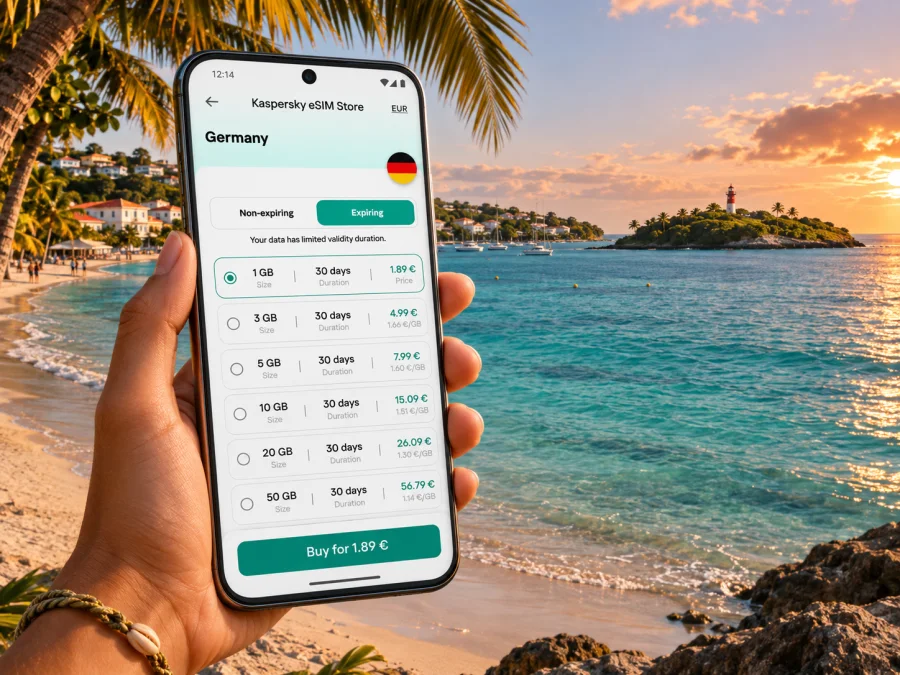
You can review eSIM options for Guadeloupe and compare the displayed destination and terms. Kaspersky eSIM Store is an app and website that helps you select, arrange and activate an eSIM with a suitable plan for mobile internet while travelling abroad. Availability and package terms depend on the specific option shown; read them before purchase.
Choose data based on expected use. Maps, messaging and email usually require less data than frequent video calls, large uploads or streaming. Accommodation Wi-Fi may reduce mobile use but should not be assumed available throughout the day. Remote workers should estimate daily usage and identify tasks that can wait for Wi-Fi.
Before paying, verify:
- Destination: Guadeloupe is explicitly included, or the region’s destination list is clear.
- Data and validity: allowance suits your use and the active period covers your stay.
- Start rule: know whether validity begins at purchase, installation or first connection.
- Limits: review hotspot, fair-use, speed and top-up conditions if stated.
- Service type: do not assume the plan includes a phone number, calls or SMS.
- Transfer and refund terms: check what applies if the profile is installed or used.
Choose for the actual route and expected use, not a vague promise. If a key condition is unclear, ask support or select an option with clear terms before paying.
Check your device before purchase
An eSIM is a digital SIM profile, but device support is not universal. Some phone models have different regional variants, and a device can also be locked to a home carrier even when its hardware supports eSIM. Check the exact model number and local variant, confirm that the phone is unlocked, and verify that it can add an eSIM in its cellular settings. Check whether your device is compatible before choosing a plan.
If you use dual SIM, decide which line will handle mobile data and which will remain available for your usual number. Turning off data roaming on your primary line may help avoid unexpected charges, but settings vary by device and provider. Some travel eSIMs require data roaming to be enabled for that specific eSIM; follow the instructions for the selected plan and avoid changing settings on the wrong line.
Compatibility checklist:
- Identify the exact model and regional version of your phone.
- Confirm eSIM support in the manufacturer’s guidance or device settings.
- Check that the phone is not carrier-locked.
- Update the operating system if the manufacturer recommends it.
- Make sure you can access Wi-Fi or another internet connection during installation.
- Keep the QR code or activation details available on another screen or device if needed.
- Review whether the eSIM profile can be transferred or reinstalled; do not assume it can.
Install before departure, activate for the trip
Install the profile while you have stable internet and enough time, if the plan’s rules allow installation without starting validity early. Installation and activation may be separate events; read the plan conditions first. Follow the Android eSIM installation guide or iPhone eSIM installation guide for device-specific steps.
- Check the plan and phone. Confirm Guadeloupe coverage, validity, data allowance, compatibility and unlock status.
- Prepare Wi-Fi and details. Keep the QR code or activation information accessible during setup.
- Add the profile. Follow the phone prompts or plan instructions; do not delete it as a troubleshooting shortcut.
- Label the line. Use a clear name such as “Guadeloupe data.”
- Select mobile data. Choose the travel eSIM when you want to use it; keep calls and SMS settings deliberate.
- Activate at the right time. Follow the stated trigger and enable data roaming for this eSIM only if instructed.
- Test calmly. Allow time for registration, then check a simple page or map. If it fails, verify the selected line and plan status before seeking help.
If installing after arrival, keep account access and the QR code available without relying on mobile data from the same phone. A second screen can help if the handset needs to scan the code. Do not remove an installed profile unless support says it can be safely reinstalled.
Prepare for day trips and short stays
Le Gosier is often one stop in a wider Guadeloupe itinerary. Before travelling to another town, beach or ferry terminal, check whether your eSIM covers the route and download maps, reservations and key addresses. Save enough battery for navigation and keep the accommodation address in a format you can show a driver.
For a one-day visit, offline materials and accommodation Wi-Fi may reduce mobile data use. For a longer stay or remote work, estimate typical daily use and save large uploads or software updates for Wi-Fi where practical. A short airport stop has different needs: keep departure details, pickup points and essential contacts accessible offline. Check when validity starts; a plan that activates at installation may not suit a brief stop if you need data later.
Troubleshooting when the phone is offline
If the profile appears installed but data does not work, check these points before reinstalling:
- Is the eSIM enabled and selected for mobile data?
- Is the plan active, in date and inclusive of Guadeloupe?
- Does its guidance require data roaming on that profile?
- Is there data remaining, and has the phone had time to register?
- Does the connection improve in another location?
If there is still no service, connect to Wi-Fi and contact support with your phone model, location, plan status and steps tried. One room or beach with weak service does not prove the eSIM is unusable elsewhere; successful service in town does not guarantee the same result on every road or offshore. Keep offline directions and booking details as backups.
Frequently asked questions
Is Le Gosier in France or in the Caribbean?
Le Gosier is in Guadeloupe, in the Caribbean. Guadeloupe is a French overseas department and region and an EU outermost region. Check the exact destination and terms on your home operator’s roaming plan or the travel eSIM plan; administrative status alone does not determine commercial conditions.
Will a France eSIM automatically work in Le Gosier?
Do not assume so from the label. Review the included destinations and confirm that Guadeloupe is covered. Ask the provider before purchase if the listing is unclear.
Can I rely on mobile internet at La Datcha or Îlet du Gosier?
Service can vary by location and conditions. Download directions and bookings in advance, protect your phone from water and keep a return plan that does not depend only on live mobile data.
Does a travel eSIM give me a phone number?
Not necessarily. Many travel eSIMs are data-focused and do not include standard calls or SMS unless the plan says otherwise. Use internet calling or messaging apps and keep your usual number available if needed.
Should I install before flying?
Installing over stable Wi-Fi is often convenient if the plan’s rules let you do so without starting validity too early. Read the activation conditions and select the travel eSIM for data when you intend to use it.
Do I need a car in Le Gosier?
Not for every itinerary. A stay near the waterfront may suit beach and dining plans; a car can make longer outings easier. Compare your accommodation address, transport schedule and planned visits.
A simple connectivity plan for Le Gosier
Before travelling, save your accommodation address, review airport transport and confirm that the eSIM destination includes Guadeloupe. Compare data allowance and validity with your itinerary, check phone compatibility, and keep essential bookings available offline. During your stay, use mobile data for maps and messages while treating service as location-dependent. Wi-Fi and offline materials are useful backups for beaches, boat trips and longer drives.
Choose an eSIM plan for your trip
Use Kaspersky eSIM Store on the app or website to review the conditions and choose an eSIM option for Guadeloupe that fits your route, data needs and stay. Check compatibility before purchase, follow the device installation instructions and activate the plan according to its stated rules.


