Travel connectivity guide
Leeds eSIM: mobile internet for your city trip
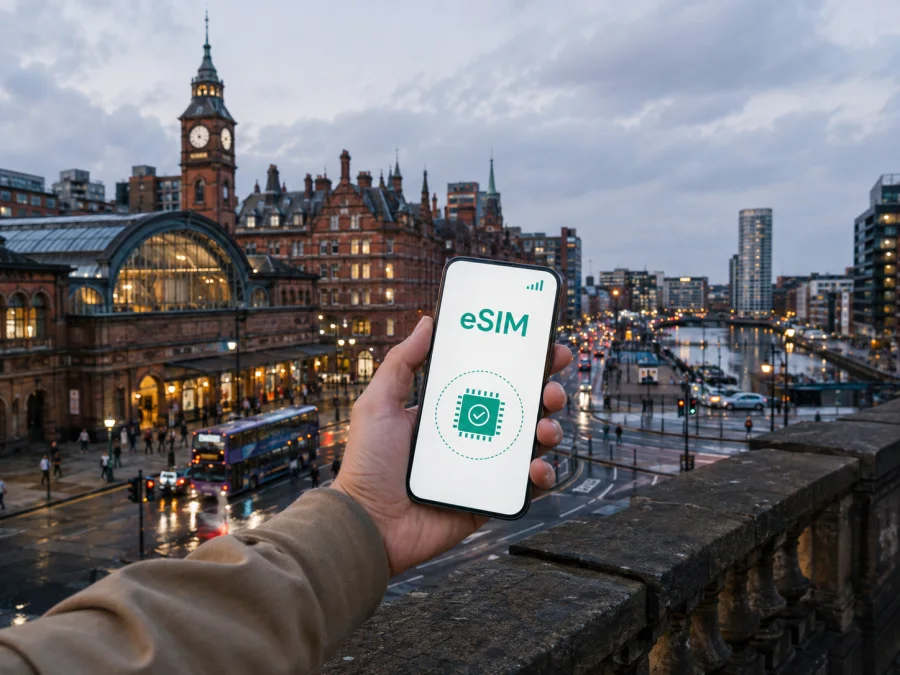
Leeds eSIM: mobile connection and internet for a city trip
Leeds is a practical base for exploring West Yorkshire, a lively destination for shopping and culture, and a frequent stop for meetings, events and university visits. A reliable mobile connection helps with the first journey from the airport, walking directions, train information, hotel messages and day-to-day decisions. An eSIM can give you mobile internet in the United Kingdom without replacing your physical SIM card.
Kaspersky eSIM Store is an app and website where you can choose, arrange and activate an eSIM with a suitable plan for mobile data during an overseas trip. You can prepare before leaving or complete the process after arrival, provided your device is compatible and you have the information needed for installation. The right choice depends on your itinerary, the amount of data you expect to use and the plan conditions shown at the time of purchase.
Why an eSIM can be useful in Leeds
Leeds rewards independent navigation. The station, waterfront, shopping streets, university area and suburbs create a changing pattern of short trips.
On arrival, you may need to:
- check the route from Leeds Bradford Airport to your accommodation;
- message a host, hotel reception or colleague;
- check a bus, train or taxi option;
- open a booking, ticket or event confirmation;
- find the right entrance in a station, venue or office building.
The benefit is not limited to sightseeing. A business traveller may need maps between a hotel and a meeting near the city centre, a student may need directions to a campus building, and a visitor on a short stopover may want to make the most of a few hours without first looking for a physical SIM. An eSIM keeps the travel data arrangement separate from the practical work of getting around Leeds.
A simple answer for a common travel question
An eSIM for Leeds is a digital SIM profile used to access mobile data in the United Kingdom on a compatible, unlocked device. It can support maps, messaging, travel services, work tools and browsing, but it does not automatically provide a regular phone number. Voice calls and SMS are not included unless the particular plan says otherwise; internet-based messaging and calling apps can be used when their requirements are met.
That distinction matters if your accommodation or employer expects a normal telephone call. Keep your regular SIM for the number you already use and decide which line should handle mobile data in Leeds.
Arrival in Leeds: prepare for the first hour
Many visitors arrive through Leeds Bradford Airport, then continue towards the city by a pre-arranged transfer, public transport or taxi. A practical data setup is one that fits your timing. If you install the eSIM before departure, you can deal with the technical steps at home, where you have time and access to another screen if the QR code is delivered separately. If you wait until landing, arrange access to Wi-Fi for the setup stage.
Before leaving, save the details you may need offline:
- The full name and address of your hotel, apartment or meeting venue.
- The arrival instructions supplied by the accommodation.
- Your booking references and any essential ticket information.
- A broad outline of the route from the airport to the first stop.
- The support details associated with your eSIM purchase.
Moving around the city: where mobile data helps most
Leeds station, the centre and the waterfront
Leeds railway station is a useful anchor for arrivals by train and for travellers connecting to other towns. From there, you may walk towards the central shopping area, Leeds Dock or a hotel and meeting venue. Mobile data helps you confirm the correct station exit, find an address, check a travel update and message someone if an appointment changes. Pause outside the station to match the map with the street: large buildings, crossings and one-way roads can make a short route less direct than it appears on screen.
The waterfront and Leeds Dock combine accommodation, offices, food venues and cultural stops. If your route includes Holbeck or the streets south of the centre, allow for bridges, rail lines and major roads. Keep the full address in a note as well as in the map app.
Headingley, Chapel Allerton, Roundhay and Kirkstall
Leeds is more than its central streets. Headingley, Chapel Allerton, Roundhay and Kirkstall create different travel patterns, from a bus-to-walking change to a late return. Search with both Leeds and the neighbourhood name, confirm the final walking section, and plan the return route before setting out. The eSIM supports these decisions; check the transport information for your actual journey.
Practical takeaway: In Leeds, the most valuable data moments are usually the transitions—airport to accommodation, station to street, city centre to neighbourhood, and local visit to return route. Plan for those moments rather than estimating use from sightseeing time alone.
Choosing a plan for a Leeds itinerary
Start with the route, not a generic number of gigabytes. A weekend, a week of meetings and a longer stay in Leeds have different data patterns. The plan should cover the United Kingdom, and its validity should fit the period when you expect to use it.
Use this decision guide:
| Travel pattern | Likely data activity | What to examine |
|---|---|---|
| Short stopover | Directions, messages, tickets and a few searches | Short validity, modest data allowance and the activation condition |
| Weekend in Leeds | Maps, bookings, photos, social apps and local transport checks | Enough data for navigation plus normal personal use |
| Business visit | Video calls, email, file access, maps and messaging | Allowance, hotspot rules, validity and whether work apps may use background data |
| Longer stay | Regular navigation, media, updates and several onward trips | Longer validity, top-up terms and how the balance is managed |
| Leeds plus other UK cities | Trains, maps, accommodation changes and repeated route planning | Country or regional scope and the exact places included in the selected plan |
The table is a planning framework, not a promise about any specific package. Review the current allowance, validity, price, destination, supported service and activation rules shown for the plan you select. Light use may be directions, messages and email; moderate use adds frequent maps, photo sharing and social media; heavy use includes video meetings, cloud files, streaming, tethering or large updates.
Video meetings, streaming and automatic backups can consume data faster than map searches. Limit background updates and large uploads over mobile data when convenient.
When the itinerary includes York, Harrogate, Sheffield, Manchester or another destination after Leeds, check the plan’s geographic scope and validity rather than assuming every regional product has identical terms.
If you are ready to compare options, you can choose an eSIM plan for a trip to Leeds. Review the United Kingdom conditions and match allowance and validity to your arrival date, time in Leeds and onward travel.
Compatibility and preparation before purchase
Before choosing an eSIM for Leeds, check whether your device supports eSIM. The phone or tablet must support the technology, and it may also need to be unlocked for use with another mobile service. Models with the same product name can differ by market or hardware version, so verify the exact device rather than relying on a general list.
Also check the following:
- you can access the purchase information or QR code when installation begins;
- your device has enough battery and a stable internet connection for setup;
- the selected plan covers the United Kingdom and has a suitable validity period;
- you understand when the validity or data use begins;
- the plan’s hotspot, top-up and refund terms match your expectations;
- you know how to contact support if activation does not complete as expected.
An eSIM is normally used for mobile data, so regular calls and SMS remain tied to the line and plan that support them unless the selected conditions state otherwise. If you need two lines, label them clearly—for example, “home” and “Leeds data”.
How to install an eSIM for Leeds
Install when you have a compatible device, an internet connection and the QR code or profile details supplied after the order. For the correct menu names, follow the Android eSIM installation instructions or follow the iOS eSIM installation instructions.
1. Check the prerequisites
Confirm eSIM support, operator-unlock status and sufficient battery. Keep your regular SIM active if you need its number.
2. Choose the destination plan
Select the United Kingdom and review allowance, validity, price and activation condition. Confirm that any route beyond Leeds fits the selected scope.
3. Complete the order
Complete payment through the available purchase flow. Keep the confirmation accessible for the QR code or installation details.
4. Add the eSIM profile
Open mobile-network settings, choose to add an eSIM, and scan the QR code or enter the requested details.
5. Select the data line
Set the travel eSIM as the line for mobile data. Check that the home line is not selected by accident.
6. Enable roaming data when required
Some plans or devices may require data roaming for the eSIM. Follow the plan instructions and change the setting on the intended line only.
7. Test the connection
Open a map or send a message after the profile is active. Connection can take a few minutes. Follow the activation conditions if you want to use the plan later.
If the connection does not appear, check the data line, signal settings, roaming setting and plan status. Restarting may help, but do not delete the profile without guidance. An activated eSIM may not be transferable to another device, depending on its conditions.
Three Leeds travel scenarios
The first-time visitor
You land and need to reach a hotel near the centre. Install the eSIM before the trip if convenient, save the address, select the travel line for data and message the hotel if arrival details change.
The business traveller
You arrive by train, walk to a meeting and answer messages between appointments. Choose terms for email, maps and work tools, check hotspot rules before connecting a laptop, and confirm the data line before a video call.
The Leeds stopover with an onward trip
You have part of a day before continuing elsewhere in the United Kingdom. Make the station your anchor, check the next departure and allow time to walk back. Use the eSIM for maps and ticket access, while keeping key booking details offline. Verify that validity and destination scope fit the whole itinerary.
FAQ about using an eSIM in Leeds
Does the eSIM include a UK phone number?
Not normally. An eSIM plan for mobile internet is not automatically a telephone service. Voice calls and SMS are included only if the selected plan says so; otherwise use internet-based messaging or retain your usual calling arrangement.
Should I install the eSIM before flying to Leeds?
Installing before departure can simplify arrival, because you have time to read the instructions. You can wait until arrival if the plan permits it and you have a reliable connection. Follow the activation condition so validity begins when intended.
Do I need to turn on data roaming?
Sometimes. Certain devices or plans may require roaming data for the travel profile. Enable it only for the intended eSIM and check the plan instructions; keep the home line’s setting under control to avoid unintended charges.
What should I do if the eSIM does not activate?
Check eSIM compatibility, operator lock, active data line, internet connection and roaming setting where required. Restarting may help, but do not remove the profile without guidance. If the problem remains, use the support route supplied with your purchase.
A calm checklist for your Leeds departure
- [ ] Confirm the exact device model supports eSIM and is unlocked.
- [ ] Choose a United Kingdom plan with suitable allowance and validity.
- [ ] Read when the plan starts and when data begins to be used.
- [ ] Keep the QR code or profile details accessible.
- [ ] Save your Leeds accommodation and first destination offline.
- [ ] Install the eSIM with a stable connection if you want to be ready on arrival.
- [ ] Label the home and travel lines.
- [ ] Decide which line handles mobile data.
- [ ] Check whether data roaming is needed for the travel eSIM.
For most visitors, the goal is modest: open a map outside the airport or station, reach the first address, stay in touch and manage the rest of the day as plans change. A suitable eSIM choice is one whose destination, validity, allowance and conditions make sense for your actual Leeds itinerary.
Prepare your mobile internet for Leeds
Kaspersky eSIM Store helps you choose, arrange and activate an eSIM plan for mobile data during an overseas trip. Review the United Kingdom options, check your device, select a plan for the time you will spend in Leeds and install it when the conditions are right. If you are ready to plan ahead, review the eSIM options for the United Kingdom, then keep the confirmation available for your journey.
With the technical steps handled before departure, your attention can stay on the city: the route from Leeds station, a meeting near the centre, an evening around Leeds Dock, a walk in Roundhay or the next train out of town. Use mobile data thoughtfully, keep the plan conditions in view and let the eSIM support the practical parts of your trip.


