Travel connectivity guide
Leiden eSIM: mobile internet and connection guide
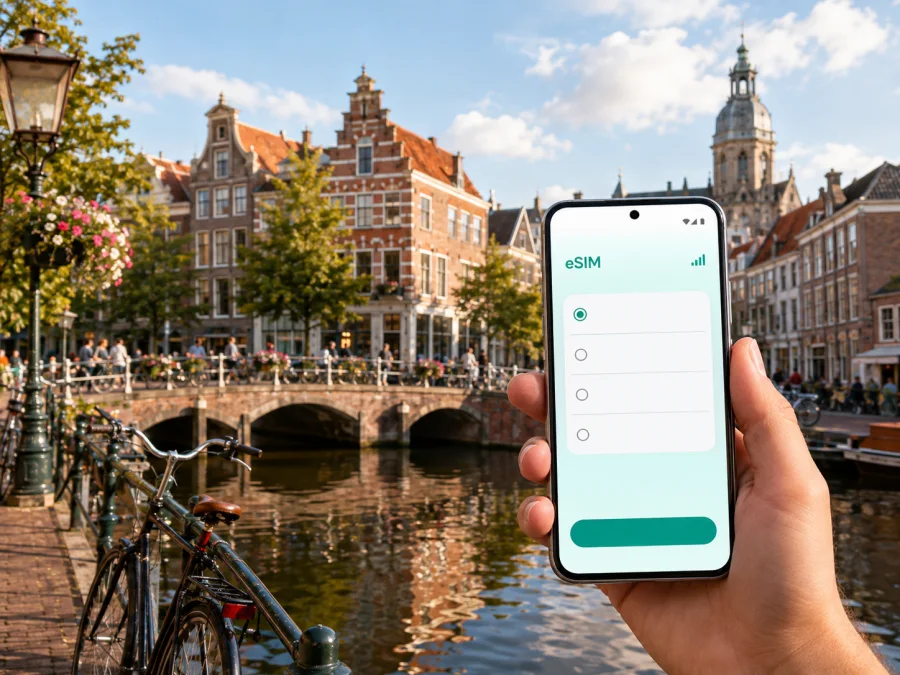
Leiden eSIM: reliable mobile connection and internet for your trip
Leiden is a Dutch city where a working data connection is useful from the first minutes after arrival. You may need to find the right route from Leiden Centraal, message a hotel, check a train, locate a university building or adjust a walking plan when the weather changes.
Kaspersky eSIM Store is an app and website where you can choose, arrange and activate an eSIM with a suitable tariff for mobile internet during an international trip. You review the destination, traffic allowance, validity period and other conditions, then install the eSIM on a compatible device. For Leiden, the relevant country destination is the Netherlands, even when your data use is concentrated in one city.
When an eSIM can help in Leiden
Leiden’s historic centre combines canals, bridges, pedestrian areas, cycle routes and narrow streets. A route that looks simple may change depending on whether you are walking with luggage, cycling, taking a bus or trying to reach an exact building entrance. Mobile data is useful for maps, booking confirmations, messages and transport updates when public Wi‑Fi is not available.
Typical city situations include:
- Arrival: confirm the hotel address, contact your host and choose a route from the station.
- Transport: compare walking, cycling, bus and train options between Leiden Centraal, the centre, the university area and nearby destinations.
- Sightseeing: navigate between the Burcht, Rapenburg, Pieterskwartier, Nieuwe Rijn and museums without repeatedly searching for Wi‑Fi.
- Business travel: reach the Bio Science Park or a university building, open a calendar and message a colleague if plans change.
- A short stopover: save a few hours for a walk, keep an eye on the return train and shorten the route if luggage or rain becomes a problem.
- Everyday communication: use internet messaging for accommodation, family and work updates. The eSIM is intended for mobile internet and is not automatically a separate phone number.
Arriving in Leiden: prepare the first hour
Visitors arriving by air commonly enter the Netherlands through Amsterdam Airport Schiphol and continue by train or an arranged transfer. Others reach Leiden from another Dutch city by rail. The first hour is easier when the essential information is already in the phone rather than waiting for a café or hotel network.
Before departure, save the accommodation address and check-in details, your arrival station or meeting point, booking screenshots, access instructions and the first address you need in Leiden.
At Leiden Centraal, use the connection to check the final route and decide whether walking, cycling, a bus or a taxi suits your luggage and timing. If someone is meeting you, send a message when you reach a clear landmark. For an early arrival or late departure, compare the direct route with one that avoids unnecessary changes; cobbled streets and narrow pavements can be less convenient with a suitcase.
Arrival checklist
- [ ] The travel eSIM is installed and the home line remains available if you need it.
- [ ] You know which line handles mobile data.
- [ ] The hotel or host address is saved offline.
- [ ] The route from Leiden Centraal has been checked for luggage and transport changes.
- [ ] Your ticket, booking code and meeting address can be opened without searching online.
Getting around: walking, cycling, buses and trains
Walking suits many central routes, while a bicycle can be practical for longer journeys and places beyond the old core. Buses are useful when weather, luggage or a tight schedule makes cycling less convenient. Leiden Centraal also makes the city a useful stop on a wider Netherlands itinerary.
Use mobile data for decisions that change during the day: a house number, a building entrance, a bridge crossing, a platform change or an alternative route. Set a cycling route before you start, use voice guidance where appropriate and stop safely before looking at the screen. Mobile internet helps with navigation but does not replace attention to cyclists, pedestrians and traffic.
| Leiden situation | Check on your phone | Prepare in advance |
|---|---|---|
| Walking through the centre | Street name, bridge crossings and opening information | Save key addresses and allow time for detours |
| Travelling with luggage | Transfers, walking distance and the final entrance | Keep the accommodation address visible offline |
| Cycling across town | A cycle-friendly route and parking point | Charge the phone and carry a power bank |
| Reaching a meeting | Building entrance, arrival time and messages | Save the organisation and contact name |
| Continuing by train | Current departure details and platform changes | Keep the next destination and ticket together |
Check live transport information because timetables and disruptions can change. For other Dutch cities or countries, confirm that the tariff’s country or regional scope covers the full route.
Districts, landmarks and business areas
Historic centre and canals
The area around the Burcht, Pieterskwartier, Rapenburg and Nieuwe Rijn works well for several short walks. Save the places you most want to see, then use the map for the links between them. Canal-side routes are attractive but not always direct, so check whether a route is intended for pedestrians or bicycles.
Museums and university buildings
Leiden’s museums include Naturalis, Museum De Lakenhal, Rijksmuseum Boerhaave and the Hortus botanicus. Check each address and opening information before leaving, and confirm the exact building and entrance for a lecture, conference or campus meeting. Keep Leiden Centraal as a reference point when planning a train change or meeting.
Bio Science Park and work trips
Business visitors may spend more time near the Bio Science Park or university buildings than in the old centre. The main data tasks are precise navigation, two-factor verification, email, calendar updates, document access and communication with the host. Download large files on a trusted connection when possible and reserve mobile data for messages, maps and changed meeting details.
Keep work safeguards separate from travel convenience: use a screen lock, store sensitive files in approved tools and follow your organisation’s rules. An eSIM can reduce dependence on open public Wi‑Fi, but it is not a replacement for those rules.
Hotels and accommodation planning
Leiden has accommodation near the station and canals as well as farther from the old centre. A station-area stay can simplify an early departure, a central stay can shorten evening walks, and a location near a university or business venue may reduce cross-town travel. Compare the address with your itinerary.
Before the trip, check the route to Leiden Centraal, late-arrival arrangements, luggage access, reception hours and the exact entrance. A mobile connection is particularly useful when the map pin is correct but the doorway is on another street or behind a courtyard.
Store the property address, check-in instructions, reservation reference, access details, late-arrival contact and route from the station or transfer point.
If your phone supports dual SIM, decide which line handles data and whether the home line should remain available. Do not assume that an eSIM includes a local phone number. Ordinary calls and SMS are not included unless the selected tariff says otherwise; internet messaging and calling apps can be used when appropriate.
How to choose a tariff for a Leiden trip
Choose for the complete journey, not only for the city where you sleep. A Leiden visit may include the airport, another Dutch city, a day trip or a return connection. Start with the tariff’s destination or regional scope, then compare validity and traffic with your expected use.
A six-step selection method
- Map the route. Note every place where you will need maps, messages or work access.
- Estimate the pattern. Navigation and messaging differ from frequent video calls, hotspot use or media uploads.
- Check validity. Confirm that the period fits your travel dates and understand when it begins.
- Read the conditions. Review destination, traffic, expiry, activation, top-up and refund information.
- Check the phone. Confirm eSIM support and that the device is not operator-locked.
- Choose the installation moment. Prepare before departure or install after arrival according to the tariff instructions and your access to a stable connection.
For a city break, maps and messages may be the main need. For work, allow for meetings and files, and use hotspot only if the tariff permits it. For a longer itinerary, consider a regional option only when its scope matches every destination.
Choose an eSIM tariff for your trip to the Netherlands after checking the route, validity, traffic allowance and conditions relevant to Leiden. The Kaspersky eSIM Store app and website help you review, arrange and prepare activation of the selected eSIM tariff; they are not a mobile operator or a network service owned by Kaspersky.
Install and activate the eSIM
You need a compatible, unlocked phone, an internet connection for installation and the QR code or profile details supplied with the purchase. Setting names vary by model and operating-system version.
Before installation
- Check support and operator-unlock status. Check your device compatibility before choosing a tariff.
- Charge the phone and keep Wi‑Fi or another working connection available.
- Keep the QR code or activation details on a second screen when possible.
- Read when installation, activation and validity begin; they may be separate events.
Installation steps
- Open mobile-network or cellular settings.
- Choose the option to add a mobile plan or eSIM.
- Scan the QR code from the Kaspersky eSIM Store profile or follow the supplied steps.
- Label the new line, for example “Leiden trip”, beside your home line.
- Choose the travel eSIM for mobile data and review the home line’s roaming setting.
- Enable the travel profile when you are ready and wait for registration. Some devices may require data roaming for the eSIM.
For device-specific help, use the Android installation instructions or iOS installation instructions. If you install before flying, follow the tariff rules about when data use begins. If you install after arrival, airport or hotel Wi‑Fi can help with the profile download.
After activation, open a map or small webpage and check which line handled data. If there is no connection, confirm that the eSIM is enabled, assigned to mobile data and configured as instructed. Allow a few minutes for registration when the instructions permit it, and do not delete the profile while troubleshooting. Before departure, confirm the phone is supported and unlocked, the tariff covers the route, and accommodation, transport, QR codes and booking references are available offline.
Three practical Leiden scenarios
- Weekend in the old centre: use data for navigation, bookings and messages between museums, canals and dinner. Save the hotel address before leaving the station.
- University or business visit: prepare the exact entrance, calendar and meeting platform. Verify the data line and download large files on a trusted network.
- Short stop between trains: save the departure station and return time, then use data for one or two routes. If rain or luggage slows you down, shorten the walk.
FAQ
Does an eSIM for Leiden include a local phone number?
No, not by default. These tariffs are intended for mobile internet and do not include a regular number, voice calls or SMS unless the selected tariff states otherwise. Messaging and calling apps can work through the internet.
Should I install it before flying?
It can be convenient, but timing depends on the tariff instructions and what starts validity or data use. Install with a stable connection, then select the travel line for data when ready. If you wait until arrival, use available Wi‑Fi for installation.
Will the eSIM replace my home SIM?
Not necessarily. A dual-SIM phone can often keep both lines available and use the travel profile for data. Review the home line’s roaming choices and test the travel profile before navigation.
Can I use it outside Leiden?
Yes, when the selected tariff’s country or regional scope includes the other destinations. Do not assume that a city name covers another country; review the complete route before purchase.
What if data does not start?
Check that the eSIM is enabled, assigned to mobile data and configured as instructed. Confirm the phone is unlocked, the tariff is active and data roaming is enabled if required. Allow a few minutes for registration, then contact support if the issue remains. Keep the profile installed.
Prepare for Leiden with a clear data plan
Tie the eSIM to your real route: from the airport or another Dutch city to Leiden Centraal, through the centre, toward the university or Bio Science Park, and back to your next train. Choose a destination that covers the itinerary, match traffic and validity to your habits, and keep essential details offline.
Kaspersky eSIM Store helps you choose, arrange and activate an eSIM with a suitable tariff for mobile internet abroad through its app and website. The selected tariff determines its destination, traffic, validity and activation rules, so read the conditions before purchase.
When you are ready, select an eSIM tariff for the Netherlands and prepare your Leiden trip. Install it using the relevant instructions and test the data line before setting out.


