Travel connectivity guide
Lekki eSIM: Mobile Internet for Lagos, Nigeria
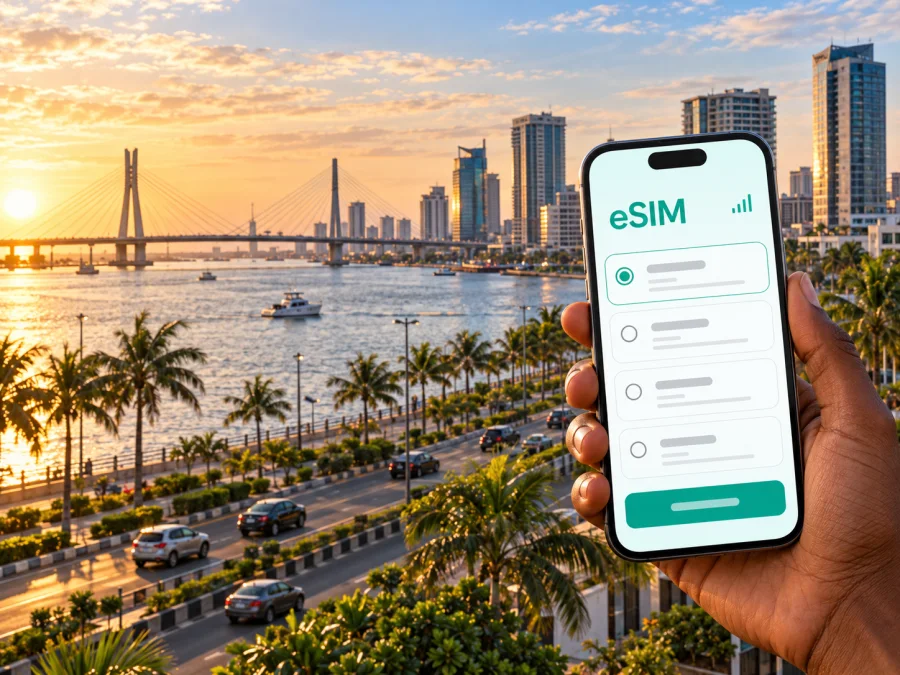
Lekki eSIM: mobile connection and internet for your Lagos trip
Lekki is a useful base for a Lagos visit when your plans centre on the peninsula’s coastal districts, business addresses, hotels, restaurants or beachside outings. A working mobile data connection can help with the parts of the trip that are easiest to misjudge: meeting a driver after landing, confirming a building entrance, sharing a live location, changing plans in traffic and finding your way back after dinner. An eSIM can be one way to arrange data for the trip before you set off, provided your phone supports it and the selected plan’s terms fit your itinerary.
There is one geographic point to keep in mind. Lekki is commonly used for a broad urban area and corridor in Lagos, rather than a separate Nigerian city with a single centre. The name can refer to places at different points along the peninsula, and an address described as “Lekki” may be much farther east than another. For planning, save the exact hotel, office or meeting location, not only the word Lekki. This matters for both route estimates and mobile coverage expectations: a destination page for Nigeria is country-level information, while actual service depends on the plan, its local network partner and the location where you use it.
Arriving in Lagos and continuing to Lekki
Most international visitors who say they are flying to Lekki will first arrive at Murtala Muhammed International Airport (LOS) in Ikeja, Lagos State. The airport is not in Lekki. You will need a separate onward journey across Lagos, and the time it takes can vary substantially with traffic, your arrival time, road conditions and the precise destination on the peninsula. Do not plan a tight connection around a map’s best-case estimate.
Before boarding, save the full hotel address and a pin in an offline map. Keep the driver’s contact details, booking reference and directions somewhere accessible even if mobile data is not yet working. If you are being collected, agree on a clear meeting point and a way to contact each other; large terminals can be busy, and a ride app may need a reliable connection to refresh its pickup details. Airport Wi-Fi, where available, can be useful for a first message, but it is sensible to have a backup plan rather than rely on one network.
A practical arrival sequence is:
- After landing, connect to Wi-Fi if it is available and check messages from your accommodation or driver.
- Confirm your pickup point, car details and the destination address before leaving the terminal area.
- If you use an eSIM, enable the travel data line only when you are ready to use it and follow the activation instructions for that plan.
- Keep your regular SIM available for calls or texts if needed, but check its roaming settings and charges with your home provider.
- Once you have a connection, send a short update and share your route or live location if that is part of your arrangements.
A data-only eSIM generally does not replace your usual phone number for ordinary cellular calls or SMS unless the particular offer explicitly says otherwise. Messaging and voice apps can work over data, subject to the app, your account and the connection. Keep access to account verification codes in mind: if a bank, airline or other service sends a one-time code to your regular number, make sure you can still receive it through your usual SIM or another method.
Why data helps on the Lekki peninsula
Lekki is not a compact, walk-everywhere centre. Visitors often move between an accommodation, a meeting, a restaurant and an attraction, sometimes with a driver or ride service. Addresses can be similar, entrances may be set back from the main road, and a long stretch of the corridor can separate two places that both appear under the same broad area name. Mobile data is useful for checking a route, sending a pin, contacting a host and confirming that you have reached the right gate.
The exact usefulness of live navigation depends on the route and the conditions on the day. Treat a map as a guide rather than a promise of journey time. Leave room for delays, confirm the final approach with your host or driver, and download an offline map of Lagos before travel in case you temporarily lose data. If you are going somewhere with a specific entrance, ask the venue for a landmark or gate name in advance; a street address alone may not make the last turn obvious.
| Trip moment | What a connection can help you do | A useful backup |
|---|---|---|
| Airport pickup | Confirm a driver, send a message or reopen a ride booking | Save driver and booking details offline |
| Hotel check-in | Share your arrival time and find the correct entrance | Keep the full address and reservation number in notes |
| Business meeting | Send a pin, check a calendar and notify a host if delayed | Download meeting details and keep a contact number |
| Restaurant or outing | Check opening information and coordinate a pickup | Save the venue name and route before leaving |
| Road trip beyond Lekki | Follow the route and update someone about your arrival | Download an offline map and carry a charger |
Connection is not a substitute for sensible trip preparation. A phone can lose signal, run low on battery, overheat in direct sun or have mobile data disabled by a setting. Keep essential details in more than one place and avoid making your only copy dependent on a live app.
Choose a plan for the way you will use Lekki
Start with the itinerary, not a headline data amount. A visitor who mostly uses messaging, maps and email may need a different allowance from someone who makes frequent video calls, uploads large files, streams media or shares data with another device. Estimate your use across the whole time you will be in Nigeria, including the transfer from Lagos airport, days in Lekki and any onward travel. Then compare the plan’s data amount, validity period, activation conditions, supported network and top-up rules.
Kaspersky eSIM Store is an app and website where travellers can choose, purchase and activate an eSIM with a plan for mobile data abroad. Its Nigeria destination page currently displays offers supplied by the local telecommunications provider Glo. This is a detail about the offers shown on that page at the time checked; it does not mean every eSIM product for Nigeria uses the same network, or that a signal is guaranteed at every address in Lekki. Check the provider and terms shown for the specific offer before purchase, and review them again if your travel date is later.
You can review the current Nigeria eSIM options for your trip to Lekki. Treat the page as a place to check the offers currently listed for Nigeria, not as a Lekki-specific coverage map or a promise of a particular tariff. If exact coverage at a hotel, office or event venue is important, ask the accommodation or local contact what connectivity they have found reliable there, and compare that with the plan details before deciding.
A quick comparison before checkout:
- Data amount: include maps, messaging, ride bookings, work calls and photo uploads. Video and hotspot use can consume data quickly.
- Validity: make sure the period covers the dates you need. Check when the validity begins; purchase, installation and first connection may not be the same event.
- Network and destination: confirm that Nigeria is included and inspect the local provider named for the specific offer. A country inclusion is not a guarantee of the same experience everywhere.
- Top-ups: check whether additional data can be added, how it is priced and whether a top-up extends validity. Do not assume it will.
- Sharing: if you intend to connect a laptop or a companion’s phone, verify hotspot support and the plan terms. The presence of a hotspot setting on your device does not establish that the offer permits tethering.
- Calls and SMS: check whether the product is data-only. Keep your usual number for essential calls and verification messages unless the offer explicitly includes voice and text service.
If you will spend time outside Lekki, choose with the full route in mind. Nigeria is a large country, and a Lagos-focused itinerary can differ from one that includes domestic flights or long road journeys. Confirm that the destination remains included for every leg, and check the plan’s terms for local network access. A regional or global option can list Nigeria among its destinations, but the exact countries, provider, data allowance and validity still need to be read on the individual offer.
Is your phone ready for an eSIM?
An eSIM is a digital SIM profile, but not every phone that looks similar has the same capabilities. Support can vary by exact model, hardware generation, carrier lock, country or regional variant, and the software currently installed. Do not rely only on a product-family name or another traveller’s experience. Before paying, confirm eSIM support for your exact device and make sure it is not restricted by the carrier that sold it. Check whether your device is compatible.
Also prepare the phone itself. Install pending system updates before travelling, make sure you can unlock the device, and keep access to the email or account used to receive the eSIM details. If setup uses a QR code, the phone may need another screen to display it, or you may need an in-app installation flow. Avoid deleting an installed eSIM profile unless the provider’s instructions specifically tell you to: some profiles cannot simply be reinstalled after removal.
Install and activate with care
Follow the instructions supplied for the exact device and selected plan. The general process is to purchase the offer, add its eSIM profile, label the travel line, select which line should use mobile data and connect according to the plan’s activation rules. These steps can differ across operating systems and offers, so do not assume a setting used for one destination applies unchanged to another.
For device-specific guidance, use the Android eSIM installation instructions or the iPhone and iOS eSIM installation instructions. If possible, complete any preparation that does not start the plan before departure, while you have stable Wi-Fi and time to troubleshoot. Read the activation wording first: some offers start their validity at installation or purchase, while others start when they connect in the destination. The individual offer’s terms are the source to follow.
Before travel, check these settings:
- Your phone is unlocked and the exact model supports eSIM.
- The travel eSIM is installed or ready to install, following the offer’s directions.
- Your home SIM remains configured as intended for calls and messages.
- Mobile data is assigned to the travel line when you want to use it.
- Data roaming is enabled only if the selected eSIM’s instructions require it; check that the setting applies to the travel line, not accidentally to your home SIM.
- Automatic line switching is understood and set to avoid unexpected roaming on your regular number.
- The eSIM label is clear, such as “Nigeria data,” so you can identify the correct line.
- You know where the plan’s usage and remaining-data information appears.
When you arrive, enable the travel line and give it a moment to register. If it does not connect, check the plan’s destination and activation status, confirm that the travel line is selected for data, toggle airplane mode once or restart the device, and follow the provider’s troubleshooting steps. Avoid repeatedly changing network settings without knowing what they do. If the problem continues, use Wi-Fi to contact the service’s support team and share the plan name, device model and the steps already tried.
Getting around: practical connection scenarios
Airport to accommodation
Before leaving the airport, make sure you have the pickup information, address and driver contact saved. Once mobile data works, use it to confirm the vehicle and follow the route. If a ride app is part of your plan, sign in and check that payment and location permissions work before travel. Keep a second option for contacting your host if an app cannot refresh or the connection is slow.
Check-in and first evening
A short message to the accommodation can resolve a gate, late arrival or check-in question. Save the host’s directions while you have a connection, then keep them available offline. For dinner or a first outing, confirm the exact location and return pickup point before leaving; in a sprawling urban area, “near Lekki” is not precise enough to navigate confidently.
Meetings and remote work
For a business visit, download meeting invitations, documents and any access instructions before the appointment. Use mobile data for messages and navigation, but do not treat a travel eSIM as a guaranteed work connection. Video meetings, large uploads and hotspot use depend on available signal, plan allowance and local conditions. If a call is critical, identify a backup such as hotel Wi-Fi or a meeting-room connection and test it ahead of time.
A day out on the peninsula
Lekki Conservation Centre is a well-known nature and conservation destination in the Lagos area. If it is on your itinerary, confirm current opening arrangements and visitor information directly with the venue before setting out. Save the address and directions in advance, and expect that a nature setting may not behave like a dense commercial district for mobile coverage. A data plan cannot guarantee reception at every point along a walk or inside every building.
Beyond Lekki
If you are travelling toward Victoria Island, Lagos Island, the airport or a destination farther along the Lagos–Epe corridor, check the route and transport arrangements on the day. Lagos has multiple transport modes and routes; service availability and schedules can change. Use current local information for any bus, rail or ferry journey rather than relying on a static article. Mobile data can help check updates, but download the key details before boarding and keep enough battery for navigation later.
Frequently asked questions
Is Lekki a separate city in Nigeria?
Lekki is generally used as the name of an urban area and corridor within Lagos, not as a separate city destination. The label can cover places at different distances along the peninsula, so use the exact address when booking transport or accommodation.
Which airport should I use to reach Lekki?
Murtala Muhammed International Airport (LOS) in Ikeja is the main international airport serving Lagos State. It is outside Lekki, so arrange onward transport and allow flexible time for the road journey. Confirm the latest airport and travel details with your airline and driver.
Will one Nigeria eSIM work everywhere in Lekki?
No provider or plan should be assumed to work at every address or indoors. Coverage depends on the chosen offer’s local network, the device, building conditions and current network conditions. Check the named provider and plan terms, and ask your accommodation about its experience at your exact location.
Does the eSIM include a Nigerian phone number?
Do not assume that it does. Many travel eSIM offers are designed for mobile data and do not include a local number, ordinary cellular voice calls or SMS. Check the offer details. Messaging and calling apps may use data, while your regular SIM can remain available for your existing number if your home provider’s roaming settings and charges are acceptable.
Can I install the eSIM before flying?
Often it is possible to prepare a profile in advance, but the right timing depends on the offer. Read when validity begins and follow the specific installation and activation instructions. If activation is scheduled for arrival, do not override that setting without checking the consequences.
How much data should I choose for a short stay?
There is no single amount that suits every traveller. Consider the length of your stay and how often you use navigation, messaging, work calls, video, uploads and hotspot sharing. If you are unsure, estimate routine use, check whether top-ups are available and avoid paying for an allowance without reviewing its validity.
What if I need data for work?
Plan a backup. A travel eSIM can support data use where the plan and network allow, but it cannot promise a stable signal for every call or venue. Download important files, confirm Wi-Fi at the meeting location and keep a second way to contact colleagues.
Get ready for your Lekki trip
Check your exact phone model, compare the Nigeria plan details and prepare the address and airport pickup information before you travel. Kaspersky eSIM Store lets you review, purchase and activate a suitable eSIM plan for mobile data abroad; the local provider, coverage, validity and other terms depend on the specific offer. Review the current Nigeria options and choose a plan for your trip, then install and activate it according to the instructions shown for your device and selected plan.


