Travel connectivity guide
Leon eSIM: Mobile Internet and Travel Guide
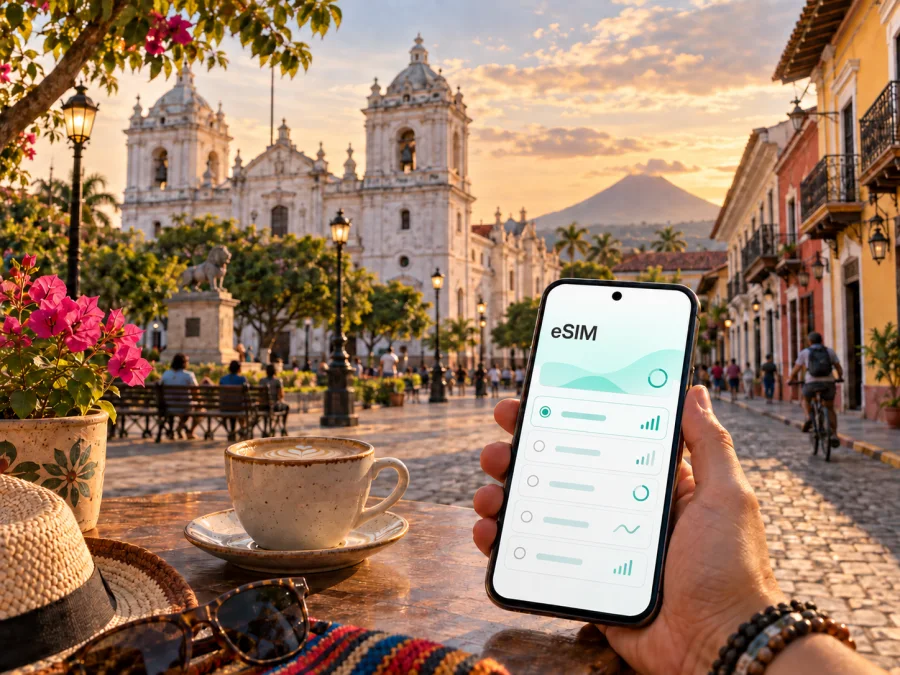
Leon eSIM: Mobile Connection and Internet Guide for the City
Leon is the kind of destination where a reliable mobile connection makes the whole visit easier. The historic center is rewarding to explore on foot, while the wider itinerary may include a bus arrival, a taxi to your accommodation, a beach afternoon, or a volcanic excursion outside the city. With mobile internet available on your phone, you can check a map at a busy corner, confirm a hotel message, translate a menu, compare a route, or contact a driver without stopping to search for Wi-Fi.
An eSIM, or digital SIM, is a practical way to prepare mobile data for a trip to Nicaragua without replacing the physical SIM in your phone. Kaspersky eSIM Store is an app and website where you can choose, arrange, and activate an eSIM with a suitable prepaid data plan for an international trip. The right plan depends on how long you will stay, how much video or hotspot use you expect, and whether your route stays in Leon or continues elsewhere in Nicaragua.
Arriving in Leon: the first moments matter
Many international visitors reach Leon after landing at Augusto C. Sandino International Airport in Managua and continuing west by road. The airport and Leon are in different parts of the country, so the first leg of the journey is a useful time to have directions, accommodation details, and communication tools ready. Depending on your arrival time and onward transport, you may use a private transfer, a taxi, or a bus connection. Confirm the meeting point and keep the address of your accommodation saved offline as well as online.
If you are coming from another Nicaraguan destination, the final approach may involve an intercity bus or a shared vehicle rather than a rail connection. Local transport arrangements can be easier when you can read the latest message, share your location, or show the exact accommodation name on a map. Save the Spanish spelling of your hotel, street, and nearby landmark; similar-sounding place names are much easier to distinguish when you can check the full address.
At arrival, use a small routine:
- Open the eSIM settings and select the travel line for mobile data.
- Leave data switching disabled if you do not want the phone to fall back to your home SIM.
- Turn on data roaming for the eSIM only when the plan instructions require it.
- Test a map search and send one message before leaving the terminal or bus stop.
- Put the accommodation address and the next morning’s destination in an offline note.
Menu names vary by phone. Keep in mind that a travel eSIM plan is normally intended for mobile internet, not a replacement for a regular phone number, voice service, or SMS unless its conditions say otherwise.
Getting around the city
The central area of Leon is compact enough for many sightseeing routes to be walked. Walking is often the simplest way to connect the cathedral area, plazas, galleries, cafés, and the streets of the colonial core. Even on a short walk, a phone is useful for checking the next turn, locating a quieter street, or confirming opening information before crossing town. Downloading a map before leaving your room gives you a backup if the signal becomes less convenient in a building or on a busy route.
For longer distances, visitors commonly combine taxis, local buses, and intercity services. A taxi can save time in the heat or when you have luggage, while a bus is useful for reaching surrounding communities and coastal areas. Ask your accommodation which pickup point or terminal is appropriate for the destination; in Leon, the practical answer depends on the route rather than on one universal city stop.
Mobile data helps with the small details that are easy to underestimate:
| Situation | Why a connection helps | Good preparation |
|---|---|---|
| Walking in the historic center | You can orient yourself between landmarks and return to your accommodation | Save the hotel pin and download the central map |
| Arranging a taxi | You can confirm the pickup point and share a written address | Keep the address in Spanish and a screenshot ready |
| Taking an intercity bus | You can check the destination spelling and coordinate timing | Ask locally about the correct terminal or stop |
| Visiting the coast | You can check the return plan and message your host | Plan the last practical connection before leaving |
| Working from a hotel or café | You can join a call or send files when Wi-Fi is not suitable | Reserve more data and carry a charger |
Do not assume that a map pin removes every transport question. Some streets, entrances, or pickup points can be understood more easily from local directions. Treat the phone as a planning aid, and confirm the final details with your accommodation or driver.
Business travellers should think beyond the hotel lobby. A day in Leon may involve a meeting in the center, a visit to a partner’s office, and a transfer to another city. Mobile internet can support email, maps, document access, two-factor sign-in, and a video call when the venue’s Wi-Fi is crowded or unavailable. Download large files in advance, turn off automatic photo backup, and use a laptop hotspot only when the selected data allowance can handle it.
For a leisure trip, the pattern is different. Navigation, messages, translation, weather checks, transport coordination, and occasional social uploads usually use less data than continuous video. The goal is not to select the largest allowance by default. It is to match the plan with the way you will actually use the phone in Leon and on the rest of the Nicaragua route.
Prepare a Nicaragua eSIM before the city walk
Once you know whether Leon is your only base or part of a wider itinerary, you can choose a suitable eSIM plan for a trip to Nicaragua. Review the plan’s data volume, validity, destination coverage, activation conditions, and any restrictions before completing the purchase. Prices, plan details, and availability can change, so the information displayed for your selected option is the reference to use.
Kaspersky eSIM Store helps you complete this preparation through its app or website. The flow is designed around the traveller’s actions: select the destination, compare the available conditions, arrange the chosen option, install the eSIM on a compatible device, and activate it according to the instructions. The service does not replace a local operator and does not turn the eSIM into a normal telephone line. It is a way to organize mobile data for an international trip.
How to install and activate the eSIM
Install the profile before departure if possible. You will need a stable internet connection for the setup, and the order details or QR code should be accessible on another screen if the phone cannot display both the instructions and the camera at once.
Before installation
- Confirm that the phone is eSIM-compatible and has no operator lock. Check your device compatibility before selecting a plan.
- Update the operating system if a pending update could affect network settings.
- Charge the phone and keep the purchase confirmation available.
- Decide which line should handle ordinary calls and SMS.
- Download the parts of your Leon itinerary that you may need without data.
Android steps
The exact menu labels depend on the manufacturer and Android version. In general, open the mobile-network or SIM settings, choose the option to add a mobile plan, and scan the QR code or follow the supplied activation instructions. Name the new line clearly, such as “Nicaragua travel”, so that you can identify it later. Set it as the mobile-data line only when you are ready to use it. For more detail, follow the Android eSIM installation instructions.
iPhone steps
On an iPhone, open Mobile Service or Cellular settings and add an eSIM using the QR code or the on-screen activation flow. Label the line so it is not confused with your regular SIM. Choose the travel line for mobile data after you arrive, and review data-roaming settings according to the plan instructions. The iOS eSIM installation instructions cover the relevant setup flow.
Activation can take a little time and depends on the device and the local network. If the data connection does not appear immediately, check the selected data line, restart the phone if appropriate, and confirm that the plan has been activated. Avoid deleting the eSIM while troubleshooting: an activated profile may not be transferable, depending on the plan conditions.
A practical Leon itinerary with mobile data
Coast or volcano excursion
A longer stay may include the Pacific coast, such as a visit toward Las Peñitas or Poneloya, or a guided volcanic excursion. Check the return plan, meeting point, and departure location before leaving the center. Save the address offline, carry water and sun protection, and keep a power bank accessible. Data helps with coordination and translation, but outdoor sections may not offer the same experience as the city center, so do not treat a signal as a substitute for the organizer’s plan.
Video calls and automatic photo synchronization can use data quickly. Set app updates and backups to Wi-Fi, lower streaming quality, and review the phone’s data counter every day or two. If you use a hotspot, connect only the necessary device and turn it off when the task is finished. These small habits make the allowance easier to predict.
What an eSIM does—and what it does not do
An eSIM gives your compatible phone a digital mobile profile, so you can keep your usual SIM in place while using a separate travel-data line. The exact experience depends on the phone, the selected plan, and the local network available in the destination.
Remember these boundaries:
- a travel eSIM plan is generally for mobile data, not a new ordinary phone number;
- voice calls and SMS are not included unless the selected conditions explicitly say so;
- a data connection does not guarantee access in every service or location;
- device compatibility and operator-lock status must be checked before purchase;
- activation, validity, and transfer rules depend on the chosen plan;
- roaming and dual-SIM settings should be reviewed rather than changed at random.
For calls and messages, you can use internet-based messengers when that fits your needs. Keep your regular number available for important contact if your phone settings allow it.
Troubleshooting when you arrive
If the phone shows no data in Leon, work through the settings in a fixed order:
- Confirm that the travel eSIM is switched on.
- Check that it is selected as the mobile-data line.
- Review data roaming for that line if the plan requires it.
- Make sure airplane mode is off and try a brief restart.
- Check the plan’s activation status and validity in the app or profile.
- Move outdoors or to a more open area and test again.
- If the issue remains, contact support with the device model and the steps already tried.
Do not remove the profile as a first response or change several unrelated settings at once. If the issue appears only inside a hotel or building, test outside and ask about the venue’s Wi-Fi. If it follows you across locations, review the plan instructions and seek support.
Leon travel checklist
Use this checklist the evening before departure:
- eSIM compatibility and operator-lock status checked;
- destination and validity period reviewed;
- purchase confirmation stored where it can be found offline;
- eSIM installed while a stable connection is available;
- Android or iOS instructions reviewed for your phone;
- hotel address, transport details, and meeting point saved;
- central Leon map and key excursion information available offline;
- data roaming plan understood;
- charger or power bank packed;
- a second way to access essential booking details prepared.
FAQ about eSIM use in Leon
Is an eSIM useful for a short visit to Leon?
Yes, if you expect to use maps, messages, translation, transport information, or accommodation services without depending on public Wi-Fi. For a very short stop, choose the validity period and data volume around the actual itinerary rather than assuming that a large allowance is necessary.
Should I install the eSIM after landing?
Installing it before departure is often more convenient because you can use a stable connection and read the instructions calmly. You can wait to select it for mobile data until arrival, following the plan’s activation conditions.
Will an eSIM replace a local phone number?
Usually not. Travel eSIM plans are commonly intended for data, while ordinary calls and SMS depend on your existing line or another service. Check the conditions of the specific option before you travel.
Can I use the same eSIM for trips outside Leon?
That depends on the destination scope and validity of the selected plan. If your route includes the coast, Managua, or another country, review the displayed coverage and conditions before relying on the same profile.
Stay connected while exploring Leon
Leon rewards a flexible pace: walk the historic center, make time for a café or gallery, plan a coastal afternoon, and leave enough margin for the next transfer. Mobile internet supports those decisions without turning the trip into a sequence of hurried searches. With compatibility checked, the data line configured, and the itinerary saved, you can spend more attention on the city itself.
When you are ready to prepare the data side of the journey, select an eSIM plan for Nicaragua through Kaspersky eSIM Store. Review the current conditions, choose an option that matches your Leon itinerary, and activate the eSIM on your compatible phone before you set out.


