Travel connectivity guide
Leribe eSIM: Mobile Internet for Your Trip
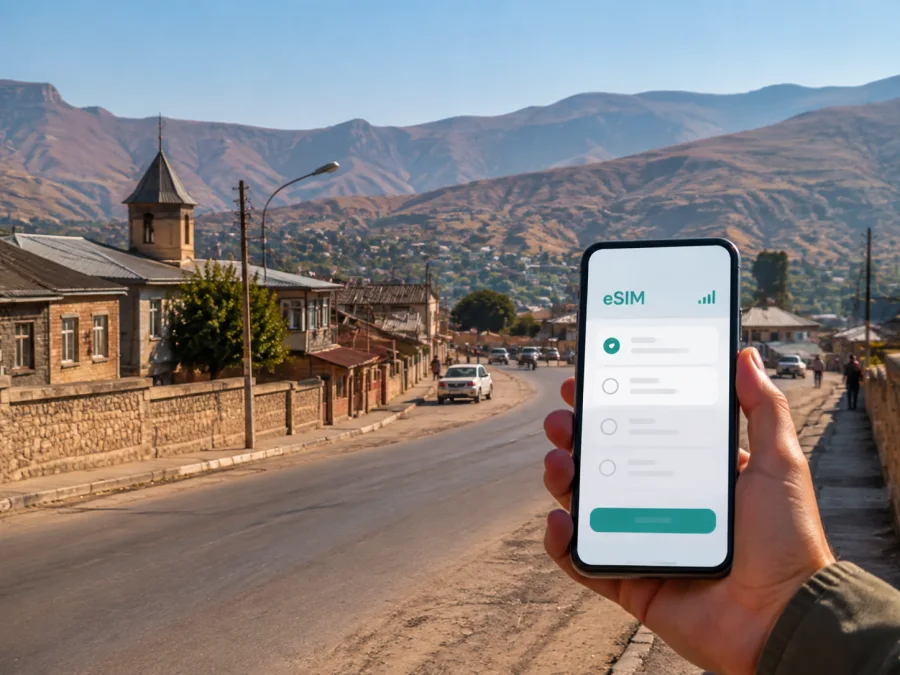
Leribe eSIM: mobile connection and internet for travel in Lesotho
Leribe is a practical base for exploring northern Lesotho, meeting local partners, or continuing an overland journey between the mountain kingdom and South Africa. The town is also widely known as Hlotse, so transport arrangements, hotel reservations, and map searches may use either name. In all of these situations, a dependable mobile internet plan helps you handle the first moments after arrival, find an address, confirm a pickup, and keep your plans flexible without changing the physical SIM card in your phone.
An eSIM is a digital SIM profile that can be installed on a compatible device. For a trip to Leribe, it can be used for mobile data such as maps, messages, ride coordination, online check-in, translation, and work calls through internet-based apps. Kaspersky eSIM Store is an app and website that helps you choose, arrange, and activate an eSIM with a suitable plan for a trip abroad. The plan conditions, available data, validity, and network arrangements depend on the selected offer for Lesotho.
Why mobile internet matters in Leribe
Leribe is not a trip where every useful moment happens at a large airport desk. You may arrive after a road transfer, meet a driver at a prearranged point, check in at a guesthouse, or continue towards another town. A working data connection makes each handoff easier to manage.
Typical tasks in Leribe include:
- opening a map while walking between a hotel, shops, and an appointment;
- sending your driver a location pin rather than trying to describe an unfamiliar turn;
- checking a booking message when the arrival time changes;
- translating a short message or reading directions before leaving the hotel;
- using a banking or travel app when you are away from reliable Wi-Fi;
- sharing a route with family or colleagues during a day trip;
- joining a work meeting from a quiet room, café, or accommodation;
- checking weather conditions before a mountain or countryside excursion.
The value is less about being online every second and more about having data available at the moments when a plan changes. In a smaller town, a short message can save a long search for an address. Before leaving for the day, download or review the information you may need, then keep mobile data for live navigation, confirmations, and communication.
Arriving in Leribe: plan the first hour
Leribe is the name of the district and is commonly used for the urban area of Hlotse. That naming difference is worth remembering when you search for accommodation or coordinate a pickup. Put the exact accommodation name and a nearby reference point in your notes before travelling, and keep the booking confirmation available offline as well as online.
An arrival routine can be simple:
- Keep your main SIM active for calls or messages if you need it, but choose the travel eSIM for mobile data when you are ready.
- Confirm that the phone shows the correct eSIM profile and that mobile data is assigned to it.
- Open your map and check the route to the accommodation before leaving the arrival point.
- Message the driver, host, or colleague with an estimated arrival time.
- Save the address, booking number, and an emergency contact in a note that is available offline.
If you arrive after dark or during a busy transfer, avoid making the first setup dependent on a public Wi-Fi login. Install the eSIM while you still have a stable connection and complete the basic settings before the road journey. If you install it after arrival, use the accommodation Wi-Fi only as a temporary setup aid and then test mobile data with a short message or map refresh.
A short-arrival checklist
- [ ] Accommodation name and address saved in the phone.
- [ ] Driver or host contact details available.
- [ ] Travel eSIM installed or ready for installation.
- [ ] Mobile data assigned to the eSIM profile.
- [ ] Data roaming setting checked for the eSIM, if the device requires it.
- [ ] Main SIM settings reviewed so unexpected roaming data is not selected.
- [ ] Offline copies of reservations and key directions saved.
The aim is not to change every phone setting at once. Make one deliberate change: decide which line handles mobile data, keep your primary number available if needed, and check the result before you set out.
Moving around town and finding the right place
In Leribe, a map is useful for orientation, but the final part of a journey may still depend on a driver, a local landmark, or a clearly shared meeting point. Streets and surrounding settlements can be described in different ways, and a hotel name may be easier for a local contact to recognise than a long address. Send both the place name and a map pin when you arrange a pickup.
For a short town errand, mobile data is usually used in small bursts: search for the destination, compare the walking or driving route, send a message, and close the map when it is no longer needed. For longer drives, keep the phone charged and use a car charger or power bank. A navigation app can consume more battery when the screen stays bright and the route is recalculated repeatedly.
Transport scenarios
| Situation | What mobile data helps you do | Useful preparation |
|---|---|---|
| Road arrival | Confirm the meeting point and update your host | Save the accommodation and contact offline |
| Short trip around Hlotse | Search for a shop, office, or service and share your position | Keep the map app and phone battery ready |
| Business appointment | Send a revised arrival time and open the address | Store the agenda and contact details in advance |
| Transfer to another town | Check the next stop and coordinate the handoff | Download key documents before departure |
| Countryside excursion | Follow the planned route and communicate changes | Carry a power bank and do not rely on one signal point |
Do not assume that a route shown on a screen replaces local judgment. Mountain roads, weather, road works, and changing transport arrangements can affect a journey. Use the connection to confirm the latest practical information with your host or driver, and leave extra time when the route goes beyond the built-up area.
Choosing an eSIM plan for a Leribe trip
The relevant destination is Lesotho, even when Leribe is the city you type into a search box. City pages help you plan the use case; the plan itself is selected for the country or region covered by the offer. Start by checking the destination, then compare the practical terms shown for that plan.
1. Estimate your data pattern
Think in activities rather than vague promises of “light” or “heavy” use.
| Travel pattern | Typical data priorities |
|---|---|
| One or two days in town | Messages, maps, booking checks, occasional browsing |
| Several days with day trips | Navigation, photos, messages, weather, frequent route checks |
| Business visit | Email, documents, messaging, calendar, selected video calls |
| Remote-work stay | Video meetings, file transfers, cloud tools, regular communication |
Video, automatic photo backup, app updates, and hotspot use can consume data quickly. Before departure, turn off automatic updates over mobile data and review which apps may refresh in the background. If you need a hotspot for a laptop, include that in your estimate and check the plan conditions.
2. Match the validity to the itinerary
Check how long the plan remains valid and when the validity period begins. The start may depend on activation or first use under the selected plan’s terms. Installing an eSIM before departure and activating data are not always the same action, so read the instructions shown during setup.
3. Consider the complete route
If Leribe is one stop on a longer Lesotho itinerary, check whether the selected offer covers the other destinations you will visit. If your route continues across a border, do not assume that a Lesotho plan automatically covers another country. Review the destination list and choose a regional option only when its coverage matches the whole route.
4. Leave room for the unexpected
The last map refresh, a delayed pickup, or a series of messages can happen when you are already travelling. A modest reserve is useful, but there is no need to buy the largest package by default. Kaspersky eSIM Store helps you compare the available volume, validity, and price so you can select a plan that fits the trip.
When you are ready, you can choose an eSIM plan for Lesotho and review the current terms for your Leribe itinerary.
Installing an eSIM before departure or after arrival
Installation is easiest when you treat it as a small preparation task rather than something to solve while carrying luggage. Check device compatibility and make sure the phone is not restricted by an operator. Some models vary by region, so the exact model and its settings matter.
If you are installing the eSIM before leaving, use a stable Wi-Fi connection, keep the QR code or activation details available, and do not delete your primary profile. If you are installing after arrival, make sure you have temporary internet access and enough battery to complete the process.
A practical installation sequence
- Confirm that your phone supports eSIM and is not operator-locked. Check your device compatibility before choosing a plan.
- Select the Lesotho plan and review its data volume, validity, activation conditions, and any listed restrictions.
- Open the phone’s mobile-network settings and choose the option to add a mobile plan or eSIM.
- Scan the QR code from the email or your Kaspersky eSIM Store profile, or follow the on-screen installation flow.
- Label the new line clearly, such as “Lesotho travel”, so you do not confuse it with your primary SIM.
- Choose the eSIM as the line for mobile data. Keep your usual line for calls and messages if required.
- If the device or plan requires it, enable data roaming for the eSIM and leave roaming data disabled on the primary line.
- Test with a short message, a map refresh, or a simple web page. If the connection does not appear immediately, wait a few minutes and recheck the selected data line.
For detailed device steps, use the Android installation instructions or the iOS installation instructions. Menu names differ between manufacturers and operating-system versions, so follow the instructions for your specific phone.
Navigation, accommodation, and day trips
The best use of mobile data in Leribe is often quiet and practical. Before leaving the hotel or guesthouse, check the day’s route, confirm any meeting time, and save the destination name in a note. Then use live data for the parts that can change: a driver’s arrival, a revised appointment, or a message from a host.
For accommodation, keep the confirmation page, check-in instructions, and contact number together. If the property is outside the most familiar part of Hlotse, ask the host which nearby landmark is easiest to use. Share your expected arrival time before you leave and send an update if the route takes longer than planned.
For a day trip from Leribe, make a simple three-part plan:
- Before leaving: check weather, road conditions available to you, opening information supplied by the destination, and the return plan.
- During the trip: use the eSIM for navigation, messages, and essential updates; save battery by reducing unnecessary background activity.
- Before returning: confirm the next driver or meeting point, check remaining data, and send your arrival estimate.
Leribe is also a useful northern base for routes that connect with other parts of Lesotho. The wider district includes rural settlements, and visitors may combine a town stay with mountain, heritage, or craft-focused stops. Exact travel times vary with the route and road conditions, so avoid building a tight schedule from a map estimate alone. Keep a margin and confirm the final leg locally.
Business travel and remote work in Leribe
A business trip may need more than simple directions. You may have to download a presentation, join a video call, send a signed document, or keep a team updated while moving between accommodation and a meeting. In that case, prepare the phone before travelling:
- sync essential files while on a trusted connection;
- set work applications to use mobile data only when needed;
- disable automatic photo and video backup over the eSIM unless it is part of your plan;
- carry a charger or power bank;
- test the phone’s hotspot function before relying on it for a laptop;
- keep a written or offline copy of the meeting address and contact details.
An eSIM is a data tool for the trip. It does not automatically include a separate phone number, ordinary calls, or SMS unless those features are specifically stated in the selected plan. For voice communication, you can use internet-based messaging or call apps where appropriate, while keeping important contact methods available offline as a backup.
If you share data with another device, monitor the balance and remember that laptops can download updates in the background. A short meeting may use less data than a full day of video calls, so choose a plan based on the work schedule rather than the number of days alone.
What to check before buying
Use this final review before you choose a plan for Leribe:
- Destination: Is the plan intended for Lesotho, and does it fit the rest of your route?
- Device: Does the exact phone model support eSIM, and is it free of operator restrictions? Check compatibility.
- Data: Will the package cover maps, messaging, work, media, or hotspot use as required?
- Validity: When does the plan begin, and how long will it remain active?
- Settings: Can you select the eSIM specifically for mobile data and protect the primary line from unintended roaming?
- Installation: Will you install before departure, or will you have stable internet after arrival?
- Support: Do you know where to find the profile, QR code, and support details if setup raises a question?
Do not judge a plan by price alone. A smaller package with the right validity may suit a short town visit, while a longer route or work schedule may justify more data. Conditions can change, so rely on the terms shown for the selected offer rather than an old screenshot or an assumption about another destination.
Common questions about using eSIM in Leribe
Can I keep my home number while using an eSIM in Lesotho?
Usually, a compatible dual-SIM phone can keep the primary line installed while the eSIM handles mobile data. The exact behaviour depends on the device. Select the travel eSIM as the mobile-data line and review the primary line’s roaming settings before you leave.
Is Leribe the same place as Hlotse?
The names are closely connected in everyday travel and local references. Leribe is used for the district and is also commonly associated with the urban centre of Hlotse. Use both names when searching, and confirm the exact accommodation or meeting point with your contact.
Can I use the eSIM for ordinary calls and SMS?
Not unless the selected plan specifically includes those features. Travel eSIM plans are commonly intended for mobile internet. Messaging and calls through internet-based apps may work over the data connection, but they are not the same as a separate local phone number.
Should I install the eSIM before flying or driving to Lesotho?
Installing before departure is often more convenient because you can use a stable Wi-Fi connection and complete the setup calmly. You can also install after arrival if the phone is compatible and you have temporary internet access. Read the activation terms so you understand when validity and data use begin.
What if mobile data does not work after installation?
First check that the eSIM is turned on and selected for mobile data. Confirm the network and data-roaming settings required by the device, then restart the mobile connection or the phone if necessary. If the issue remains, check the plan instructions and contact support with the device model, location, and steps already completed.
Do I need a large plan for a short stay in Hlotse?
Not necessarily. A short visit based around messaging, navigation, and booking checks may need less data than a trip with video calls, frequent photo uploads, or hotspot use. Estimate your activities, compare the available packages, and leave a small reserve for delays.
A calm connectivity plan for Leribe
The simplest setup is the one you have tested before the journey: compatible phone, correct Lesotho destination, suitable data volume, clear validity period, and a known mobile-data line. Save your accommodation information, keep a power bank with you, and use the connection for the decisions that matter—finding the right place, confirming the next step, and staying in contact when plans change.
Kaspersky eSIM Store helps you prepare that setup through its app and website: choose an eSIM plan for the destination, review its terms, arrange the eSIM, and activate it on a compatible phone. For a trip centred on Leribe, Lesotho, review the available plans and prepare your eSIM before departure. Then arrive with a clear data plan for the first route, the first message, and the rest of your journey.


