Travel connectivity guide
Les Cayes eSIM: Mobile Internet for Travel
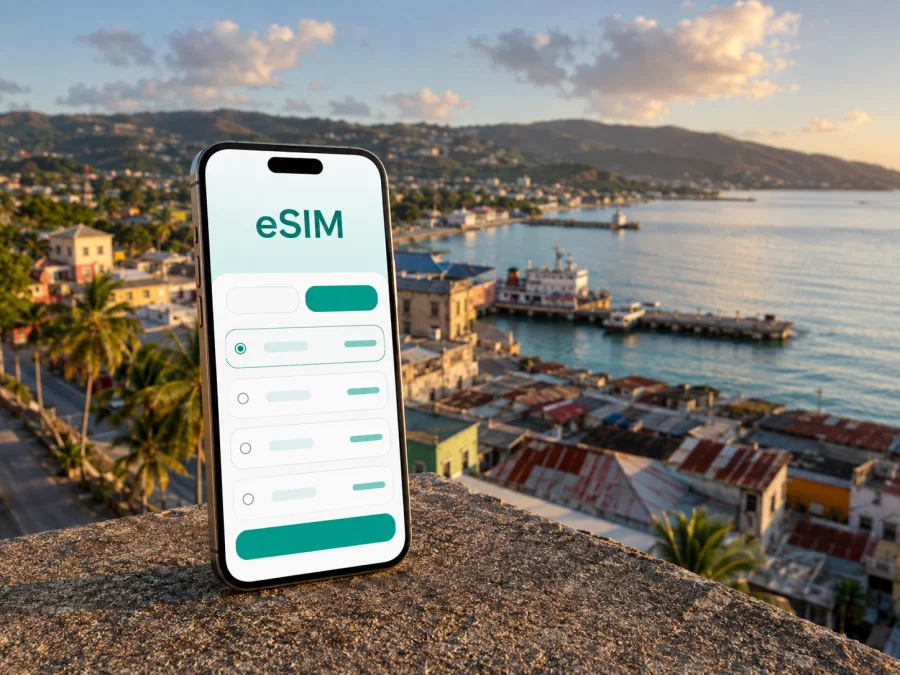
Les Cayes eSIM: mobile connection and internet for your trip
Les Cayes is a practical base for exploring the southern coast of Haiti, with the city’s port, central streets, nearby beaches, and routes inland all pulling your itinerary in different directions. A reliable mobile data plan can make the first hours after arrival easier: you can confirm a transfer, open a map, message a host, check a reservation, or share your location without looking for a physical SIM card.
An eSIM is a digital SIM profile installed on a compatible phone. For a trip to Les Cayes, it can be a useful way to prepare mobile internet before departure or shortly after arrival while keeping your regular SIM in the device. Kaspersky eSIM Store is an app and website that helps you choose, arrange, and activate an eSIM with a suitable plan for mobile internet during an international trip. The plan’s destination, data allowance, validity period, and conditions depend on the option you select.
Why mobile data is useful in Les Cayes
Les Cayes combines a compact urban centre with a waterfront, a port, roads leading to neighbouring communities, and excursions that begin outside the city. That makes a connection useful for more than posting photos. You may need it at several points in the same day:
| Situation in or around Les Cayes | What a connection helps you do | What to prepare |
|---|---|---|
| Arrival and transfer | Message your host, confirm a meeting point, and open the route to your accommodation | Keep the address and a phone number available offline |
| First walk through the city | Use a map, translate a short message, and save a pin for the return journey | Download key map areas when you have Wi‑Fi |
| Port or waterfront plans | Coordinate a meeting, check timing shared by a local contact, and send your location | Allow extra time if a boat or road transfer is involved |
| Work or a business visit | Join a call, send a document, and use cloud services when the signal is adequate | Carry a charger or power bank and a Wi‑Fi fallback |
| A day outside the city | Check the route, contact a driver, and keep plans flexible | Confirm transport and local conditions before leaving |
Mobile data reduces reliance on a single café, hotel lobby, or airport Wi‑Fi network, but it does not replace local planning. Roads, transport availability, weather, and service quality can change, so confirm important arrangements with your accommodation or guide.
Arrival in Les Cayes: plan the first connection
Les Cayes is the capital of Haiti’s Sud department and sits on the Bay of Les Cayes. Antoine-Simon Airport is north of the city and may be relevant to an itinerary that arrives by air, although current flight schedules and availability should always be confirmed before travel. Other visitors reach the city as part of a longer overland route. In either case, you need a way to contact the person meeting you and find the next address.
Before leaving home, save your accommodation address, arrival contact, first route, and any airport or bus-arrival details in the phone and, if possible, on paper.
An eSIM can support this plan. Install it with stable internet, decide when it will become the data line, and read when validity begins and whether data roaming is required.
If you install after arrival, use a trusted Wi‑Fi connection and keep the activation details accessible.
Moving around the city
In Les Cayes, a short trip can involve a change of context: a central street, the port area, the road toward the northern edge, or a transfer to a beach or a neighbouring town. A live map helps you see where you are and share a meeting point, but it cannot replace local knowledge. Road conditions, traffic, weather, and the availability of taxis or other local transport may affect the time needed.
Use mobile data for the decisions that matter most:
- Pin the accommodation before you leave it.
- Save the name of the destination in the form used by your host or driver.
- Share a precise meeting point rather than only the name of a large area.
- Check the route before entering a vehicle and keep the destination visible.
- Send a quick message when you arrive or when the meeting point changes.
For walks, load the route while connected and avoid leaving the screen active for the entire journey. If you are moving between the city and a coastal or inland destination, download relevant information beforehand; your plan and phone may work differently in the centre, on the road, and near the coast.
Choosing an eSIM plan for Les Cayes
Choose the plan around your real itinerary, not only the number of nights in the city. First confirm that Haiti is included in the destination or region covered by the plan. Then consider the length of your stay, whether you will leave Les Cayes, and how often you expect to use maps, messaging, email, video, or uploads.
| Your travel pattern | Likely data habits | Planning approach |
|---|---|---|
| Short stopover | Messages, a few route checks, booking confirmations | A smaller allowance may be enough if you use Wi‑Fi for larger tasks |
| Several days in the city | Regular maps, messaging, browsing, occasional photos | Choose enough data for daily navigation and keep media uploads selective |
| Work-focused visit | Email, documents, calls, cloud tools, frequent navigation | Allow headroom and check whether hotspot use is supported by the conditions |
| City plus regional trips | More route checks, coordination, and variable access to Wi‑Fi | Match the destination scope and duration to the whole route, not only Les Cayes |
The available options, price, data volume, and validity are shown for the selected destination and can change. Read the conditions about expiry, activation, top-ups, and refunds before purchase.
When you are ready to compare the current destination options, you can choose an eSIM plan for travel in Haiti. Use the country page to check which plan fits your Les Cayes dates and any additional stops on your route. The city is your base, but a plan that is too narrow for an excursion beyond it may be inconvenient.
Les Cayes for work and short stopovers
Business travellers may arrive with a meeting time, a driver waiting, a document to send, and only a few hours to understand the city. Save the meeting address, contact details, documents, and a map pin offline. For a video call, test the connection and keep a lower-bandwidth alternative such as audio or messaging; a data connection cannot guarantee that every room will support a long call. For a short stopover, focus on arrival instructions, one or two route checks, and the next transfer.
Waterfront, port, and nearby stays
The waterfront and port give Les Cayes a maritime setting, while hotels and guesthouses may be spread across the urban area and approach roads. Ask your accommodation to send a location pin and clear arrival instructions. If your plan includes a crossing or boat excursion, confirm the departure point and return arrangement, then keep enough data to receive a change. A data-only eSIM does not automatically provide a local number, ordinary calls, or SMS unless the selected plan says otherwise.
Trips from Les Cayes
Les Cayes can serve as a starting point for coastal and inland outings. Île-à-Vache lies offshore from the city and is reached by boat; nearby plans may also include Gelée, Port-Salut, or an inland route toward Camp-Perrin and Saut-Mathurine. These are different travel scenarios, not interchangeable city addresses. Confirm transport, departure points, timing, weather, and return plans before setting out.
For a day trip, use this preparation sequence:
- Ask the organiser or host for the exact departure location.
- Save the route from your accommodation to that point.
- Confirm how you will communicate if the departure time changes.
- Download essential booking details, keep a battery reserve, and share your expected return plan.
Mobile internet is especially useful before departure and during coordination, but coverage and data performance may vary away from the city. Keep offline maps, addresses, and reservation details ready. If the day includes a boat, do not treat a live map or connection as a guarantee of service at sea. Local guidance and a confirmed return arrangement are more important than constant screen access.
Before you buy: device and plan checks
An eSIM only helps if the device can use it and is not restricted by an operator. Some phones have regional variations, and a model that supports eSIM in one market may differ from a similar model sold elsewhere. Before purchase, check your device compatibility and confirm that the phone is unlocked for the intended use.
Review these points before selecting a plan:
- Is Haiti, or the relevant regional destination, included?
- Does the validity period cover the day you need data in Les Cayes?
- How much data will maps, messaging, calls, and media use?
- Does the plan support the functions you expect, such as tethering?
- When does the validity period begin?
- What happens when the allowance is used or the plan expires?
- Do you need internet access to download or activate the eSIM?
- Will your phone require data roaming to be enabled on the eSIM line?
Most compatible devices can keep more than one line, but behaviour depends on the model. Label the lines, choose the eSIM for mobile data when appropriate, and keep the primary line’s roaming settings under control.
How to install an eSIM before departure or after arrival
Start by confirming compatibility, an unlocked device, stable internet access, and the activation details or QR code supplied after your purchase. The menu names differ by phone model, so follow the device-specific guidance as well as the instructions for Android or iOS.
Step 1: prepare the phone
Charge the phone, connect to stable Wi‑Fi or another trusted internet connection, and check that the operating system is ready.
Step 2: add the eSIM profile
Open the mobile-network settings and choose the option for adding an eSIM or mobile plan. Use the QR code or activation details from your Kaspersky eSIM Store profile. Keep the details private and do not forward them to a group chat.
Step 3: label the line
Give the new line a clear name such as “Haiti trip” or “Les Cayes data.” A label reduces the chance of selecting the wrong line when you arrive or when you return home.
Step 4: choose mobile data
Select the travel eSIM for mobile data when you want to use the selected plan. Keep your regular line available for the services that depend on it, but review its data-roaming setting. Depending on the device and plan, data roaming may need to be enabled on the eSIM line; follow the plan instructions rather than copying a setting from another phone.
Step 5: test and wait if needed
After installation, allow the device a little time to register. Connection can take several minutes and depends on the phone, plan, and local network. If it does not work, check the chosen data line, airplane mode, roaming setting, and plan validity before contacting support.
A practical Les Cayes travel checklist
Use this checklist on the day before departure:
- [ ] Confirm the plan destination, allowance, validity, and conditions.
- [ ] Check that your phone supports eSIM and is not operator-locked.
- [ ] Install the profile when you have stable internet, if appropriate for the plan.
- [ ] Save your accommodation address, arrival contact, and first route offline.
- [ ] Decide which line will be used for mobile data after arrival.
- [ ] Pack a charger or power bank.
- [ ] Download important confirmations and keep a paper backup for the first transfer.
- [ ] If travelling beyond Les Cayes, confirm transport and return arrangements.
When you arrive, select the travel eSIM for data and test a simple webpage or message. If the connection is slower than expected, check the plan conditions and avoid repeated profile deletion or reinstallation; the profile may not be transferable after activation.
Frequently asked questions
Do I need a physical SIM card for a trip to Les Cayes?
No, not necessarily. A compatible, unlocked phone can use an eSIM for mobile data without replacing the physical SIM. Keep your regular line if you need its number for calls, messages, or account verification, and check which line is selected for data.
Can I use the eSIM for ordinary calls and SMS?
Usually, a travel eSIM plan is intended for mobile internet and does not include a separate number, ordinary calls, or SMS unless the plan says otherwise. Messaging services can work over data.
How reliable will the eSIM be around Les Cayes?
No connection can be promised at every location. Performance depends on the local network, terrain, buildings, the phone, and the selected plan. Prepare offline maps and key contacts, especially for boat trips and roads outside the city.
Prepare your connection for Les Cayes
The most useful eSIM plan is the one that fits the actual rhythm of your trip: arrival in Les Cayes, movement between accommodation and the city centre, time near the port or waterfront, work or messages, and any confirmed excursion beyond the city. Check the phone first, read the plan conditions, and install the eSIM while you have dependable internet access.
When your dates and route are clear, choose an eSIM plan for your Haiti trip. Kaspersky eSIM Store helps you select, arrange, and activate an eSIM with a suitable plan for mobile internet abroad. You remain in control of the destination, data allowance, duration, and the settings used on your own device.


