Travel connectivity guide
Les Trois-Ilets eSIM: Mobile Internet Guide
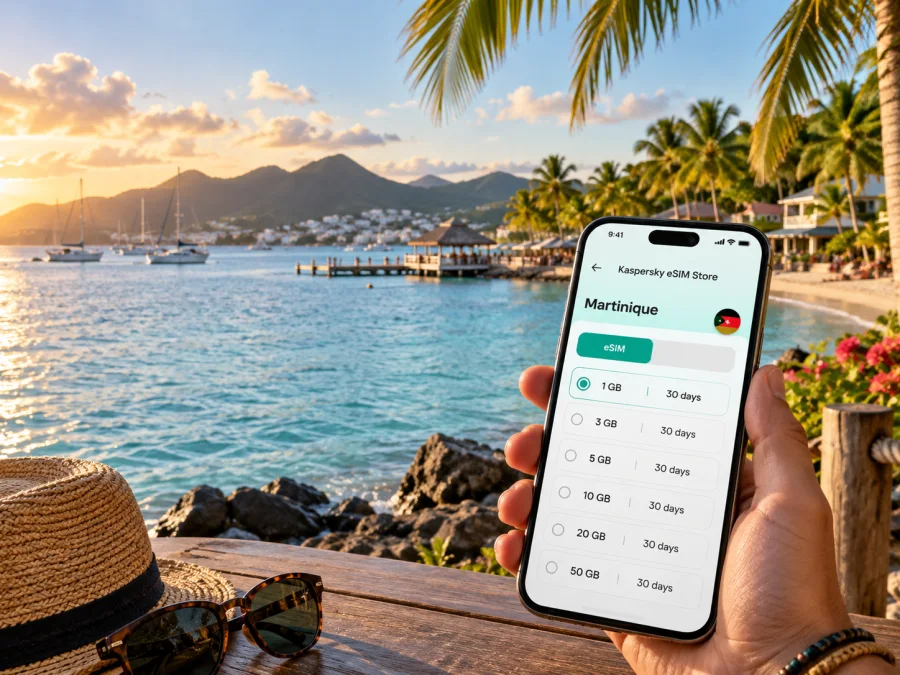
Les Trois-Ilets eSIM: mobile connection and internet for your Martinique trip
Planning a stay in Les Trois-Ilets means combining a relaxed coastal base with practical movement around Martinique. You may arrive through Martinique Aimé Césaire International Airport, continue by road to the south of Fort-de-France Bay, take a sea shuttle into Fort-de-France, or split your time between a hotel near Anse Mitan and a quieter area such as Anse-à-l’Ane. In each situation, mobile internet makes the first hours easier: you can check a transfer, open a map, message your host, confirm a reservation, or adjust a day trip without looking for public Wi-Fi.
Kaspersky eSIM Store helps you choose, arrange, and activate an eSIM with a suitable mobile-data plan for an international trip. The eSIM is a digital SIM profile for mobile internet; it does not automatically replace your regular number, voice service, or SMS. The useful question for Les Trois-Ilets is therefore not simply whether you can get online, but how much data you need, how long you will stay, and how you expect to move between the town, the bay, and the rest of Martinique.
Quick answer: when an eSIM helps in Les Trois-Ilets
An eSIM can be useful when you want to prepare mobile data before leaving home or shortly after landing, without visiting a physical shop for a local SIM card. In Les Trois-Ilets, the most common uses are airport navigation, messages with a host, ferry planning, hotel and restaurant bookings, and work from accommodation or a café. You can keep your familiar number for calls or messages while assigning the eSIM to mobile data, subject to your device settings and roaming arrangements.
The service does not replace route planning. Coverage, speed, ferry departures, road conditions, and plan terms can vary, so combine mobile data with offline maps, saved accommodation details, and some flexibility.
Les Trois-Ilets at a glance
Les Trois-Ilets sits on the southern side of Fort-de-France Bay and is made up of several areas rather than one compact resort strip. A beach walk, a drive to a heritage site, and a boat trip to Fort-de-France are different data scenarios even when they begin at the same accommodation. A short stopover with maps and messaging therefore needs a different plan from a longer stay with remote work, photo uploads, or video calls.
Arrival: make the first hour calmer
For many visitors, the journey begins at Martinique Aimé Césaire International Airport in Le Lamentin. From there, your onward route to Les Trois-Ilets may involve a rental car, taxi, pre-arranged transfer, or a combination of road and sea transport. Having mobile data ready can reduce small but stressful gaps between landing, collecting luggage, locating the driver, and reaching the accommodation.
Before departure, store these details in more than one place:
- The full accommodation name and address, including the area: Bourg, Anse Mitan, Pointe du Bout, or Anse-à-l’Ane.
- A phone number or messaging contact for the property or transfer provider.
- Your flight details, meeting point, booking screenshot, and a note about who to contact if plans change.
These offline copies matter because a phone may need a few minutes to connect, a battery may run low, or a transfer point may be busier than expected. The eSIM makes live navigation and messaging more convenient, but it works best when it is part of a simple backup routine rather than the only copy of essential information.
If your accommodation is near the bay, ask in advance whether the recommended route is by road or by boat. The ferry connection between Fort-de-France and Les Trois-Ilets is a distinctive part of local movement, but it is not a universal substitute for a road transfer: your arrival time, luggage, final neighborhood, and the day’s timetable all matter.
Moving between the main areas
Bourg: local services and a slower start
The village area is useful when you want a more local rhythm and a starting point for exploring the commune. Addresses, entrances, and meeting points may be described by neighborhood rather than by a single landmark, so save your accommodation and pickup point before setting out.
Anse Mitan: beach, bay views, and short walks
Anse Mitan faces Fort-de-France Bay and is associated with the Pointe du Bout peninsula. A mobile connection can help with a beach walk, restaurant booking, host message, and route back to your room without repeatedly searching for Wi-Fi. Bright screens, location services, and photo uploads can use more power than a short map check.
Pointe du Bout: a busy base for onward plans
Pointe du Bout brings together accommodation, restaurants, a marina setting, shops, and activity providers. Save a boat’s departure point, check whether a reservation requires a specific time, and leave enough time to walk to the quay. If you return from Fort-de-France, review the last practical option before leaving.
Anse-à-l’Ane: a different coastal rhythm
Anse-à-l’Ane is another coastal area of the commune and may suit travelers who prefer a quieter base. Traffic, weather, or an unfamiliar road can make distances feel longer, so combine live navigation with saved notes and a planned return route.
La Ferme and inland visits
Some cultural and historical experiences are away from the waterfront. La Savane des Esclaves, for example, is in La Ferme. Mobile data helps with opening hours, directions, reservation messages, and the correct entrance; leave enough time for a delayed transfer.
Sea shuttles and road transport
The sea route to Fort-de-France is one of the clearest reasons to prepare connectivity around this city rather than a generic country itinerary. Tourist information describes regular maritime shuttles linking Fort-de-France with Les Trois-Ilets, including Pointe du Bout and Anse Mitan; the crossing is commonly around 15–20 minutes, while the current timetable and operating conditions should be checked for your travel date.
Use the following routine before a ferry trip:
- Open the departure point in your map and save a screenshot.
- Check the current timetable close to the journey, especially on weekends, public holidays, or during special events.
- Allow time to walk from your accommodation to the quay.
- Keep the address of your destination in Fort-de-France ready for the return journey.
- Decide in advance what you will do if the planned departure is full, delayed, or no longer suitable.
If you are using a rental car, keep your regular phone line available for any required booking or emergency contact and set the eSIM as the mobile-data line only if that is your intended configuration. For a taxi or transfer, send the accommodation address in writing rather than relying on pronunciation alone.
Choosing an eSIM plan for the city
Kaspersky eSIM Store shows the conditions of available plans so that you can compare the destination, data allowance, validity period, and price before selecting an option. The right choice depends on your itinerary and behavior, not on a universal number that fits every visitor.
Use this simple estimate:
| Your pattern in Les Trois-Ilets | Data usually matters for | Planning approach |
|---|---|---|
| One or two nights | Maps, messages, bookings | A smaller allowance may be enough if you use Wi-Fi for heavier tasks |
| Beach holiday | Maps, chat, weather, occasional social posts | Check whether automatic photo backup is using mobile data |
| Road trip around Martinique | Navigation, route changes, accommodation messages | Keep maps available offline and reserve data for live updates |
| Remote work or a business visit | Email, cloud documents, calls, authentication | Review work-app settings and avoid large downloads on mobile data |
| Family travel | Several devices, messaging, photos, coordination | Decide who needs the connection and whether hotspot use is allowed |
Before you choose, answer four questions:
- How many calendar days will the plan need to cover?
- Will you mostly use maps and messages, or also calls, uploads, and streaming?
- Will you travel beyond Les Trois-Ilets to other parts of Martinique?
- Do the plan’s activation and validity conditions match your arrival date?
When the city is one stop in a larger route, check the destination or region stated in the plan rather than assuming that a city label covers every later stop. If you are unsure, choose based on the complete route and the displayed terms. You can choose an eSIM plan for Martinique after you have matched the plan conditions to your dates and data habits.
Check your phone before purchase and installation
Before paying for an eSIM plan, confirm that your phone supports eSIM and is not locked to an operator. Models can differ by market or regional version, so the name of a phone family alone is not enough. You can check your device compatibility before you commit to the purchase.
Also review:
- whether the phone can add another mobile plan;
- whether you have access to a stable internet connection during installation;
- whether your phone has enough battery and storage for the setup;
- which line will be used for mobile data after activation;
- whether data roaming needs to be enabled for the eSIM profile;
- whether your main line should remain active for calls or messages;
- whether the selected plan starts on installation, activation, or another event described in its conditions.
An eSIM intended for mobile data is not automatically a second phone number. Voice calls and SMS may remain tied to your regular line unless the conditions of a particular plan say otherwise. Messaging and calling apps can work over internet data, but they still depend on the app account, device settings, and the other person’s contact method.
How to install the eSIM for a Les Trois-Ilets trip
Install at home when possible, while you have reliable Wi-Fi and time to read each screen. If you install after arrival, do it somewhere calm and keep your booking information accessible.
- Check compatibility and confirm that the phone is not operator-locked.
- Select the Martinique destination and a plan that fits your dates, route, and expected data use.
- Complete the order through the website or app and locate the eSIM profile or QR code in your account or confirmation message.
- Open the mobile-network settings and choose the option to add an eSIM or mobile plan.
- Scan the QR code, or follow the on-screen installation flow if your device supports another method.
- Label the new profile clearly, for example “Martinique trip”, so you do not confuse it with your regular line.
- Set the new eSIM as the mobile-data line if that is your plan, and decide whether data switching should be allowed.
- Activate the profile according to the displayed instructions. Connection can take a few minutes and depends on the device and local network.
- Test a map search or a short message before leaving the Wi-Fi area.
For device-specific help, use the Android eSIM installation instructions or the iOS eSIM installation instructions. Keep the physical SIM active only when you understand which line handles calls, SMS, and data; otherwise, an unintended data switch can make your settings harder to track.
Frequently asked questions
Is eSIM useful if I stay only in Les Trois-Ilets?
Yes, it can be useful for arrival messages, navigation, bookings, ferry planning, and communication with a hotel or driver. The amount of data you need depends on how often you use maps, upload media, work online, or rely on Wi-Fi.
Can I use the eSIM for ordinary calls and SMS?
Not automatically. eSIM plans for travel are intended for mobile internet, and a phone number, voice calls, and SMS are not included unless the specific terms say otherwise. You can use messaging or calling apps over internet data when their accounts and settings are available.
Will the ferry always be the fastest option?
No single option is always fastest. A sea shuttle can be convenient for crossing the bay, but the best choice depends on your starting area, destination, timetable, luggage, and conditions on the day. Check current information before leaving.
What if mobile data does not start?
Check that the eSIM profile is switched on, selected for mobile data, and configured according to the instructions. Confirm the destination and validity conditions, and check whether data roaming is required. Restarting the phone can help, but do not delete the profile before confirming the correct recovery steps with support.
A calm way to prepare
Les Trois-Ilets rewards a flexible schedule. A ferry into Fort-de-France, a beach morning at Anse Mitan, a heritage visit in La Ferme, and a wider road trip all place different demands on your phone. Save essential details offline, then use mobile data for live decisions.
Kaspersky eSIM Store gives you a way to compare the destination, allowance, validity, and price of available eSIM plans before you travel. Check your device, choose the option that matches your Martinique itinerary, and complete installation while you have time to verify the settings.
Get ready for your Les Trois-Ilets stay
When your dates and route are clear, choose an eSIM plan for your Martinique trip, install it on a compatible device, and keep your offline travel details close at hand. That small preparation can make airport arrival, ferry days, navigation, work, and last-minute changes much easier to manage.


