Travel connectivity guide
Lethem eSIM: Mobile Internet for Guyana Trips
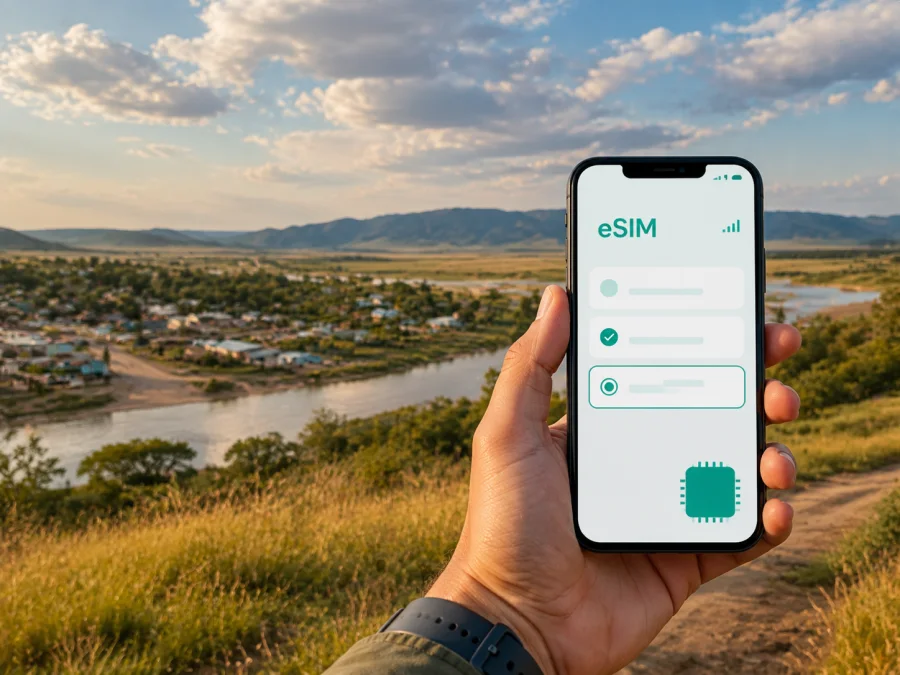
Lethem eSIM: mobile connection and internet for a trip to Guyana
Lethem is a small frontier town in Guyana’s Upper Takutu-Upper Essequibo region and a base for exploring the Rupununi. A trip can combine air or overland travel, a border crossing towards Bonfim in Brazil, and excursions into savannah, forest and nearby communities. Mobile internet helps with maps, lodge messages, bookings and changes of plan.
An eSIM, or virtual SIM card, can help you prepare that connection without changing the physical SIM card in your phone. You choose a plan for the country or region, install the eSIM on a compatible device and use it for mobile data during the trip. Kaspersky eSIM Store is an app and website that helps you choose, arrange and activate an eSIM with a suitable plan for mobile internet abroad. The plan’s coverage, validity, data allowance and other conditions depend on the selected offer.
Why mobile internet matters in Lethem
Lethem is a regional service and travel hub, while many experiences lie outside the built-up area. Your phone is often most useful for coordinating the transitions between places.
Mobile data can help you:
- confirm the meeting point for an airport transfer;
- send your arrival time to a hotel, guesthouse or lodge;
- check a map while walking through the town or finding a pickup point;
- contact a driver or guide when the itinerary changes;
- translate a short message or clarify a reservation;
- share photos and updates with family without searching for Wi-Fi;
- keep work messages moving during a short business visit;
- review arrangements before travelling towards Brazil.
The practical benefit is continuity between stops. A prepared eSIM gives you another way to get online for maps, messages and travel information; it does not replace local advice or a guide in remote areas.
Lethem’s location and what it means for your route
Lethem stands beside the Takutu River near Guyana’s land border with Brazil. Across the river is Bonfim in Brazil’s Roraima state, and the Takutu River Bridge connects the sides by road. This matters if you arrive from Guyana’s interior, continue towards Boa Vista or use Lethem as a base for the southern Rupununi. Border formalities are separate from an eSIM plan, so check them in advance.
The town is associated with the Rupununi savannahs and Kanuku Mountains. Excursions often involve a pre-arranged vehicle, guide or lodge transfer, and signal or road conditions may differ outside town. Save key information and accommodation contacts before leaving.
For a city-focused visit, think of Lethem as three connected layers rather than a dense set of formal districts:
| Area or travel layer | What you may need to do | Connection planning |
|---|---|---|
| Town centre and everyday services | Walk between shops, cafés, accommodation and meeting points | Use data for messages, maps and confirmations; save important addresses before leaving |
| Airport and arrival corridor | Meet a driver, coordinate a transfer or continue to a lodge | Activate or test the eSIM before the flight, and keep the booking details offline |
| Border and Rupununi routes | Travel towards Bonfim, the savannahs, villages or nature lodges | Confirm the route with a local operator; do not assume the same service conditions outside town |
These are practical planning categories.
Arriving in Lethem: the first hour
The best connection plan begins before you land. Save your accommodation address, transfer contact and booking references. If you are travelling overland, keep the same information in a note or screenshot so that you can find it when you are tired or the signal changes.
Lethem can be reached by air from Georgetown and by road through the interior. Prepare according to your arrival:
If you arrive by air
Have airport pickup details ready before take-off. After landing, use mobile data to say that you have arrived, locate the meeting point and check for an update. If the transfer is pre-booked, use the operator’s exact instructions rather than relying on a generic map pin.
If you arrive overland
Plan for a journey with fewer convenient stops than a city transfer. Keep your phone charged, carry the next accommodation address and avoid making your first connection depend on a last-minute purchase. An eSIM arranged in advance can remove one task after a long road journey, provided the device is compatible and the plan is ready to activate.
If Lethem is a stop before Brazil
Treat the border as a separate travel stage. Confirm documents, transport and other requirements with the relevant official or local travel contact. A Guyana plan may not apply after you cross into Brazil; choose a regional option only when its listed conditions match the route.
Getting around the town and the region
Within Lethem, some journeys may be walkable, while others depend on a pre-arranged vehicle. Outside town, road surfaces and weather can affect the schedule. A navigation app helps but does not replace local route knowledge.
Use mobile data selectively:
- Confirm the destination and the name of the driver or guide.
- Open the route while you have a connection and save the important details.
- Share your expected arrival time with your accommodation or travel companion.
- Carry an offline note with the address, booking reference and emergency contacts.
- Check the battery before starting a longer trip.
Maps and messaging generally use less data than video, automatic photo backup or continuous social media. If the allowance is limited, turn off automatic updates and cloud synchronisation between Lethem and rural destinations. Upload photos later when suitable Wi-Fi is available.
Choosing an eSIM plan for Lethem
The relevant plan is normally selected for Guyana or a wider region, not for Lethem alone. Start with the full route through the Rupununi, Georgetown or Brazil, then compare destination, data volume, validity, activation conditions and price.
Match the plan to the length of the trip
For a short stopover, a modest allowance may cover messages, maps and booking checks. A longer stay with photo sharing, video calls or work tasks can require more data. Compare both validity and allowance with your habits.
Estimate how you will use data
Use this simple estimate:
- light use: messages, occasional navigation and booking confirmations;
- regular use: maps several times a day, social posts, email and short calls in messengers;
- intensive use: remote work, video meetings, frequent uploads or hotspot use.
These categories are only a way to compare your behaviour with plan details. Video, cloud backups and hotspot use can consume data quickly, especially with automatic application updates.
Consider the route, not just the destination label
If your itinerary includes Brazil, check whether the plan explicitly includes both countries. If the route also includes Georgetown or other parts of Guyana, confirm that it covers the country rather than a limited local area. The selected offer is the source of truth for validity, data and destinations.
When you are ready, you can choose an eSIM plan for a trip to Guyana. Review the offer before purchase, then keep the activation details accessible. Kaspersky eSIM Store helps you select, arrange and activate the eSIM; it is not a mobile operator or a replacement for the local network used by the plan.
Installing eSIM before departure or after arrival
Install the eSIM while you have stable internet if possible. You may add the profile before departure and turn it on at the destination, or install it after landing. Follow the plan’s activation rules.
Before starting, check eSIM support, operator lock status and battery. You may need the QR code or profile details from your account; keep the primary SIM available if you need its number.
For step-by-step help, follow the Android installation instructions or the iOS installation instructions. Settings can vary by device and operating-system version.
A general sequence looks like this:
- Check that the device supports eSIM and is not operator-locked.
- Connect to Wi-Fi or another working internet connection during setup.
- Open the mobile-network settings and choose the option to add an eSIM.
- Scan the QR code or enter the profile information supplied after your purchase.
- Label the new line clearly, for example “Guyana trip”.
- Select it for mobile data, enable data roaming only if required, and allow a few minutes for registration.
If you are unsure whether your phone is suitable, check your device compatibility before selecting a plan. Compatibility can depend on the exact model, market version and operator lock; two physical SIM slots do not by themselves confirm eSIM support.
Settings that prevent common mistakes
After installation, review which line handles mobile data. If the home SIM remains selected, the phone may use it instead of the travel eSIM. To avoid unexpected roaming charges, disable data switching or data roaming for the primary line as appropriate.
Keep the primary line active only when you need its number for calls or SMS. The eSIM plan is intended for mobile internet; ordinary voice calls and SMS are not automatically included unless the selected plan states otherwise. You can use internet-based messengers for calls and messages when your contacts and the application support them.
Do not delete a working eSIM profile without checking the plan conditions. If data does not appear, review the selected line, any APN settings specified by the plan and whether roaming is required. Restart the mobile connection and allow time for registration.
Accommodation, work and short stopovers
Lethem may be the destination, a base for a Rupununi excursion or a pause before Brazil. Adjust your preparation to the scenario:
- One night: save the accommodation, transfer contact and next departure time; leave room for changes.
- Several days: ask the lodge or operator about transfers, save the itinerary offline and upload photos later.
- Business travel: test the eSIM, download documents and arrange a backup for critical calls; mobile data cannot guarantee every video meeting.
- Border stopover: save addresses on both sides, confirm transport and check whether the plan includes Brazil.
Trips from Lethem: plan the connection around the experience
Lethem is a starting point for excursions connected with the Rupununi savannahs, Kanuku Mountains and nearby communities. Options can include guided nature outings, cultural visits, river activities or ranch and savannah experiences, depending on season and operator. Confirm what is available for your dates.
For a day trip, send your route and expected return time to someone you trust. For an overnight lodge stay, ask about transport, communication points and likely signal. An eSIM may help before departure and after return, while a remote section may require offline preparation.
Pack:
- phone with the eSIM profile installed and the correct data line selected;
- charger or power bank;
- offline copies of bookings, addresses and directions;
- contact details for the guide, lodge and transport provider;
- physical travel documents and any required border paperwork.
A simple preparation checklist
Use this sequence before departure:
- Confirm that Lethem and every other stop on your route are in the plan’s listed destination.
- Check the eSIM compatibility of your exact phone model.
- Make sure the phone is not operator-locked.
- Compare the plan’s data volume and validity with your dates and habits.
- Install the profile while you have stable internet, if the activation rules permit it.
- Save the accommodation, transfer and guide details offline.
- Save the first map area and the plan details offline.
- Decide which line will handle calls and which will handle data.
- Read whether data roaming is required for the eSIM.
On arrival, send a test message, open a simple page and check the data line. Disable automatic photo backup and application updates when data is limited, and use Wi-Fi for large downloads when appropriate.
Frequently asked questions
Is an eSIM useful for a short visit to Lethem?
It can be useful when you need mobile data for airport coordination, maps, messages and a border or lodge transfer, even if you stay only briefly. Choose the plan by the full itinerary and validity conditions rather than by the town name alone.
Can I use the same eSIM when I travel from Lethem to Brazil?
Only when the selected plan explicitly includes Brazil or the relevant regional coverage. Check the destination list before purchase; prepare a separate option when necessary.
What if mobile data does not start after installation?
Check the selected line, activation status and whether roaming is required. Confirm the phone is not operator-locked, restart the connection and wait a few minutes. If needed, use the support route in your account and describe the device and failed step.
Stay prepared for Lethem
The practical value of an eSIM in Lethem is not a promise of uninterrupted service on every remote route. It is a way to prepare mobile data for the moments when you need to coordinate arrival, find a meeting point, check a booking, communicate with a guide or continue a journey towards the Rupununi or Brazil. Combine it with offline details, a charged phone and local travel arrangements.
Before departure, choose an eSIM plan for your Guyana itinerary, check the conditions and install it on a compatible device. With the right plan and a little preparation, your Lethem trip can begin with fewer connection-related tasks and more attention available for the route itself.


