Travel connectivity guide
Liberty eSIM in Costa Rica: activation and travel guide
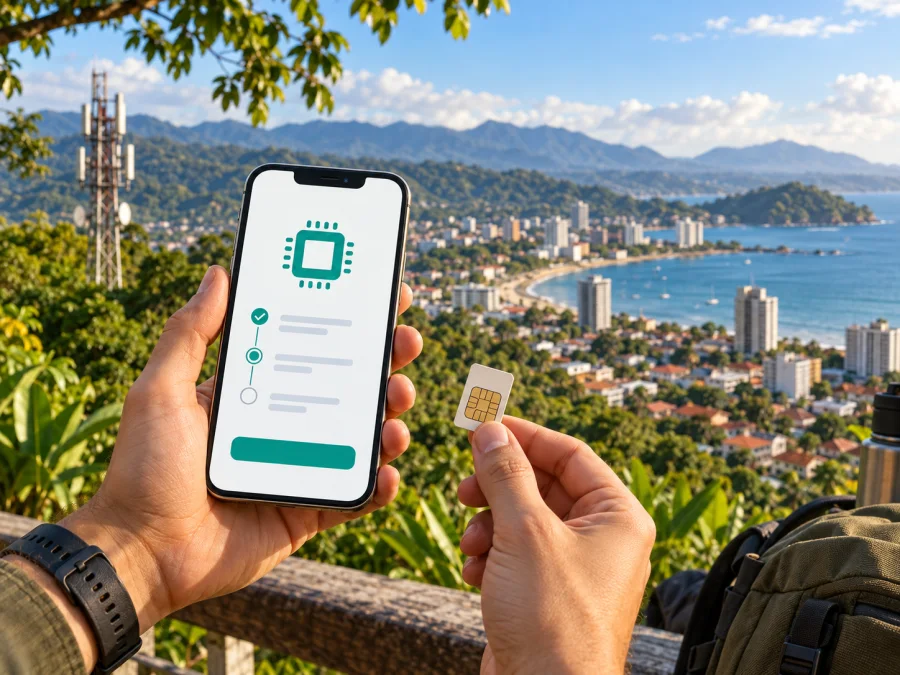
Liberty eSIM in Costa Rica: activation, coverage and travel guidance
If you are looking for a Liberty eSIM in Costa Rica, you need to understand activation, visitor requirements, roaming, travel alternatives and phone settings. This guide brings those points together without reproducing a plan catalogue.
Verification date: 21 September 2026. Liberty’s public Costa Rica pages, its eSIM activation guides and its mobile-service information were checked on that date. Current technology and network context was also checked against public information from the Superintendencia de Telecomunicaciones (SUTEL). Conditions can change, so confirm the details that apply to your line, device and trip with Liberty before making a purchase or visiting a store.
Independence notice. Liberty is a separate mobile operator. Kaspersky eSIM Store is not affiliated with Liberty, does not represent it, and is not its official partner or distributor. “Liberty” is used here only to identify the operator discussed in this informational guide.
Liberty in Costa Rica: what the operator offers
Liberty is one of the mobile network operators serving Costa Rica. Its public mobile-service pages describe national mobile services, prepaid and postpaid options, roaming information, and access to 4G and 5G networks. The operator also publishes a coverage map so customers can check an area rather than relying on a general statement about the country.
Liberty’s current eSIM page confirms that the operator supports eSIM for compatible phones. It explains that an eSIM is the virtual version of a physical SIM and directs customers to activation instructions for several device families. The same page says eSIM activation is available at Liberty stores. An activation guide adds that a physical SIM can be replaced by an eSIM through a Liberty store, where the new profile is activated on the line.
The operator’s public pages also show that prepaid service exists in Costa Rica. That is useful context for travellers who want to avoid a long-term commitment, but it does not mean that every prepaid option is available to every visitor or every eSIM-compatible phone. The exact customer route, documents, line registration and current conditions should be confirmed directly with Liberty.
Is Liberty eSIM available in Costa Rica?
Yes. On the verification date, Liberty’s official Costa Rica eSIM page and activation guide publicly confirmed eSIM support for compatible devices, including a store-based route for replacing a physical SIM. The same guidance recommends checking SUTEL homologation, which is separate from the basic eSIM capability of a phone.
The public pages do not promise one universal route for visitors. They refer to Liberty customer lines, stores, support channels and roaming information. A non-resident should therefore ask Liberty which customer type, identity documents, activation channel and payment method apply before planning the trip around this option.
What to check before choosing Liberty eSIM
Use the following checklist before you plan around a Liberty eSIM in Costa Rica:
| Check | Why it matters | Where to confirm |
|---|---|---|
| eSIM capability | The phone must support an embedded SIM profile | Device settings, manufacturer documentation and Liberty’s compatibility guidance |
| Operator lock | A locked handset may refuse a different operator profile | Original operator or phone settings |
| Regional model | eSIM functions can differ by market and model | Manufacturer and seller documentation |
| SUTEL homologation | Liberty’s activation guide recommends checking it | Liberty guidance and SUTEL information |
| Activation route | The process may involve a store or a customer account | Liberty store and current support channel |
| Internet for setup | The profile or QR information must be downloaded | Wi-Fi or another working connection |
| Roaming settings | A Liberty line used abroad may need data roaming enabled | Liberty roaming guidance and phone settings |
Do not remove your existing SIM until you know which line will handle calls, messages and mobile data. Many dual-SIM phones let you keep a primary physical SIM while using an eSIM, but the names of the settings differ between iPhone and Android devices. Check which line is selected for mobile data and whether automatic switching is enabled.
Another practical restriction is the QR code. Liberty’s current activation guide says that the eSIM QR code is for one-time use. Treat it as an activation credential: keep it available until setup is complete, do not assume that deleting the profile will allow the same code to be scanned again, and ask Liberty for the recovery procedure before changing phones. The operator’s public guidance says that deleting an eSIM profile does not by itself cancel the line, so removal from the phone and cancellation of service should not be confused.
How Liberty eSIM activation works
The exact menu depends on the phone brand and customer route, but the general sequence is:
- Confirm eSIM support, the regional model, operator-lock status and Liberty’s SUTEL-related recommendation.
- Arrange the line through the current Liberty customer route; a physical-SIM replacement is described as a store process.
- Connect the correct phone to the internet and scan the one-use QR code supplied by Liberty.
- Add the profile in mobile-network settings, name it, and choose which SIM handles mobile data.
- Test the line before relying on it; outside Costa Rica, follow the operator’s roaming instructions and check whether data roaming is required.
Liberty publishes separate activation guides for iPhone, Samsung, Xiaomi, Huawei, Honor and Motorola because eSIM menus differ by manufacturer. If the phone’s menu does not match the guide, stop before deleting any profile and use the guide for the exact model or contact Liberty support.
Coverage and supported technologies
Liberty’s official mobile pages describe access to 4G and 5G and point users to a coverage map. Its eSIM page also refers to LTE and 5G. These are technology and availability statements, not a guarantee that a particular street, building, road or rural location will have a signal. Coverage can depend on terrain, indoor conditions, local infrastructure, congestion, device bands and the status of the line.
SUTEL’s public network-quality pages provide a useful independent reference. SUTEL published a national evaluation of mobile 5G networks on 10 September 2026, based on measurements made from January through June 2026. The report covered Liberty and another commercial 5G operator, and it noted that 5G deployment was still at an early stage. During the measured routes, Liberty 5G was not identified at the tested points in Cartago, Guanacaste, Puntarenas and Limón; the report explains that availability depended on the coverage enabled at the locations and dates measured.
That finding should be read carefully. It does not mean that Liberty 5G is absent from an entire province, and it does not predict the result at your hotel or route. It does show why a traveller should check the current Liberty coverage map and avoid treating a 5G label as a promise of service everywhere. SUTEL also maintains a public archive of mobile-network evaluations, which can help users distinguish published measurements from marketing language.
For ordinary travel planning, ask three separate questions: Is Liberty service available at the places you will visit? Does your phone support the relevant bands and eSIM profile? Will your customer line be permitted to use the service while roaming? These questions are related but not interchangeable. A compatible phone does not create coverage, and an eSIM profile does not automatically remove roaming conditions.
Liberty eSIM for travellers: local line or roaming?
If you are already a Liberty customer in Costa Rica, the operator says its eSIM can continue to be used while travelling internationally. Its roaming guide lists destination groups and instructs customers to enable roaming in the phone settings. The available destination, customer type, activation path and applicable conditions can differ, so check the current Liberty roaming page for the country you are visiting.
For a visitor arriving in Costa Rica, the question is different. A local Liberty eSIM would be tied to a Liberty line and its customer process. It may be suitable for someone who needs a local operator relationship and is able to complete the required registration. A travel eSIM, by contrast, is prepared for mobile internet in a destination or region and is usually selected for the journey itself. It can be installed without removing the primary physical SIM, subject to device compatibility and the provider’s terms.
Neither option should be described as universally better. A local operator line may be relevant when local service, operator support or a continuing Costa Rican number matters. A travel eSIM may be more convenient when the main goal is to prepare mobile data before arrival and keep the primary SIM in the phone. Compare the practical requirements, not only the headline technology: activation channel, identity checks, network access, roaming settings, support, voice and messaging needs, and the rules for changing or deleting a profile.
When you are ready to review a travel eSIM option for Costa Rica, choose an eSIM for Costa Rica in Kaspersky eSIM Store. Kaspersky eSIM Store is an app and website that helps users choose, arrange and activate an eSIM for mobile internet during an international trip. It is not a mobile operator, does not own a Costa Rican network and should not be presented as Liberty’s service.
What Kaspersky eSIM Store does — and does not do
Kaspersky’s official product information describes Kaspersky eSIM Store as an app and website that helps a user check compatibility, choose a destination, arrange a travel eSIM, and install and activate it for mobile data. It is not a replacement for every function of a local operator. Do not assume that a travel profile includes a separate phone number, ordinary voice calls or SMS unless its current terms say so. You can generally keep your primary SIM in the phone, subject to device settings and compatibility.
In short, Liberty manages a local operator line through its customer channels, while Kaspersky eSIM Store helps arrange a separate travel-mobile-data profile through its app or website. Specific conditions, availability and network partners should be checked in the live product flow or with the operator. If setup fails, first check the exact model, internet connection, selected data line, roaming setting and coverage map. Do not delete a Liberty profile or rescan a used QR code before asking support about recovery.
FAQ
Does Liberty support eSIM in Costa Rica?
Yes. Liberty’s current Costa Rica eSIM page and activation guide publicly confirm eSIM support for compatible devices. The operator’s guidance also describes a store-based replacement route from a physical SIM. Confirm the current customer and visitor requirements before relying on the service.
Can I use a Liberty eSIM outside Costa Rica?
Liberty says that an eSIM can continue to be used during international travel and directs customers to its roaming information. The destination, line type, roaming permission and current conditions must be checked before departure. Enable settings only as instructed by the operator.
Is a travel eSIM the same as a Liberty eSIM?
No. A Liberty eSIM is a Liberty line managed through Liberty’s customer process. A travel eSIM is a separate travel-mobile-data arrangement. Kaspersky eSIM Store can help a user choose and activate a travel eSIM, but it is separate from Liberty and does not operate the mobile network.
Final checklist for a Costa Rica trip
- Confirm that your exact phone model supports eSIM and is not operator-locked.
- Check the regional model and the SUTEL-related compatibility recommendation.
- Decide whether you need a Liberty local line, Liberty roaming or a travel eSIM.
- Ask Liberty about customer eligibility, documents, activation location and current support for your situation.
- Save the activation information securely and remember that the Liberty QR code is described as one-use.
- Install the profile with a working internet connection and label your SIMs clearly.
- Set the intended line for mobile data and review roaming settings before travel.
- Check Liberty’s current coverage map for the route, not just the country name.
- Recheck all current conditions on the operator or product’s official channel before departure.
Conclusion
Liberty eSIM in Costa Rica is a confirmed option for compatible devices, with public guidance covering eSIM activation, device-specific setup, physical-SIM replacement and international use. The important limitations are equally practical: visitor eligibility may require confirmation, the device may need regional or SUTEL-related checks, the QR code is described as one-use, roaming is not the same as local coverage, and 5G availability varies by location and deployment stage.
Choose the arrangement that fits the trip: Liberty is the local operator, while Kaspersky eSIM Store is a separate travel-eSIM workflow and not a network owner or official Liberty partner.
If you want to review that travel route, check the Costa Rica eSIM options in Kaspersky eSIM Store. Before activating any profile, verify the current device, roaming, coverage and customer conditions with the relevant official service. This article is informational; Liberty, Kaspersky eSIM Store and their respective services may update requirements, technologies, coverage and availability after the verification date.


