Travel connectivity guide
Liberty eSIM in Puerto Rico: What to Check
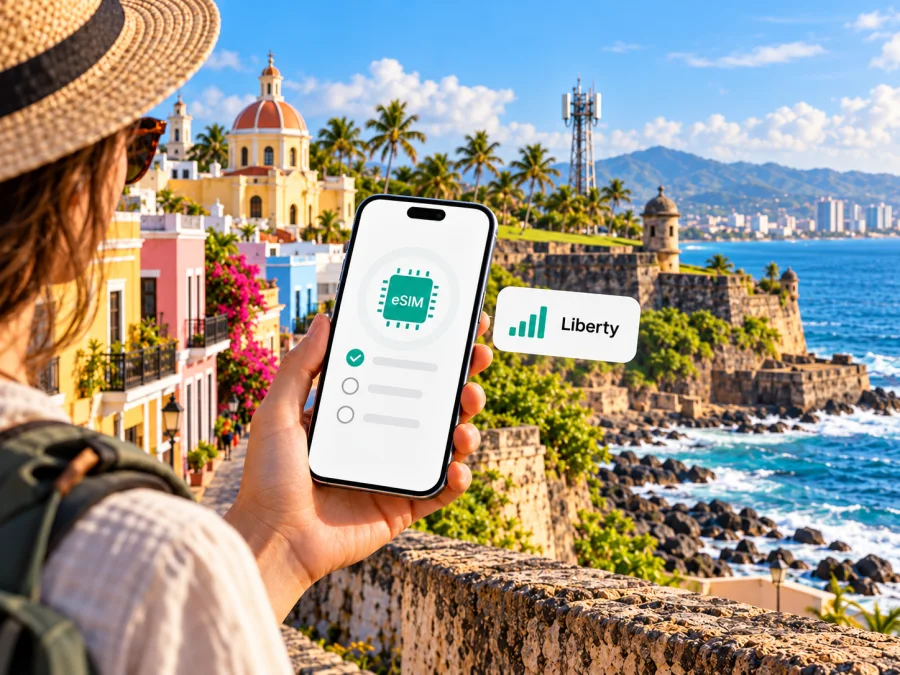
Liberty Puerto Rico eSIM: what travelers should know
If you are searching for a Liberty eSIM in Puerto Rico, the key question is whether you need a local Liberty mobile line or mobile data for a visit. Liberty Puerto Rico’s current eSIM help page confirms that the operator supports eSIM and describes setup with a QR code. It also gives broad device guidance rather than a complete, model-by-model compatibility guarantee. Before ordering or converting a line, confirm your exact phone variant and eligibility with Liberty.
Puerto Rico is a United States insular area, as described by the U.S. Department of the Interior. It has its own local mobile market and should be treated as the destination in this guide; the territory’s political status does not itself tell you whether a particular phone, plan, or roaming arrangement will work there. Liberty Mobile Puerto Rico is one of the local mobile-service brands in that market. Its website presents mobile service, prepaid options, customer support, and a coverage map for Puerto Rico. Those pages are useful starting points, but the details that apply to a visitor depend on the line and device you intend to use.
This article uses information checked on November 1, 2026. Liberty’s Spanish-language eSIM page, “Dispositivos eSIM compatibles en Liberty Puerto Rico,” confirms eSIM support and describes QR activation. The operator’s mobile Help Center lists an eSIM activation guide, while its 5G page and mobile-service terms explain that coverage and technology availability can vary. Liberty lists prepaid service on its Puerto Rico website, but the public information reviewed here does not establish that every prepaid offer can be opened by a short-term visitor or issued as an eSIM. Ask Liberty about current eligibility and terms before you rely on a particular option.
Does Liberty support eSIM in Puerto Rico?
Yes. Liberty Puerto Rico’s eSIM support page describes eSIM as a digital SIM and explains that an eligible device can be activated using a QR code. Its setup instructions say to connect the phone to Wi-Fi, open the mobile-network settings, add an eSIM, and scan the QR code delivered by email. The page provides steps for iPhone and Android, though the exact menu names and screens depend on the operating system version, manufacturer, and device variant.
The page says eSIM is available on most iPhones and many Android phones and names several manufacturer families. That is a useful indication of broad support, not a guarantee for every handset sold under those names. A device can differ by model number, sales region, carrier lock, software version, or whether it was originally configured for a specific market. The operator page also mentions tablets and smartwatches, but a device’s eSIM capability alone does not confirm that Liberty will activate the type of line you want on it.
Before you make a decision, contact Liberty using its current Puerto Rico support channels and ask about the exact device model and variant. Confirm whether the line can be issued as eSIM, whether it is available for a new customer or only an existing line, what identification or account information is needed, and whether a store visit is required. The public eSIM guide describes the QR process but does not settle every account, identity, payment, or visitor-eligibility question.
For travelers, also distinguish a local carrier eSIM from a travel data eSIM. A Liberty line is a mobile-service relationship with Liberty and may be appropriate when you need a local number and voice or messaging service, subject to the applicable terms. A travel eSIM is usually intended to provide data for a destination, with its own plan, network partner, activation conditions, and limitations. Neither label guarantees that a particular phone will connect; check the terms for the specific service you plan to use.
Liberty’s role in the Puerto Rico mobile market
Liberty operates a Puerto Rico mobile-service business and offers consumer mobile products alongside home services. Its Puerto Rico website includes mobile plans, prepaid service, device support, customer-service information, and a network-coverage map. This establishes Liberty as a local option to investigate, but it does not mean every visitor should choose a Liberty line or that all services are available to a temporary visitor on the same terms as an established customer.
The operator’s public pages discuss LTE and 5G. Liberty’s 5G information page directs customers to a coverage map and states that coverage is approximate, may change, and is not guaranteed. It also notes that 5G requires a compatible device and plan and is not available everywhere. For that reason, a technology label is not a promise of reception at every address, indoors, on a road, or in a rural area. Buildings, terrain, local network conditions, device bands, and other factors can affect service.
Use Liberty’s current coverage map for the places you expect to visit, and read it as an estimate rather than a guarantee. If your trip includes San Juan, smaller towns, mountain roads, beaches, or time on a ferry or boat, ask about the specific locations that matter. Check coverage independently for each part of the itinerary rather than assuming that a result in one urban area applies across Puerto Rico. A map can help with planning, but it cannot promise an uninterrupted connection or a particular speed.
Liberty also lists prepaid mobile service. “Prepaid” generally describes paying for service in advance, but it does not by itself tell you whether an eSIM is offered with a particular prepaid line, what documents are needed, how a new customer can register, or whether a foreign payment method is accepted. Liberty’s mobile-service terms describe service conditions that may require a U.S. postal address and residence within the coverage area for activation and maintenance. Because that wording can affect a traveler, ask Liberty directly whether it applies to the product you are considering and what current requirements apply to a visitor.
When a Liberty eSIM may suit a trip
A local Liberty eSIM may be worth investigating if you want a local mobile line, already have a relationship with Liberty, or will spend enough time in Puerto Rico to prefer a local service arrangement. It can also be relevant when you need ordinary mobile calling or texts associated with a local line. Confirm the exact inclusions with Liberty; the presence of an eSIM profile does not guarantee that calls, texts, roaming, or any particular data service are included in your chosen product.
It may be less straightforward if you are visiting briefly, do not have the address or account details required for the line, need a connection immediately on arrival, or cannot visit a store if the operator requires in-person identity checks. A visitor who only needs mobile data may prefer to compare an eligible travel eSIM with roaming on their existing carrier. Compare the service conditions that matter to your trip: destination coverage, data allowance, validity, tethering policy, activation timing, support, and whether voice or SMS is required. The terms of each option can differ, so use the current provider information rather than assumptions based on the word “eSIM.”
If you are arriving from the mainland United States or another territory, do not assume that your existing plan treats Puerto Rico exactly like your home area. Check the roaming and domestic-use terms with your current provider. Likewise, do not infer that a Liberty plan will work outside Puerto Rico just because Liberty mentions regional roaming in some of its service information. The applicable offer, network partner, and conditions determine where a line works.
For a data-only travel option, browse current eSIM options for Puerto Rico and review the destination and service terms shown before purchase. This is a separate travel-data route; it is not a Liberty plan and does not establish Liberty eSIM eligibility.
Check your phone before ordering
The device is often the most important compatibility detail. “eSIM-capable” is not enough on its own: the exact model number, market variant, carrier lock status, software, and supported network bands can matter. Some models with the same retail name have different features in different countries. Ask Liberty to check the manufacturer’s exact model code, and confirm that the phone is not locked to another provider if you intend to install a different carrier profile.
A practical pre-check looks like this:
- Find the full model name and model number in the phone’s settings or on the device information page.
- Check the manufacturer’s support page for eSIM capability for that exact variant and country of sale.
- Ask Liberty whether that model and software version can be activated on its Puerto Rico network.
- Confirm that the phone is unlocked, or ask the current provider what restrictions apply.
- Check whether your phone can keep your existing physical SIM active while using an eSIM for data.
- Make sure you can access a stable Wi-Fi connection and the email address that will receive the QR code or activation details.
You can also use the eSIM device compatibility check as a general first step for an eSIM phone. A compatibility checker can indicate whether a device has eSIM capability; it does not replace Liberty’s confirmation that the exact model, account, and service are eligible. Keep the distinction clear when your phone is a regional variant or was purchased through a carrier.
How Liberty eSIM activation works
Liberty’s current instructions describe QR-based installation. Prepare before you start: confirm the line and exact phone variant with Liberty, connect the phone to Wi-Fi, and make sure you can access the email that will receive the activation details.
- Open cellular settings on iPhone and choose Add eSIM; menu names on Android vary by manufacturer and software version.
- Scan the QR code Liberty provides and follow the on-screen prompts. If you cannot scan it from the same phone, ask Liberty whether another installation method is available.
- Label the line so you can distinguish it from your existing SIM. Select which line handles mobile data, calls, and messages if you use dual SIM.
- Wait for the profile to register, then test it before relying on it. If activation fails, note the error and contact Liberty rather than deleting the profile.
The QR code may be limited to one installation, and transfer rules depend on the profile. Do not remove the eSIM or move it to another phone unless Liberty confirms that it can be restored or transferred. Ask when activation should occur, whether data roaming must be enabled, and what to do if the phone is replaced or reset.
After the eSIM is installed
Keep your home line enabled only if you need it, and check its roaming terms before leaving data active. Some services require data roaming on the eSIM; follow Liberty’s instructions for your line rather than assuming that one setting applies to every service. On dual-SIM phones, check the selected data line and any automatic data-switching setting.
If the phone does not connect, confirm that the eSIM is enabled, the correct data line is selected, airplane mode is off, and the device has restarted. Check the current coverage map for your location. If the problem remains, contact Liberty with the model, software version, location, and error message.
Liberty eSIM versus a travel eSIM
A Liberty eSIM and a travel eSIM solve related but different needs. A local operator profile is connected to a Liberty service account. Depending on the product and account eligibility, it may support a local number and mobile voice or messaging as well as data. Liberty’s eSIM page says that an activated Liberty eSIM can make calls and use data normally, but what you receive still depends on the line you order and its terms.
Kaspersky eSIM Store is an app and website that helps travelers choose, arrange, and activate an eSIM with a plan for mobile data during an international trip. It is not a mobile operator, network owner, or provider of mobile internet. The Puerto Rico destination page is a place to review the current travel-data options presented for the destination; it is not a Liberty tariff page. Check the listing’s own coverage, data, validity, activation, and device conditions, since offers may change.
A travel data eSIM may be convenient when you need internet for maps, messaging apps, email, or browsing without replacing your primary number. The product information for Kaspersky eSIM Store describes its eSIM service as data-only unless a specific offer says otherwise, so do not expect an ordinary local voice number or SMS as part of a data plan. Internet-based calling and messaging apps can work over data, subject to their own requirements and the connection available at the time.
| Travel need | Local Liberty eSIM | Travel eSIM |
|---|---|---|
| A local mobile relationship | Ask Liberty about eligibility and the line type available to you. | Usually intended for data access rather than a local voice line; read the offer details. |
| Existing home number | A compatible dual-SIM phone may let you retain another line. | Often used alongside a primary SIM, subject to the phone’s dual-SIM features. |
| Setup before departure | Confirm whether Liberty can issue and activate the line before travel. | Review whether the eSIM can be installed in advance and when its service starts. |
| Coverage questions | Check Liberty’s current Puerto Rico coverage map and ask about specific locations. | Check the destination and network details shown for the selected travel option. |
| Eligibility and support | Confirm account, identity, address, payment, and customer-support requirements with Liberty. | Follow the app or website’s purchase and support terms for the selected offer. |
No option is automatically best for every traveler. A resident who needs a long-term local line may value a local account, while a short-term visitor who mainly needs data may find a travel eSIM easier to evaluate. If you need a number for local calls, account verification, or SMS, check that requirement before choosing. If your trip includes more than one destination, confirm whether the service covers every place on the itinerary and whether changing networks or countries affects activation.
Frequently asked questions
Can I get a Liberty eSIM in Puerto Rico?
Liberty’s public support page confirms eSIM and QR-based activation. Your ability to obtain a particular line depends on your device and current account eligibility, so confirm both with Liberty before ordering.
Does Liberty eSIM work on every iPhone or Android phone?
No. Liberty describes support broadly as most iPhones and many Android devices. Check the exact model number, regional variant, software, and carrier-lock status.
Can a visitor activate Liberty prepaid eSIM?
Liberty lists prepaid mobile service and separately describes eSIM. The public information checked for this article does not confirm that every prepaid offer is available to a short-term visitor as eSIM. Ask about visitor eligibility, current requirements, and remote activation.
Does Liberty have 5G in Puerto Rico?
Liberty publishes 5G information and a coverage map, while noting that coverage is approximate and 5G is not available everywhere. A compatible device and service are required.
Can I use Liberty eSIM with my physical SIM?
Liberty says the two can be used together, provided the device supports the configuration. Choose which line handles data, calls, and messages in your phone settings.
Is a travel eSIM the same as a Liberty eSIM?
No. Liberty eSIM activates a Liberty mobile line under the applicable service terms. Kaspersky eSIM Store helps users choose and activate a separate travel eSIM for mobile data. Review its offer terms; do not assume it includes a local voice number or SMS.
A careful way to choose
Start with your main need: a local mobile line, data for a short visit, or continued access to your existing number. Then verify that your exact phone variant is unlocked and compatible, ask the provider about account requirements, review the coverage map for your destinations, and understand which SIM will handle mobile data. This sequence helps avoid buying or converting a profile that your handset or account cannot use.
Liberty Puerto Rico confirms eSIM support and publishes QR-code setup instructions, but a traveler still needs to confirm the exact handset, line type, account eligibility, and activation process. Coverage and 5G availability vary by location and device. For mobile data while traveling, Kaspersky eSIM Store offers a separate way to review eSIM options for Puerto Rico; it does not operate Liberty’s network or replace Liberty’s local mobile service. Check current terms before you choose.
If you want to review a separate travel-data option, see current eSIM options for Puerto Rico. Liberty and Kaspersky eSIM Store are not affiliated. Product availability and terms can change; confirm the latest information with the relevant provider.


