Travel connectivity guide
Lima eSIM: Mobile Internet for Your Peru Trip
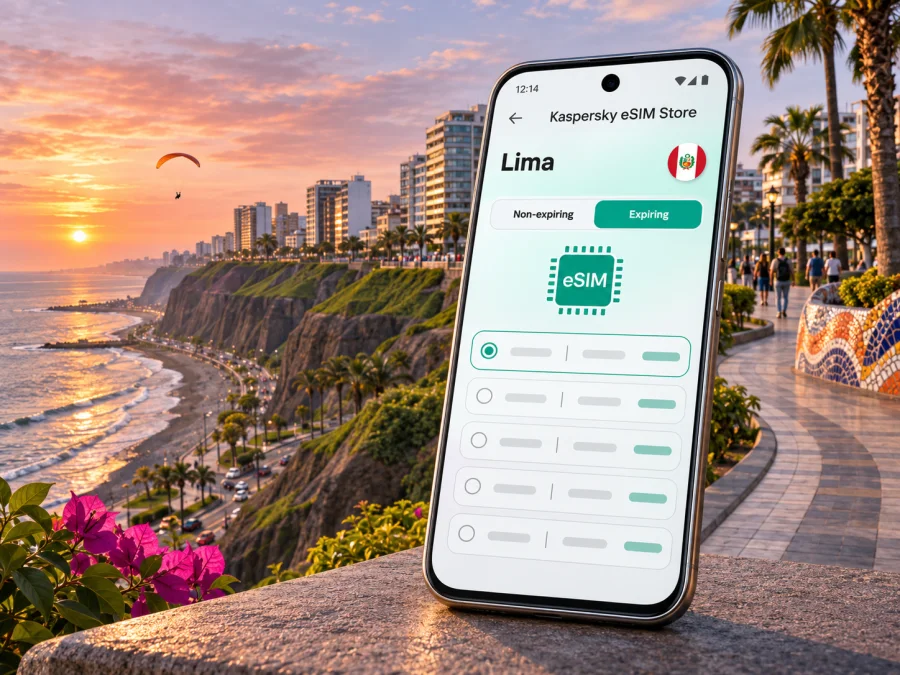
Lima eSIM: mobile connection and internet for your city stay
Lima is a large coastal capital where an arrival at the airport, a hotel in Miraflores, meetings in San Isidro and an evening in Barranco can all be separate parts of one day. Mobile data helps with maps, ride arrangements, messages, translation and checking opening times as you move between them. An eSIM can be a practical way to prepare that data connection without swapping the physical SIM in your phone.
This guide focuses on using mobile internet around Lima: what to plan before landing, how to think about the city’s different districts, and what to check before choosing and activating an eSIM. Coverage, speed and availability depend on the local network, your precise location, the device and the conditions of the chosen tariff; no citywide experience can be guaranteed.
Why mobile data helps in Lima
Lima is not a compact city where every stop is a short walk from the last. Visitors often combine the historic center with coastal districts and business areas, and road journeys can take longer than a map’s straight-line distance suggests. A working connection can help you compare routes, confirm the correct pickup point, contact your accommodation and adapt when plans change.
Practical uses include:
- Opening a map while walking between a hotel, a restaurant and a nearby attraction.
- Checking a ride’s pickup location and sharing your destination with the driver.
- Sending an arrival update if immigration, baggage collection or traffic changes your estimated time.
- Looking up museum hours, restaurant details or a reservation while away from Wi-Fi.
- Using messaging, email, translation and online documents during a work trip.
- Downloading or refreshing directions before moving between districts.
An eSIM for mobile data does not necessarily include a local phone number, regular voice calls or SMS. Check the selected plan’s terms. You can continue to use your usual number for calls or texts if your home SIM and operator support it, while using the travel eSIM for data; check roaming charges and line settings with your home operator first.
First arrival: the airport is in Callao
Jorge Chávez International Airport serves Lima, but its location is in the Constitutional Province of Callao, next to the Lima metropolitan area. Treat it as a separate arrival point when arranging a transfer: your driver may need the exact terminal pickup area and a clear destination address, rather than simply “Lima.” The airport’s access arrangements and routes can change, so check current instructions from the airport or your airline shortly before departure.
After landing, give yourself a moment to connect before leaving the terminal. If you have installed an eSIM in advance, confirm that the profile is enabled and that mobile data is assigned to it. Keep your home line’s data roaming setting as you intend, and avoid deleting an eSIM profile to troubleshoot unless the provider’s instructions tell you to do so; some profiles cannot be installed repeatedly.
For the first ride, save your lodging address offline or in a note, and verify the destination in the ride app before you set off. If you are meeting someone, agree on a recognizable pickup point and a fallback if the signal or app is unavailable. The airport and city are busy environments, and a plan that works without continuous data is useful even when you expect to be online.
Arrival checklist
- Confirm the airport terminal and your pickup instructions from a current source.
- Save your accommodation’s full address and contact details before the flight.
- Keep a map area or written directions available offline if possible.
- Set up the eSIM while you have a stable internet connection and can read its installation steps.
- Check which line is selected for mobile data and whether data roaming must be enabled for the travel profile.
- Keep access to your booking details and essential contacts outside a single messaging app.
Districts and routes: plan around where you are going
Lima’s neighborhoods create different connection routines. Miraflores and Barranco are popular visitor districts on the Pacific-facing side of the city, while San Isidro is a major business and accommodation area. The Historic Centre is a separate destination with plazas, historic buildings and museums. You may use different transport for each leg, so check a route from the actual starting point instead of assuming that nearby names mean nearby travel.
| Area | What a visitor may be doing | How mobile data can help |
|---|---|---|
| Miraflores | Staying near the malecón, parks, cafés or Larcomar; walking along the coastal edge | Navigate between meeting points, check opening hours and coordinate a ride back from the cliffs |
| Barranco | Visiting galleries, cafés, the Bridge of Sighs and the Bajada de Baños | Find a precise walking route and confirm a pickup point after an evening out |
| San Isidro | Attending meetings, staying near offices or connecting between appointments | Keep calendars, email, maps and ride details accessible while moving between addresses |
| Historic Centre | Exploring the Plaza Mayor, churches, museums and surrounding streets | Identify pedestrian routes, verify current access and keep track of return transport |
| Callao / airport area | Arriving, departing or arranging a transfer | Check terminal information and coordinate a driver using the location shown in current airport guidance |
The table is a planning aid, not a promise that any particular mobile network has identical reception in every building or street. Concrete walls, underground spaces, congestion, weather and local network conditions may affect a connection. If you need uninterrupted access for a meeting or a critical booking, download key information and share plans with a travel companion as a backup.
Coastal Lima: Miraflores and the malecón
The Miraflores malecón runs along the edge of the cliffs above the Pacific, with parks and viewpoints along the route. That makes a map useful for locating a specific park or restaurant and for understanding where a path descends toward the coast. Do not rely on a blue dot alone at the edge of a cliff or on a complex street: check the street name and entrance, and follow signed pedestrian routes.
A relaxed plan might be to walk through the parks, stop at a café, then continue toward Larcomar. If you are meeting friends, pick one named landmark rather than “somewhere on the malecón.” The district has many adjacent paths and overlooks, and a precise pin or short message can prevent confusion. Download the route before leaving a hotel if you expect to use the phone for photos and maps over several hours.
Barranco: slower walks and evening plans
Barranco is known for its arts and cultural spaces, colorful streets and the Bridge of Sighs. Visitors often explore on foot, including the route down the Bajada de Baños. Use a map to plan the walk from your starting point, but pay attention to stairs, slopes and pedestrian access rather than choosing the shortest line on screen. For an evening visit, decide how you will return before setting out and save the accommodation address in the ride app or notes.
A travel eSIM is useful here for messaging and arranging transport, but it is not a safety service. Keep your phone charged, stay aware of your surroundings and use a well-lit route that feels appropriate to you. If your mobile data drops, follow previously agreed directions or ask a venue to help arrange a ride instead of wandering while focused on the screen.
San Isidro and the Historic Centre
San Isidro suits a schedule with office appointments, hotels and restaurants spread across several addresses. Keep calendar entries and meeting locations synchronized before you leave reliable Wi-Fi. A short note with the building name, street and contact person can be easier to use than searching a long email thread during a transfer.
The Historic Centre rewards a different pace. Its main sights can be explored on foot, but hours, entry arrangements and access can vary. Check current details before you go, and download the relevant map area. If you need to return to another district at a set time, include a buffer for road traffic rather than calculating only the distance between pins.
Choose an eSIM plan for your actual itinerary
The right data allowance depends on how you use your phone, how long you stay and whether you will have reliable Wi-Fi at your lodging or workplace. A city break built around saved maps and messaging uses data differently from a work trip with video meetings, cloud files and frequent hotspot use. Think about your own habits and read the plan’s current allowance, validity period, supported destination and activation conditions before checkout.
Kaspersky eSIM Store is an app and website where you can choose, arrange and activate an eSIM with a suitable tariff for mobile internet on an overseas trip. To review the current destination options and their terms, browse eSIM plans for Peru. The destination page is country-level; confirm the plan’s displayed coverage and conditions for your Lima visit rather than assuming that a city mention means a particular network or performance guarantee.
A quick way to estimate your needs is to review the phone’s recent mobile-data use, then account for the days when you expect to rely on mobile data. Include map use, messaging, browsing, photo backups, work applications and any hotspot sessions. Video calls and automatic media uploads can consume considerably more data than short text messages. If the plan permits, you can reduce unexpected use by limiting background refresh and photo syncing while on mobile data.
Before you select a plan, check:
- Destination: Peru is included in the plan’s listed coverage. If your trip continues to another country, check that destination separately or look for a plan explicitly covering your route.
- Data allowance: It fits your usual use, not just the minimum you hope to consume.
- Validity: Its validity period matches the dates and activation rules that apply to your trip.
- Activation: Confirm when validity begins. It may begin at installation, first connection or another event specified in the offer terms.
- Network and service details: Read what the plan says about supported networks, speed limits, tethering and any service restrictions. Availability may vary by place and time.
- Device and lock status: The phone supports eSIM and is not restricted by a carrier lock. Check whether your device supports eSIM.
- Other services: Confirm whether the plan covers mobile data only. Do not assume it includes a Peruvian number, voice calls or SMS.
Installing and activating the eSIM
Install the profile before departure when possible, while you have dependable Wi-Fi, enough battery and time to follow the steps carefully. The exact sequence can vary by device and the instructions supplied for the selected plan. Keep the QR code or installation details accessible on another screen if your phone cannot scan a code displayed on itself.
Follow the relevant instructions for your operating system: eSIM installation instructions for Android and eSIM installation instructions for iOS. Read the plan’s activation guidance before changing settings. Installing the profile and starting its validity are not necessarily the same event.
Typical preparation sequence
- Confirm your device supports eSIM and is carrier-unlocked. If the phone was purchased through a carrier, check its lock status with that carrier.
- Choose a plan whose destination, data allowance, validity and terms fit the Lima trip.
- Connect to stable Wi-Fi, open the supplied installation instructions and add the eSIM profile as directed.
- Label the profile clearly, for example “Peru travel,” so you can distinguish it from your regular line.
- Before travel, check the plan’s guidance about when to turn on the profile, data roaming and automatic network selection.
- On arrival, select the travel profile for mobile data and verify that the home line is configured as intended.
- Open a simple webpage or messaging app to confirm that data works, then revisit the plan instructions if it does not.
Do not delete a profile as an early troubleshooting step. First check that the eSIM is enabled, the correct line is selected for mobile data, airplane mode is off and the plan’s activation conditions have been met. Network selection can take a little time. If the profile still does not connect, follow the plan’s support guidance or contact the relevant provider through its official channel.
Troubleshooting: a short checklist
If mobile data is not working after arrival, work through these checks in order:
- Confirm location and timing. You are in the plan’s destination and its validity has started according to its terms.
- Check the profile. The travel eSIM is present, enabled and selected for mobile data.
- Check roaming instructions. Some travel profiles require data roaming to be enabled; follow the plan’s instructions rather than guessing.
- Refresh the connection. Toggle airplane mode briefly, then wait for the phone to register on a network. Avoid repeatedly changing several settings at once.
- Check the allowance. Review the plan balance or app information if available, and make sure the data limit on your phone has not blocked use.
- Move to a different spot. A building interior, basement or crowded area may affect reception. Try near a window or outdoors where appropriate.
- Restart only if needed. Save current work first, then restart the phone if the preceding checks do not help.
- Use official support. Keep your order and device details ready, and contact the support channel associated with the plan.
If you need directions while resolving a connection issue, use a saved map, ask your accommodation or a staffed venue for help, or connect to a trusted Wi-Fi network. Avoid entering sensitive account details on a network you do not trust.
Frequently asked questions
Is the airport in Lima?
Jorge Chávez International Airport serves Lima, but it is geographically located in Callao, a neighboring constitutional province. Use the terminal and pickup details shown in current airport guidance when arranging transport.
Will an eSIM work on every phone in Lima?
No universal device assumption is safe. The phone must support eSIM, be compatible with the particular profile and generally be free of a carrier restriction that prevents activation. Check the device’s exact model and regional variant before choosing a plan.
Does a travel eSIM give me a Peruvian phone number?
Not necessarily. Many travel eSIM plans are for mobile data only. Check the individual plan’s terms for voice, SMS and number availability, and keep your home operator’s roaming conditions in mind if you need your usual number.
Can I install it before my flight and activate it in Lima?
Often the profile can be installed before travel, but the plan’s validity may begin at a particular event. Read its activation instructions so you know whether to install, enable or select it before departure or after arrival.
Is mobile coverage the same in Miraflores, Barranco and the Historic Centre?
Coverage and performance can differ by network, exact location, building and time. A citywide plan label does not guarantee the same signal in every street or indoor venue. Keep important information available offline.
How much data should I choose for a weekend?
Estimate from your own routine: maps and messaging use a different amount from cloud photo backups, video calls or hotspot sessions. Review your phone’s recent usage and the plan’s allowance and validity before deciding.
Can I use the eSIM outside Lima?
Only rely on service where the plan’s terms list coverage. Verify each additional destination and prepare offline maps for remote or long-distance travel, where network availability may differ.
What should I do if it connects but pages do not load?
Check the selected data line, profile status, plan activation and any data limit. Follow the provider’s troubleshooting steps, then contact its support if the issue remains. Keep the profile installed while you seek help unless instructed otherwise.
A calm connection plan for Lima
Before departure, check device compatibility, compare the plan’s stated conditions with your dates and itinerary, and install the eSIM over Wi-Fi by following the supplied instructions. Save the airport pickup details, lodging address, essential bookings and an offline map. In Lima, confirm each route from your actual location, leave time for traffic and use mobile data for the tasks that benefit from a live connection.
When you are ready, review eSIM options for Peru and choose a plan whose listed destination, data allowance, validity and activation rules suit your trip. Kaspersky eSIM Store helps you select, arrange and activate an eSIM for mobile internet abroad; check the current plan terms and device requirements before you travel.


