Travel connectivity guide
Linkoping eSIM: Mobile Data for Your Sweden Trip
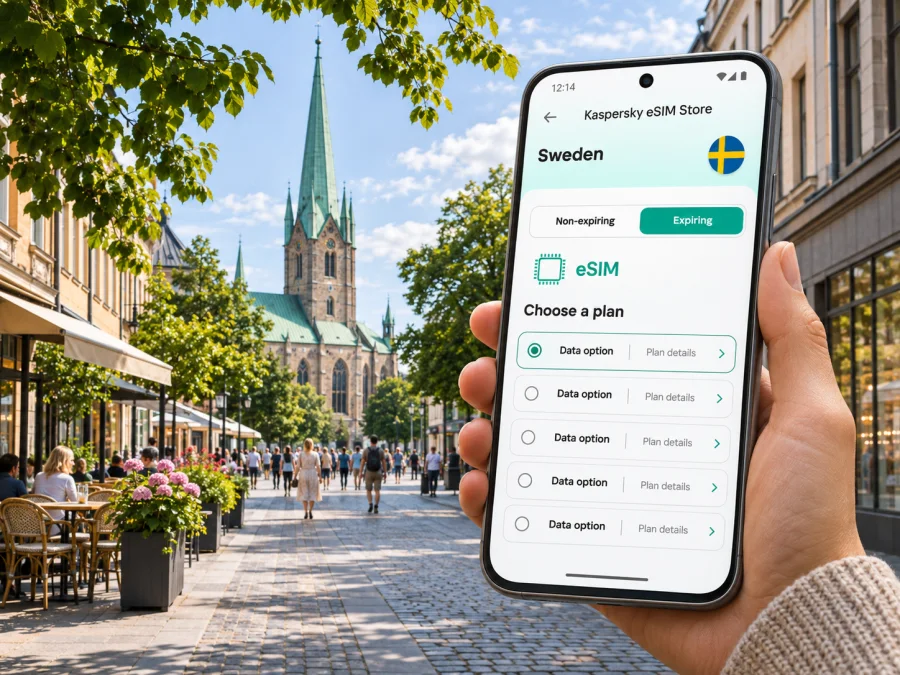
eSIM in Linkoping: mobile connection and internet for your trip
Linkoping is a compact university and technology city in Östergötland, in southern Sweden. A mobile data connection can make the first hours easier: check the route from the airport or railway station, find your accommodation, read local bus information and message the person meeting you. An eSIM is a digital SIM profile, so you can prepare it without replacing the physical SIM already in your phone.
This guide focuses on using mobile internet around Linkoping: arrival, city transport, central sights, campus visits, work trips and day journeys in the region. The exact network, coverage, data allowance, validity and activation conditions depend on the Sweden tariff you choose and the provider named in its details. Check those terms for your travel dates; a city name by itself does not guarantee reception in every building or on every route.
When mobile data is useful in Linkoping
Linkoping is easy to explore on foot in the centre, but a map and live information help when your plans cross between the station, hotel, university areas and places outside the core. Mobile data is useful for:
- opening a map after arrival and following the route to your hotel;
- checking local bus stops, departures and ticket information before boarding;
- finding a restaurant, museum entrance or meeting address in an unfamiliar neighbourhood;
- receiving booking updates and contacting accommodation if your arrival time changes;
- sharing a location with colleagues or family, or using a messaging app while away from Wi-Fi;
- looking up opening times before walking to a museum or a site farther from the centre;
- planning a train or bus connection to Norrköping, Stockholm or another stop in Östergötland.
The most useful benefit is continuity between small tasks. You can check a route while walking, confirm a platform before a journey and send a message without depending on a café or hotel Wi-Fi network. Downloading large files, streaming video and uploading photos can use data quickly, so save those activities for a trusted Wi-Fi connection if your allowance is limited.
Arrival: airport, railway station and first route
Linkoping has Linkoping City Airport (LPI) close to the centre. Flight schedules and destinations can change, so check your itinerary and the airport’s current information before departure. If you arrive by air, having data available can help you confirm the pickup point, locate a taxi, check your onward route or send your arrival time. Do not assume that every international itinerary lands at LPI: travellers may also reach Linkoping by train or via another Swedish airport.
Linkoping Central Station is commonly called Resecentrum. It is a practical starting point for reaching central accommodation and changing to local transport. Before leaving the station, open the saved address of your hotel and compare the walking route with the current bus options. Swedish street and stop names may look unfamiliar at first; copying the exact destination name into a map app often prevents confusion between similar addresses.
A simple arrival sequence:
- Keep your booking confirmation and accommodation address available offline.
- Check whether your eSIM profile is installed and whether mobile data is assigned to it.
- Open the route to your destination while you still have a stable connection.
- Confirm the station, stop or pickup point shown on the route.
- If the signal is unavailable, use the saved map, airport or station Wi-Fi, or ask staff for directions.
The airport is near the city, but the best transfer depends on your arrival time, luggage and final address. A taxi may be convenient with bags or late at night; public transport and walking can suit other journeys. Confirm current departure times and any service changes instead of relying on an old timetable. If you have a tight connection, leave room for walking from the platform, locating the stop and buying or validating the right ticket.
Getting around the city
Östgötatrafiken operates local public transport in Linkoping and the wider county. Use its current journey planner or another live map to check the route on the day. The city’s buses connect central streets with districts and destinations such as the university campuses. Routes, temporary diversions and stop names can change, so a saved screenshot of the correct departure can be useful if reception drops during the journey.
The city centre is manageable on foot, and some trips are pleasant by bicycle. A phone can help with turn-by-turn navigation, but avoid looking at a screen while crossing a road or riding. Set the route before you set off, use audio directions where appropriate and stop somewhere safe if you need to check a change.
| Journey | What to check on your phone | Useful preparation |
|---|---|---|
| Airport to accommodation | Current transfer options and pickup point | Save the full address and booking details |
| Resecentrum to a hotel | Walking route, stop names and service updates | Keep the destination name in its original spelling |
| Centre to Campus Valla | Bus or cycle route to the specific building | Check which part of the large campus you need |
| Centre to University Hospital Campus | Correct entrance and local bus connection | Ask your host for the building or entrance name |
| Day trip outside the city | Regional timetable and return departure | Check the full route, not only the first leg |
Local public transport uses mobile tools, but your ticket and your internet connection are separate things. A data eSIM does not automatically include a bus or train ticket. Check the transport operator’s current payment methods, ticket validity and conditions; keep a payment card available as a backup. Avoid assuming a ticket has been purchased just because a journey planner opened on your phone.
A city trip shaped by neighbourhoods
In the centre, the Cathedral, shops, restaurants and cultural venues are close enough to combine into a flexible walking day. Linkoping Cathedral is a major historic landmark, and the nearby Castle and Cathedral Museum gives the area another stop. Use the map to find the entrance and check visiting hours before setting out; opening arrangements can vary by day and season.
For a quieter break, follow the route along Stångån and the Kinda Canal. The waterside paths offer a change of pace from the shopping streets, and the route can be extended according to time and weather. Download a local map area if you expect to walk beyond the busiest centre. A strong signal in a central street does not guarantee the same experience beside water, in a basement venue or inside a large building.
Gamla Linkoping, the open-air museum, is another distinct outing. It sits away from the central shopping streets, so plan the journey and check opening times for individual attractions. Use mobile data to find the correct entrance, check local transport and coordinate a return trip. If you are travelling with children or a group, agree on a meeting point before exploring separately; a phone battery can run down faster when maps, camera and mobile data are used together.
Linkoping University’s Campus Valla is around three kilometres from the city centre, while the University Hospital Campus is more central. These are different destinations, so enter the exact campus or building in your route planner rather than searching only for “the university.” For a conference, appointment or campus visit, ask the organiser for the entrance name and save it offline. This small detail can prevent an unnecessary walk across a large site.
Choosing a Sweden eSIM for a Linkoping itinerary
Choose a tariff by matching its conditions to your route, not by choosing a city label alone. A Sweden plan may be suitable for time spent in Linkoping, but review the listed country or region, supported network, data amount, validity period, activation rules and any fair-use terms before checkout. If your trip continues across borders, confirm that those other destinations are included; a Sweden-only plan should not be assumed to work elsewhere.
You can review eSIM options for travel in Sweden in Kaspersky eSIM Store. It is an app and website that helps you choose, purchase and activate an eSIM with a suitable mobile-data tariff for an international trip. The available options and their terms can change. Compare the conditions shown for the specific tariff you are considering and make sure the itinerary and duration fit.
Use this checklist before choosing:
- Destination: Does the tariff explicitly include Sweden? Check regional plans carefully if your itinerary crosses a border.
- Validity: When does validity begin—at purchase, installation, first connection or another event? Follow the displayed conditions.
- Data: Estimate maps, messaging, browsing, work calls and uploads. Leave a buffer for unexpected changes.
- Network details: Read which network or provider is listed and whether the tariff has any stated coverage limitations. Do not infer provider identity or signal quality from the store name.
- Device: Confirm eSIM support for your exact device and regional variant, and check that the phone is not carrier-locked. Check whether your device is compatible.
- Installation: Make sure you can access the QR code or installation instructions when needed, and keep another internet connection available for setup if required.
- Hotspot and calls: If you need tethering, voice service or SMS, verify that the tariff includes it. A data-only eSIM does not automatically provide a local phone number or ordinary calls.
A useful estimate starts with your habits. If you mostly use maps, messaging, email and occasional web searches, you may need less data than someone who streams video, uploads many photos or joins long video calls. There is no universal allowance that fits every traveller. Check your phone’s data use if you have a similar trip in your history, then select an allowance with enough room for the activities you expect.
What to expect from mobile coverage
Linkoping is an established Swedish city with local and regional transport, residential areas, a university and an airport. That context does not let anyone guarantee a particular signal at a precise address. Buildings, underground spaces, local conditions, device bands, the selected tariff’s provider and temporary network work can affect the connection. Coverage also changes along a rail or road route outside the city.
For a reliable plan, look at the provider and coverage information attached to the tariff, then treat it as guidance rather than a promise of uninterrupted service. If you will work from a hotel or conference venue, ask about Wi-Fi as a backup. For an important meeting, download the agenda and files in advance, save the venue address, and keep the dial-in or contact details available offline.
If data does not work after arrival, check the basics before reinstalling anything:
- Confirm the eSIM line is enabled in the phone’s mobile settings.
- Check that the eSIM is selected for mobile data.
- Review the tariff’s instructions for data roaming; some travel eSIMs require it to be enabled on that eSIM.
- Turn airplane mode on briefly and then off, or restart the phone.
- Check the plan’s validity, destination and remaining data in the app or account.
- If the issue continues, follow the provider or store support instructions shown with your purchase.
Do not delete an installed eSIM profile as a first troubleshooting step. Some profiles cannot be added again after removal. Follow the specific installation and support guidance for the tariff you purchased.
Install before departure or after arrival
You can usually prepare the profile before travelling, but the exact process and activation timing depend on the tariff and device. Read the instructions before starting. Keep access to the installation details, use a dependable internet connection, and avoid installing the same profile repeatedly. The Android eSIM installation guide and iPhone eSIM installation guide explain the setup paths for each platform.
A sensible preparation sequence is:
- Check the phone. Confirm that the exact model and regional version supports eSIM, and ask the carrier or seller if the device may be locked. Use the compatibility check above if you are unsure.
- Read the tariff details. Note when validity begins, whether data roaming is required, how to select the profile for mobile data and what the support route is.
- Install with internet access. Follow the on-screen steps and scan or enter the provided details only when instructed. Setup may take a few minutes.
- Label the profile. Give it a clear name such as “Sweden travel” so you can distinguish it from your home line.
- Choose when to use it. If the terms allow, keep the profile installed and enable it for mobile data when you are ready to use the plan. Do not assume installation and activation are the same event.
- Keep your home line settings clear. Select the travel eSIM for data if that is your intention, and review voice, SMS and roaming settings for your regular SIM to avoid unexpected charges.
If you prefer to set up the eSIM after landing, you will need a working internet connection for the installation steps. Airport Wi-Fi may be an option, but access and signal can vary. Keep your booking, instructions and support details available offline so that a temporary connection problem does not leave you without essential information.
Work trips and short stays
For a work visit, prepare for routine tasks such as maps, email, calendar updates and messages with your host. Download meeting documents, save the venue address and check whether the building offers Wi-Fi. If you need a hotspot for a laptop, verify tethering in the selected tariff before relying on it.
For a short stopover, save the return route and check your departure point and time before exploring. Keep enough battery for navigation. For a longer stay, compare the tariff validity with your dates and check coverage for every region or country on your itinerary.
Frequently asked questions
Is Linkoping a city in Sweden?
Yes. Linkoping is a city and municipality in Östergötland, in southern Sweden. It is distinct from Norrköping, a nearby city that is also in the county.
Will a Sweden eSIM work everywhere in Linkoping?
No plan can promise reception in every building or location. Check the provider and coverage details for the selected tariff, and remember that indoor conditions, device capability and temporary network issues can affect service.
Does a travel eSIM include calls and SMS?
Not necessarily. Many travel eSIMs are intended for mobile data. Check the tariff terms for voice, SMS and a phone number; use internet-based calling or messaging only when suitable and supported by your apps.
Can I use the eSIM to buy a local bus ticket?
Mobile data can help you open a journey planner or ticketing app, but it is not itself a ticket or payment method. Check Östgötatrafiken’s current ticket options and carry a payment method that works for your trip.
Should I install the eSIM before leaving home?
That can be convenient if the tariff instructions allow advance installation and you have a reliable internet connection. Read when validity begins before you install or activate it. If you wait until arrival, have an alternative way to connect for setup.
What if my phone does not show an eSIM option?
Check the exact model and regional version in the manufacturer’s settings or documentation and contact the seller or carrier if necessary. Some variants differ, and an operator lock can prevent use. Do not buy on the assumption that every version of a model supports eSIM.
Before you set out
For Linkoping, a good mobile-data plan is one that matches the route, dates, device and amount of data you expect to use. Save your accommodation address, confirm the right campus or venue, check local transport on the day and keep key details available offline. Verify the tariff’s Swedish coverage and activation rules, then choose your phone’s data line deliberately.
When you are ready, choose an eSIM option for your trip to Sweden in Kaspersky eSIM Store. Review the displayed provider, data allowance, validity and device requirements, then follow the installation steps for your phone. This gives you a practical way to prepare for arrival, get around Linkoping and stay connected during your trip, subject to the chosen plan’s terms and local network availability.


