Travel connectivity guide
Liquica eSIM for Mobile Data in Timor-Leste
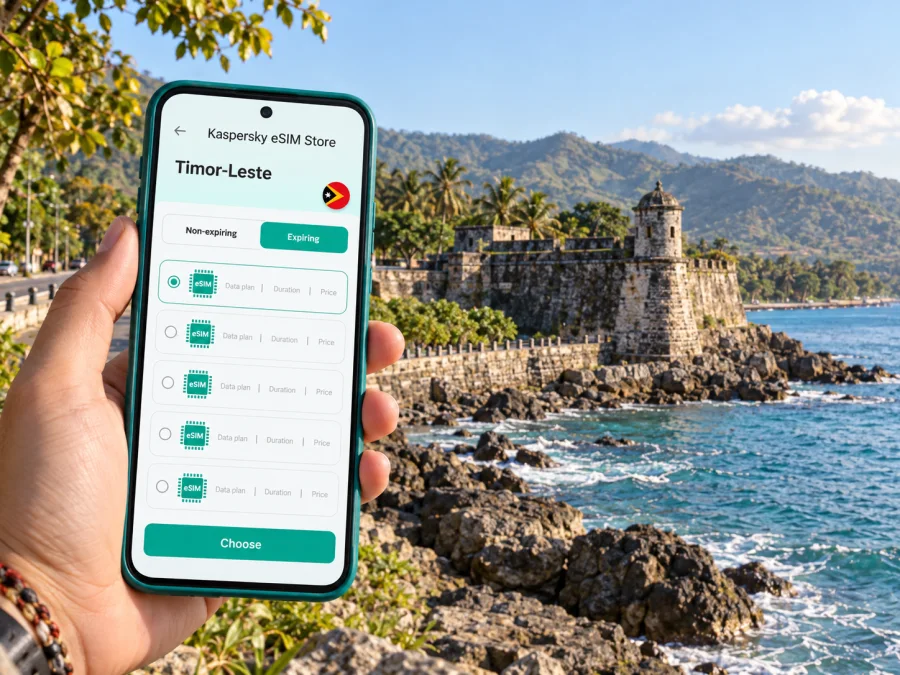
Liquica eSIM: mobile connection and internet for a coastal stay
Liquica (often written Liquiçá in official Timorese sources) is a small coastal town west of Dili, set between the road and the Savu Sea. It works well as a quiet overnight stop, a base for exploring the municipality, or a day trip from the capital. In each case, a phone can help with the practical details: finding your accommodation, coordinating a driver, checking a saved route and staying in touch when plans shift.
An eSIM can make mobile data easier to prepare because it is installed digitally instead of being inserted as a plastic card. For a visit to Liquica, the useful question is not simply whether a phone supports eSIM. It is whether the selected travel plan covers Timor-Leste, what its data allowance and validity period are, and whether the mobile signal is available at the places on your itinerary. These details matter more on a coastal road trip than on a stay limited to one hotel.
Where Liquica is—and what the name covers
Liquica can refer to the town and to the wider municipality. The town is the municipal capital; the municipality includes distinct administrative areas such as Bazartete, Maubara and Loes. Do not treat a booking or map result for “Liquica” as a promise that the location is in the town centre. Check the pin, address and route before travelling, especially if you are going to a beach, homestay or attraction outside the centre.
The municipal authority lists the administrative post of Liquica as 36 kilometres from Dili. That is a useful geographic reference, not a guaranteed driving time: traffic, road conditions, weather, stops and the exact destination all affect how long a journey takes. The coastal route west from Dili is part of the experience, with views across the Savu Sea and a landscape that changes between settlements, coves and headlands.
The town itself is compact in feel, but the wider area is not a single walkable attraction zone. A plan for the centre, a separate beach visit and a stop in Maubara may involve different transport arrangements. Download maps in advance and keep your accommodation address in a format you can show a driver, rather than relying on a mobile connection at every point along the way.
Arrival: plan for the journey beyond Dili
Most international visitors first arrive in Dili, then continue west by road. Arrange onward transport before landing if you have a fixed check-in time, are travelling after dark, or have several bags. Ask your accommodation whether it can arrange a driver or recommend a local contact. If you are booking independently, confirm where the driver will meet you and share the destination pin while you still have a reliable connection.
A practical arrival sequence looks like this:
- Save the name and address of your accommodation, plus a map pin and a screenshot of the route.
- Confirm whether your driver is taking you to Liquica town, Maubara, Bazartete or another location in the municipality.
- Keep your phone charged and carry a power bank for the road.
- Send your expected arrival time to your host before leaving Dili.
- Keep a small amount of cash accessible for transport or incidental purchases; do not assume every roadside stop accepts card payments.
Mobile data is useful for messaging and navigation, but it is not a substitute for a confirmed ride or saved destination details. Maps can lose signal, a phone can run low on power, and a driver may recognise a local place name more readily than a pin. Having the information offline gives you a simple fallback.
Moving around the town and municipality
For a short stay focused on the centre, walk between nearby places where conditions and distances make that comfortable. For beaches, Maubara Fort, the Aipelo ruins or other sites beyond the centre, agree transport in advance. Public transport availability, departure times and return options can vary, so check locally rather than planning around an assumed timetable.
Liquica’s attractions are spread along the coast and across the municipality. The official tourism guide highlights the colonial town centre, Maubara Fort, Aipelo prison ruins, beaches, reef diving and traditional basket weaving. A route that looks short on a small screen may still require a driver, a return plan and more time than a walk through town. Confirm whether your chosen stop is open and accessible before setting out.
| If your plan is… | Useful preparation | Why mobile data helps |
|---|---|---|
| A night in Liquica town | Save your lodging pin and arrival contact | To message your host if the arrival time changes |
| A coastal outing | Confirm the exact beach or viewpoint and return ride | To share your location and coordinate pickup |
| A visit to Maubara | Agree the stop and waiting arrangement with the driver | To check messages and keep the next stop clear |
| A work visit | Save the meeting address and contact details offline | To update colleagues if the road journey takes longer |
| A wider municipal route | Plan each destination rather than relying on one town pin | To adjust navigation when the route changes |
A driver may be the simplest option for combining several stops, but agree the fare, waiting time and return arrangement before departure. If you are travelling with a guide, ask which sites can reasonably fit into the day and whether any require advance coordination. A live map is helpful for orientation; local advice is more useful for deciding what is practical that day.
Mobile data for navigation, messages and work
In Liquica, a phone is most useful when it supports several small tasks rather than continuous streaming: opening a route, translating a short phrase, confirming a pickup, sending a message or checking a reservation. Download large files, offline maps and entertainment before you leave Dili or your hotel Wi-Fi. This reduces data use and gives you a backup where reception is weak or unavailable.
Signal quality can vary by location, network and device. Coastal slopes, buildings, distance from settlements and the particular local network can affect the experience. Do not assume that a signal observed in Dili will be identical in Liquica, on the road, at a beach or inside a building. If a task is time-sensitive, send the key message before departing and make a plan for reconnecting later.
For work travel, prepare the essentials before the day begins:
- Save meeting details, names and phone numbers in your contacts.
- Download documents that you may need to open without a connection.
- Keep video calls and large uploads for a stable Wi-Fi connection where possible.
- Agree on a backup meeting point with colleagues or clients.
- Tell someone when you expect to be back from a drive outside town.
A travel eSIM can be convenient when you want to keep your usual physical SIM in the phone while using a separate data profile abroad. It does not automatically provide a local phone number, voice service or SMS; check the selected plan’s terms. Messaging and internet calls can work through data, but they still depend on a connection and the app settings of the people you contact.
Choose the right travel eSIM for Timor-Leste
Kaspersky eSIM Store is an app and website where you can select, purchase and activate an eSIM with a suitable data plan for an international trip. Before choosing, compare the destination, data amount, validity period, price and any activation conditions shown for the specific option. For a stay centred on Liquica, select a country plan that lists Timor-Leste as a supported destination; do not infer coverage from the city name alone.
A sensible estimate starts with how you use your phone. Light use—maps, messaging and occasional browsing—needs less data than frequent photo uploads, tethering or video calls. Count the days from first use to the end of the trip, then leave room for changes to the route. If your itinerary also includes other places, confirm that the same plan includes them rather than assuming a neighbouring country or regional plan will apply.
You can review eSIM options for a trip to Timor-Leste and compare the displayed terms before making a choice. Plan details may change, so rely on the information shown at the time of purchase. Check when the validity period starts, whether the plan is data-only and what to do if you need to add data.
Timor-Leste’s local operator market and travel plans
A domestic operator eSIM and an international travel data eSIM are not interchangeable labels for one identical service. Timor Telecom and Telemor each publish information about their own eSIM service in Timor-Leste. Those are operator-specific offers with their own registration, activation and service conditions. A visitor considering a local line should check the current requirements directly with that operator.
A travel eSIM selected for an international trip is a separate product. Its coverage depends on the particular plan and its local network arrangements; the phone’s displayed carrier name may therefore differ from the name of a local retail brand. Check the destination and terms for the exact plan you intend to use. Avoid assuming that a domestic operator’s eSIM can be purchased remotely under the same conditions as a travel plan, or that a travel eSIM includes local voice calls and SMS.
The hardware also matters. Some phones support eSIM only in certain regional variants, and a carrier-locked phone may not accept another profile. Confirm the exact model number and check that it is unlocked before purchase. Check whether your device supports eSIM, then compare the selected plan with the device’s instructions. Do not use a model family name alone as proof: two phones with similar names can have different regional specifications.
Installation and activation: prepare before the drive
Install the eSIM while you have a stable internet connection, enough battery and time to follow the setup carefully. You can do this before leaving home or while connected to reliable Wi-Fi in Dili. Keep the QR code or installation details accessible on another screen if the phone cannot scan its own display. Follow the instructions for your operating system: Android eSIM installation guide or iOS eSIM installation guide.
A simple setup checklist:
- Confirm the destination, allowance and validity dates in the plan details.
- Check that the phone is unlocked and that the exact device variant supports eSIM.
- Connect to Wi-Fi and install the eSIM profile according to the device instructions.
- Label the new line clearly, for example “Travel data,” so it is easy to identify later.
- Review the phone’s mobile-data settings and select the intended line for data.
- Enable data roaming for that eSIM only if the plan instructions require it.
- Keep your primary number’s settings as needed for calls or messages, and check your home carrier’s roaming terms.
Installation and activation are separate steps. Adding a profile to the phone does not always mean its data allowance has started. Read the plan’s conditions to understand when validity begins, and avoid switching data lines without checking which one is selected. If an activation step fails, stay connected to Wi-Fi and review the instructions before deleting the profile; some eSIMs cannot simply be reinstalled after removal.
What to do when the connection is unreliable
First check the basics: airplane mode is off, mobile data is enabled for the intended eSIM, the correct line is selected, and the phone has restarted its network connection. Give the device a moment to register. If you have no signal, move to a more open location or closer to a settlement and try again. A change of location may help, but no provider or device can guarantee coverage in every part of the municipality.
If data works but a particular app does not, check that the app is allowed to use mobile data and that its content is not blocked by an offline setting. If the plan has run out of data or expired, the fix is different from a signal issue; check the plan status and available top-up options. Keep the plan confirmation and support details available offline so you can identify the right account if you need help.
Before a long excursion, make a low-tech backup: screenshot the route, save the pickup contact and agree a meeting time. Tell your driver if you plan to stop for photos or a walk. Coastal travel can involve stretches where it is more practical to enjoy the scenery than to depend on the phone for directions.
Practical itineraries from Liquica
One evening in town. Share your arrival time with the host while still in Dili. Save the lodging pin and any check-in instructions. Once settled, use mobile data for messages and route checks, then download the next day’s map over Wi-Fi.
A coastal day with several stops. Ask a driver or local guide to help sequence the town centre, a beach and a visit toward Maubara. Confirm the return ride before leaving each stop. Keep an offline map open as a backup, and use data when you need to coordinate rather than leaving continuous navigation running unnecessarily.
A short business visit. Save the meeting location, contact and any documents the night before. Confirm the meeting time with the other party before setting off. If you need a call, arrange a place with dependable Wi-Fi or a confirmed signal rather than assuming that every venue will have it.
A stopover from Dili. Treat the trip as an out-and-back journey with a clear departure time. Check the road and transport plan locally, keep enough battery for navigation and messages, and leave time to return. A half-day visit is possible as an itinerary idea, but the actual schedule depends on transport and conditions on the day.
Before you set out
Use this compact checklist on the morning of your trip:
- [ ] Your phone is charged, unlocked and compatible with eSIM.
- [ ] The travel plan lists Timor-Leste and its data and validity terms are clear.
- [ ] The eSIM profile is installed, and the intended data line is selected.
- [ ] The lodging, driver and meeting details are saved offline.
- [ ] You have a route screenshot and enough battery for the return journey.
- [ ] Transport, waiting time and pickup arrangements have been agreed.
- [ ] You have a backup plan for messaging if mobile data is unavailable.
Frequently asked questions
Is Liquica a town or a municipality?
Both names are used. Liquica town is the municipal capital, while Liquica Municipality covers a wider area that includes places such as Maubara, Bazartete and Loes. Check the exact address and map pin before booking transport or accommodation.
How far is Liquica from Dili?
The municipal authority lists the administrative post of Liquica as 36 kilometres from Dili. This is a distance reference, not an estimate of driving time. The actual journey depends on the route, road conditions, traffic and stops.
Will an eSIM work everywhere around Liquica?
No plan should be assumed to work everywhere. Coverage depends on the selected plan, local network availability, terrain and the device. Check plan terms before departure, and save key information for offline use.
Does a travel eSIM include a Timor-Leste phone number?
Not necessarily. Many travel plans are data-only. Confirm whether calls or SMS are included in the exact plan. Internet messaging and calling apps can use data but do not create a local mobile number.
Can I use a domestic operator eSIM instead?
Timor Telecom and Telemor publish their own eSIM services, but their purchase and activation requirements are operator-specific. Check directly with the operator for current eligibility and registration requirements. A travel data plan follows the terms of its own product.
Should I install the eSIM before arriving?
If the plan instructions allow it, installing before travel can reduce setup work after arrival. Use stable Wi-Fi, review the activation rules and keep the profile on the device. The moment data validity begins depends on the particular plan.
Prepare your connection before you go
Liquica is easiest to enjoy when transport, directions and arrival details are arranged with some flexibility. A travel eSIM can keep maps and messages available where the selected plan has coverage, while saved addresses and offline information provide a practical backup. Check your device, compare the plan’s destination, data and validity terms, and install the profile over a reliable connection.
When you are ready, choose an eSIM data plan for Timor-Leste in Kaspersky eSIM Store, the app and website for selecting, purchasing and activating an eSIM for an international trip. Keep your driver’s contact, accommodation details and route saved before setting out from Dili toward Liquica.


