Travel connectivity guide
Lisbon eSIM: mobile connection and internet for travel
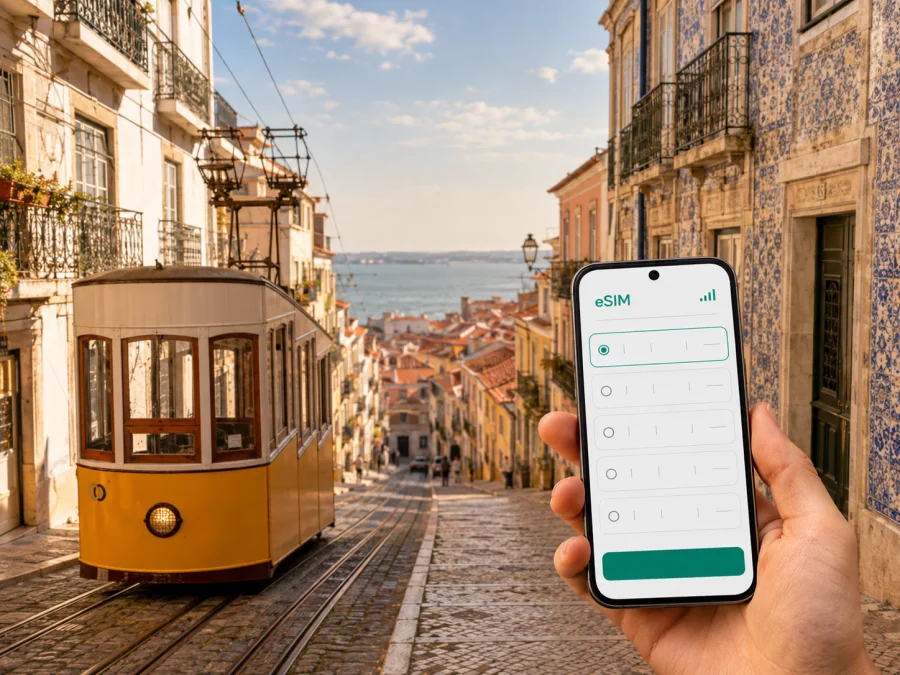
Lisbon eSIM: mobile connection and internet for every city trip
Lisbon is easier to enjoy when your phone is ready for the practical parts of travel: finding the right airport exit, checking a route through steep streets, confirming a hotel message, or meeting a colleague on time. An eSIM, or virtual SIM card, can help you use mobile internet in Portugal without removing your usual physical SIM card. You can keep your regular line available while using a separate eSIM profile for travel data.
The useful question is not only whether you need internet in Lisbon. Consider how you will arrive, how often you will move between neighbourhoods, how long you will stay, and whether your route continues elsewhere in Portugal. These details help you choose a suitable eSIM tariff.
Why mobile internet matters in Lisbon
Lisbon brings together an international airport, a compact historic centre, hills, waterfront areas, residential districts, and connections to nearby destinations. A short distance on a map can involve stairs, a climb, a transport change, or a walk to another stop. Mobile data helps you make each decision as the day develops.
After landing, you may need to:
- open a booking confirmation and message your accommodation;
- follow directions from Humberto Delgado Airport to your hotel or meeting point;
- check a route when a street is closed or a connection changes;
- use a map between Baixa, Chiado, Alfama, and the riverfront;
- translate a menu, message, or sign;
- access a transport, taxi, payment, or travel app.
The value is especially clear in the first hour. You can leave the terminal with a route on your phone, contact the person meeting you, and check your next step without looking for a café or airport Wi‑Fi. Outside the hotel, mobile data remains available for maps, bookings, and messages instead of making every task depend on a public network.
An eSIM in this travel context is mainly a way to use mobile data through a suitable prepaid tariff for the selected destination. It is not automatically a replacement for a local operator in every function. Ordinary calls, SMS, and a separate phone number are not included unless the specific tariff says otherwise. Messaging apps can be used over the internet, while your usual line can remain available according to your home operator’s settings.
Lisbon scenarios where an eSIM is useful
Airport arrival
At the airport, orientation is usually more important than sightseeing. Install the travel profile before the flight if that suits the tariff conditions, but enable it when you intend to use it. Select the eSIM for mobile data and keep your primary line available for calls or messages you still expect.
Use data for the first route to your accommodation and save the address in your map app. Keep booking details available as a fallback and confirm a driver’s or colleague’s pickup point in writing: terminals can have several exits and meeting areas.
Walking in the historic centre
Baixa and Chiado are central areas for many itineraries, while Alfama has narrow, winding streets and steep sections. The most direct line on a map is not always the easiest walk. Mobile internet lets you recalculate a route, send your location, check an opening update, or reconnect with your group.
Look at the next two turns before putting your phone away. This makes it easier to notice stairs, crossings, and changes in pavement. Offline maps are a useful backup, but live data helps when you need a current route, message, or reservation.
Districts, waterfront, and transport
Lisbon’s transport mix includes the metro, trams, buses, and suburban rail. The waterfront adds ferries and longer walking routes, while Belém and Parque das Nações sit beyond the most compact central streets. The practical choice can change with luggage, time of day, and the distance to the nearest stop.
Use data to compare the next step instead of assuming one mode will suit the whole day. A metro route may fit a longer cross-city journey; a tram, bus, or rail connection may suit another leg. Check the route in your transport app and allow time for hills, queues, and transfers.
Business travel and remote work
On a business trip, connectivity supports the schedule. You may need to confirm a venue, join a call, share a document, or move between a central meeting and a waterfront location. A separate travel profile keeps these tasks distinct from the mobile data allowance of your home line.
Test the eSIM before the first meeting with a low-risk action such as opening a webpage or sending a message. Keep large downloads and backups for dependable Wi‑Fi unless your plan is intended for heavier use. For a video call, test the exact indoor location where you plan to work; a lobby, café, and meeting room may behave differently.
Short stopover
If Lisbon is a stopover, you still need data for the route into the city, a time check, a map, and the return journey. A short visit and a multi-day stay are different planning problems. Confirm the validity period before selecting a tariff, then leave a buffer for getting back to the airport.
Keep the itinerary focused: choose one area that fits the available time, save the return details offline, and use mobile data for the decisions that protect the schedule. A connection should make the stopover calmer, not encourage an unrealistic number of detours.
How to choose an eSIM tariff for Lisbon
The country for a Lisbon trip is Portugal, so first check that the eSIM tariff applies to Portugal. If your itinerary includes another country, consider whether a regional option is relevant rather than assuming that a Portugal-only tariff applies everywhere on the route. Kaspersky eSIM Store is an app and website where you can choose, arrange, and activate an eSIM with a suitable tariff for mobile internet during an overseas trip.
After reviewing your plans, you can choose an eSIM tariff for a trip to Lisbon. Pay attention to four variables: duration, data habits, route, and activation conditions.
Match the validity to your stay
Count arrival and departure days, including a late landing or early flight. A two-day stopover, a long weekend, and a month of remote work call for different validity periods. Read when validity begins and when data starts to be used. Installation and activation are related but not always identical events, so follow the conditions attached to the chosen tariff.
Estimate use by activity
Navigation and messages generally require less data than video calls, streaming, photo backups, or large file transfers. List the actions you expect instead of choosing only by a headline allowance.
| Travel pattern | Likely tasks | Planning point |
|---|---|---|
| Stopover | Routes, messages, booking checks | Short validity and a dependable return plan |
| City break | Maps, translation, reservations, photos | Data for several days of movement |
| Business trip | Email, documents, calls, navigation | A reserve for work tasks |
| Lisbon plus other places | Maps, tickets, messages on the route | Country or regional scope for the full itinerary |
This table is a planning aid, not a promise about a particular tariff. App settings, video quality, backups, and Wi‑Fi use affect consumption. Disable automatic updates and photo syncing over mobile data if you want to reserve the allowance for navigation and communication.
Check the wider route
Trips from Lisbon may include Sintra, Cascais, Setúbal, or other places in Portugal. Your article search may be city-specific, but your data requirement should reflect the complete itinerary. Verify the tariff’s country or regional scope before purchase, especially if you will cross a border after leaving Portugal.
Compare the conditions
Review the data volume, validity, destination, price, and activation information. Choose according to your planned use and ask support before payment if a condition is unclear. A prepaid data tariff is a separate travel-data profile, not necessarily a replacement for your home mobile service.
Prepare before departure
Compatibility and installation questions are easier to solve before the flight, while you have stable internet and access to your account.
Pre-departure checklist
- Confirm that your phone supports eSIM and is not locked to another operator. You can check your device compatibility before choosing a tariff.
- Make sure you can sign in to your Kaspersky eSIM Store profile or app.
- Select a Portugal tariff whose destination, data volume, and validity fit the trip.
- Keep purchase details or the QR code accessible in your profile or email.
- Install the eSIM while connected to dependable internet.
- Label the profile clearly, such as “Portugal travel”.
- Decide which line will handle mobile data and whether your primary line should remain available.
- Save the hotel address, flight details, and first route offline.
Do not delete your primary SIM just to make room for the travel profile. On a dual-SIM phone, you can usually choose which line handles data in mobile settings. Menu names vary by model and operating system.
How to install and activate an eSIM for Lisbon
Installation requires an unlocked device that supports eSIM; check device compatibility and connect to the internet for setup. Keep the QR code or activation details accessible on another screen if your phone needs to scan them. If you are installing from the same phone, use the method shown in your profile or app.
1. Check the conditions
Confirm that the profile is intended for Portugal, review when validity starts, and connect to Wi‑Fi or another dependable internet source.
2. Open mobile settings
Go to the mobile network or mobile data section and choose the option to add an eSIM. Wording differs between Android and iOS.
3. Add the profile
Scan the QR code from your Kaspersky eSIM Store profile or email, or follow the on-screen method for your device. Wait for the profile to finish downloading.
4. Name the line
Label the eSIM “Portugal travel” or another clear name. This reduces the chance of selecting the wrong line at the airport or during a transport change.
5. Select mobile data
Choose the travel eSIM as the mobile-data line when you are ready to use it. If your phone offers data switching between lines, keep it disabled when you want to avoid unplanned use of the primary line.
6. Enable required settings
Follow the tariff and device instructions. Some phones may require data roaming to be enabled for the travel eSIM. Check the profile label before changing this setting.
7. Test the connection
Open a lightweight webpage, refresh a map, or send a message. Connection can take several minutes and depends on the device and local network conditions.
For more detail, use the Android eSIM installation instructions or the iOS eSIM installation instructions.
If the eSIM does not connect
Change one setting at a time and use this order:
- Confirm that the eSIM profile is present and turned on.
- Check that the Portugal travel profile is selected for mobile data.
- Confirm that mobile data is enabled and data switching has not moved to the primary line.
- Review whether data roaming is required for this profile.
- Move to an open area and wait a few minutes for registration.
- Restart the phone if the device instructions recommend it.
- Check the tariff status, destination, and available data in your profile.
- Contact support with your device model and the steps already tried.
Frequently asked questions
Is an eSIM useful for a trip to Lisbon?
Yes, if you want a separate mobile-data profile for arrival, navigation, messages, bookings, and travel tasks. It can reduce the need to find Wi‑Fi immediately after landing while allowing you to keep your physical SIM installed. The choice depends on device compatibility, tariff conditions, and stay length.
Do I need a Portuguese phone number?
Not for every travel-data scenario. An eSIM tariff is generally intended for mobile internet and does not include ordinary calls, SMS, or a new number unless its conditions state otherwise. Messaging apps can work over data, while your regular line can remain available under your home operator’s settings.
Should I install the eSIM before flying?
You can install it before departure when your device supports eSIM and you have dependable internet. Review the activation conditions so installation does not start validity earlier than expected. Follow the instructions for the selected tariff.
What if my phone has a carrier lock?
A carrier-locked phone may not accept a travel eSIM from another provider. Check the device status before purchase and resolve the lock with your home operator if necessary. Regional model differences can also matter.
Prepare your Lisbon mobile internet
Choose a Portugal eSIM tariff when the destination is correct, the validity covers your travel days, and the data allowance suits your habits. Check device compatibility and operator lock before payment. Install while dependable internet is available, label the profile, select it for mobile data, and test it with a small action.
Before your flight, choose your eSIM tariff for Portugal through Kaspersky eSIM Store and activate it on an eSIM-ready device when the timing suits you. You will be prepared to use mobile data for maps, transport, bookings, work, and messages as you explore Lisbon.


