Travel connectivity guide
Little Bay eSIM: Mobile Internet in Montserrat
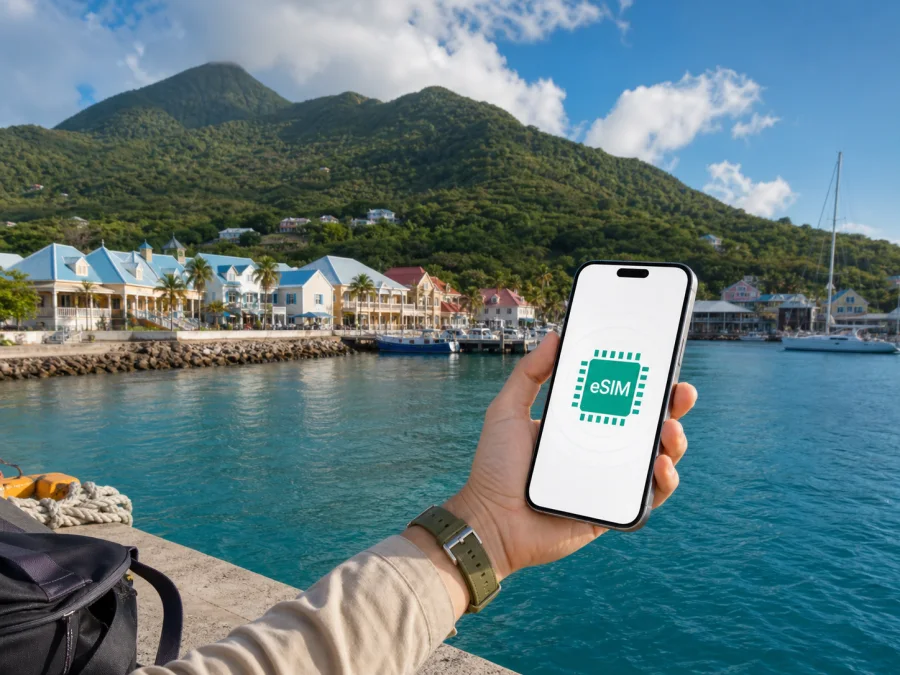
Little Bay eSIM for mobile connection and internet in Montserrat
Little Bay is one of the first places many visitors see in Montserrat. The port, waterfront, Marine Village, restaurants, beaches and boat excursions are concentrated around this coastal area, while the airport is inland at Gerald’s. Mobile data is useful from the first transfer for coordinating a taxi, confirming accommodation, opening a map or sending a message.
An eSIM is a digital SIM profile that is installed on a compatible phone. For a trip to Little Bay, it can help you prepare mobile data without waiting to find a physical SIM card after arrival. Kaspersky eSIM Store is an app and website where you can choose, arrange and activate an eSIM with a suitable data plan for an overseas trip. The plan itself is for mobile internet; it is not automatically a replacement for your usual number, voice calls or SMS.
Why mobile data matters in Little Bay
Little Bay is compact, but a visit rarely stays within one waterfront block. You might arrive at the port, walk towards Marine Village, travel uphill to a guesthouse, drive to a beach or continue inland to Brades. Each transition creates a practical task for which an online phone is helpful.
Typical arrival needs include:
- locating the meeting point for a pre-arranged taxi or transfer;
- sharing your arrival time with a host, colleague or travel companion;
- checking a map while walking between the port, accommodation and waterfront;
- reading a booking message or displaying a digital confirmation;
- finding opening information for a restaurant, tour or activity;
- keeping a second route option available when weather or sea conditions change plans.
Public Wi-Fi can be useful in a hotel, café or terminal, but it should not be the only part of your arrival plan. A mobile data eSIM lets you handle essential navigation and messages without first searching for a network. It also lets you keep your regular physical SIM in the phone for incoming messages, if your device supports dual-SIM use and you configure the lines correctly.
The sensible goal is a prepared data option for the places and activities in your itinerary, not a promise of perfect service in every location. Hills, buildings, weather, local conditions and the selected plan can affect the experience, so keep reservations and directions available offline.
Little Bay’s location and the first transfer
Little Bay sits on Montserrat’s northwest coast and functions as an arrival and activity hub. The port and Marine Village bring together food, drinks and sea-based activities; the shoreline is also used for kayaking, stand-up paddleboarding and snorkelling. Prepare data before leaving the departure point.
There are two common ways to approach the island from Antigua: a short flight or a ferry crossing. Travel information for Montserrat describes the flight as roughly 20 minutes and the ferry as at least 90 minutes. These are not a guarantee of your departure or arrival time, so check current booking information and leave room for changes.
If you arrive by sea, your first digital tasks may happen around Port Little Bay. If you arrive by air, John A. Osborne Airport is in Gerald’s, not in Little Bay, so the onward road journey matters. In both cases, a prepared eSIM can be useful before you meet your driver or start navigating to your accommodation.
Choosing an eSIM plan for a Little Bay itinerary
The right plan depends more on how you travel than on the size of Little Bay. A short port visit, a week of island exploration and a work trip with video calls have different data patterns. Kaspersky eSIM Store helps you select a direction and review the available plan conditions, such as data volume, validity period and price, before you make a choice.
Start with the following questions:
| Question | Why it matters in Little Bay |
|---|---|
| How long will you stay? | A short stopover and a multi-day island trip need different validity periods. |
| Will you use maps often? | Driving between the port, Gerald’s, Brades and beaches can create repeated navigation use. |
| Are you working? | Email, document access and meetings may use more data than ordinary messaging. |
| Will you stream or upload photos? | Video and automatic photo backup can consume a plan faster than text messages. |
| Will you share data? | A laptop or another phone changes the expected usage. |
| Do you need calls or SMS? | A data eSIM normally does not add a regular phone number unless the plan specifically says so. |
For a compact sightseeing trip, messaging, maps, weather checks and bookings may be the main uses. For a longer stay, consider uploads, meetings, driving navigation and other devices. Select conditions that match those habits rather than choosing only by the largest data figure.
Keep the plan’s validity and activation rules in view. Some plans begin when installed, while others begin under a different condition described in their terms. Read the selected offer carefully, especially if you buy before travel but do not want the validity period to start until you arrive.
Once you have compared the conditions, prepare an eSIM plan for your Montserrat trip before departure. Keep the confirmation and your accommodation details available offline as a backup.
Prepare your phone before departure
An eSIM is convenient only when the phone is ready for it. First, confirm that your model supports eSIM and that it is not locked to another operator. Regional versions of the same phone can differ, so check the exact model and the settings available on your device. Check your device compatibility before selecting a plan.
Then make a small preparation pass:
- install updates, back up travel documents and make sure you can access the purchase account;
- charge the phone, decide which line will carry data and keep the regular SIM available if needed;
- save accommodation, transport and booking details for offline access;
- turn off automatic updates and cloud photo uploads if you want to conserve data.
If you use two lines, label them clearly, such as “Home” and “Montserrat data”. Select the eSIM for data only when intended, and check data switching so the phone does not use roaming data from the regular SIM.
How to install and activate an eSIM
Menu names vary by phone and operating-system version. In general, buy the plan, retrieve its installation details, add the eSIM while online and select it for data. If the purchase supplies a QR code, display it on another screen or use supported manual entry.
A practical installation sequence
- Complete the purchase and open the eSIM details in the app or website account.
- Connect the phone to stable Wi-Fi or another working data connection.
- Open the mobile-network settings and choose the option to add a cellular or mobile plan.
- Scan the QR code or enter the supplied details as instructed.
- Give the new line a clear label so it is easy to identify during the trip.
- Keep your home line for calls and messages if required, while selecting the travel eSIM for data.
- Follow the plan instructions for activation and data roaming settings.
- After arrival, turn on the eSIM and test a simple web page or message before setting off.
For device-specific steps, use the Android installation instructions or the iOS installation instructions. If activation does not complete, check the plan conditions, the selected data line, the network settings and the phone’s eSIM lock status before contacting support.
Do not delete an eSIM profile simply because data is not working on the first attempt. Check the active profile, data line, roaming setting and signal first; removing it can make troubleshooting more difficult.
Getting around from Little Bay
Little Bay is a convenient starting point, but Montserrat is not a flat, grid-shaped city. Roads rise and curve through the island, and a short map distance can take longer to travel. Use a live map alongside advice from your host, driver or guide.
Port and Marine Village
For a first walk, orient yourself around the port and Marine Village. Keep your accommodation address visible, especially if your lodging is outside Little Bay, and confirm the exact meeting point for any boat operator or guide.
Airport transfer
John A. Osborne Airport is at Gerald’s. Arrange onward transport where possible, keep the destination ready to show a driver and save the confirmation in case signal or battery becomes an issue.
Taxis, rental cars and tours
Choose a taxi, guide or rental car according to your confidence with local roads, itinerary and need for independence. A driver or guide can reduce navigation work; a rental car requires attention to roads, parking and time for hilly routes. Do not plan by straight-line distance alone.
Use the phone to confirm the pickup location, share an arrival estimate when requested, check the next route and keep the next address ready. In a group, agree who handles navigation and who keeps booking details.
Beaches, boat trips and offline-ready exploration
Little Bay gives access to water-based activities and nearby coastal stops. The local tourism information describes Little Bay as suitable for stand-up paddleboarding, kayaking and snorkelling, with Marine Village close by. Rendezvous Beach, known for its light sand in contrast to Montserrat’s darker beaches, can be reached by kayak or a short hike from Little Bay. Conditions, access and activity availability can change, so confirm details locally before setting out.
Before leaving the waterfront, save the return route, meeting point, booking confirmation and time needed for transport. On the coast, protect the phone from water, salt and heat, and follow local guidance about access and conditions.
Little Bay as a base for island history and nature
Many visitors use Little Bay as a base for seeing more of Montserrat. Boat excursions can travel along the west coast towards Plymouth and offer views of the buried former capital and the Soufrière Hills Volcano. Guided access is important for areas with restrictions, and conditions around the volcano can change. Do not enter a restricted area because a map pin, old photo or social post makes it look accessible.
For inland trips, the Montserrat National Trust and botanical garden are associated with Salem, while Brades is a practical centre for services and administration. Tell your driver whether you are going to the port, lodging, Brades, Salem or a named attraction.
Group nearby stops and leave time for the return journey. Mobile data helps you adjust the sequence and contact a guide; offline notes protect the plan when you are away from a strong connection.
Scenarios: matching mobile data to the trip
| Trip pattern | Practical approach |
|---|---|
| Short port stopover | Save the meeting point and map before disembarking; prioritise messages and directions. |
| Island sightseeing | Cover the full validity period and account for maps, bookings, photos and inland drives. |
| Remote work | Estimate data for email, documents and meetings; test the line before the first call. |
| Family or group travel | Label lines, agree on a meeting place and check hotspot conditions before sharing data. |
Use the app or account view to monitor balance and validity when available. Phone data warnings are useful indicators, but plan conditions determine the actual allowance. Prices, data volume, duration and recharge rules depend on the selected offer.
FAQ for a Little Bay trip
Is an eSIM useful if I am staying only in Little Bay?
It can be. Even a short stay may involve a port arrival, transfer, booking message, map or change of plan. The value depends on your data needs and available Wi-Fi.
Will it give me a Montserrat phone number?
Usually, a travel eSIM in this context is for data. It does not automatically provide a normal local number, voice calling or SMS. Check the selected plan if those functions are important to you.
Should I activate it before travelling?
Installing it before travel can reduce tasks after arrival. Whether you should switch it on immediately depends on the plan’s activation and validity rules, so follow the selected conditions.
What should I do if data does not work?
Confirm that the eSIM is on, selected for data and configured as described in the plan instructions. Check whether data roaming is required, restart the phone if appropriate and make sure it is not locked. If the issue continues, contact support with the plan and device details.
A calm connection plan for Little Bay
The most useful preparation is a short sequence: confirm the phone, choose a plan that fits the length and habits of the trip, install the eSIM while online, save essential information offline and test the travel line after arrival. From Port Little Bay to Marine Village, the airport transfer from Gerald’s and the roads leading to beaches, Brades and guided experiences, that preparation keeps everyday tasks manageable.
Kaspersky eSIM Store helps you choose, arrange and activate an eSIM with a suitable travel data plan through its app or website. Review the available conditions, check your device and keep your regular SIM settings under control.
When you are ready, choose an eSIM plan for your trip to Montserrat, install it on your compatible device and keep the Little Bay itinerary in reach.


