
Travel connectivity guide
Little Cayman eSIM: Mobile Internet for Travel
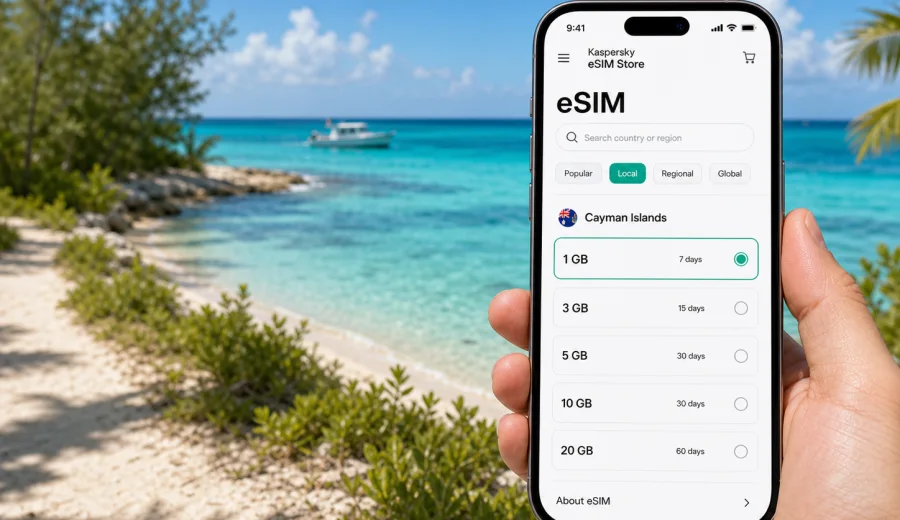
Little Cayman eSIM: mobile connection and internet for a quiet Cayman Islands trip
Little Cayman is small, calm, and easy to love, but it is not a place where you want to improvise every online detail after landing. The island is known for diving, quiet roads, long beach days, birdwatching at Booby Pond, and slow transfers between villas, resorts, docks, and the airport. That relaxed pace is exactly why mobile internet matters: you may need a map, a message to your host, a weather update before a boat trip, or a way to check flight changes without relying on the next available Wi-Fi network.
An eSIM can make that part of the trip simpler. Instead of looking for a physical SIM card after arrival, you can prepare a digital SIM profile on a compatible phone and choose a mobile data tariff for the Cayman Islands before you travel or when you have a stable connection. Kaspersky eSIM Store is an app and website where you can choose, order, install, and activate an eSIM with a suitable data package for mobile internet during an international trip.
This guide focuses on Little Cayman as a destination, not on the Cayman Islands in general. The useful questions are local: what happens when you land, how you move between the airport and your accommodation, whether hotel Wi-Fi is enough, how much data you may need for diving days, and when an eSIM is most practical on an island where the best moments often happen away from a desk.
Why mobile internet matters in Little Cayman
Little Cayman is not built around dense urban transport or long shopping streets. Its travel rhythm is more practical and spread out: airport pickup, resort check-in, dive briefings, meal reservations, beach drives, and occasional trips between accommodation, Blossom Village, Point of Sand, and the west end of the island. Because the island is compact, many tasks are simple, but they still depend on being reachable at the right moment.
Mobile internet is useful in Little Cayman for:
- confirming pickup times after a short inter-island flight;
- messaging a hotel, villa manager, dive shop, or boat operator;
- using maps when driving, cycling, or walking between quiet roads;
- checking weather, wind, and sea conditions before a dive or snorkel trip;
- keeping boarding passes, booking confirmations, and travel insurance details available;
- using messengers for calls when regular voice minutes are not part of your travel setup;
- sharing location with family or colleagues when you are moving between beaches and docks.
The island’s calm atmosphere can make connectivity feel less urgent than in a large city, but small-island logistics often depend on timing. If a flight from Grand Cayman is adjusted, a transfer is delayed, or a dive schedule changes, mobile data helps you react without waiting until you are back at a hotel lobby or restaurant.
Arrival: getting online after the flight
Most visitors reach Little Cayman through Grand Cayman or Cayman Brac, then arrive at Edward Bodden Airfield. The airport is small, and the arrival process is usually straightforward, but that is also why you should avoid depending on airport services for every digital task. You may want to message your accommodation, confirm whether a rental vehicle is waiting, or check the route to your first stop as soon as you collect your bags.
With an eSIM, the practical goal is not to make your trip more complicated with extra technology. The goal is to avoid a fragile first hour. If you install the eSIM before departure, you can keep it ready on your phone and activate mobile data according to the selected tariff’s conditions. Some tariffs start counting validity after activation or first connection; others have different rules, so check the details before you buy.
Arrival checklist for Little Cayman:
- save your accommodation address and contact details offline;
- install the eSIM while you still have reliable home or airport Wi-Fi;
- check whether your phone is unlocked and supports eSIM;
- keep your primary SIM active if you need bank SMS or regular calls;
- decide which SIM will handle mobile data after landing;
- download key confirmations before the inter-island flight;
- keep a portable charger handy if you will go directly to a boat, beach, or resort transfer.
Even on a short island transfer, the benefit is control. You can message, navigate, and check plans without searching for a local shop or waiting for public Wi-Fi.
Where eSIM helps most around the island
Little Cayman is not a place where you constantly need your phone. In fact, many travelers come here to spend less time online. But selective connectivity is different from constant screen use. A working data connection can support the quiet parts of the trip without dominating them.
| Local situation | Why mobile data helps | Practical eSIM use |
|---|---|---|
| Airport arrival | Transfers and accommodation messages can change | Open messages, maps, and booking details |
| Dive days | Schedules depend on weather and boat plans | Check updates before leaving the resort or dock |
| Beach drives | Roads are quiet and services are spaced out | Navigate to Point of Sand, Owen Island viewpoints, or restaurants |
| Villa stays | Private accommodation may not have the same support desk rhythm as a resort | Contact the host, arrange groceries, and confirm access details |
| Remote work breaks | A quiet island can still require urgent email checks | Use mobile data as a backup when Wi-Fi is weak |
| Inter-island travel | Flights can involve short connections | Track flight updates and keep boarding passes accessible |
The most useful data habit in Little Cayman is to prepare what you can offline and use mobile internet for live information: messages, maps, updated plans, and urgent checks. That keeps data use reasonable while giving you a fallback when Wi-Fi is not enough.
Hotels, villas, dive resorts, and Wi-Fi expectations
Many travelers in Little Cayman stay at dive-focused resorts, small hotels, villas, or guesthouses. Wi-Fi may be available, but you should treat it as a place-based convenience rather than your only connection. A hotel network can be fine for evening messages and light browsing, but it may not help when you are on the road, waiting at the airport, walking near the water, or coordinating a pickup.
Mobile data is especially useful if:
- you arrive before check-in and need to coordinate luggage or transport;
- your accommodation uses self-check-in or remote host communication;
- you plan to split your stay between different properties;
- you want a backup connection for light work;
- several people in your group will share one rental vehicle but have different schedules;
- you need to send documents, photos, or updates during a business trip.
For a quiet destination, the best setup is usually simple: hotel Wi-Fi for heavier tasks such as video calls and file uploads, mobile data for movement, confirmations, maps, and messengers. An eSIM can fit that role well because it gives you a data option without changing your physical SIM card.
Choosing a data package for Little Cayman
The right amount of data depends less on the island’s size and more on your habits. A diver who checks messages twice a day may use very little. A remote worker who uses cloud tools, maps, video calls, and photo backup will need more. A family group may prefer each traveler to have their own eSIM rather than relying on one person’s hotspot.
Use this rough planning guide:
| Trip style | Typical online tasks | Data planning approach |
|---|---|---|
| Weekend stopover | Messaging, maps, flight checks, restaurant coordination | Small package, with offline maps saved in advance |
| Dive-focused week | Weather checks, dive shop messages, photo sharing on Wi-Fi | Moderate package for daily movement and updates |
| Villa stay | Host communication, navigation, groceries, family messaging | Moderate package, especially if Wi-Fi quality is uncertain |
| Business trip | Email, document review, calendar, messenger calls | Larger package or a backup top-up option |
| Multi-island route | Grand Cayman, Cayman Brac, Little Cayman transfers | Choose based on the country or regional coverage shown in the tariff terms |
Before you buy, compare the data amount, validity period, destination coverage, price, and activation rules. Kaspersky eSIM Store lets you review tariff conditions before ordering, which is useful when your Little Cayman trip includes several flight segments or a wider Cayman Islands itinerary.
For a practical starting point, you can choose a mobile internet option for the Cayman Islands before your Little Cayman trip and match the tariff duration to your travel dates, arrival day, and expected data use.
Compatibility: check the phone before the trip
An eSIM only works on devices that support eSIM and are not restricted by an operator lock. This is worth checking before you travel, because Little Cayman is not the ideal place to discover that your phone cannot install a digital SIM profile.
Check your device before buying an eSIM. Also confirm these details:
- your phone model supports eSIM;
- the device is not locked to one mobile operator;
- your operating system is up to date enough for eSIM setup;
- you can access the email or account where your eSIM details are delivered;
- you know which SIM will be used for mobile data;
- your regular SIM remains available if you need calls, SMS, or bank verification messages.
Most travel eSIM tariffs are designed for mobile data. They may not include a local phone number, voice calls, or SMS unless the selected tariff explicitly says so. For calls and messages, you can usually use internet-based apps through mobile data or Wi-Fi.
How to install an eSIM before Little Cayman
Install the eSIM while you have a stable connection, ideally before the final travel day. That gives you time to read the tariff details and avoid rushing at the airport.
Basic setup steps:
1. Choose the Cayman Islands as the destination in Kaspersky eSIM Store.
2. Review the data amount, validity period, coverage, and activation terms.
3. Order the selected eSIM tariff.
4. Install the eSIM on a compatible device using the provided instructions.
5. Keep your main SIM available if you need your usual phone number.
6. When appropriate, set the eSIM as the line for mobile data.
7. Turn on data roaming for the eSIM if the instructions or device settings require it.
For device-specific setup, use the Android installation instructions or the iOS installation instructions. Do this before the point where you are juggling boarding passes, luggage, and a small-airport transfer.
Movement, dive days, work, and stopovers
Little Cayman is easy to navigate, but the roads are quiet and services are spaced out. You may drive from Edward Bodden Airfield toward Blossom Village, continue to a dive resort or villa, visit Point of Sand, or move between restaurants, docks, and beach access points. Download an offline map before departure, then use mobile data for live messages, route checks, pickup details, and location sharing if your group separates.
Dive and snorkeling days need a slightly different approach. Connectivity helps before and after the water: confirming departure times, checking weather-related updates, messaging after a boat returns, and coordinating dinner plans if the schedule changes. It should not be treated as a safety system offshore. Keep the dive operator’s contact saved offline, store travel insurance details on the phone, and pause automatic photo or video backup until you are on Wi-Fi.
For business trips or remote work, use accommodation Wi-Fi for heavier tasks such as video meetings, software updates, and large uploads. Keep mobile data for urgent email, two-factor authentication, messenger calls, calendar changes, and document access when you are away from your room. If a meeting is critical, confirm Wi-Fi expectations with the property before booking and avoid scheduling it immediately after an inter-island flight.
Stopovers and multi-island routes also benefit from a prepared eSIM. If Little Cayman is one stop after Grand Cayman or Cayman Brac, match the tariff validity period to the whole route, not just the nights on Little Cayman. Save boarding passes offline, check flight updates with mobile data, message your pickup contact after landing, and keep a map of your accommodation area available even if the island stay is short.
Data-saving habits are simple:
- download maps, booking PDFs, playlists, and app updates on Wi-Fi;
- disable automatic video downloads in messengers;
- turn off cloud photo backup on mobile data;
- use mobile data for maps, messages, and travel updates;
- switch to Wi-Fi for video, large files, and photo uploads;
- monitor data use in phone settings if your package is modest.
Common mistakes are avoidable. Do not activate a tariff too early if its validity starts immediately. Do not assume every travel eSIM includes calls or SMS. Do not wait until arrival to check eSIM compatibility. Do not rely only on hotel Wi-Fi for airport pickup, beach movement, or last-minute schedule changes.
Quick scenarios:
| Scenario | Practical plan |
|---|---|
| Three-night dive trip | Install before departure, save the dive contact, use mobile data for schedule updates, upload photos on Wi-Fi |
| Villa stay | Keep host details and property location offline, use data for arrival messages and access instructions |
| Family travel | Decide whether each traveler needs data or whether one hotspot is enough for short moments |
| Business visit | Keep files offline, use Wi-Fi for heavy work, reserve mobile data for urgent checks |
| Multi-island route | Choose validity and coverage for the full Cayman Islands itinerary |
FAQ: eSIM and mobile internet in Little Cayman
Is an eSIM useful if my hotel has Wi-Fi?
Yes, because hotel Wi-Fi usually helps only when you are on the property. Mobile data is useful at the airport, on the road, at restaurants, around docks, and when plans change.
Can I install the eSIM after I arrive?
You may be able to, but it is usually better to install it before the trip while you have a reliable connection. Read the activation rules so you know when the tariff validity begins.
Will an eSIM replace my normal phone number?
Usually no. Travel eSIM tariffs are commonly focused on mobile data. Keep your primary SIM available if you need your regular number, SMS, or voice calls.
How much data do I need for Little Cayman?
For maps, messages, confirmations, and light browsing, a modest package may be enough. If you plan to work, use hotspot sharing, upload photos, or make frequent video calls, choose more data.
Can I use eSIM for calls?
If the tariff is data-only, use internet-based calling apps over mobile data or Wi-Fi. Always check the selected tariff terms before buying.
Should I activate the eSIM before flying to Little Cayman?
Install it before travel if possible. Activate it according to the tariff rules and your arrival timing, especially if validity starts immediately after activation.
Final preparation before you go
A good Little Cayman connectivity plan is simple: prepare the eSIM before travel, keep key information offline, use Wi-Fi for heavy tasks, and reserve mobile data for live travel needs. That gives you a practical backup for airport arrival, villa check-in, dive schedules, maps, restaurant plans, and inter-island flight updates without turning a quiet trip into a constant phone session.
Before leaving for the airport, check your device compatibility, review the tariff duration and data amount, install the eSIM with a stable connection, and decide when to activate it. If you want to prepare mobile internet for the trip in advance, review eSIM tariff options for the Cayman Islands and choose the one that fits your Little Cayman schedule, route, and expected data use.