Travel connectivity guide
Livingston eSIM: Mobile Internet in Guatemala
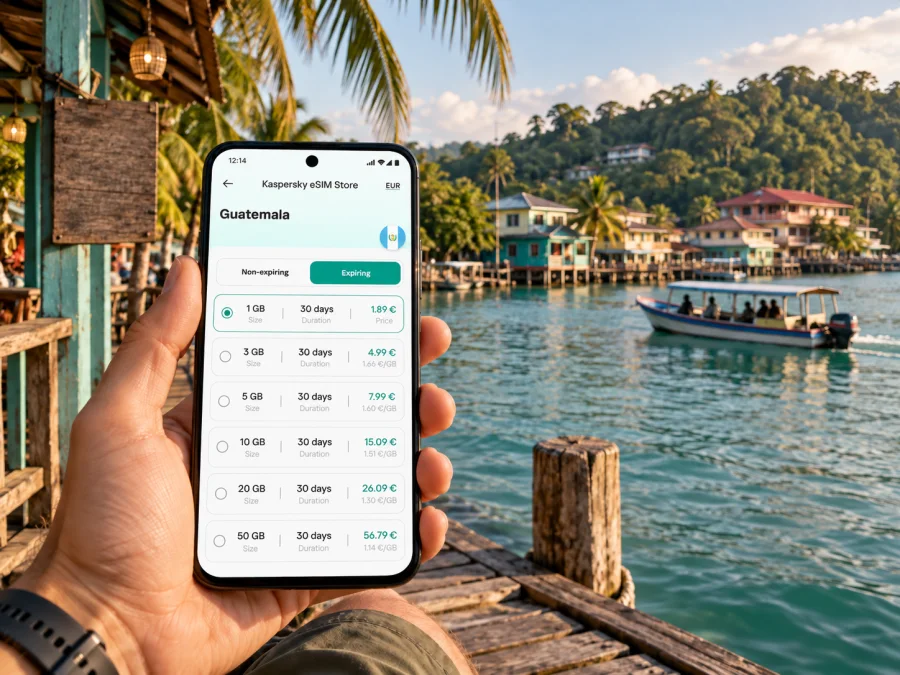
Livingston eSIM: mobile connection and internet for a Caribbean town
Livingston sits on Guatemala’s Caribbean coast, where the Río Dulce meets Amatique Bay. It has a different rhythm from the country’s larger cities: the waterfront, boat landings, small streets and nearby natural sites shape how visitors arrive and move around. A mobile connection is useful here for confirming a boat transfer, sharing an arrival time with a hotel, checking a map before setting off and keeping practical details available while you explore.
An eSIM can help you prepare mobile internet for the Guatemala part of your trip without changing the physical SIM in your phone. The useful question is not simply how much data to buy. Think about how you will reach Livingston, whether you will continue by boat, how long you will stay, and which tasks you expect to do online. This guide focuses on those city-specific choices and the moments when a reliable plan matters most.
Plan for the way Livingston is reached
Livingston is not approached like a road-connected city. Visitors commonly reach the town by boat from Puerto Barrios or from the Río Dulce area; the waterways are part of the journey, not just scenery after arrival. That changes the practical order of your preparations. You may need directions and messages before boarding, then a booking or pickup detail when you arrive at the waterfront. Save essential information before leaving a larger town, because mobile coverage and power can vary along a route over water.
If your itinerary starts in Guatemala City, first plan the overland leg toward the Caribbean side, then confirm the boat connection that fits your arrival time. Some travelers use Puerto Barrios as the embarkation point; others approach from Río Dulce and travel downriver. These routes do not have the same departure arrangements, so check the current schedule directly with your transport provider or accommodation. Leave room for changes rather than assuming that a late road arrival will connect with a particular boat.
| Part of the journey | What to arrange before it | What mobile internet helps with |
|---|---|---|
| Overland travel toward Izabal | The correct terminal, departure time and onward transfer | Messages, booking details and route checks |
| Boat to Livingston | Departure point, meeting place and what to do if plans change | Contacting your host and confirming the landing point |
| Arrival in town | Accommodation directions and any pickup arrangement | Opening saved maps and sharing your arrival |
| Excursion from Livingston | Return plan, meeting time and what is included | Keeping the operator’s details and notifying your hotel |
The table is a planning aid, not a promise that a signal will be available throughout every leg. Download an offline map of the relevant area, keep the name and address of your lodging in a note, and save tickets or confirmations where you can open them without data. A screenshot is often quicker to show than searching through an inbox on a busy landing.
Getting oriented after the boat ride
The waterfront is the natural reference point in Livingston. On arrival, identify the landing, the direction of your lodging and where your next boat leaves. A saved map can help, but use your host’s directions too; ask whether the final stretch is easiest on foot, especially with luggage or rain.
For a short visit, plan around the town rather than treating it as a road-connected base. Walking works for many central errands; boats are relevant for river, beach and bay excursions. Confirm transport details locally. Livingston is associated with Garífuna culture and the wider mix of communities in Izabal. Be considerate when taking photographs, and protect your phone from spray or sudden rain around docks.
A simple arrival sequence
- Before leaving your previous stop, check the latest boat information and save the operator’s contact details.
- At the departure point, confirm that you are at the right landing and that the boat is going to Livingston, not merely through the same region.
- During the crossing, keep your phone protected and avoid relying on a live map as your only navigation aid.
- After landing, use the saved directions to find your lodging or message your host if the meeting point has changed.
- Before booking an excursion, confirm the meeting place, expected return and what happens if weather affects the trip.
This sequence is useful because the most time-sensitive information is usually about meeting and transfer details. Entertainment, photo uploads and video calls can wait until you are settled and have a suitable connection.
Neighborhoods, lodging and local movement
Livingston’s compact center and waterfront make it practical to walk between everyday stops such as places to eat, small shops and boat landings. Do not assume every lodging is beside the pier or that a short map route is comfortable with luggage. Ask your host for the preferred directions, whether the final stretch is on foot, and how to return after evening plans.
Choose accommodation around your itinerary. A central base can simplify errands and boat coordination; a quieter place farther out may need extra transport planning. Confirm the exact entrance or dock with the property, since a map pin may not show the easiest approach.
| Plans | Ask before booking | Save on your phone |
|---|---|---|
| One night before a boat | How close is the departure point? | Departure time and host contact |
| Several nights in town | Can you walk back after dinner? | Offline directions |
| Excursion day | Which dock is the meeting point? | Booking and return details |
| Work stay | Is there a quiet workspace and backup power? | Documents and flexible call times |
Navigation and excursions from Livingston
Livingston is a starting point for exploring the water and coast, but excursions have different boats, meeting points and arrangements. Ask what is included, how long to allow, whether a return is scheduled, and what happens if weather changes the plan. Do not infer availability from a map distance alone.
Use your phone before and after a trip to confirm the meeting time, keep your accommodation informed and store operator details. During the ride, protect the device from spray and conserve battery. For longer routes connecting Livingston with Río Dulce, Puerto Barrios or another Guatemalan stop, treat each road and boat segment separately and leave a buffer between them.
When mobile internet is useful in the town
In Livingston, internet is a travel tool that supports local arrangements; it does not replace them. Mobile data can help you:
- compare your saved lodging pin with the host’s directions;
- message a boat operator about a meeting point or change;
- open a booking, translation or itinerary while moving around town;
- send a work update when you have a suitable connection;
- contact your accommodation if rain or a delay changes the day.
Coverage should not be assumed at every point on a coastal or river journey. Save addresses, confirmations and important numbers before leaving, and agree on a fallback meeting plan for time-sensitive arrangements.
Choosing an eSIM plan for this itinerary
Base your data allowance on your own use. Someone checking messages, maps and bookings needs a different amount from a traveler uploading video or working online. Include the rest of your Guatemala itinerary, not just your days in Livingston.
Before choosing, consider:
- How many days will the eSIM be active?
- Will you use maps and messages, upload photos or make video calls?
- Can you use lodging Wi-Fi for large downloads?
- Will another device share your connection?
- Do destination, data allowance and validity cover the whole route?
Kaspersky eSIM Store is an app and website where you can choose, purchase and activate an eSIM with a suitable tariff for mobile internet on an international trip. Review its destination, data allowance, validity and activation conditions. You can compare eSIM options for your trip to Guatemala and choose one that fits the route.
An eSIM for mobile data is not automatically a replacement for your usual number. Check whether the selected tariff includes calls or SMS; internet calls and messages use data and depend on the relevant app. Keep your usual SIM available if you need calls or verification messages, and check the device’s mobile-data settings before travel.
Prepare the phone before departure
Check that your phone supports eSIM and is not carrier-locked. Support can vary by model and sales market, so check the exact device. Check whether your device supports eSIM before purchase.
Follow the setup instructions for your device: Android eSIM installation instructions or iOS eSIM installation instructions. Read the tariff conditions first: installation and activation can be separate steps, and validity begins according to the specific terms. Avoid deleting an installed profile unless the instructions say to.
Before departure:
- [ ] Confirm eSIM support and carrier-unlock status.
- [ ] Check Guatemala is included and review tariff validity.
- [ ] Prepare the eSIM with a stable connection and follow its instructions.
- [ ] Save lodging details, boat arrangements and offline maps.
- [ ] Know which line is selected for mobile data.
- [ ] Pack a charger or power bank and a protective pouch.
If you plan to install after arrival, you may need internet to complete setup. Decide in advance and keep instructions accessible so your first attempt does not depend on finding a connection at a landing or transfer.
Practical scenarios
One night in town: Save lodging directions, boat details and the next departure before arrival. Use mobile data for coordination and offline copies for details you already have.
A slower stay with excursions: Confirm each trip independently, use Wi-Fi for large uploads when available, and keep mobile data and battery in reserve for the return to town.
Work with limited flexibility: Tell colleagues that boat transfers may interrupt calls. Download documents, test audio before meetings and agree on a backup time for important conversations.
Continuing onward: Keep the names of each dock and terminal distinct in your notes. Check that the country tariff covers every destination and that its validity matches your dates.
Common questions
Can I reach Livingston by road?
The town is commonly reached by boat from Puerto Barrios or the Río Dulce area. Plan an overland journey to the relevant departure point, then arrange the water transfer. Confirm current options with your transport provider or accommodation.
Will my eSIM work on every boat trip?
No connection should be assumed throughout every crossing or excursion. Signal availability can vary with location and conditions. Save directions and confirmations offline, and agree on a meeting plan before boarding.
Is eSIM useful if I am staying near the waterfront?
It can be useful for messages, maps, bookings and coordinating with a host even when your accommodation is centrally located. Whether you need a larger data allowance depends on your use, trip length and access to Wi-Fi.
Can I use an eSIM for ordinary calls?
An eSIM tariff for mobile internet does not necessarily include a regular phone number, voice calls or SMS. Check the chosen tariff’s details and keep your usual number available if you need it. Internet calling apps use data.
Should I install the eSIM before I arrive?
That depends on the tariff’s instructions and when its validity begins. Many travelers prefer to prepare while they have a stable connection, but read the conditions and follow the setup steps for your device. Keep the instructions available after installation.
A calmer way to stay connected
Livingston rewards a flexible plan. Save boat details, use the waterfront as your first reference point, and treat maps as support for local directions. Keep essential information offline and allow time for water transfers. Choose an eSIM plan around your Guatemala itinerary and actual online tasks, rather than assuming uninterrupted data on every river or coastal route.
Before leaving, check compatibility, review the tariff destination and validity, and prepare the eSIM while you have a stable connection. When ready, choose an eSIM tariff for your Guatemala trip through Kaspersky eSIM Store, then keep your lodging and boat details easy to open as you explore Livingston.


