Travel connectivity guide
Liwonde eSIM: Mobile Internet in Malawi
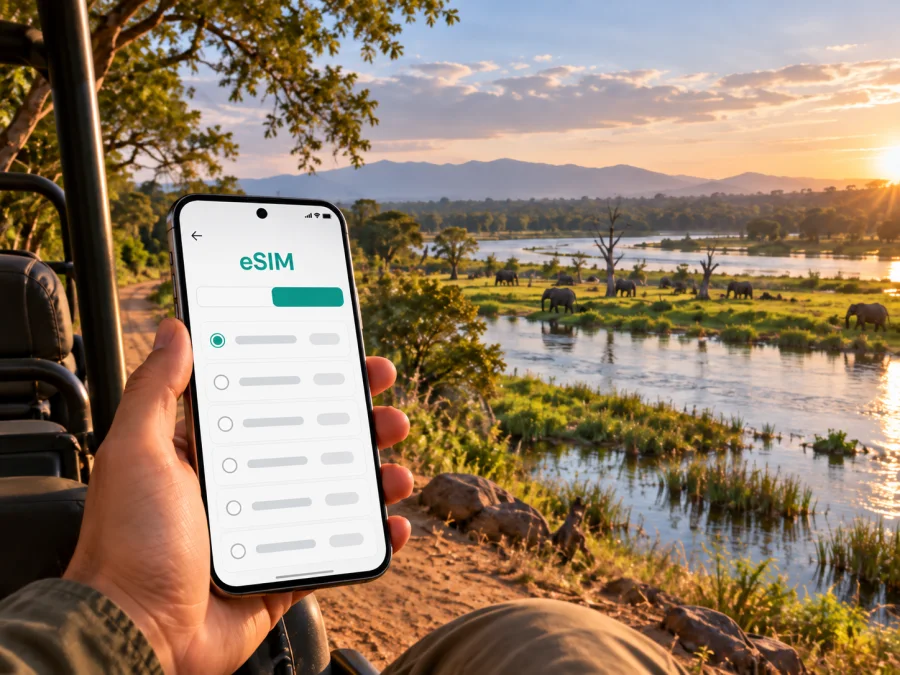
Liwonde eSIM for Mobile Connection and Internet in Malawi
Liwonde is a practical stop in southern Malawi for travelers heading to Liwonde National Park, crossing between southern cities, or following a route toward the Shire Valley and Lake Malombe. The first hours can involve finding a lodge, confirming a transfer, checking a park activity, messaging a driver, and downloading a map. An eSIM, or digital SIM, can help you plan mobile data before that sequence begins.
Kaspersky eSIM Store is an app and website that helps you choose, arrange, and activate an eSIM with a suitable mobile-data plan for an international trip. You can prepare the data part of your Liwonde itinerary before leaving home while keeping your existing physical SIM for calls or messages if your operator and device allow it.
Why mobile data matters when you arrive in Liwonde
Liwonde is not a large urban destination with one central visitor district. The town, the main road, the railway connection, lodges, park access points, and activities around the Shire River can form different parts of one itinerary. That makes a working data connection useful for coordination rather than just sightseeing.
During the first part of the journey, you may need to:
- share your arrival time with a host or driver;
- check a booking or digital confirmation;
- navigate from the main road to a lodge or park gate;
- message a guide if a meeting point changes;
- tell family or colleagues that you have reached Liwonde;
- open information for the next leg toward another Malawi destination.
The value of eSIM in this setting is preparation. You can select a plan for the country before the trip, install the profile when you have a suitable internet connection, and decide when the eSIM should be used for mobile data. Public Wi-Fi may still be helpful at accommodation or transport facilities, but it does not need to be the only option for an arrival message or a navigation check.
Liwonde as a base, not just a pin on the map
In a travel plan, Liwonde can mean the town and the nearby national park. The town is a transport and accommodation base; the park beside the Shire River is the setting for guided wildlife, walking, game-drive, and boat-based experiences arranged through local providers. Data is useful for coordination in town, while inside the park it should be treated as a planning aid rather than a replacement for local instructions.
Signal conditions can change away from built-up areas. Prepare the route, lodge contact, activity details, and an offline backup before leaving a stable connection. The timing and quality of a park outing also depend on local arrangements, weather, access conditions, and the guidance of hosts or guides.
Before you choose a Liwonde data plan
Start with the shape of your trip rather than with a headline data number. A short stop in Liwonde may use data mainly for messages, navigation, bookings, and occasional photos. A longer safari itinerary can add repeated map checks, uploads, video calls, and work sessions. The right plan depends on what you will do, how long the profile will be active, and whether Liwonde is one stop in a wider Malawi route.
Use this simple planning table:
| Travel pattern | Likely mobile-data use | Planning question |
|---|---|---|
| One or two nights in Liwonde | Arrival messages, navigation, booking checks | Do you need data mainly during transfers and the first day? |
| Several days near the park | Coordination, maps, photos, activity updates | Will you upload media or make video calls? |
| Liwonde plus other Malawi stops | Navigation, accommodation communication | Does the plan match the complete route? |
Check these points before paying:
- Destination. Select Malawi or a regional option only if its coverage and terms match your route. Liwonde is in Malawi, but a plan should be chosen for the countries and regions you actually intend to use.
- Duration. Read when the validity period starts and how long the allowance remains available. Do not assume that installation, activation, and first data use have identical timing.
- Allowance. Estimate navigation, messaging, browsing, cloud sync, uploads, and calls separately. Automatic photo backup can consume more data than a short map check.
- Balance and device. Review top-up conditions, then check that your phone supports eSIM and is not operator-restricted. Use the device compatibility checker before purchase.
- Dual-SIM settings. Decide which line will handle calls and which will handle mobile data so the home line does not use roaming data unexpectedly.
Compare the available allowance and validity for your route, keep the plan details accessible in your profile, and save installation information before leaving a stable connection.
Arrival scenarios: road, rail, or safari transfer
Many visitors approach Liwonde overland from elsewhere in Malawi, and some itineraries combine road and rail. Keep your accommodation name, host contact, meeting point, and the next activity in one note before arrival. If you are driving, download the relevant map and ask locally about road conditions; in the rainy season, park roads may be affected by conditions or access decisions.
If you arrive by train, verify the current timetable and station arrangements through the responsible transport or booking channel instead of relying on an old screenshot. A short message after disembarking can confirm whether your host is meeting you at the station or elsewhere in town. For a safari transfer, ask where the vehicle will stop and retain a printed or offline booking detail in case service changes on the route.
Moving around Liwonde and the park area
The phrase “getting around Liwonde” can refer to town transfers, the road to accommodation, and movement inside the national park. These are not interchangeable.
| Situation | Useful preparation | What to avoid assuming |
|---|---|---|
| Town to lodge | Save the address, contact, and meeting point | That a vague property name is enough |
| Lodge to park activity | Confirm departure time and pickup location | That every activity leaves from the same gate |
| Self-drive or onward trip | Check current access, roads, and transport | That a saved route reflects every change |
For a park day, open the route and booking details before leaving a strong connection, reduce background syncing, and carry a power bank. Copy the exact property, gate, and driver details into one note.
Accommodation and district planning
Liwonde travel is organized around accommodation rather than a dense hotel district. Lodges, camps, guesthouses, and town-based stays can serve different plans, so assess logistics rather than only the room.
Before confirming a stay, ask:
- Is the property in town, near the park, or on a route between the two?
- Does the host arrange a transfer, and is the activity meeting point on the property?
- Is Wi-Fi suitable for your tasks, or should you download maps first?
For a town stay, mobile data helps coordinate a late transfer or next-day departure. Near the park, it helps with pre-arrival instructions and schedule changes; follow the accommodation’s guidance for local movement.
A practical setup before you leave
Install and prepare the eSIM while you still have a dependable internet connection. Keep your physical SIM in place if you need your regular number for two-factor authentication or calls, but review the line settings carefully.
Step 1: Check the phone
Confirm that your model and regional version support eSIM and that the device is not carrier-locked. The device compatibility checker is the right place to start. If you are traveling with a work phone, check company policies before changing mobile-line settings.
Step 2: Select the plan
Choose Malawi or the relevant regional destination, then compare the allowance and validity with your itinerary. Read the plan conditions, including when the period begins, what happens when data is used up, and whether top-up is available.
Step 3: Install the profile
Use the QR code or installation flow supplied after your order. Your exact menu names can vary by device and operating-system version. Follow the Android installation instructions or the iOS installation instructions for the relevant platform.
Step 4: Name the line clearly
Give the new profile a name such as “Malawi data” so you can distinguish it from your home line. Do not delete your existing SIM during setup unless you have a separate reason to do so.
Step 5: Set mobile data deliberately
Select the travel eSIM for mobile data when you want to use it. Turn off data switching if your phone could otherwise move data to the primary line. Some devices may require data roaming to be enabled for the eSIM profile; check the plan instructions and your device settings before changing it.
Step 6: Test the arrangement
Before departure, confirm that the eSIM profile appears in the mobile-line settings. If the plan is intended to start on arrival, avoid turning on its data too early unless the terms say that this is safe. Once in Malawi, enable the intended line, wait a few minutes for registration if needed, and check a small task such as sending a message or opening a map.
When the destination, validity, and device settings are clear, choose an eSIM plan for a trip to Liwonde and keep the confirmation with your travel details.
When Liwonde is one stop on a wider Malawi route
Liwonde can fit between other southern destinations. A route toward Zomba, Blantyre, Mangochi, the lakeshore, or another park may require more navigation and accommodation coordination than a single overnight stop.
Write the route as a sequence rather than as a list of place names:
| Leg | What to confirm before leaving Liwonde |
|---|---|
| Liwonde to another southern city | Departure time, pickup location, and arrival contact |
| Liwonde to a lakeshore route | Road conditions, directions, and fuel plan |
| Liwonde to another park or departure point | Booking, gate or transfer details, and buffer time |
If every stop is in Malawi, a country plan may be appropriate for the complete route, subject to its listed coverage and terms. If you cross a border, recheck the destination list before purchase rather than assuming that a Malawi plan follows you into another country.
Common problems and calm fixes
If there is no data, confirm that the travel profile is selected for mobile data, mobile data is enabled, and data roaming is configured as required; then allow a few minutes for registration. If a QR code fails, increase screen brightness or use manual details if provided. If the phone uses the home SIM, review the default data line and disable automatic switching.
Frequently asked questions
Is eSIM useful for a short Liwonde stop?
Yes. Even one overnight can include a transfer, a lodge check-in, a park activity, and a departure confirmation. A small, time-appropriate plan may be enough if you mainly need messages, maps, and booking information.
Can I keep my normal number active?
Usually, a dual-SIM phone can keep the physical SIM active while the eSIM handles mobile data, but options depend on the device, operator, and settings. Confirm the data line and review roaming charges for the primary line.
An eSIM travel plan is intended for mobile internet; a phone number, voice calls, or SMS are not included unless the individual offer says otherwise.
Should I install the eSIM before arriving in Malawi?
You can install it before travel if the device and plan support that workflow. Read when validity begins and when data starts to be used; installing a profile and using its data are not always the same event.
Will the eSIM work inside Liwonde National Park?
Do not treat coverage as guaranteed in every part of the park. Service can vary with terrain, distance from populated areas, and network conditions, so download essential information and follow local guidance.
A simple Liwonde readiness checklist
Use this list the day before departure:
- [ ] The route distinguishes Liwonde town, accommodation, and park access point.
- [ ] The host or driver has the correct arrival time and meeting location.
- [ ] The phone supports eSIM and is not carrier-locked; check compatibility before departure.
- [ ] The Malawi plan’s allowance, validity, activation timing, and top-up conditions are understood.
- [ ] The eSIM profile and installation details are available.
- [ ] Maps, booking confirmations, and key contact details are saved for offline use.
- [ ] The travel eSIM is selected for data only when you intend to use it.
- [ ] Data switching, cloud backup, and automatic updates have been reviewed.
- [ ] The phone is charged and a power bank is packed for a long transfer or park activity.
- [ ] Your physical SIM settings are understood so unwanted roaming data does not start.
Prepare your connection for Liwonde
Liwonde rewards a plan that matches the actual journey: a road or rail arrival, a transfer to accommodation, a park activity near the Shire River, and possibly an onward trip through Malawi. Prepare the eSIM while you have stable internet, check the device and plan conditions, and keep essential route details available offline. Kaspersky eSIM Store can help you choose, arrange, and activate an eSIM plan for the mobile-data part of that trip.
When you are ready, choose an eSIM plan for Malawi and prepare your Liwonde trip. Review the allowance and validity for your dates, install the profile using the relevant instructions, and activate mobile data only when you want the travel eSIM to be used.


