Travel connectivity guide
Ljubljana eSIM: Mobile Internet for Travel
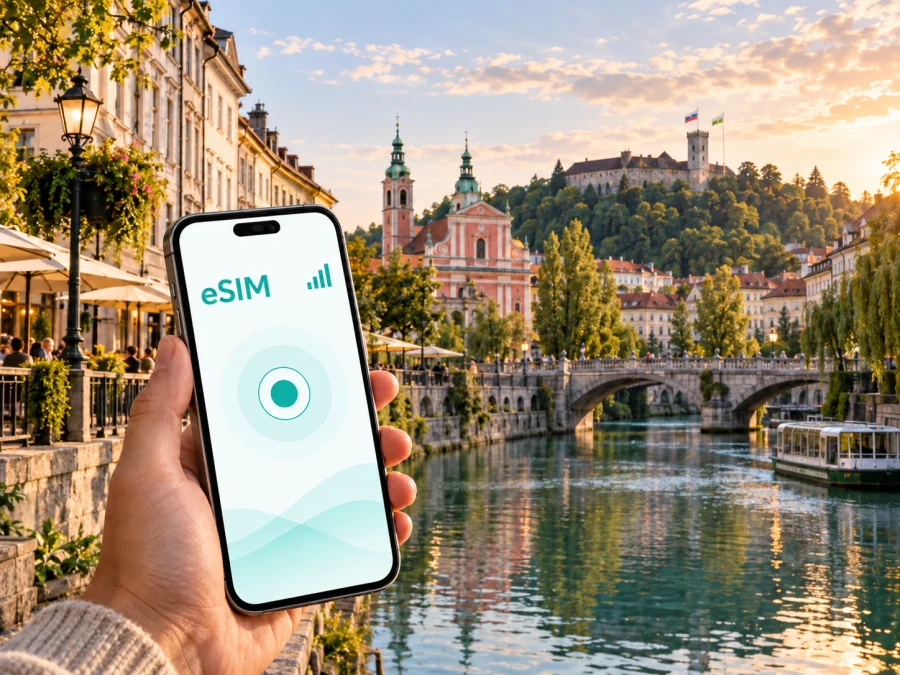
Ljubljana eSIM: mobile connection and internet for a city trip
Ljubljana is easy to explore at walking pace, but mobile internet still matters from the moment you arrive. You may need a map for the airport transfer, a message for your hotel, a ticket, a translation or a route to a meeting. An eSIM, or digital SIM card, lets you prepare mobile data for a trip to Slovenia without removing your primary physical SIM card.
This guide focuses on arrival, local transport, neighbourhoods, hotel check-in, business travel, stopovers and onward trips. Kaspersky eSIM Store is an app and website where you can choose, arrange and activate an eSIM with a suitable plan for mobile internet abroad. The selected plan remains subject to the destination, traffic allowance and validity conditions shown before purchase.
Why mobile internet is useful in Ljubljana
Ljubljana combines a compact historic centre with residential districts, railway connections, an airport transfer and routes that continue towards other parts of Slovenia. Connectivity can help in several distinct moments:
- On arrival: confirm a transfer, contact your accommodation and keep booking details available.
- In the centre: navigate between the Ljubljanica, the Old Town, museums, cafés and meeting points.
- On public transport: check a route and its direction when travelling between the centre and outer districts.
- At a hotel or apartment: send arrival details, open a digital key or complete an online check-in.
- On a business trip: reach an office, open a shared document or join a call while moving around the city.
- On a stopover: use maps and messages for a short visit without arranging a physical SIM.
Even a compact itinerary can cross a busy road junction, a pedestrian lane, a riverside route and a transfer point where it is inconvenient to stop and troubleshoot. Having an eSIM ready can make those transitions simpler.
What an eSIM changes for a Ljubljana trip
With a physical SIM, you may need to find a shop, wait for assistance, open the SIM tray and store your usual card safely. An eSIM uses a digital profile installed on a compatible phone. You can keep your main line in the device and choose which line is used for mobile data, according to your phone settings and the plan conditions.
For Ljubljana, the main benefit is preparation. Review the destination, duration and traffic allowance before departure, then install the profile when you have a reliable internet connection. If your itinerary includes Ljubljana and other places in Slovenia, confirm that the selected plan covers the full route.
An eSIM plan is normally intended for mobile data. It does not automatically replace your regular phone number, voice calls or SMS. Keep your primary line available if you need it, and review the conditions of the selected plan. Messaging and calling apps can use mobile data, but their operation depends on the app and your account.
A quick decision guide
| Ljubljana scenario | What to consider |
|---|---|
| One or two days in the centre | A short validity period and enough data for maps, messages and bookings |
| A week with sightseeing and day trips | A longer validity period and an allowance for navigation and photos |
| Business meetings | Data for calendars, email, documents and calls; limit background downloads |
| A transit stop | The time available and whether installation can be completed before departure |
| Ljubljana plus other Slovenian destinations | Country or regional coverage matching the complete route |
The right choice depends on your use. Someone checking maps and sending messages needs a different allowance from someone joining video calls or uploading many photographs. Consider traffic and validity together.
From the airport to your first address
The first connection test often happens before you reach the centre. At Ljubljana Jože Pučnik Airport, you may need to confirm a transfer, locate a pickup point, message a host or check the next transport option. Keep the accommodation address, booking confirmation and a basic offline backup available, but use mobile internet for details that may change.
Before departure, save the exact name of your hotel or apartment and note the check-in window. After landing:
- Open the booking or transfer details.
- Confirm the destination address and arrival instructions.
- Contact the property if your arrival time has changed.
- Follow the route to the city or your meeting point.
- Keep your primary SIM available for your usual number, if needed.
If the phone does not connect immediately, check that the eSIM is switched on, selected for mobile data and configured for data roaming when the plan requires it. Connection time can depend on the device and local network. If the issue remains, review the setup details and contact support with the device information and plan status.
Moving around Ljubljana
Many centre-to-centre journeys can be made on foot. Mobile internet is still valuable because the practical question is not only where a landmark is, but which street, entrance or stop you should use now. A live map can help you distinguish a riverside walk from a road crossing, find a hotel entrance or share your location with a colleague.
Public transport is useful when you are staying outside the centre, carrying luggage or travelling to a meeting. Check the current route in your preferred map or transport app, and confirm the stop name and direction before boarding. If you walk or cycle through the centre, navigation can help you switch between the main road network and quieter streets.
A useful habit is to save important addresses while the connection is stable, then use live data for changes. Keep the phone charged on a day that combines sightseeing, a meeting and an evening reservation.
Keep these details accessible:
- accommodation name, address and check-in instructions;
- Ljubljana railway and bus station details for an onward journey;
- meeting address exactly as supplied by your host or colleague;
- airport transfer information;
- restaurant, museum or event bookings;
- a note of which phone line is selected for mobile data.
Districts and accommodation
Where you stay affects how you use data. A base near the historic centre may put many walks within easy reach, while Trnovo, Krakovo, Šiška, Bežigrad or another residential area may make public transport more relevant. In quieter residential districts, confirm an evening route and save the accommodation address. For meetings or shopping in larger commercial areas, save the exact building and entrance rather than only the district name.
Choosing a plan for your actual use
Start with the route, then estimate usage. Write down the number of days in Slovenia, the devices that may use the connection and the actions you expect to perform.
- Light use: maps, text messages, translation, occasional email and booking confirmations. Turn off automatic updates and large downloads.
- Regular sightseeing: frequent navigation, photo uploads, restaurant searches and calls through messaging apps. Consider the length of the full itinerary.
- Business or remote work: video meetings, cloud synchronisation and large attachments can consume data quickly. Download files in advance and limit background syncing.
- Hotspot use: if your phone and plan allow it, monitor the balance because a laptop may download updates without an obvious prompt.
After estimating your needs, choose an eSIM plan for Slovenia and compare the destination, validity period and traffic allowance shown for the available option. Kaspersky eSIM Store helps you prepare the selection through the app or website; it is not the mobile operator or owner of the underlying network.
Install before departure or after arrival
Installing before the flight lets you read the instructions without luggage or a low battery. Installing after landing may place the start of use closer to arrival. Check the plan conditions, your device and the internet connection available for setup.
Before you begin, confirm that the phone supports eSIM and is not locked to an operator. Some models and regional versions differ, so check the device settings rather than relying on the model name alone. You can also check your device before choosing a plan.
Installation checklist
- charge the phone;
- connect to a reliable internet connection;
- keep the QR code or profile details available;
- decide which line remains your primary line;
- decide which line is used for mobile data;
- check whether data roaming must be enabled for the eSIM;
- keep the original SIM in place unless the phone instructions say otherwise.
Step-by-step setup
- Open the Kaspersky eSIM Store profile or message containing the eSIM details.
- Open the mobile-network settings on the phone.
- Choose the option to add an eSIM or mobile plan.
- Scan the QR code or follow the on-screen installation flow.
- Label the new line, for example “Slovenia travel”.
- Select the eSIM for mobile data when you are ready to use it.
- Turn off automatic data switching if you want to control the active line.
- Enable data roaming for the eSIM if the plan requires it.
- Test a map or a small web page and check the active data line.
For platform-specific details, use the Android installation instructions or the iOS installation instructions. Installation and activation are separate moments: a profile may be installed at home, while data use should follow the plan conditions. Do not delete an eSIM profile as a first response to a connection issue; check the instructions and support guidance first.
Keep your home line and travel line organised
Dual-SIM settings let you receive messages on your usual number while using the travel eSIM for data. The labels vary by phone, but review these choices:
| Setting | Practical choice for Ljubljana |
|---|---|
| Mobile data | Select the Slovenia eSIM when you are ready to use it |
| Data switching | Disable automatic switching if you want to avoid unexpected use of the home line |
| Calls and SMS | Keep the primary line selected if you need its number |
| Data roaming | Enable it for the eSIM only when required by the plan or setup |
| Hotspot | Use it only if allowed and monitor the traffic balance |
Review the settings after a restart. When you return home, switch mobile data back to your usual line before removing the travel profile.
Three Ljubljana travel scenarios
A weekend in the centre
For maps, messages, reservations and translation, prepare the eSIM before departure, save the accommodation address and choose a validity period matching the short visit.
A business day or onward route
Keep the meeting address, calendar invite and travel details accessible. Download large files in advance, test the data line before the meeting and choose a plan for the full Slovenian part of the itinerary if you continue beyond Ljubljana. For a cross-border route, verify the applicable country or regional conditions.
If the connection does not behave as expected
Check one setting at a time:
- Confirm that the eSIM profile is present and switched on.
- Confirm that it is selected for mobile data.
- Check whether data roaming is enabled for that line.
- Turn airplane mode on briefly, then turn it off.
- Restart the phone if the device instructions recommend it.
- Check the destination, validity and remaining traffic.
- Contact support and describe what you have already checked.
Avoid deleting the profile as a first response. Keep the installation message and account details until the journey is complete. If mobile data works but one app does not, test another small page or map function before changing eSIM settings.
FAQ for an eSIM trip to Ljubljana
Do I need a physical SIM card?
No physical replacement is necessary if your compatible phone supports eSIM. Keep the regular SIM in the device and use the eSIM for mobile data, subject to the phone’s dual-SIM settings.
Can I use an eSIM for ordinary calls and SMS?
Not automatically. A travel eSIM plan is generally for mobile internet and does not include a separate phone number, ordinary calls or SMS unless its conditions say otherwise. Keep your main line for number-based communication.
Should I install it before flying?
Installing before departure can simplify the first hours, but check when the plan’s validity begins. After arrival, arrange reliable internet access and keep the QR code available.
What if my phone version differs by region?
Some device versions differ by market, and an operator lock can prevent activation. Check for the eSIM option and confirm that the device is unlocked.
Is an eSIM useful for a short stopover?
It can be practical when you need maps, messages or transfer information for a limited visit. Compare validity with the hours you have in Ljubljana.
Can I use the same eSIM outside Ljubljana?
That depends on the selected plan. For other parts of Slovenia, review country coverage and validity; for a cross-border route, check the applicable conditions.
Final preparation checklist
- the phone supports eSIM and is not operator-locked;
- the selected plan is intended for Slovenia and covers the travel dates;
- the eSIM details are available in your account or message;
- the phone has enough charge and the mobile-data line is clearly labelled;
- the home-line settings match your call and SMS needs;
- the Ljubljana accommodation and first meeting point are saved;
- a booking confirmation or address is available offline;
- the Android or iOS installation steps and support route are easy to find.
The best setup is the one that fits your route. A weekend visitor, a consultant moving between meetings and a traveller using Ljubljana as a transfer point may need different data allowances and settings. Start with the schedule, choose the eSIM plan, install it carefully and check which line handles data.
Prepare your mobile internet for Ljubljana
Ljubljana is manageable on foot, but mobile data can remove friction from airport transfers, hotel check-in, navigation, local transport and onward travel. Kaspersky eSIM Store helps you choose, arrange and activate an eSIM with a suitable plan for a foreign trip. Before using it, confirm device compatibility, destination, validity and traffic conditions.
When you are ready, choose an eSIM plan for your trip to Slovenia, install it using the instructions for your device and select it for mobile data when you arrive. That gives you a clear starting point for exploring Ljubljana and continuing through Slovenia.


