
Travel connectivity guide
Lobatse eSIM for Mobile Internet in Botswana
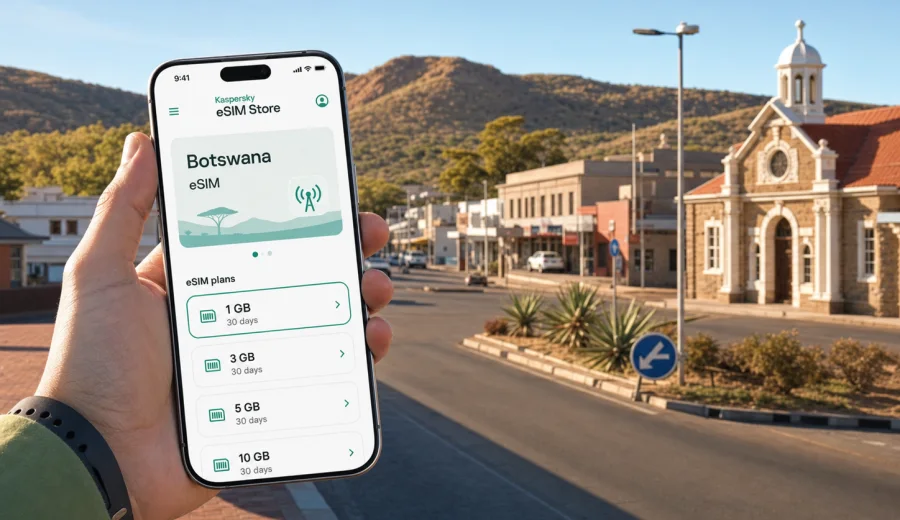
Lobatse eSIM: mobile connection and internet for a trip to Botswana
Lobatse is a practical stop in south-eastern Botswana: close to Gaborone, close to the South African border, and useful for business visits, court-related travel, family trips, regional road journeys, and quiet overnight stays before continuing across the country. It is not a city where travelers usually want to spend their first hour looking for a SIM counter. You are more likely to need maps, messages, taxi coordination, hotel details, banking apps, and route checks as soon as you land near Gaborone or arrive by road.
An eSIM can make that first part of the trip easier. Instead of changing a physical SIM card, you install a digital SIM profile on a compatible phone and use a data plan for mobile internet during your stay. For Lobatse, the main value is control: you can prepare before arrival, keep your usual SIM available for calls or banking messages, and use mobile data for navigation around town, transfers to Gaborone, and onward routes toward Ramatlabama, Kanye, Jwaneng, or South Africa.
This guide focuses on real city scenarios: getting from the airport or border to Lobatse, moving between local appointments, staying connected at a guesthouse or hotel, using maps on regional roads, and choosing enough data for the way you actually travel.
Why mobile internet matters in Lobatse
Lobatse is smaller and calmer than Gaborone, but that does not make connectivity less important. In fact, smaller cities often make mobile internet more useful because travelers rely heavily on personal navigation and messaging rather than dense tourist infrastructure.
You may need data in Lobatse for:
- checking the route from Sir Seretse Khama International Airport or Gaborone to Lobatse;
- confirming a guesthouse location before dark;
- coordinating a pickup from a bus stop, business office, or court appointment;
- sharing live location with colleagues or family;
- checking opening hours before crossing town;
- using ride, taxi, or private transfer contacts;
- paying online, confirming bookings, or receiving email documents;
- continuing a road trip toward the South African border.
Public Wi-Fi can help in some hotels, restaurants, and offices, but it should not be the only way you plan to stay online. Coverage, speed, sign-in pages, and reliability vary by place. Mobile internet gives you a separate option when you are outside the hotel, on the road, or standing outside an address you are trying to find.
Arrival scenarios: airport, road transfer, and border routes
Many international travelers reach Lobatse after arriving near Gaborone, then continue by road. Others enter Botswana by road from South Africa, use Lobatse as a stopover, or visit the city for a specific appointment. In each case, your phone becomes part of the arrival process.
| Travel scenario | What you may need mobile data for | Why eSIM can help |
|---|---|---|
| Landing near Gaborone | Maps, transfer messages, hotel confirmation, route timing | You can activate a data profile without searching for a SIM shop first |
| Driving from Gaborone | Navigation, road updates, fuel stops, calls through messaging apps | Your main SIM can stay in the phone while eSIM handles mobile data |
| Arriving from South Africa | Border-area coordination, accommodation details, route checks | You can prepare data before crossing into Botswana |
| Short business visit | Email, documents, location sharing, calendar changes | A prepaid data plan can match a short stay |
| Overnight stopover | Booking apps, restaurant search, onward route planning | You avoid relying only on hotel Wi-Fi |
If your schedule is tight, install the eSIM before travel while you still have stable Wi-Fi. Activation timing depends on the selected plan and device settings, so read the plan conditions before you switch on mobile data for the eSIM.
Where an eSIM is useful around Lobatse
Lobatse trips are often practical rather than purely touristic. You may be visiting an office, meeting family, attending a legal or administrative appointment, staying overnight during a road route, or using the city as a base for nearby destinations. These are exactly the situations where mobile internet is less about entertainment and more about avoiding friction.
In town: mobile data helps with maps, messaging, digital payments where available, restaurant searches, and confirming the next address. Lobatse has a spread-out feel in places, so it is useful to check the route before you walk or arrange transport.
At hotels and guesthouses: Wi-Fi may be available, but mobile data gives you a backup for late check-in messages, ride coordination, and work calls. If you are traveling with a laptop, check whether your selected eSIM plan allows hotspot use before assuming you can share data.
On regional roads: routes between Lobatse, Gaborone, Kanye, and the border can be straightforward, but you still need navigation, contact details, and sometimes offline maps. Download key map areas before the drive, then use mobile data for updates and messages.
For business travel: Lobatse can involve fixed appointment times, document exchange, and calendar changes. An eSIM helps keep email and messaging apps online when you are moving between accommodation, offices, and meetings.
How much data to plan for Lobatse
Data use depends more on behavior than on the city. A traveler who uses maps and messages only will need much less than someone who joins video calls, uploads photos, and shares a hotspot with a laptop. The easiest way to choose is to match the plan to your trip length and your heaviest daily activity.
| Trip style | Typical mobile data needs | Practical planning note |
|---|---|---|
| 1-2 day stopover | Messaging, maps, booking checks | A small data package may be enough if you avoid video streaming |
| 3-5 day city visit | Maps, email, social apps, occasional calls through messengers | Choose a plan with room for daily navigation and work messages |
| Business trip | Email, documents, cloud apps, meeting links | Allow extra data for attachments and tethering if the plan supports it |
| Road route through Botswana | Navigation, roadside searches, location sharing | Download offline maps and use data for updates |
| Remote-work stay | Video calls, large files, hotspot use | Check plan limits, validity, and hotspot conditions carefully |
As a rough planning method, separate essential data from optional data. Essential data includes maps, messages, email, booking apps, and travel documents. Optional data includes streaming, cloud backups, app updates, and long video calls. If you keep optional data for Wi-Fi, your eSIM data lasts longer.
What to check before choosing an eSIM for Lobatse
Before buying any eSIM plan for a trip to Lobatse, check four things: device compatibility, country or regional coverage, plan validity, and how the plan starts using data.
First, make sure your phone supports eSIM and is not locked to a mobile operator. Many recent iPhone, Samsung Galaxy, Google Pixel, and other flagship devices support eSIM, but support varies by model, region, and carrier restrictions. If you are unsure, check your device before you purchase a plan.
Second, choose the right destination. Lobatse is in Botswana, so your plan must include Botswana or a regional option that covers the route you are taking. This matters if your trip crosses borders: a plan for one country may not cover another country unless the plan conditions say so.
Third, compare validity. A plan that lasts 7 days may be right for a short appointment trip, while a longer regional journey may need more days. Do not choose only by data volume; check whether the plan will remain active for your whole stay.
Fourth, read the activation conditions. Some eSIM plans begin their validity when installed, others when first connected to a supported network. The exact rule depends on the plan, so check the details before you install it too early.
Mid-trip planning: choose data before the busy part of the journey
The most convenient time to sort out mobile internet is before the part of the trip where you need it most. For Lobatse, that may be before you leave Gaborone, before you cross the border, before you drive after sunset, or before a day of business meetings. In Kaspersky eSIM Store, you can review available destinations, compare traffic volume and validity, and choose a mobile internet option for travel in Botswana and the region before you rely on hotel Wi-Fi or airport counters.
Use this simple checklist before you activate mobile data on the eSIM:
- confirm that the selected plan covers Botswana or your regional route;
- check how many days the plan remains valid;
- check the data volume and whether hotspot use is allowed;
- keep your primary SIM active if you need bank messages or calls;
- turn off automatic cloud backups and app updates on mobile data;
- save your hotel address and key routes offline;
- keep the QR code or installation email available until setup is complete.
This approach is especially useful for Lobatse because the city is often one part of a wider route. You may spend the first night there, continue to Gaborone, visit Kanye, head toward Jwaneng, or cross into South Africa. The right eSIM choice should match that whole movement, not only the name of the first stop.
How to install and activate an eSIM for the trip
Installation is usually easier when you do it on stable Wi-Fi before departure or at your hotel. The general process is simple: select a plan, complete the purchase, install the eSIM profile, set it as the mobile data line, and enable the settings required by your device and the selected plan.
For device-specific steps, follow the official setup pages: use the Android installation instructions or the iOS installation instructions depending on your phone. Keep your primary SIM as the default line for calls if you still need your regular number, and use the eSIM for mobile data.
A careful setup sequence looks like this:
1. Connect to reliable Wi-Fi.
2. Confirm that your device supports eSIM and is unlocked.
3. Open the eSIM details from your profile, app, email, or QR code.
4. Add the eSIM to your phone.
5. Label it clearly, for example “Botswana data”.
6. Set the eSIM as the line for mobile data.
7. Turn on data roaming for the eSIM if the plan instructions require it.
8. Test maps or a browser after arrival.
If the eSIM does not connect immediately, do not delete it in a hurry. Check the selected data line, roaming data setting, APN instructions if provided, and whether you are in an area with supported local network coverage. If you still have questions, contact support with your device model and plan details.
City movement: maps, transport, and local addresses
Lobatse is manageable, but visitors still benefit from mobile maps. Address formats and local directions may be less familiar than in large international cities. A guesthouse may be known by a nearby road, a business may share a landmark, and a pickup point may be easier to confirm by sending a location pin.
Use mobile internet in Lobatse for these small but important tasks:
- save the exact accommodation location before you leave Gaborone;
- share your live location when meeting a driver or colleague;
- check walking distance before choosing to walk in the heat;
- keep a translation or notes app available for unfamiliar terms;
- confirm restaurant, pharmacy, or service hours before going there;
- send documents or photos when an appointment requires them.
If you are driving, download offline maps first. Mobile data is useful for live updates, but offline maps reduce pressure if coverage varies along a road section. Keep a power bank in the car, because navigation, brightness, heat, and long drives can drain a phone quickly.
Hotels, stopovers, and trips from Lobatse
Accommodation Wi-Fi can be useful for browsing and work calls, but it should not be your only plan. Keep eSIM data for check-in messages, route changes, transport coordination, and urgent email when the hotel network is slow or unavailable.
If Lobatse is a one-night stop, focus on the moments around arrival and departure: finding the property, messaging the host, checking food options, and confirming the next day’s route. If you continue to Gaborone, Kanye, Jwaneng, or the South African border, check whether your plan covers the full route. For cross-border travel, a Botswana-only plan may not work after you leave the country unless the plan conditions include the next destination.
Avoid the common mistakes: buying before checking coverage, forgetting device compatibility, deleting an eSIM while troubleshooting, installing too early without reading validity rules, and leaving app updates or cloud backups on mobile data. Most travel eSIM plans focus on data, so do not assume they include a local phone number, SMS, or traditional calls unless the details say so.
Quick recommendations for Lobatse travelers
If you want the shortest practical advice, use this summary:
| Traveler type | Recommended approach |
|---|---|
| First-time visitor | Install before departure, save maps offline, keep your main SIM for calls |
| Business traveler | Choose enough data for email, documents, and transport coordination |
| Road-trip traveler | Check regional coverage, download offline maps, carry a power bank |
| Short stopover visitor | Use a small plan for maps, messages, and booking checks |
| Cross-border traveler | Confirm whether the plan covers Botswana only or multiple countries |
For Lobatse, the strongest eSIM use case is not luxury. It is basic travel control: finding the right address, contacting the right person, checking the next road, and staying online when Wi-Fi is not available.
FAQ: eSIM, mobile connection, and internet in Lobatse
Is an eSIM useful for Lobatse if I arrive through Gaborone?
Yes. Many visitors reach Lobatse by road after arriving near Gaborone, and mobile data helps with maps, transfer coordination, accommodation messages, and route checks during that first movement.
Can I keep my usual SIM active?
On many dual-SIM phones, yes. You can keep your primary SIM for calls or messages and set the eSIM as the mobile data line. Exact options depend on your device.
Does a travel eSIM include a Botswana phone number?
Usually, travel eSIM plans are data-focused. Do not assume they include a local number, voice calls, or SMS unless the plan conditions clearly say so.
Should I install the eSIM before I reach Lobatse?
It is often easier to install on stable Wi-Fi before travel or before leaving Gaborone. Check when the selected plan starts its validity so you do not activate it earlier than intended.
What if I go from Lobatse to South Africa?
Check the plan coverage before crossing the border. A Botswana-only plan may not work in South Africa unless the plan conditions include that country or a regional route.
Can I use eSIM data for a laptop hotspot?
Possibly, but only if your device and selected plan support tethering. Review the plan details before relying on hotspot access for work.
Choose an eSIM plan before your Lobatse trip
Lobatse is a city where mobile internet supports the practical parts of travel: arrival from Gaborone, movement between local addresses, hotel coordination, business communication, and regional road planning. Preparing an eSIM in advance helps you avoid searching for a physical SIM card when you would rather be checking in, meeting a driver, or confirming the next route.
Before you travel, check device compatibility, review the plan conditions, and choose data volume and validity that match your real itinerary. Then prepare an eSIM option for your Botswana journey through Kaspersky eSIM Store and keep your phone ready for maps, messages, and essential internet access in Lobatse.