
Travel connectivity guide
London eSIM: mobile internet for your trip
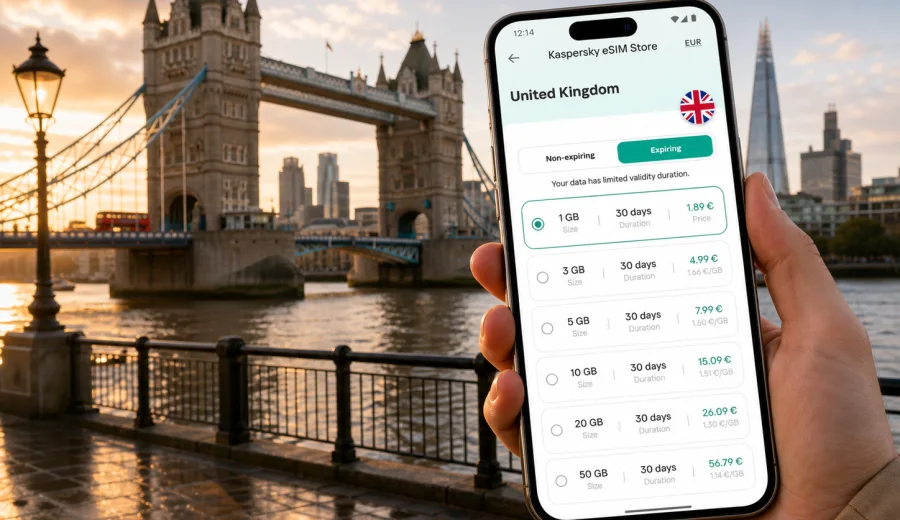
London eSIM: mobile connection and internet for your trip
London is a city where mobile internet becomes useful before you even reach your hotel. You may need to check which airport train is running, load a map of the Underground, message a host about check-in, confirm a theatre booking, call a car, or join a video meeting from a business lounge. Public Wi-Fi exists in many stations, cafes, hotels, and museums, but it is not a reliable travel plan by itself. A London eSIM helps you prepare mobile data for the United Kingdom before the trip, so you can move through the city with less dependence on airport kiosks, hotel passwords, or roaming surprises.
This guide is focused on London: arrival, local transport, central districts, business travel, short stopovers, hotels, day trips, and practical ways to use data during the day. The country matters because the correct eSIM destination is the United Kingdom, but the real task is city travel: staying online while you cross zones, switch lines, walk between landmarks, and manage plans from your phone.
Why eSIM is useful in London
London is built around fast decisions. The best route from Heathrow to Paddington may change if trains are delayed. A meeting in Canary Wharf can require the Elizabeth line, the DLR, or a taxi depending on timing. A rainy afternoon can move your plans from a park to a museum. Mobile data gives you room to adjust without searching for Wi-Fi every time the plan changes.
An eSIM is a digital SIM profile installed on a compatible smartphone or tablet. For travel, it is commonly used for mobile internet: maps, messengers, ride-hailing apps, online tickets, email, hotel apps, banking checks, translation, and browsing. It usually does not include a local phone number, voice calls, or SMS unless the selected tariff clearly says so. For calls, many travellers use internet-based messengers over mobile data.
In London, the value is not only speed. It is continuity. You can arrive at an airport, open route planning, message someone, and keep moving while the city changes around you.
London arrival points where data helps immediately
Most visitors reach London through one of several airports or by rail from another city. Each arrival point has different transport choices, and mobile internet helps you compare them in context.
| Arrival point | Common onward movement | Why mobile data helps |
|---|---|---|
| Heathrow Airport | Elizabeth line, Heathrow Express, Piccadilly line, taxi, coach | Compare train options, check hotel route, message a driver, load terminal maps |
| Gatwick Airport | Gatwick Express, Thameslink, Southern trains, coach | Check platform changes, plan onward Tube transfers, manage rail tickets |
| Stansted Airport | Stansted Express, coach, taxi | Track travel time to Liverpool Street or Stratford, coordinate late arrivals |
| Luton Airport | Shuttle connection, rail services, coach | Check transfer steps and timing before leaving the terminal |
| London City Airport | DLR, taxi, Elizabeth line connections | Useful for business travellers heading to Canary Wharf, the City, or central hotels |
| St Pancras International | Underground, Thameslink, taxi, walking routes | Useful for Eurostar arrivals, hotel check-in messages, and onward rail connections |
Airport Wi-Fi can be enough for a quick message, but it rarely covers the whole journey. The moment you leave the terminal, change platforms, or enter a taxi queue, having your own mobile data is more practical.
How much data do you need for London?
The right data allowance depends on your habits. London itself does not require special apps, but the city encourages heavy phone use: maps, live transport updates, museum tickets, restaurant bookings, payment confirmations, and photos backed up to the cloud.
For a short city break, light users can often manage with a modest data package if they use hotel Wi-Fi for video and backups. If you work remotely, stream video, use cloud documents, or share a hotspot with a laptop, choose a larger allowance.
| Travel style | Typical London use | Data planning tip |
|---|---|---|
| Weekend visitor | Maps, messaging, tickets, restaurant searches | Keep video and cloud backup on Wi-Fi |
| First-time tourist | Navigation all day, attraction apps, photo sharing | Choose extra data for long days outside |
| Business traveller | Email, calendar, rides, document access, calls in messengers | Leave a buffer for tethering and meetings |
| Family trip | Multiple route checks, ticket management, translations | One connected phone can coordinate the group, but each traveller may prefer their own data |
| Stopover traveller | Airport transfer, city route, boarding updates | Prioritise a tariff that covers the full stopover window |
As a practical rule, choose by days and expected use rather than by the lowest number on the screen. A plan that comfortably covers your London schedule is easier to manage than a smaller allowance that forces you to monitor every map refresh.
London transport: where mobile internet changes the day
London transport is extensive, but it can feel complex if you are new to the city. The Underground, Elizabeth line, Overground, DLR, buses, trams, Thames river services, National Rail, taxis, and walking routes often overlap. The fastest route depends on the exact start point, destination, time of day, line status, and how much walking you want to do.
Mobile internet is especially useful for:
- checking live Tube and rail updates before entering a station;
- comparing contactless, Oyster, and rail ticket options in your travel apps;
- finding the correct station entrance or platform connection;
- choosing whether a bus is easier than the Underground for a short route;
- navigating step-free routes if you have luggage or accessibility needs;
- confirming late-night options after theatre, dinner, or a delayed flight;
- saving hotel and airport routes offline as a backup.
London also has many places where GPS can feel less precise: narrow streets in the City, tall buildings around Canary Wharf, busy interchanges such as Bank, King’s Cross St Pancras, London Bridge, and Oxford Circus. A live connection helps your map recover faster when you exit a station or change streets.
Districts and travel scenarios
Your data needs can change by district. Central London is dense and walkable, but a day can still involve long transfers and several app-based decisions.
Westminster and the South Bank. This is classic sightseeing territory: Big Ben, Westminster Abbey, the London Eye, river walks, theatres, and busy bridges. You will use maps often because walking routes are scenic but not always direct.
The City of London and Canary Wharf. Business travellers often move between offices, hotels, restaurants, and rail stations. Mobile data is useful for calendar changes, building access instructions, document access, and route decisions between Bank, Liverpool Street, Farringdon, Canary Wharf, and London Bridge.
Kensington, Chelsea, and Notting Hill. Museum days, shopping, parks, and hotel stays often involve walking, buses, and Tube transfers. Data helps with timed tickets, gallery hours, and restaurant bookings.
Shoreditch, Hackney, King’s Cross, and St Pancras. These areas are common for nightlife, markets, rail connections, and Eurostar arrivals. A live connection helps with late routes, onward trains, platform information, and hotel transfers.
Choosing an eSIM for a London trip
For a city article, the correct destination is the country where the city is located. For London, choose a United Kingdom option and match the data allowance and validity period to your itinerary. Before you travel, you can prepare an eSIM for your London trip through the United Kingdom page and review the available data options, validity periods, and terms before you decide.
Kaspersky eSIM Store is an app and website where you can quickly choose, order, install, and activate an eSIM with a suitable mobile data tariff for an international trip. It helps you prepare mobile internet for travel, but it is not a mobile operator and does not own a mobile network. Conditions such as data volume, validity, destination, and price depend on the selected tariff.
When comparing options for London, check:
- the destination shown in the tariff;
- how much data is included;
- how long the tariff remains valid;
- when the validity period starts;
- whether top-ups are available;
- whether tethering is allowed if you plan to use a laptop;
- whether your device supports eSIM and is not locked to another carrier.
Device compatibility and installation
Before ordering an eSIM, confirm that your phone or tablet supports eSIM and can use it for mobile data abroad. You can check your device before choosing a tariff. This matters because eSIM support depends on the device model, region, and carrier lock status.
A simple preparation flow looks like this:
1. Check that your device supports eSIM and is unlocked.
2. Choose the United Kingdom as your travel destination.
3. Select a tariff by data volume and validity period.
4. Install the eSIM profile using the instructions provided after ordering.
5. Keep your primary SIM active if you need your usual number for calls or banking messages.
6. Turn on the travel eSIM for mobile data when you are ready to use it.
If you need installation guidance, use the Android installation instructions or the iOS installation instructions. Install the eSIM when you have a stable connection, such as home Wi-Fi or hotel Wi-Fi, and read the activation details for the selected tariff before switching mobile data to the eSIM.
Practical London data checklist
Use this checklist before departure or while you still have reliable Wi-Fi:
- save your hotel address in a map app;
- download offline maps for central London as a fallback;
- add airport, hotel, and meeting locations to your calendar;
- install transport, airline, hotel, banking, and messenger apps you expect to use;
- check whether your bank requires SMS confirmation or app-based approval;
- keep QR codes and booking confirmations available offline;
- decide which SIM handles mobile data and which SIM keeps your regular number active;
- disable automatic cloud backup over mobile data if your allowance is limited;
- check roaming-data settings if the selected eSIM instructions require them.
This preparation is especially useful if you land late, travel with children, or have a tight connection between the airport and an evening booking.
Trips from London to other parts of the United Kingdom
A London visit often turns into a wider UK trip. You may take a train to Oxford, Cambridge, Bath, Brighton, Manchester, Edinburgh, or another city. A United Kingdom eSIM option is useful when your itinerary goes beyond London, because you do not need to treat every city as a separate destination. Check the selected tariff details and make sure the validity period covers the full route.
For rail travel, data helps with platform changes, seat reservations, delays, hotel directions, and messaging. For road trips, it helps with route changes, parking apps, weather checks, and navigation outside central London. If you will spend long periods in rural areas or on trains, download key maps and documents in advance as a backup because coverage and speed can vary by location and network conditions.
Quick answers for London travellers
Is eSIM useful for a weekend in London?
Yes. It is useful for maps, transport updates, digital tickets, restaurant bookings, and messengers. Choose data by expected use, not only by trip length.
Can I use eSIM from Heathrow to central London?
You can use it for mobile data after it is installed, activated according to the tariff rules, and selected for data on a compatible device.
Does a travel eSIM give me a UK phone number?
Usually no. Travel eSIM tariffs for mobile internet typically focus on data. Voice calls and SMS are not included unless the selected tariff says otherwise.
Should I install the eSIM before flying?
Installation is usually easier with stable Wi-Fi before departure. Activation timing depends on the selected tariff, so read the validity rules before switching it on for data.
Can I use it for trips outside London?
For London, choose a United Kingdom destination. If the tariff covers the United Kingdom and remains valid, it can support travel to other UK cities according to its conditions.
What if my phone is not compatible?
You will need another option, such as roaming, public Wi-Fi, or a physical SIM where available. Check compatibility before ordering.
A simple London eSIM plan
For most travellers, the easiest approach is straightforward: prepare the eSIM before departure, keep your usual SIM for your primary number, and use the travel eSIM for mobile data in London. Save the hotel address, download essential documents, and check data settings before you leave the airport.
Then use mobile internet where it matters most: finding the right airport train, navigating Tube interchanges, checking opening times, managing tickets, booking restaurants, joining work calls, and adjusting plans when London weather or transport changes your day.
If London is your next destination, choose a tariff with enough data and validity for your route, confirm your device compatibility, and select an eSIM option for the United Kingdom before your trip. With the right preparation, your phone is ready for maps, messages, transport updates, and the everyday decisions that make a London trip easier to manage.