Travel connectivity guide
Long Bay eSIM: Mobile Internet for Your Trip
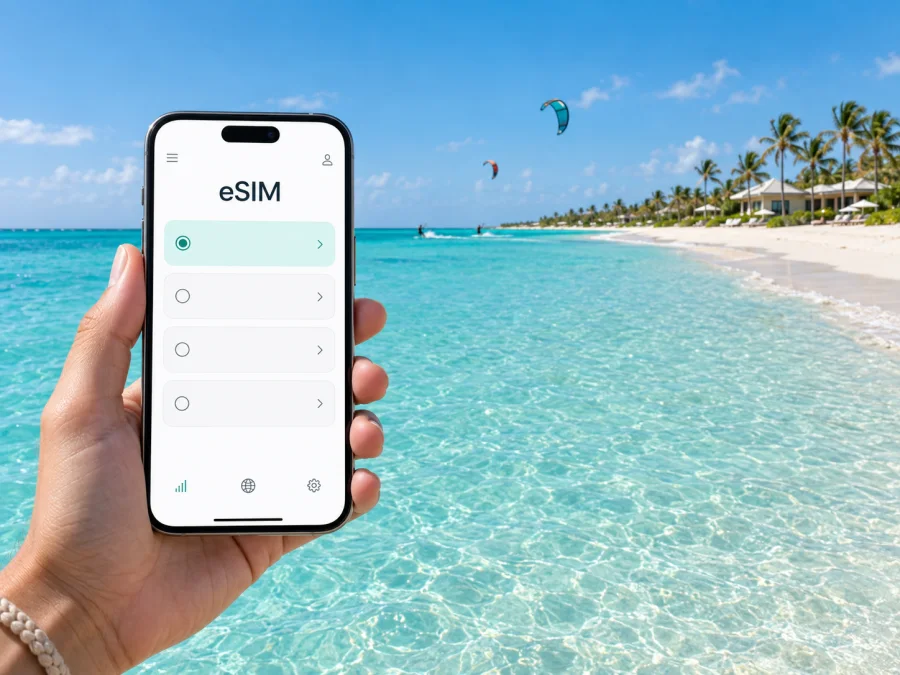
Long Bay eSIM: mobile connection and internet for your trip
Long Bay is a quieter stretch of Providenciales, known for its broad beach, shallow water and kiteboarding conditions. It is not a compact downtown with a dense grid of shops and transit stops: places to stay and points of interest are spread along the coast and inland roads. That changes how you plan a mobile connection. You may rely on your phone to coordinate an airport pickup, confirm a villa entrance, follow a route to dinner, check wind conditions or message your host after a day on the water.
An eSIM can make mobile internet easier to plan for a stay in Long Bay. It is a digital SIM profile installed on a compatible phone, so you can prepare before departure and use a selected data tariff while travelling. The right setup depends on your device, your itinerary and the specific tariff terms. This guide focuses on Long Bay and the practical details around arriving, getting around and spending time on this part of Providenciales.
What to expect in Long Bay
Long Bay is on the southeastern side of Providenciales in the Turks and Caicos Islands. Long Bay Beach faces the Caicos Banks, where the water is shallow for a considerable distance from shore. The beach is a well-known place for kiteboarding; on a breezy day, kites may be part of the view. Conditions change, so check local guidance before entering the water or planning an activity around wind and tide.
The area feels different from Grace Bay, the island’s busier visitor centre. Long Bay has villas, resorts and low-density residential stretches rather than a continuous strip of restaurants and stores. Your accommodation may be a short walk from the beach but farther from groceries or dining, so confirm what is actually nearby before you arrive. A map pin can help, but the property’s directions are especially useful where a road branches or an entrance is set back from the main road.
The phone tasks here tend to be practical and location-specific:
- confirming the pickup point with a driver or host;
- navigating between your stay, Long Bay Beach and other parts of Providenciales;
- checking restaurant hours or making a reservation;
- messaging a kiteboarding school or tour provider;
- arranging groceries, a taxi or a rental vehicle;
- keeping travel documents, booking details and maps available when you are away from Wi-Fi.
Plan for the airport-to-Long-Bay journey
Most visitors arriving by air use Providenciales International Airport (PLS). Long Bay is on the same island, but you should not assume that airport transport works like a city bus or rail network. Many visitors arrange a transfer, taxi or rental vehicle, and the best option depends on where they are staying, the size of their party and their plans for the rest of the trip. Confirm availability and pickup details with your accommodation or transport provider before travel.
For a smooth arrival, keep the following information close at hand:
- The exact property name and address. A general search for “Long Bay” can point to the wider area rather than your particular entrance.
- A map pin and written directions. Save them offline as well as in your email or booking app.
- The pickup plan. Confirm who will meet you, where to wait and how to contact them if your flight is delayed.
- A working data option. Decide whether you will use your home carrier’s roaming, Wi-Fi or an eSIM for mobile data in the islands.
- A backup contact method. Keep the accommodation’s number or messaging details accessible, while remembering that a data-only eSIM may not include ordinary calls or SMS.
Mobile data can be helpful before you meet your driver: you can send an arrival message, share your location if needed, and check that you are heading to the right part of Providenciales. If you pick up a rental car, set the destination before driving and review the first turns while parked. Roads and entrances can look different in person than on a small map, and stopping safely is better than trying to adjust a route while moving.
Getting around from your accommodation
Long Bay is spread out, and the best way to move around depends on the address of your stay. A beachfront villa, a resort and a property farther inland can have very different walking distances to the beach, dining or services. Ask your host which nearby landmarks are reliable and whether a particular access road or entrance is easiest to find. Do not judge a route only by its straight-line distance: shoreline, private property and road layout can affect the practical route.
| Your plan | What to check before you leave | How mobile internet helps |
|---|---|---|
| Walk to Long Bay Beach | Public access point, daylight, footwear and weather | Review the map and send your location to your party |
| Visit a restaurant | Current opening hours, reservation and return ride | Confirm details and coordinate pickup |
| Take a kiteboarding lesson | Meeting point, wind conditions and provider instructions | Message the instructor if plans change |
| Explore Grace Bay or another part of Providenciales | Travel time, parking or transfer arrangements | Navigate between stops and check updated details |
| Spend the day at your villa | Grocery delivery area and host’s instructions | Place orders or contact the property over data |
For short trips, a taxi or a prearranged ride may be more convenient than driving, while a rental car may suit visitors planning several stops. Availability, cost and schedules can change, so confirm directly rather than relying on a general assumption. If your accommodation offers transport, ask whether booking ahead is necessary and what details the driver needs. Save your return plan before you set off, particularly if you are going somewhere outside the immediate Long Bay area.
Choosing mobile internet for Long Bay
An eSIM is useful when you want a separate mobile-data option for an international trip without swapping a physical SIM card. Kaspersky eSIM Store is an app and website where you can select, purchase and activate an eSIM with a suitable tariff for travel. Tariff details depend on the selected option, so check the destination, data allowance, validity period and activation conditions before you complete your purchase.
Although your holiday is centred on Long Bay, choose a destination option that explicitly covers the Turks and Caicos Islands. A city name is not always a separate tariff destination. If your itinerary includes other islands or countries, check the listed coverage for each part of the route rather than assuming one option applies throughout. To review eSIM options for the Turks and Caicos Islands, compare the stated data allowance and validity with the length and style of your stay.
A simple way to estimate your data needs is to consider how you will use your phone each day:
- Light use: messaging, maps now and then, email and brief browsing. Connect to trusted Wi-Fi for large downloads and updates.
- Regular travel use: navigation, frequent messaging, restaurant searches, photos shared over data and occasional video calls. Choose an allowance with room for daily use.
- High use: hotspot use, long video calls, frequent media uploads or streaming away from Wi-Fi. Check the tariff’s allowance and any hotspot conditions carefully.
These are usage patterns, not fixed data estimates. Navigation, photo backups and video can consume very different amounts depending on settings and quality. Turn off automatic app updates and cloud photo uploads over mobile data if you want to preserve your allowance. You can also download offline maps, playlists and entertainment before travelling.
Check your phone before you buy
Before choosing an eSIM, confirm that your phone supports eSIM and is not restricted by a carrier lock. Device support can vary by model and by the market where it was purchased. Check whether your device supports eSIM and review the manufacturer’s instructions if you are unsure. Also make sure you can access the email address or account used for the order while travelling.
Read the tariff conditions before purchase. In particular, check when validity begins, whether data is limited to the listed destination, how remaining data is shown and what happens when the allowance is used. An eSIM for mobile data does not necessarily include a local phone number, standard voice calls or SMS. Keep your usual number active if you need it for calls or verification, and use messaging or calling apps over data when appropriate.
Prepare and install the eSIM
The easiest time to prepare is before departure, while you have stable internet access and time to follow the setup steps. The exact installation flow depends on your device and the instructions shown with your eSIM. Avoid deleting an installed eSIM profile unless the instructions or support team tell you to do so; reinstalling may not be possible in every case.
A practical preparation sequence:
- Confirm that the selected destination and tariff fit your trip to Long Bay and any additional stops.
- Check your device’s eSIM support and carrier-lock status.
- Review the data allowance, validity and activation conditions.
- Complete the purchase, then follow the on-screen installation steps while connected to reliable Wi-Fi.
- Label the profile clearly, such as “Travel data,” so you can distinguish it from your primary line.
- Before departure, review which line is set for mobile data and whether data roaming must be enabled for the travel eSIM according to its instructions.
- After arrival, follow the provided activation guidance and check that mobile data is using the intended profile.
Use the instructions for your operating system: eSIM installation instructions for Android and eSIM installation instructions for iOS. Device menus differ, so follow the guidance for your specific model. Keep the confirmation and support details somewhere you can access if you need help during the trip.
If the phone does not connect after arrival, check the basics before changing settings at random: confirm the eSIM line is enabled, verify that it is selected for mobile data, check the activation guidance and restart the device if appropriate. If the issue remains, use the support contact provided with your purchase. Keep a trusted Wi-Fi option available at your accommodation or airport as a temporary fallback.
Navigation, beach time and day plans
Long Bay days can include your accommodation, the beach, an activity provider and a meal in another part of Providenciales. Save each address or meeting point separately, and confirm that a shared map pin matches the written directions. For a beach outing, download an offline map, screenshot bookings, bring a charged phone and keep it protected from water, heat and sand.
Kiteboarding is closely associated with Long Bay Beach, but conditions vary. Follow local operators’ instructions and check current wind and sea conditions before an activity. For a trip to Grace Bay, a marina or another part of the island, confirm the return ride before leaving. Do not rely on a tight schedule built around a map estimate alone.
Work trips and short stays
For a work trip, check the accommodation’s Wi-Fi and workspace before booking. Mobile data can help with messages, navigation and schedule changes, but do not assume it will replace Wi-Fi for long video meetings or large files. Save meeting addresses, contact details and airport transfer information offline. If you have only a short stop in Long Bay, group errands by location and allow time for the return journey to Providenciales International Airport.
Quick checklist
Before departure, confirm the exact property address and airport pickup plan; check eSIM compatibility and activation instructions; select a tariff that lists the Turks and Caicos Islands; and save maps, bookings and contact details offline. During your stay, confirm routes and return transport before setting out, follow local beach guidance, and use Wi-Fi for large downloads where practical.
Frequently asked questions
Is Long Bay a city?
Long Bay is a coastal area on Providenciales rather than a separate urban centre. Pair its name with your accommodation’s full address and island when planning directions.
Will an eSIM help me navigate around Long Bay?
It can provide mobile data if the selected tariff covers the Turks and Caicos Islands and your phone is configured correctly. Download an offline map as a backup.
Do I need a car in Long Bay?
That depends on your accommodation and plans. Some visitors arrange taxis or transfers; others prefer a rental vehicle for several stops. Confirm current options with your accommodation or provider.
Can I use a travel eSIM for ordinary calls?
A data-focused eSIM does not automatically include a local number, voice calls or SMS. Check the tariff details; internet-based calling apps may work over data.
Should I install the eSIM before flying?
Preparing before departure gives you time and stable Wi-Fi for setup. Follow the terms for your specific eSIM because validity may start at different points.
Set up before you reach the beach
A Long Bay stay is easier to manage when your address, transport plan, maps and activity details are ready before leaving the airport. Kaspersky eSIM Store is an app and website for choosing, purchasing and activating an eSIM with a suitable travel tariff. Review the destination, data allowance and validity, then choose an eSIM option for the Turks and Caicos Islands and prepare your phone before departure.


