Travel connectivity guide
Lorient eSIM Guide: Mobile Internet in Saint Barthelemy
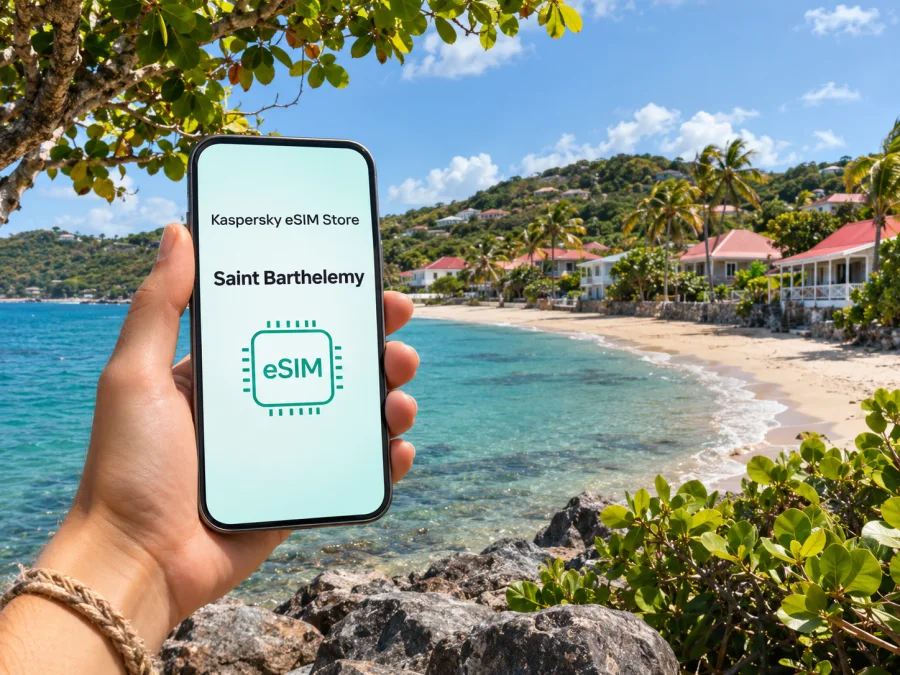
Lorient eSIM: Mobile Connection and Internet for Your Stay
Lorient is a neighborhood on the Caribbean island of Saint Barthelemy, known for its beach, local shops and relaxed residential feel. A phone with working mobile data can make the practical parts of a visit easier: finding a villa entrance, checking a road or weather update, messaging a driver, or looking up a place to eat after the beach. The island is small, but its roads are hilly and winding, and plans often involve more than one bay or village in a day.
An eSIM can prepare mobile internet for travel if your phone supports it and the chosen plan explicitly covers Saint Barthelemy. This guide covers arrival, getting around Lorient, plan checks and practical backups. A France, Europe or Caribbean label alone does not confirm island coverage.
Where Lorient fits into a Saint Barthelemy trip
Lorient is a neighborhood on the island’s northern coast, between Gustavia and the eastern bays. The local tourism office describes its beach as an everyday local spot known for surf, and notes nearby shops, bakeries and food options. It can work as a base for short island outings as well as a place to stay.
Check local advice before swimming or surfing. For meetups, agree on a landmark or beach access in advance.
Saint Barthelemy is a French overseas collectivity with its own status and local administration, not metropolitan France. Mobile plans may treat overseas territories separately, so verify the named destination and current terms before purchase.
Arrival: get the island and Lorient into your plan
Saint Barthelemy–Rémy de Haenen Airport is in the Saint-Jean bay area. It serves regional flights rather than functioning like a large international hub. Confirm your carrier, baggage rules, connection time and current schedule; do not assume an international itinerary lands directly on Saint Barthelemy.
Continue to Lorient by your arranged transfer, taxi or rental vehicle. Confirm the pickup point and destination spelling. Save the property name, directions, host contact and booking details offline in case arrival is delayed or data is not active.
The airport is in Saint-Jean, not Lorient, and the route depends on your address and conditions. Use navigation as a guide rather than a travel-time promise. Keep the phone charged and let a passenger handle route changes; otherwise stop safely first.
Arrival checklist
- Save your accommodation address, host contact and transfer details in a note that opens offline.
- Download an offline map of Saint Barthelemy before departure and pin Lorient, the airport and your accommodation.
- Confirm whether your data plan activates at installation, on first network connection, or at another stated moment.
- Keep your existing SIM active for calls or verification messages if you need it, while checking its roaming settings and charges.
- Tell your driver or host whether you will contact them through a regular call, SMS or an internet messaging app.
Mobile internet in Lorient: what to expect
Mobile service varies across the island. French regulator ARCEP’s 2026 audit identified Orange as the operator with 5G in Saint Barthelemy. That describes the local network picture; a travel eSIM may connect through a different partner and is not guaranteed access to the same network or technology. A 5G label also cannot promise signal inside a villa, on a beach or along a hillside road. Buildings, terrain and congestion affect reception.
Lorient’s central neighborhood, the beach and the roads connecting it to other parts of the island are distinct use settings. A map may load well outside and more slowly indoors. A photo upload may wait while a text message goes through. If you need to join a video call, send large files or work from your accommodation, ask the host about the property’s Wi-Fi and have a backup plan. For navigation, messaging and basic searches, reduce avoidable data use by downloading maps and essential booking information in advance.
A travel eSIM connects through a partner network under the plan’s terms; the network name on your phone may differ from the store name. A listed destination does not promise a particular speed or indoor signal. Check coverage wording, activation rules and hotspot conditions before paying.
| Trip situation | Why data helps | Useful fallback |
|---|---|---|
| Meeting a driver at the airport | Confirming a pickup or reporting a delay | Saved meeting point and contact details |
| Finding a villa in Lorient | Opening a map and messaging the host | Offline map, written directions and property name |
| Beach day | Checking messages and local information | Keep essentials saved; do not depend on a signal by the water |
| Driving between bays | Navigation and route updates | Downloaded map and a charged power bank |
| Remote work | Email, messaging and possibly a call | Ask about accommodation Wi-Fi and test it early |
Choosing a travel eSIM for Lorient
Start with the exact destination, not a broad label. A plan described as “France” or “Europe” may cover only a stated list of countries or territories. Because Saint Barthelemy has a distinct overseas status, verify the plan’s list of covered destinations and look for Saint Barthelemy by name. If the live listing does not make the coverage clear, do not infer it from the island’s political relationship with France or from a nearby island’s inclusion.
Next, estimate how you will use data. A traveler who mainly checks maps, messages and opening information has different needs from someone who streams video or works online. Consider the trip length, whether Wi-Fi will be available at your accommodation, the number of devices that may share a hotspot, and whether your existing mobile plan will remain active. Select a data allowance and validity period that match the published terms and your itinerary; avoid choosing by headline price alone when the duration or destination differs.
Kaspersky eSIM Store is an app and website where you can review, select, purchase and activate an eSIM plan for an international trip. Available destinations and terms can change, so check the live listing before deciding. Use the Kaspersky eSIM Store to review current travel destinations and plans, then verify that the specific plan covers Saint Barthelemy. The Store homepage is a general starting point, not confirmation of an island-specific offer.
A practical selection sequence
- Confirm the destination. Check that Saint Barthelemy is included explicitly. If your itinerary also includes Saint Martin, Guadeloupe or another island, check each destination separately; one does not automatically confirm another.
- Read the data terms. Compare allowance, validity, activation point, top-up rules and any tethering limits. The start date may depend on when the eSIM first connects, so read the wording rather than assuming.
- Match the allowance to your routine. Navigation and text messaging usually require less data than frequent video streaming, cloud backups or hotspot use. Keep high-volume tasks on trusted Wi-Fi when practical.
- Check the device and lock status. Your phone needs eSIM support and must be allowed to use another provider’s profile. Confirm this for the exact device variant and software region, particularly if it was bought through a carrier.
- Choose the installation time. Install only when you have stable Wi-Fi and enough time to follow the instructions. Whether to activate before travel or after arrival depends on the plan’s stated activation rules.
Device compatibility and eSIM setup
Before purchase, confirm eSIM support for your exact phone model and regional variant. A model name alone may not settle the question: some variants differ by sales market, and a carrier lock can prevent a new profile from connecting. Check the manufacturer’s specifications and your carrier status, then check whether your device supports eSIM. Keep access to your account email and any verification method required during installation.
An eSIM profile is downloaded to a compatible device; it is not a physical card to move between phones at will. Follow the plan’s terms for installation and transfer. Before deleting a profile, changing phones or resetting a device, confirm with support what the plan allows.
Setup before departure
- Use reliable Wi-Fi, then confirm the destination and plan terms in your account.
- Add the eSIM using the guided steps: Android installation instructions or iPhone installation instructions.
- Label the travel line, keep your home line for calls if needed, and select the eSIM for data when the plan is ready.
- Enable data roaming on the travel line only if its instructions require it. Save support details and plan conditions offline.
Installation and validity start are not always the same event. Some plans can be installed in advance; others may start when they first connect. Follow the exact plan wording, and do not delete a working profile as an initial troubleshooting step.
Moving around Lorient without relying on a live signal
Lorient is pleasant to explore on foot in its local areas, but an accommodation entrance or beach access may not be obvious from a map pin. Save the exact property name, directions from your host and a nearby landmark. Download an offline map before leaving Wi-Fi, and keep a return destination saved for island outings.
Roads can be narrow and winding. Use navigation for orientation, but do not read or change a route while driving; ask a passenger or stop safely first. Keep a charged phone or power bank, agree on a meeting point if your group may separate, and keep host and support contacts available offline. Near the beach, protect the phone from heat, sand and water. Offline information is a useful backup, not a substitute for local safety advice.
When the eSIM does not connect
A failed connection does not necessarily mean the eSIM is damaged. First check the basics: the profile is installed and switched on, the travel line is selected for data, the phone has restarted or refreshed its network connection, and you are in a place with usable signal. If the plan instructions require data roaming, confirm it is enabled on the travel line rather than the home line.
Compare settings with the plan instructions. Avoid changing APN fields or manually selecting a network unless support tells you to. Save a screenshot of any error before troubleshooting further.
Try this sequence:
- Move to an open area and check that the eSIM is on and selected for data.
- Refresh the connection or restart the phone if the plan instructions recommend it.
- Confirm the activation date, supported territory and remaining data.
- Contact support with your device model, error and steps already tried.
Do not delete the eSIM profile as an initial troubleshooting step. Some profiles cannot be reinstalled after removal. If you need to make an important call, use your home SIM if available and if its roaming charges are acceptable, ask your accommodation to help, or move to a place with Wi-Fi. Keep offline maps and booking details as a practical backup rather than assuming that a phone will always have data.
Lorient trip scenarios
- Airport to accommodation: Save the pickup instructions, address and host contact before departure. If data is not active yet, use the agreed meeting point instead of reinstalling the profile.
- Day trip to another bay: Load the route before setting off and confirm that every territory on the itinerary is covered. A nearby island is not automatically included.
- Remote work: Ask the host about Wi-Fi and test it early. Keep a backup way to join important calls, and check hotspot terms before sharing mobile data.
- Beach day or short stopover: Save maps and booking details offline, coordinate a meeting point, and check when plan validity begins before connecting.
Frequently asked questions
Does every France or Caribbean eSIM include Saint Barthelemy?
No. Check the exact plan’s destination list and look for Saint Barthelemy by name; a regional label or nearby island is not confirmation.
Can I make ordinary calls and send SMS with a travel eSIM?
A data-only travel eSIM does not necessarily include a regular phone number, voice calls or SMS. Check the selected plan’s terms. Internet messaging and app calls may work over data, while your existing SIM may remain available for ordinary calls if its roaming conditions suit you.
When should I install the eSIM?
Follow the exact plan instructions. Installation and validity start may be different events, so confirm when the plan begins before adding the profile.
What if I lose data while travelling?
Use your offline map, check that the travel line is selected for data, and move to a place with better reception. If needed, use Wi-Fi and contact support; do not remove the profile unless instructed.
Prepare your connection for Lorient
Before departure, confirm Saint Barthelemy appears in the plan, check your exact eSIM variant and save offline directions and support contacts. To review current listings, open the Kaspersky eSIM Store, then verify the specific destination and conditions before choosing and activating a plan. This is a general Store link, not confirmation of an island-specific offer.


