Travel connectivity guide
Lublin eSIM: Mobile Internet for Your Trip
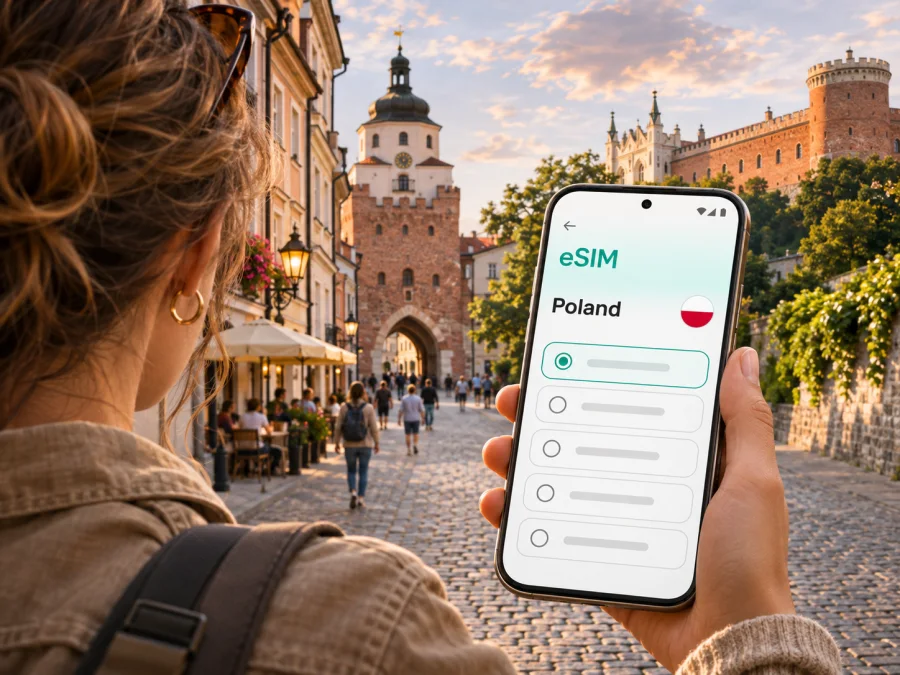
Lublin eSIM: mobile connection and internet for your city trip
Lublin is a compact city break destination, a university and business hub, and a useful stop for journeys around eastern Poland. A mobile data connection helps with the practical moments that shape a visit: checking how to get from the airport to your accommodation, finding a tram or bus stop, navigating the Old Town’s lanes, confirming a booking, or messaging your host after a late arrival. An eSIM can make those tasks easier without replacing the physical SIM already in your phone.
This guide focuses on using mobile internet in Lublin. It explains when an eSIM may help, how to choose a plan for your route and length of stay, and what to check before you install it. Local network availability, speed and signal can vary by location, device and provider, so no plan should be treated as a guarantee of service at every point in the city.
When an eSIM can help in Lublin
Lublin’s landmarks are concentrated enough for many visitors to explore on foot, but arrivals, transfers and day plans still involve small decisions. With mobile data available, you can check a current route, look up a street name, access a digital ticket or booking, and coordinate a meeting without waiting until you reach hotel Wi-Fi.
From Lublin Airport to the city
Lublin Airport is outside the city, near Świdnik. The airport’s current passenger information lists a railway stop beside the terminal and a direct MPK bus connection to Lublin Station. Taxi services are also available at the terminal. These are useful options to compare after checking the live timetable and your arrival time; services and departure times can change.
Before leaving the arrivals area, open your route to the exact hotel or address and confirm the name of the stop where you need to get off. If you are travelling by train or bus, check the current departure information and ticket rules directly with the transport operator. A map can help you understand the next leg, but it does not replace an up-to-date timetable. Save your accommodation address offline as a backup in case the connection is delayed.
Finding your way around the centre
The Old Town is a natural orientation point. Krakowska Gate marks a historic entrance to it, while Lublin Castle and Litewski Square provide other recognizable landmarks. Search these names in a map before setting off, then use nearby streets or a saved pin to reach your accommodation, restaurant or meeting place. Exact destination pins are more reliable than searching only for a neighbourhood name.
Cobblestones, pedestrian streets, hills and narrow lanes can make a route on screen look simpler than the walk feels with luggage. Check whether your route is intended for walking, cycling or driving, and review the final few turns before you leave a taxi or bus. If you are visiting an older building, ask the host for an entrance or courtyard detail; a map pin may lead to the right block but not the right door.
Transit, tickets and changes of plan
For local buses and trolleybuses, mobile access can help you check a route and confirm where to change. Use the transport operator’s current information for fares, timetables, service changes and payment rules. Do not assume an old screenshot or a cached route is still valid. When a trip involves an unfamiliar stop, note its name and direction before boarding, and keep enough battery to check the return journey.
If your plans change, a working data connection can help you compare walking with public transport, message a driver or accommodation, and find another route. It is still useful to keep a little flexibility: roadworks, traffic and temporary service changes can affect the quickest option.
Practical situations where data matters
- Arrival day: message your accommodation, check the route from Lublin Station, and keep the address available while carrying luggage.
- Old Town walk: navigate between Krakowska Gate, the Market Square, the Castle and a reserved restaurant without repeatedly returning to a hotel network.
- Work visit: find a meeting address, confirm a room or building entrance, and use messaging or cloud documents if your plan and device allow it.
- A late evening: confirm opening hours and arrange a safe route back before leaving a venue. Check current information rather than relying on an old listing.
- A regional connection: look up the next train or coach from Lublin Station and check the onward journey before leaving the city centre.
Choosing an eSIM plan for a Lublin visit
Lublin is a city, but an eSIM plan’s coverage area is defined by the plan terms, usually for a country or region. A page or search result for the city should not be read as proof that a city-only plan exists. For a stay in Lublin, first confirm that the plan covers Poland; if your itinerary continues across borders, check whether the selected plan includes each destination. Do not rely on the place where you purchase or install the eSIM to determine where it will work.
Next, match the plan to your dates and expected use. A short visit built around maps, messages, and occasional searches needs a different amount of data from a longer trip that includes video calls, cloud uploads, or frequent streaming. Hotel Wi-Fi can reduce mobile data use, but should be treated as a convenience rather than the only way to get online.
| Your travel pattern | What to consider |
|---|---|
| Weekend city break | Estimate data for maps, messages, reservations and transport checks; choose validity that covers the full trip. |
| Several days with work calls | Review how much data video meetings may use and whether your device supports hotspot use under the plan terms. |
| Lublin plus other Polish cities | Check that the plan applies across Poland and that its validity covers the whole route. |
| Poland plus another country | Confirm every country and any regional limits before purchase; a Poland plan may not cover the next border crossing. |
| Mostly offline sightseeing | Download maps or booking details in advance, then choose data for the tasks you expect to do online. |
Kaspersky eSIM Store is an app and website where you can choose, purchase and activate an eSIM with a plan for mobile internet during an international trip. It is not a mobile network operator. Before choosing, compare the destination, data allowance, validity period, price and any use restrictions shown for the specific plan. Current options can change, so browse the available Poland plans and review the plan details before you decide.
Estimate data by activity, not by guesswork
Estimate use from your expected activities: maps, messages and occasional searches differ from video calls, streaming or cloud backups. App settings affect consumption, so leave a margin if you are unsure. Download maps, tickets and reservations on Wi-Fi, limit automatic backups over mobile data, and monitor usage in your phone or app where available.
A data plan is not the same as a local phone number. Unless the selected plan says otherwise, treat it as mobile-data-only; cellular calls and SMS may continue to use your primary SIM and its roaming conditions. Internet-based calls and messages can work through supported apps when data is available.
Set up your eSIM before travel or after arrival
If possible, install the eSIM while you have a reliable internet connection and enough time to follow the on-screen steps. Installation and first connection are separate actions: an eSIM profile may be installed before your trip, while the plan’s validity or data session may begin under the specific plan’s activation rules. Read those rules carefully so you know when to enable the line and when usage starts.
A typical setup looks like this:
- Check your phone. Confirm that the exact device variant supports eSIM and is unlocked. Support differs by model and regional variant. Check whether your device is compatible before purchasing.
- Choose a plan. Select Poland or the relevant region and review data, validity and activation terms.
- Install the profile. Follow the app or website instructions. For more detail, see the Android eSIM installation guide or the iOS eSIM installation guide.
- Select the data line. Label the eSIM clearly, such as “Travel data”, and keep your primary line available only if its roaming terms suit you. Some plans require data roaming to be enabled for the eSIM; follow the plan instructions.
- Test when eligible. Turn Wi-Fi off briefly and load a simple webpage. If it fails, confirm the selected line, activation status and required settings.
Menu wording varies by device and software version. If you install after arrival, you will need Wi-Fi or another connection to download or activate the profile, so setup in advance can simplify the first steps.
What to check before you buy
An eSIM purchase is easiest to manage when you verify the details that affect your own phone and itinerary. Do not assume that support on a similar-looking device guarantees support on your exact variant.
Device and account checks
- Confirm eSIM support for the exact model and regional variant in the device manufacturer’s documentation or settings.
- Check that the phone is not carrier-locked and can add a plan from another provider.
- Make sure you can access the email address or account used for the purchase while travelling.
- Keep the QR code or installation details available on a second screen or in a secure place if your phone cannot scan its own display.
- Check whether the profile can be reinstalled or transferred. Do not delete an installed eSIM unless the plan instructions say how to restore it.
Plan checks
- Destination: Poland, a wider region, or all countries on your route.
- Data allowance and validity: enough for the dates and your likely usage.
- Activation: when validity begins and what action starts the plan.
- Network selection: whether the plan connects automatically or asks you to choose a supported network.
- Restrictions: tethering, speed-management rules, fair-use terms or other conditions, if listed.
- Voice and SMS: confirm whether included; if not specified, treat the plan as data-only.
- Support and refund terms: check the applicable policy before purchase, especially if your trip dates may change.
Keep your usual number in mind
Travellers often want to keep receiving calls or one-time verification messages on their primary line while using a travel eSIM for data. Whether this is possible, and what it costs, depends on the home operator and phone settings. Review your home plan’s roaming terms before departure. You can usually select separate lines for mobile data and voice, but the labels and options differ by device.
Avoid deleting your regular SIM profile simply to make room without checking device limits. Many phones can store more than one eSIM profile but have limits on how many lines can be active at once. Follow the manufacturer’s guidance for your model, and keep the primary line available if you expect calls or verification codes.
Lublin scenarios: make the connection fit the day
A one-night stopover
For a one-night stop, save the accommodation address and travel confirmation before departure. Choose validity that covers the whole stay and limit automatic media uploads. If your schedule changes, maps and messaging can help you adjust the route.
A two- or three-day Old Town visit
For a two- or three-day visit, use Krakowska Gate, the Old Town, the Castle and Litewski Square as orientation points. Save accommodation and booking pins; narrow lanes can make GPS less precise, so check street signs for the final turns. Verify museum hours close to the date and keep tickets available offline where the provider permits it.
A business day with a local meeting
For a business visit, save the address, contact details and entry instructions. Confirm the full street name and building number if a colleague changes the location. Check plan terms before using a mobile hotspot, and confirm meeting-room connectivity with the venue in advance.
A trip beyond Lublin
Lublin can be a base or a stop on a wider itinerary. Before you leave, check the station, departure time, platform information and ticket conditions in the relevant operator’s current service. Your eSIM’s destination coverage follows its plan terms: travelling to another Polish city may remain within the same destination, while crossing into another country may require a different plan. Make that distinction before departure, especially if your next leg is close to a border.
If mobile data does not connect
A connection problem may be caused by the phone setting, installation status, plan conditions or local network availability. Try these steps in order:
- Confirm that the eSIM line is enabled and selected for mobile data.
- Check that the plan is active for the current date and destination.
- If the plan instructions require data roaming for that eSIM, enable it for that line only.
- Turn airplane mode on briefly, then off, or restart the phone.
- Check whether automatic network selection is recommended by the plan; use manual selection only if instructed.
- Verify that the phone has not reverted to the primary SIM for data and that the plan still has available data.
- Try again in a different location. Indoor coverage and signal can vary, even within the same city.
If these checks do not resolve the issue, contact support through the service used to purchase the plan and share the device model, the approximate location, and the steps already tried. Avoid posting QR codes or account details in a public forum.
Quick checklist before leaving for Lublin
- [ ] Your exact phone variant supports eSIM and is unlocked.
- [ ] The selected plan covers Poland and all other destinations on your itinerary.
- [ ] The plan’s data, validity, activation and refund terms are clear.
- [ ] You know which line will handle mobile data and which line will handle calls or texts.
- [ ] The eSIM is installed according to its instructions, or you have a reliable way to complete setup.
- [ ] Your airport-to-accommodation route and address are saved for offline access.
- [ ] You have checked current transport information rather than relying on an old timetable.
- [ ] Data-heavy backups and streaming are set to use Wi-Fi if preferred.
Frequently asked questions
Does a Lublin eSIM plan cover the whole city?
A plan is generally defined by a country or region, not by an individual city. Check that the specific plan includes Poland and review its network and fair-use terms. Actual signal can vary by provider, device, building and location.
Can I use an eSIM at Lublin Airport?
The airport is near Świdnik, outside central Lublin. Whether a particular eSIM connects there depends on its destination coverage and the local network conditions. Install and configure it in advance where possible, and check the airport’s current bus and train information for your arrival.
Can I keep my regular number active?
Often you can keep a primary line active while selecting an eSIM for data, subject to your phone’s active-line limits and your home operator’s roaming terms. Check call, SMS and roaming charges before travel. The eSIM plan should not be assumed to include a phone number.
Will maps work without mobile data?
Some map apps allow you to download an area in advance. Offline maps can help with basic navigation, but live traffic, updated transit details and some search functions may require an internet connection. Save key addresses and booking details before you leave Wi-Fi.
Does Kaspersky eSIM Store provide the mobile network?
No. Kaspersky eSIM Store is an app and website that helps you choose, purchase and activate an eSIM with a suitable plan for mobile internet during an international trip. Network access and coverage depend on the plan, local network and device.
Choose your eSIM plan for Lublin
Prepare your mobile connection around the trip you actually have: check the phone, confirm that Poland is covered, compare the data and validity terms, and install the eSIM when you have a reliable connection. Kaspersky eSIM Store helps you manage those steps through its app and website. Explore the available Poland plans and select the option whose terms fit your Lublin visit and onward route.


