Travel connectivity guide
Lumbini eSIM: Mobile Connection & Internet in Nepal
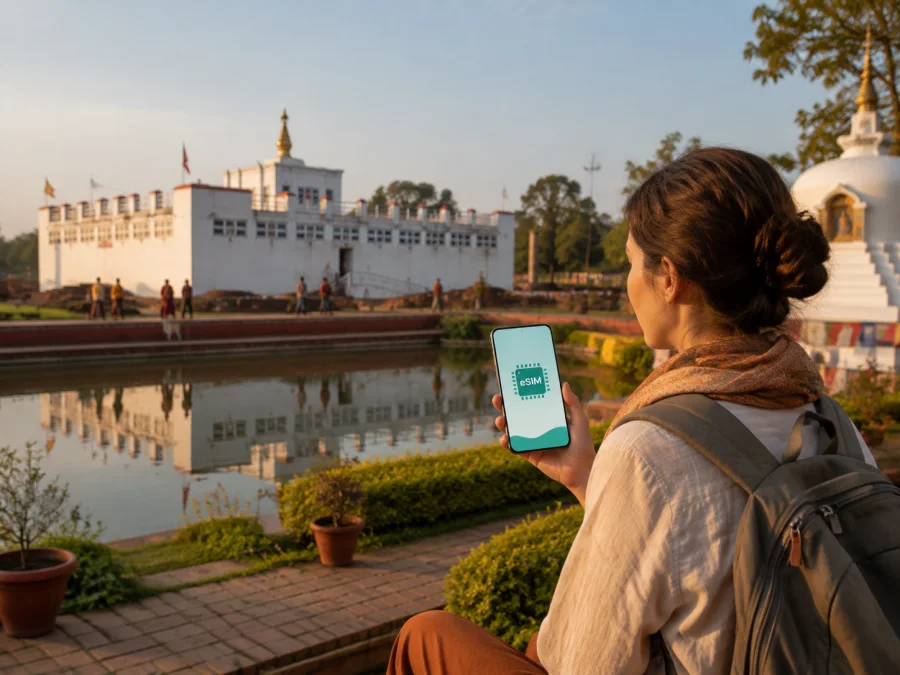
Lumbini eSIM: mobile connection and internet for travel in Nepal
Lumbini is a destination where a reliable mobile connection helps with arrival transfers, maps between the Sacred Garden and monasteries, hotel bookings and messages after a long road trip. An eSIM can provide mobile internet without removing your everyday physical SIM card.
Lumbini is a pilgrimage and heritage destination rather than a dense urban center. Its important places are spread across a planned complex, while Siddharthanagar, also known as Bhairahawa, is the nearby urban base for many arrivals and overnight stays. You may need data on the airport approach, in a hotel, during a walk through the monastic area and on a day trip beyond Lumbini.
Why mobile internet matters in Lumbini
The first hours after arrival are often the least convenient time to solve a connectivity problem. You may be carrying luggage, looking for a pre-arranged driver, checking whether a room is ready, or trying to orient yourself in an unfamiliar area. Mobile data gives you access to maps, translation tools, messaging and booking information while you move between the airport area, Siddharthanagar and Lumbini.
Connectivity is also part of a respectful travel routine. Lumbini’s core attractions invite a slower pace, so download maps and key booking details in advance, then keep mobile data for live directions, messages, ride confirmations and changes to your plan.
Typical Lumbini scenarios include meeting a driver near Siddharthanagar, locating a hotel or guesthouse, navigating between the Sacred Garden and monastic areas, using translation, sharing a meeting point and confirming a return transfer.
Understanding Lumbini’s layout before you arrive
Lumbini’s main visitor areas are arranged around a master plan. The Sacred Garden is the central heritage area and includes the Maya Devi Temple, the Ashoka Pillar, the Marker Stone, the Sacred Pond and archaeological remains. The Monastic Zone extends across distinct areas with monasteries and meditation centers. The Cultural Centre and New Lumbini Village form another part of the planned complex. These names are more useful for navigation than thinking of the whole destination as one compact street.
| Area | What it means for a visitor | Where mobile data helps |
|---|---|---|
| Sacred Garden | The principal heritage and pilgrimage area around Maya Devi Temple | Checking opening information saved in your itinerary, locating an entrance, and coordinating a meeting point |
| East and West Monastic Zones | A broad area of monasteries representing different Buddhist traditions | Following a walking route, identifying the next monastery, and messaging a companion |
| Cultural Centre and New Lumbini Village | A planned part of the wider Lumbini complex | Confirming transport, accommodation details and the next stop |
| Siddharthanagar/Bhairahawa | Nearby urban base with hotels, services and arrival connections | Booking or confirming a transfer, checking a map and staying in touch before or after the visit |
The site can feel open and spacious. A short journey on a map can take longer in heat, rain or busy visitor conditions, so keep your phone charged and carry accommodation details offline.
Arrival: airport, road transfer and the first connection
Gautam Buddha International Airport is located in Siddharthanagar in Rupandehi District and is a natural reference point for many journeys to Lumbini. Flight availability and ground-transport arrangements can change, so check the current details of your own booking. From the airport area, travelers commonly continue by road toward Lumbini or stay first in the nearby urban area.
Before departure, save your accommodation address, driver contact, arrival details and booking confirmation offline.
Once online, confirm a precise meeting point rather than relying on “near the airport,” and send your group the vehicle description, destination and hotel name.
An eSIM can be installed before the flight and activated according to the conditions of the selected tariff. Some travelers prefer to keep their home SIM active for their usual number and use the eSIM for mobile data. In that setup, check which line is selected for data and make sure the home line does not unintentionally use roaming data. The exact menu names vary by device.
Choosing an eSIM plan for a Lumbini trip
The best plan depends less on the word “Lumbini” and more on the full route. A short stay focused on the heritage complex has different needs from a longer Nepal itinerary that includes Kathmandu, Pokhara, Chitwan or a border crossing. Select the country or regional scope that matches the route, then compare the data allowance, validity period and activation conditions.
Use this simple planning method:
- Count the dates. Include every day you expect to use data, not only nights in Lumbini.
- Map the route. Include airport transfers, Siddharthanagar and every additional Nepal destination.
- Estimate usage. Video calls, photo backups and streaming use more data than messages and text maps.
- Read the conditions. Check destination, validity, allowance, activation rules, top-up options and limits.
Kaspersky eSIM Store is an app and website that helps you choose, arrange and activate an eSIM with a suitable tariff for mobile internet during an overseas trip. It does not replace the need to read the terms of the particular plan. If your itinerary includes only Lumbini and nearby travel, a country plan may be sufficient; if it crosses borders, confirm that a regional plan actually includes every country you will visit.
When you are ready to compare the available options, you can choose an eSIM plan for your trip to Nepal and then match the allowance to your Lumbini itinerary.
For a one- or two-day visit, prioritize arrival, maps, messages and booking checks. A longer stay in Siddharthanagar needs coverage for the whole period, while a wider Nepal route requires a country or regional scope that includes every stop. Work-focused travel also needs room for calls, email and files, with Wi-Fi as a useful backup.
Preparing your phone before the journey
The easiest installation is usually the one completed while you still have a stable connection and time to read the instructions. Do not wait until you are standing outside an airport with low battery. Keep your regular SIM available if you need its number for calls or account verification, but decide in advance which line will carry mobile data.
Before installing, complete this checklist:
- confirm eSIM support and that the phone is not operator-locked; check your device compatibility;
- back up travel documents and booking confirmations;
- charge the phone and keep the QR code or activation details accessible;
- check whether the plan requires data roaming for the eSIM;
- decide which line will carry mobile data and which will handle calls and messages.
How to install and activate an eSIM
The exact screens differ between manufacturers and operating-system versions, but the sequence is generally straightforward. For detailed device-specific steps, use the Android installation instructions or the iOS installation instructions.
- Check compatibility and unlock status. Confirm eSIM support and make sure the device is not restricted to another operator.
- Add the mobile plan. In mobile-network settings, scan or enter the provided activation details.
- Label the line. A label such as “Nepal trip” prevents confusion with your everyday number.
- Select and activate data. Choose the eSIM for mobile data and follow the tariff’s activation conditions.
- Test carefully. In the destination, open a simple webpage or send a message and confirm the intended line is using data.
If the eSIM is installed before departure, avoid deleting the profile just because it is not active at home. A profile can be present on the device without being the selected data line. If you change phones, read the transfer conditions first: an eSIM profile may not be transferable after activation.
Using data around the Sacred Garden and monastic areas
Lumbini rewards a flexible schedule. You may spend longer than expected at Maya Devi Temple or walk further through the monastic zones. Use data selectively so the phone supports the visit without dominating it.
Useful habits include downloading the broader map on Wi-Fi, pinning your accommodation and meeting point, saving a screenshot of the day’s route, charging a power bank and keeping one group message thread for coordination. Keep the phone on silent where visitors are expected to maintain a calm atmosphere.
Follow local instructions about photography, behavior and access. A connection is helpful for logistics, but avoid loud calls in places where silence and courtesy are part of the experience.
Hotels, meals and a working day
Accommodation decisions often involve a choice between staying within the Lumbini area and using Siddharthanagar/Bhairahawa as a base. The right option depends on your itinerary, transport and preferred pace. In either case, confirm the exact property location before arrival because names can be similar and the wider area is not laid out like a compact downtown grid.
For a hotel or guesthouse, confirm whether it is inside the Lumbini complex or in the nearby urban area, where Wi-Fi is available, how to contact reception and where a driver should meet you. Those details affect walking time, transfers and how much mobile data you need for work or calls.
For a business trip, separate essential email and messaging from heavier video meetings or file transfers. Download documents before leaving, use hotel Wi-Fi for large uploads when appropriate, and keep a backup communication method.
For remote work, test the eSIM before the meeting day, identify a quiet place with power and backup Wi-Fi, and keep key documents offline.
Short stopovers and trips onward from Lumbini
If you have only a short window between arrival and a later transfer, save the accommodation or meeting point, confirm onward transport and keep the eSIM plan aligned with the entire route. Check the time available after baggage and the road transfer before deciding whether the Sacred Garden fits without a rushed schedule.
If Lumbini is one part of a larger Nepal journey, review the plan before each move. A quiet walking day may use less data than intensive navigation, video calls or photo uploads later, and regional itineraries can have different conditions from single-country visits.
Troubleshooting a connection in Lumbini
When data does not work, confirm that the eSIM is enabled, selected for mobile data and not blocked by airplane mode. Check whether data roaming is required and whether the plan is still valid or has reached its limit.
Use this order:
- Look at the active data line and eSIM status in mobile-network settings.
- Move to an open area if you are inside a thick-walled building.
- Check validity and remaining data in the app or account.
- Toggle airplane mode briefly, then restart the device if needed.
- Review the installation instructions or contact support if the issue continues.
Do not delete the eSIM profile as a first reaction. Keep your hotel address and transport contacts offline so you can ask for help while diagnosing the issue.
Questions travelers ask about Lumbini eSIM use
Is an eSIM useful if I am staying only one day in Lumbini?
Yes, especially when the day includes an airport transfer, hotel check-in, navigation and an onward journey. Choose validity and data for the full period in which you need mobile internet.
Can I keep my normal SIM in the phone?
Often, a compatible dual-line phone can keep the regular SIM while the eSIM is used for data. Check the data-line setting and roaming options before travelling.
Does the eSIM include a phone number?
Not usually. An eSIM tariff in this travel context is intended for mobile internet and does not automatically include a separate number, ordinary voice calls or SMS. Check the specific plan conditions. Messaging and calls through internet-based apps may work when data is available.
Should I install the eSIM before I arrive?
Installing before departure is often convenient because you have time, battery and a dependable connection. Activation timing depends on the selected tariff, so read its conditions and choose the data line only when you are ready to use it. You can also prepare the profile and finish the destination-side steps after arrival if that matches the instructions.
What if I travel beyond Lumbini?
Review the plan’s destination scope before leaving. Lumbini, Siddharthanagar and other Nepal stops can fit one country itinerary, but a border crossing may require a different country or regional scope. The route, validity and data allowance should all match the complete journey.
A calm connection plan for your visit
The simplest Lumbini setup is a prepared phone, an itinerary that respects the scale of the site, and a tariff selected for the whole Nepal route. Save essential information offline, check the device and line settings, and leave room for changes in transport or walking time. That preparation lets you focus on the heritage landscape and pilgrimage experience while keeping practical communication available.
Kaspersky eSIM Store helps you choose, arrange and activate an eSIM with a suitable tariff for mobile internet during an overseas trip. Review the destination, data allowance, validity and activation conditions, then explore the options for your trip to Nepal and prepare your Lumbini connection before departure.


